looking at your code example, this would not be possible, because a string is not the same as an element. What you wrote would pass in strings to the function button_operation().
In turn you would call the functions .hide() and .show() on Strings, which might not be defined or not yield the results you expect from your element. It would be the same to write "you_items".hide() which I think is not defined.
What you could to though is pass a reference to an object into a function. Pass the reference to your element instead of string literals. That could look like this:
func _ready() -> void:
    var youElement : Element = Element.new()
    var herElement : Element = Element.new()
	you_button.button_down.connect(button_operation("you_button",youElement))
    her_button.button_down.connect(button_operation("her_button",herElement))

func button_operation(button_name : String, element_name : Element) -> void:

    if !button_name.button_pressed:
		element_name.hide()
    # ... more code here.
Thanks you two, for replay. Sadly no matter which one of your solution I’m trying to do it don’t work.
(Probably because I just started using godot 4 days ago, and before I was only using django a little). I will try in next couple of hours to somehow solve this problems and try get what you mean by your ideas. So thanks for help!!!
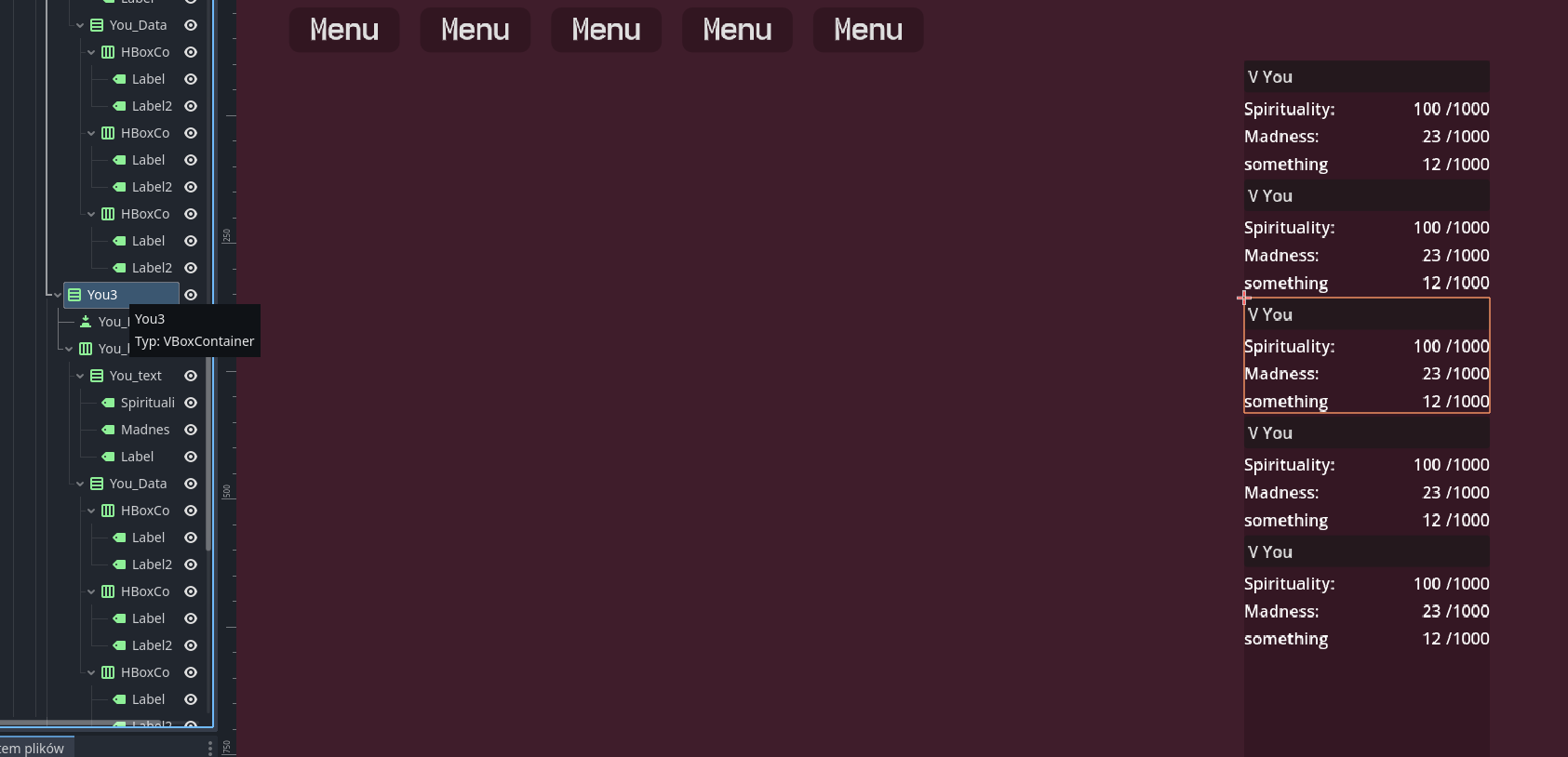
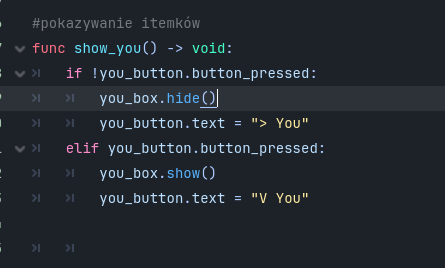
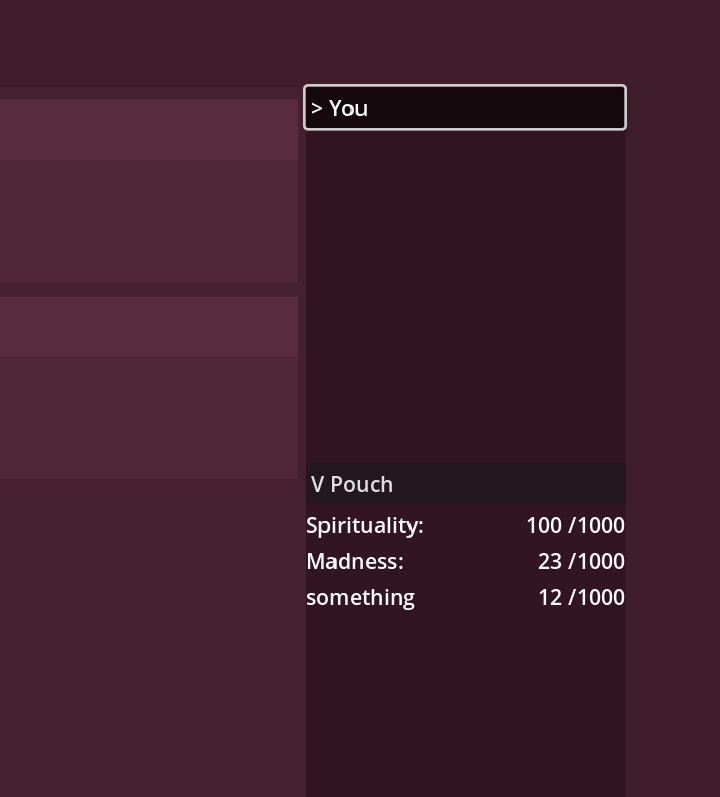
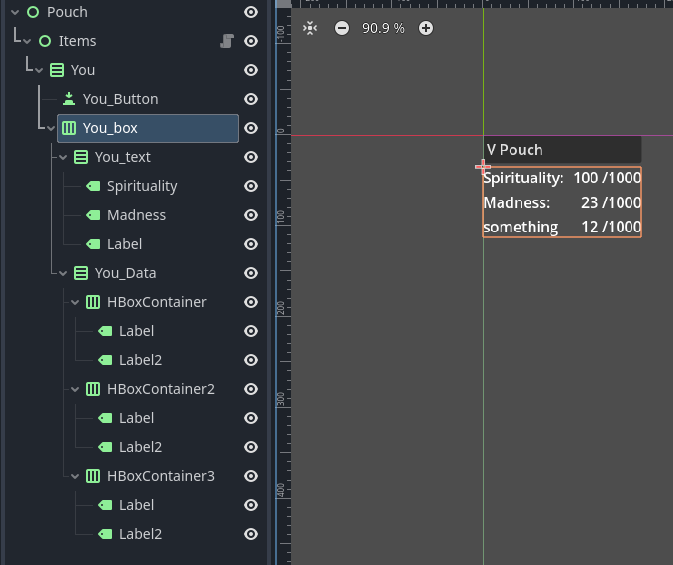
those “V You” are buttons, and when you click on one, those items (labels) go hidden, when you press it again they show themselfs. So for me “element” are HboxContainer-s inside “You” Vbox-es
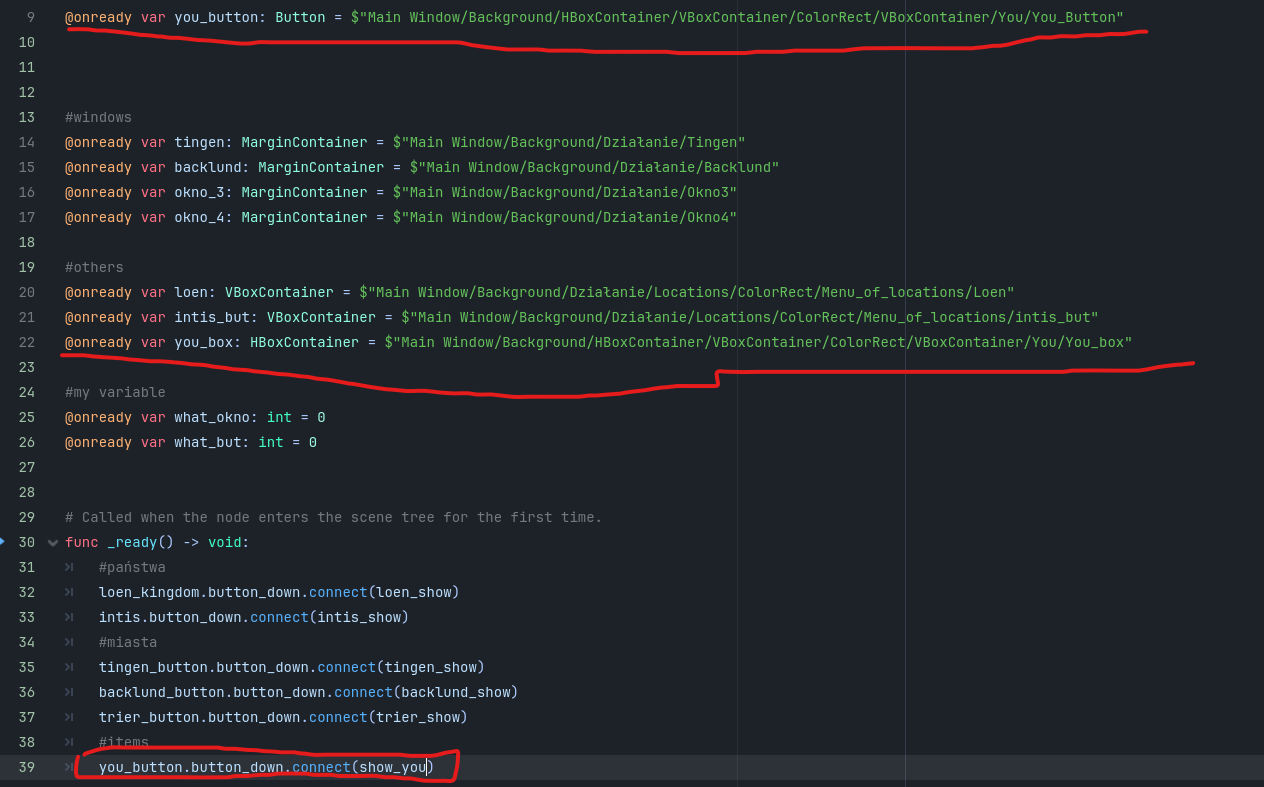
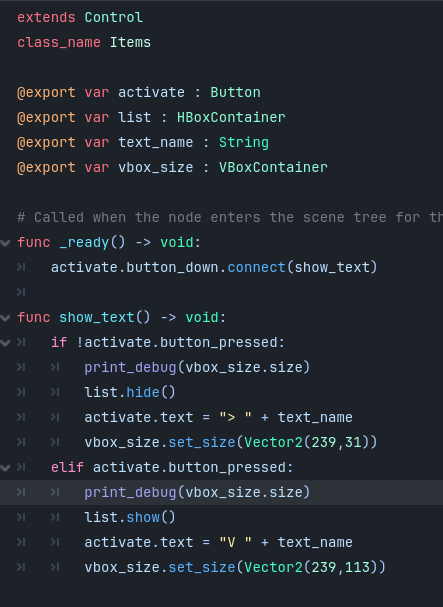
Here is my code how I’m doing it, but I don’t wanna to make 10 same commands for this one thing
I mean even if I make scenes where those “Items” are hiddent and open I still have no idea how to make it more automatic + won’t it make that not every “You” can be expanded?
Make one “You” a scene, implement its full functionality inside it and then just instantiate a bunch of them into a container. That way you only need to do things once.
If you already programmed a bit in django (or python) you might be familiar with classes. In Godot there is two main abstractions, namely scenes and scripts. The Godot docs states the following about their relation.
The scene is always an extension of the script attached to its root node, so you can interpret it as part of a class.
You can often achieve the same thing by creating scenes or writing scripts. In addition you can turn scripts into classes using the class_name NewClass keyword.
In case of the recurring elements you mentioned you could express them in one of the abstractions available (scene, script, class). You could then create several instances of the same thing while changing the underlying data. You abstract the things which repeat and you pass in different data.
I don’t know what this sentence is doing in the docs. This is technically not correct. Or at least a very poor wording.
Scene is just a branch of nodes. Scenes and scripts are not related. You can have a scene that doesn’t contain any scripts or you can have a scene in which every node has a script attached.
Okay I kinda get it now and I make all “you” as new scenes and made script with one class that handle what I needed so I kinda solve my problem, and really thanks for this info it help me with other part of my game too. Yet now new one occured so if anyone of you still can help a little I would be super happy.
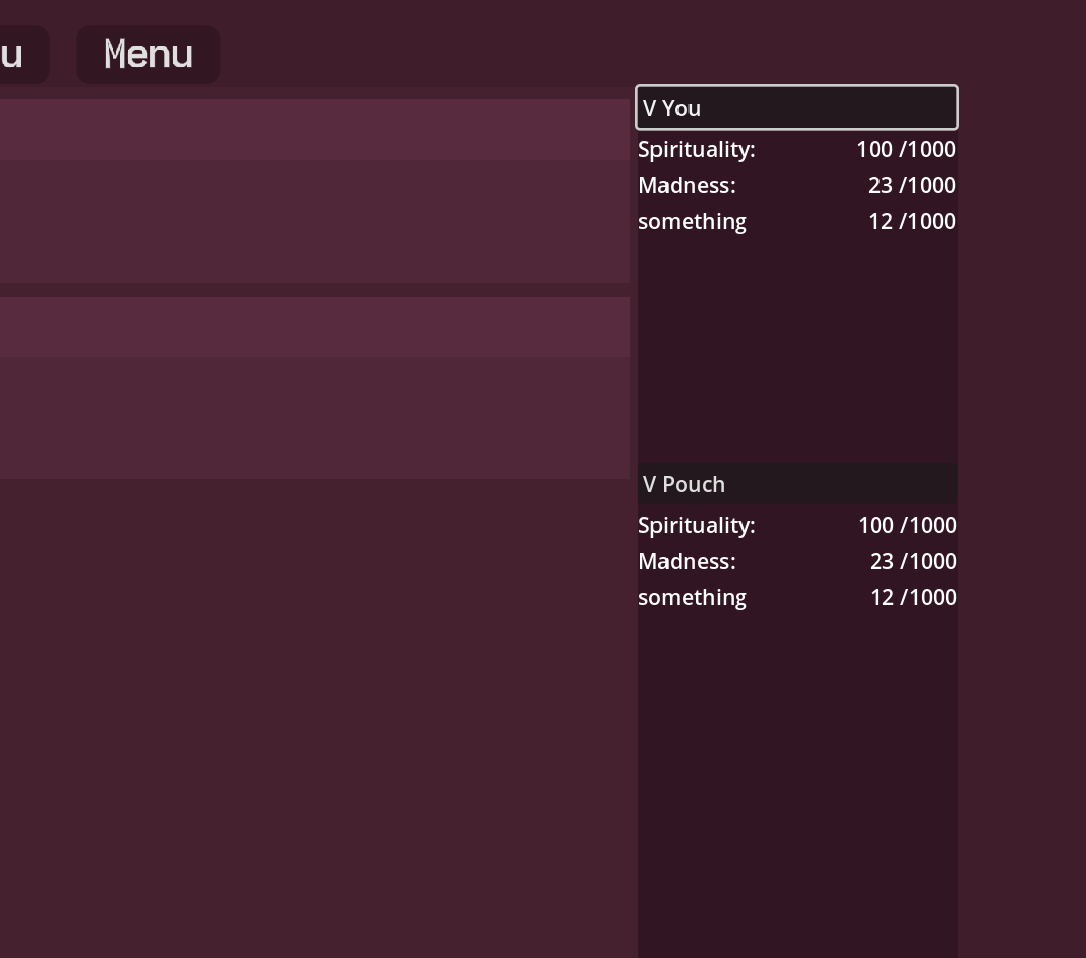
Now since all “you” are a new scene Vboxcontainer don’t “position” them correctly:
My main point is that, when “You” is closed then “Pouch” go up to “hug” to it. But no matter what I try it doesn’t change. I also try to add function in button so it change size in scene but It doesn’t work too
Ah you may have created a scene out of the wrong nodes, Since you have basic Control type parents “Pouch” and “Items” the rest will not be sized with the greater container. You may be able to select “You” right click it and “Make Scene Root”, then move your script to the new root and fix any node paths.
it worked!!! after this I needed to add into “Main Scene” and into vboxcontainer of those all items, new control and set it strech ratio to 10, and then they finally started expanding and shrinking how I want it to