Godot Version
4.6 Stable
Question
As the question suggests is there a way to add your own custom PrimitiveMesh geometry with your own custom settings, so like there is a cube and there is sphere and such can you make your own, preferably through GDScript if possible but I reckon this is probably something I would have to dive into C++ to achieve?
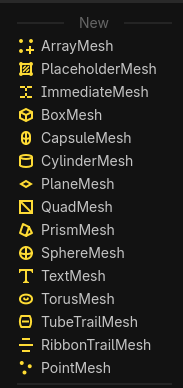
Just inherit PrimitiveMesh in a named script class and it will appear on the list.
Hmm that seems pretty straight forward, it definitely shows up in the list when I do it but how do I feed it info about my mesh data, I assume it is very similar to how I would construct an ArrayMesh through code, is there some function I need to override or something similar?
Yes there’s a virtual function you need to override. Look at the PrimitiveMesh class reference in the docs, it should be obvious.
Oh yeah I got it now thanks!
Although another problem emerges for some reason, I keep getting this error (pic)
This is the code I used, in runtime it actually draws the triangle but still throws a bunch of errors, but if I add a @tooltool to the script to work in editor it just errors out and never draws the triangle
class_name testmesh
extends PrimitiveMesh

@export var testscale:float

func _create_mesh_array() -> Array:
	var arrays = []
	arrays.resize(Mesh.ARRAY_MAX)

	var vertices = PackedVector3Array()
	vertices.push_back(Vector3(0, 1, 0))
	vertices.push_back(Vector3(1, 0, 0))
	vertices.push_back(Vector3(0, 0, 1))
	var indices = PackedInt32Array([
		0, 1, 2,
	])
	arrays[Mesh.ARRAY_VERTEX] = vertices
	arrays[Mesh.ARRAY_INDEX] = indices

	return arrays
Not really sure if this should be another thread 

After a while it just resolved itself, not sure why and what happened but yeah.
For me, adding @tool at the top fixed it.