This seems like a really good solution, but I wanted to keep my pixel art style. It seems to be a pretty tedious process to remake every card when I already have art for every card prepared.
I understand… But you have a pretty high bar there!
You want squares (pixels) to be rotated and then have them be so smooth as to still look square… but you remain limited to actual pixels. ..
Yup. I understand that the bar is really high. I might have to default to make super high quality card textures and emulate the pixels onto them. So maybe for every pixel on my pixel art I’d create a 5x5 square on the upscaled version
Would this solution work?
Cannot guarantee, but you have a way better shot that way.
I’d suggest you generate those images using a script, though.
If you get stuck I’d love to help with that challenge too. 
Don’t post this narrow screenshots. Show the entire card.
Enable mipmap generation in texture import settings
Pick linear mipmap filtering for sprite’s texture
Enable msaa
Let go of those absolute numbers. Think infinite scaling.
You could write a custom draw function in any CanvasItem node that draws rectangles for your pixels directly to the screen… Or use a Polygon2D together with its polygons property. Be sure to use Geometry2D.merge_polygons to drastically reduce your amount of draw operations.
What do you get? No scaling artifacts.
Will you be happy with the end result? Who knows? 
Otherwise eek out every bit of golden advice @normalized is giving you here and become satisfied at some stage.
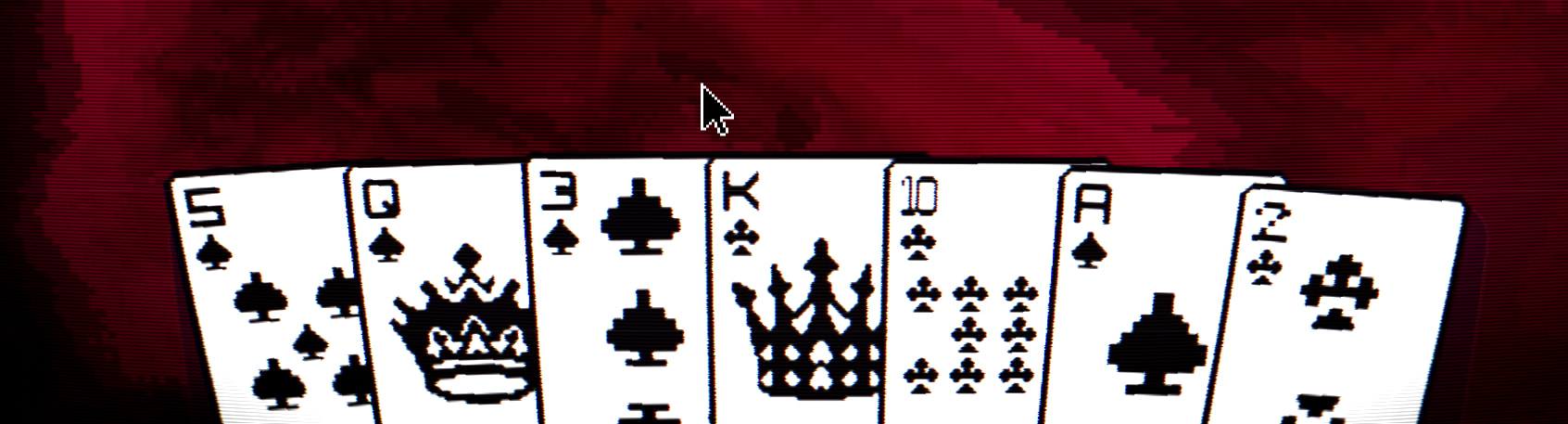
Since I’m pretty new to this, I have no clue what CanvasItem, Polygon2D, or Geometry2D does. As of now I’m pretty limited with my time so I can really explore it too much. Could you please link your plugin if possible so that I can explore it a bit later. It seems useful and I may use it if I find no other solution.
The solution I’m suggesting here is not in the plugin. It can all be done using plain gdscript. We could collaborate on a plugin slow paced like if you want: scalable pixel art 2d?
Alright thank you.
I will look into it when I have some more time. Likely after a few weeks.
I’m not completely sure I can start making plugins just yet. Still finding my way around. Thank you for the invitation.
Thank you for all your help as well. I will leave this problem here for now.
How is it all supposed to look vs how it currently looks in respect to pixelization? Can you make a mockup?
Tongue in cheek here: I am not sure if the mockup is physically possible to be produced by a regular computer screen, so crisp will the edges of individual squares representing pixels have to be, once rotated.
Maybe it will need to be posted via regular mail 


But in all honesty, I really admire and can appreciate @Venidici 's perfectionism.
That’s why we need a mockup - to determine the horizon of possibility
Contrary to you and the OP, I’m a goodenoughist, specialized in perfectionism banishment 
And that is what I love and appreciate about you! 
PS: that is totally subjective by the way and I doubt if you really mean it.
Your good enough looks like close to perfect to me often enough.
Thanks! I’ll take this as a compliment
You could try to add a small transparent border around the card texture, then it will be the transparent edge that becomes jagged and should make things appear crisper.
Have tried adding a 1 pixel border around every card (invisible), doesn’t seem to work.
Yes probably has to be a bit larger.
I had the problem when dragging sprites in a subviewport. In my case my images have a huge border so I was cropping to image size before applying as a texture which would cause tearing when dragging the sprites. Changing things so the crop left a 3 pixel border solved it for me.
Noted. I’ll try different resolutions upto 5 pixels and update on how things work out for me.
I’ve tried adding pixel borders from 1 pixel to 5 pixels around my card objects, but there seems to be no difference or a very minor change.