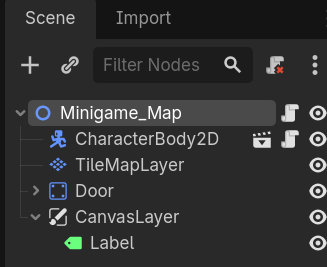
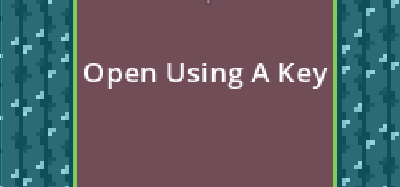
I have this label thats supposed to show when an area is entered, and it is detecting my player. When i try to call a ‘show’ on the label when i have an on area entered, though, it isnt showing up. any thoughts?
extends Area2D
@onready var label = $"../../CanvasLayer/Label"


func _on_area_entered(area: Area2D) -> void:
	label.show()
#it prints when i put a print function here


func _on_area_exited(area: Area2D) -> void:
	label.hide()
all the other code i have is my player movement script which ill put right here:
extends CharacterBody2D

var max_speed = 350
var last_direction = Vector2(1,0)

func _physics_process(delta: float) -> void:
	var direction = Input.get_vector("left_arrow", "right_arrow", "up_arrow", "down_arrow")
	velocity = direction * max_speed
	move_and_slide()
But when i clicked back into the area2d (that makes the label visible) i got this warning?
[Ignore]Line 5 (UNUSED_PARAMETER):The parameter “area” is never used in the function “_on_area_entered()”. If this is intended, prefix it with an underscore: “_area”.
[Ignore]Line 9 (UNUSED_PARAMETER):The parameter “area” is never used in the function “_on_area_exited()”. If this is intended, prefix it with an underscore: “_area”.
Other than that script and obviously the area script thats supposed to turn on and off the label, theres nothing else.