Godot Version
4.5.1
Question
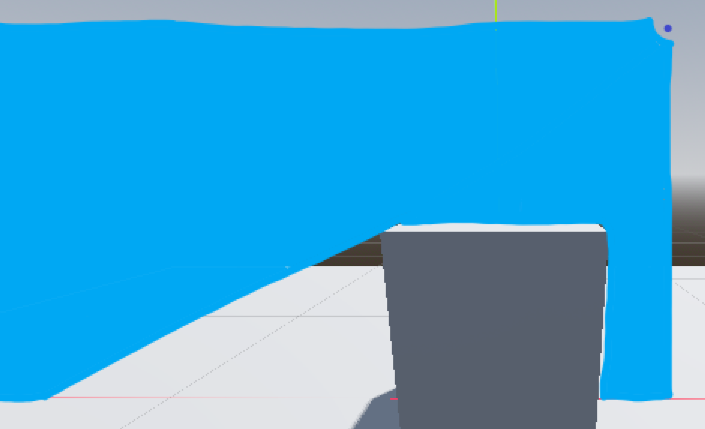
Hey! I wanted to ask if there was a way to create a 3D line-of-sight visualization as a mesh, sliced like a sci-fi scanner, like in this image:
4.5.1
Hey! I wanted to ask if there was a way to create a 3D line-of-sight visualization as a mesh, sliced like a sci-fi scanner, like in this image:
A shader would probably be the best way to do this, but I don’t know any shader that’s been made for this one yet. You could try experimenting with RayCast3D and MultiMeshInstance.
Thanks for responding! I don’t think RayCast3D would work in this situation, since you’d need to do too many raycasts. I don’t know of any way a multimesh could help here. I don’t think a vertex shader is possible and moving a mesh’s vertices on the CPU or creating a new mesh, sounds like it would be too slow.
But this did give me an idea. I could somehow make a 1 pixel wide camera texture, somehow get its depth texture, and somehow transfer that depth texture to the fragment shader for a double-sided plane mesh to hide pixels that are behind objects. That is a lot of unknowns, and I am no graphics expert so there is probably a good way to do this, but if there is I don’t know it.
It’s basically a custom shadow map. Render depth from the light’s perspective into a texture, and then render the blue plane with that texture plugged into the shader. For each pixel, calculate the distance to light, find that pixel in the shadow map and compare depths. If the depth in the shadow map is smaller - render transparent, otherwise render blue.
Look up classical shadow mapping for details.
I feel so close.
Currently I have a subviewport texture rendering the depth texture to the scan_depth_texture here. Lost some precision to needing to scale it to fit in a 0.0 to 1.0 range.
shader_type spatial;
render_mode cull_disabled, unshaded;

uniform sampler2D scan_depth_texture;
uniform float depth_scaling;

void fragment() {
	vec2 to_source = (vec2(1.0, 0.0) - UV);
	float depth = length(to_source);
	// We need to scale the depth to get it to fit into the 0.0 to 1.0 range
	// for it to be rendered to a texture. We undo that scaling here.
	float scan_depth = texture(scan_depth_texture, vec2(0.5, depth)).r / depth_scaling;

	// 10.0 is the size of the quad
	ALBEDO = depth * 10.0 > scan_depth ? vec3(1.0, 0.0, 0.0) : vec3(0.0, 1.0, 0.0);
}
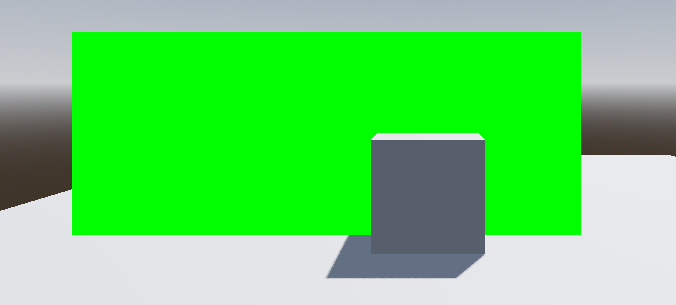
The problem is that I can’t get the depths right. I’m probably missing something here, but with this code no part of the mesh gets hidden (or in this test case, turns red).
Edit: I think I worded the beginning a bit weirdly. The subviewport has a fullscreen quad that gets the depth texture, which results in the subviewport rendering its depth texture. I then have that linked up to the scan_depth_texture.
You can’t use camera depth texture. You need to use another camera that sees what the “scanner” sees.
The alternative may be to use an actual shadow casting light, and render the scene into a viewport only with that light. Then use that as a mask. This might require making a copy of the whole scene.
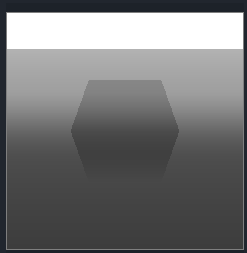
Sorry, I am rendering from the scanner’s pov, thats what the subviewport is.
The Depth mesh in this image is the fullscreen quad that only gets the depth of the camera in the subviewport. The Scan mesh is the green mesh in that screenshot that has the shader.
Edit: This is what the subviewport’s render texture is.
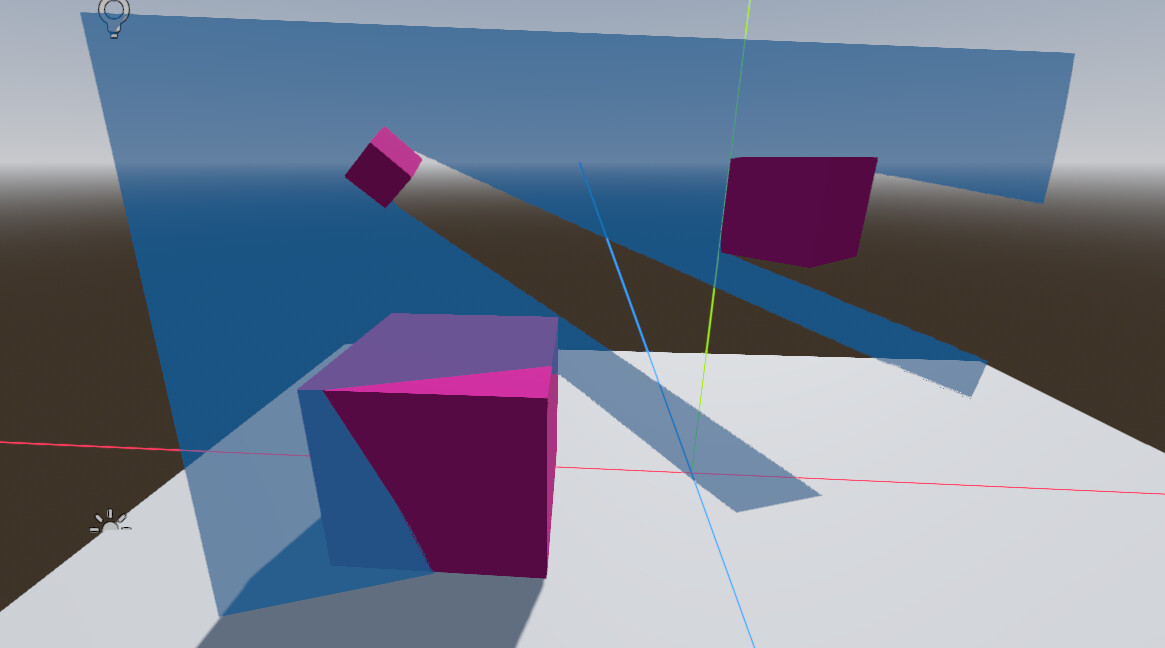
To avoid making the whole custom shadow map setup, you could use a light shader with an omni light and map attenuation to transparency. Use visual instance layers to light and cast shadow only to scanner plane.
Can you send an image of the scene tree and/or code? I can’t figure out how you did that!
Put the blue plane on some visual instance layer, say 20. Put omni light into one corner of the plane and set its cull mask to layer 20. That way the light will only affect the blue plane. Enable shadows for the light and set its intensity to some large value. Then run a shader on the blue plane that maps light attenuation to transparency in the light function:
shader_type spatial;
render_mode cull_disabled;

void fragment() {
	ALBEDO = vec3(0.0, 0.5, 1.0);
}

void light() {
	ALPHA = step(0.05, ATTENUATION) * 0.8;
}
Thank you for the help!