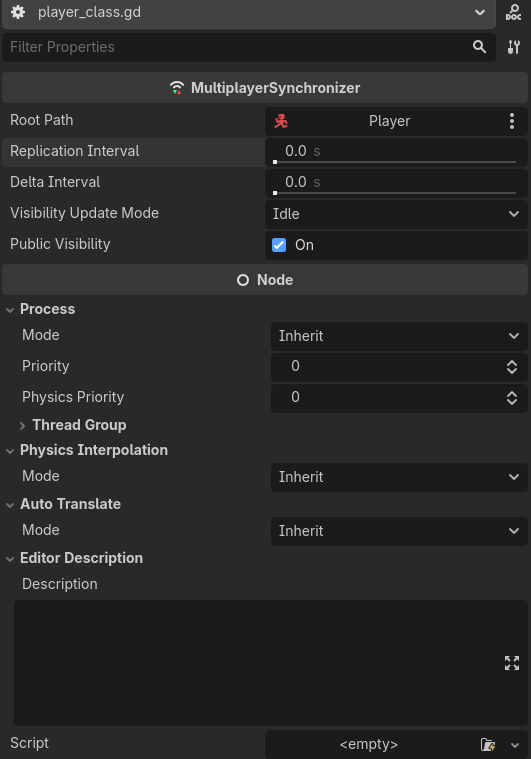
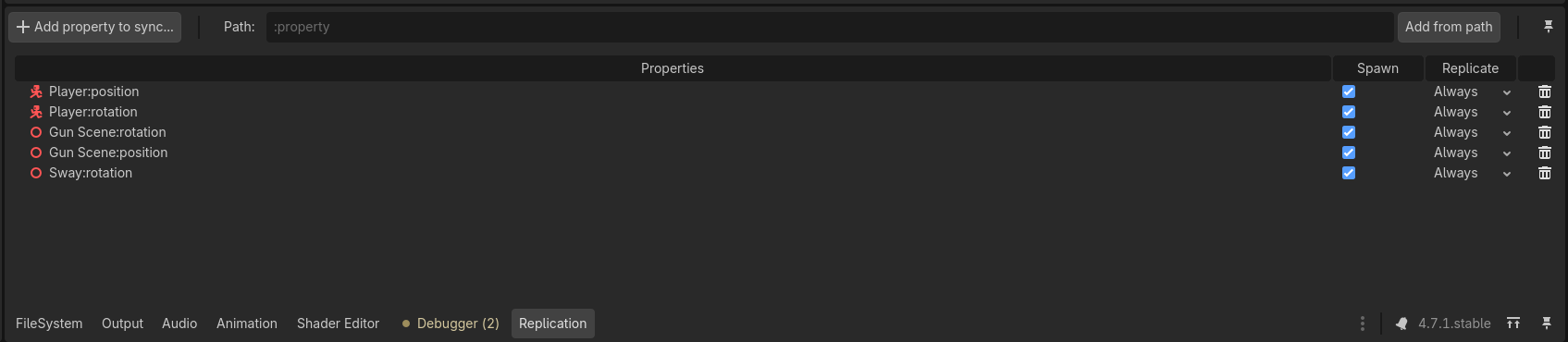
I’m currently trying to make one of my FPS engines multiplayer, yes I know it was a bad idea to start so late, and I struggling with the other players just looking hella choppy. When I look at the position and velocity of the CharacterBodys im spawning it also looks very choppy. There’s no sort of awaits going on, ive tried with physics interpolation and without interpolation, both process functions are printing at very fast speeds, fps is fine, and the replication interval is 0.0. The players are connecting fine, i’ve checked that. I have no idea what is causing this tbh, would appreciate some help.
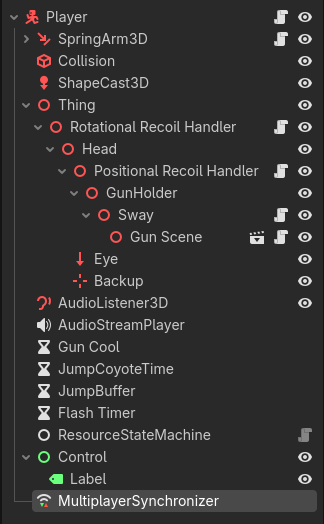
Buncha random screenshots
If more context is needed like the player characters script or what not i can provide that on request.
Hello!. Im also working on the same type of multiplayer game too! The problem I found is the internet delay, it will cause some frames to be skipped completely, causing chopped movement and position and velocity very laggy. I think you should try saving the players transform to a Dictionary/Array and then “replay” it across the server. Hope it helps
Ok yeah i’ll try that if I can’t figure out the MultiplayerSyncronizer, thanks!
I’m working on a multiplayer game as well, hopefully I can be some help. I’ve been spending a lot of time doing trial and error to get buttery smooth movement for my players and their cars.
One thing I am doing is using a Node3D as a container that is a child of the main node CharacterBody3D, and in there I am housing my meshes (for future implementation of character customization).
In my ready function for the player, I set the container Node3D to top level. world_mesh.top_level = true. I also set the Process Priority for the Synchronizer to -1 so it runs before any other process.
Please try that and let me know how it works for you. There will always be a little bit of delay, but this smoothed it out noticeably for me.
You might not need to synchronize all those visual nodes for rotation. Take the highest level node that you are rotating and sync that one. The rest should hopefully follow. The less information you send, the better. Granted your application is not super intensive, but it’s good practice
I’m at work right now, so I can’t reference my synchronizer setup, but I can see my scripts on GitHub. So I can’t remember exactly, but I use this in the beginning of my process function as well:
var smooth_speed := 25
world_model.global_position = world_model.global_position.lerp(global_position, smooth_speed * delta)
world_model.global_transform.basis = world_model.global_transform.basis.slerp(global_transform.basis, smooth_speed * delta)
All peers run this code, I do not protect it behind anything like if !is_multiplayer_authority(): return. The rest of the process function does use protections though
Thanks! setting Synchronizer Priority to -1 can reduce the jitter, but not fully for me though
Hello! I actually decided to completely restart from the ground up while taking multiplayer into consideration and so it has been running smoothly. At some point I noticed that enabling sdfgi would really mess up network smoothness, and when I tried that on my original project, that seemed to be the issue. If my multiplayer performance starts degrading again in the future, ill try this out and let you know how it goes, thank you for the comment!
Still have no idea why sdfgi screwed up multiplayer and not _process XD