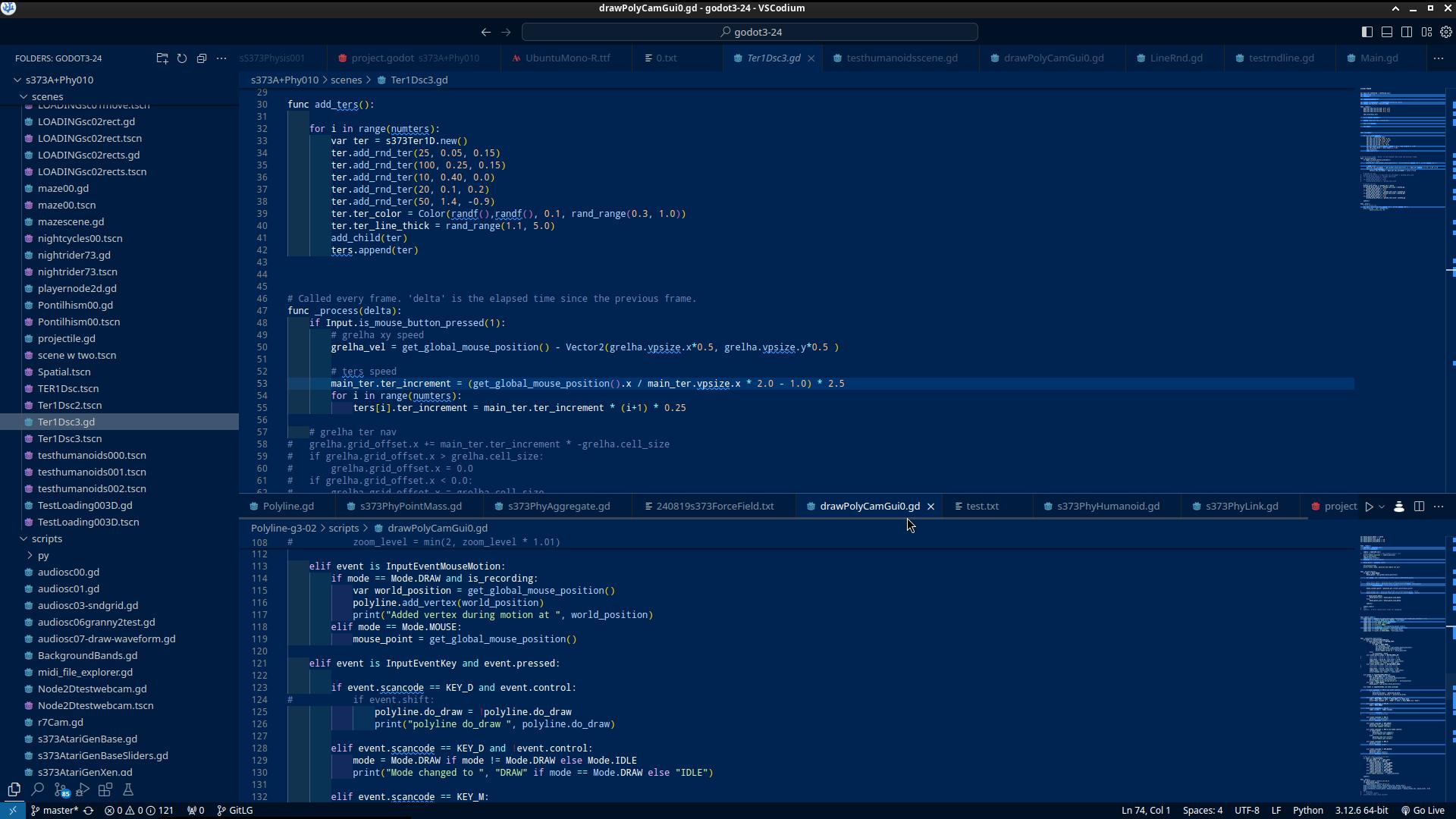
Is there a way to have multiple screens of script open simultaneously? In IntelliJ or VSC you can open multiple scripts at the same time, which makes it easier to code quickly.
I have previously achieved this by using external editors, but that brings along other problems, and I strongly prefer the native Godot Script editor.
I know I can pop the coding screen out and move it somewhere else, but I want to have 2 or more screens or tabs of it at the same time.
Best regards
No, as far as I know this is not possible at the moment. Sorry. And it is such a complicated thing that no plugins exist to help with this either.
Personally, the tabs are enough for me, but I get why it can be useful to have one script open on one screen for reference when working on another one.
Looking at that image, it got me excited about the idea. That would be so helpful in so many situations.
I can see why it would also raise a lot of questions, you would need to double up all the inspectors, the file lists would need to highlight two. I can see so many issues with it.
I have not tried it, but what if you open two Godots but open the same project. I cannot help but feel complications would arise. TBH I am too scared to try it in case I muck up my own project and it starts failing to open.
Since you mentioned IntelliJ, I just wanted to say that their other IDE Rider support Godot (although I have no experience with it) and it was recently made free.
Perhaps that could be helpfull for you?
The issue I had with external editors (at least in 4.2) was that the engine crashed very often (I think every time I had some syntax error in the script and pressed Ctrl+S)
This made it basically unusable, because some typos always sneak their way in.
I used Visual Studio Code, I will give Rider a try tho. Thanks
personally, for most projects we just use godot to render after a month or two of coding text files.
most coders here use to have 3 or 4 godot instances open, with different projects, but it’s not fluid.
should be pretty straightforward to make each subrect in the editor window an abstract container. containers already there. like in blender, any container could be any ‘view’, text, 3d, 2d, anim, visual, etc. project.godot could store a rect subdivision configuration.
text views could have tabs. they already have nice linters. ctrl shift p would summon a handy all commands textual access, you will soon enough forget about inspectors, sych a waste of screen space. this would make codium obsolete, and tabs on text files, already the vertical ones, so…
anyways take this with an outsider grain of salt and pepper, plus a couple of cents. really eager to dive back in this beautiful engine, thanks so much everyone for such easy smooth multipurpose tool
I have not used vscode in some time but this week I have been using it for some php, html, css stuff. And at first the intellisense or whatever its called was really getting on my nerves.
But then it started doing stuff that was amazing! At times I was “How did it know I wanted to do that?”. I think it is more useful when ammending rather than creating TBH, but it was jaw dropping. If I was creating a partial, it was like it was reading my mind! I was using laravel and it was like it new what I was doing before I did, and even the javascript prompting was incredible. It even taught me some stuff I didn’t know.
I just can’t believe how fast it made web dev. This would have been simply witchcraft back in the days I did web dev professionally. I can’t believe how far it has come on.
Just thought I’d mention it. I am still a bit shaken by it now.