Here is the no gradient version: Release NoGradientVersion · The-Super-Famicom-Enthusiest/BiancaFont-SNES-Style-EN-JP-Font · GitHub

did you reimport everything in the sidebar? That could be the issue, because I am 99 percent sure i certainly got rid of the gradient in the upload, i will check again though just in case…


you need to fully replace the file, currently one of them uses the incorrect naming, with (1) (i assume the png is the same it doesnt matter with the .fnt file, but it does for the png) at the end of the name, and it yes you need to reimport it, the way the font is structured is so that it requires the exact original naming, so i would recommend deleting the original ones you downloaded and just swap them with the no gradient ver, re import, etc.

i dont think that is distortion, i am 99% sure that is due to your window settings and resolution, are you using resolution that works for 16 by 16 tiled retro games, or at least 8 by 8 tiled?
Was any arithmetic done to determine the current numbers you have for your current game resolution, or was it on a whim?
I mostly based my resolution on some games I played like deltarune, think my viewport is around 640 x 360. My computer does not distort text in those games so I am not sure why does it do it in godot for my game. think it should work with these tiles, though I am planning on using 32x32 tiles for my room scenes.

i see…
Pixel fonts usually work best in lower resolution, for instance, I am using for my game a resolution of 256 by 224 pixels,
Usually pixels will change sizes at different resolutions especially at higher resolutions; to my knowledge it is completely normal
Interesting, so there is not really a way to fix my distortion beyond changing fonts or increasing the size slightly? I wonder how games like deltarune does it where you could size a pixel font to smaller sizes without it distorting badly.

Before when it had the weird transparent shades, those are fixable, without a very low resolution though, I cant think of very many ways to make each pixel be a perfect square.
I have seen several games before where the pixel size ratio changes based off of the zoom, etc.
in the particular screenshot you just posted, it looks perfectly normal, I cannot detect any distortion whatsoever…
Yea the screenshot was from deltarune, I opened the game a bit to see if the pixels looked normal or distorted there to which they did not so I am trying to figure out how they could do that. Btw by chance, I am curious on the type of game you are making. Your pixel art looks pretty good.
On the deltarune note; Usually if you run your Godot game, the pixels will look perfect on fullsize screen mode, it usually only distorts in the menu, even for my game.
And ah yes, thank you;
I am just working on a SNES-style JRPG with Zelda-style dungeons and the like, and Golden Sun-style magic system in a way that it can be used in and outside of battle, among other mechanics that make it almost like DQ5 and DQ6.
It isnt too much so far, but I am getting there, best of luck to your projects as well.

Awesome–glad its going well now 
As for my game, yes i plan to release on steam—
If you need any more help with godot and programming, feel free to ask
good luck
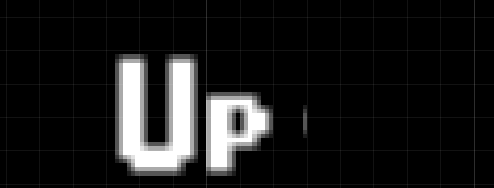
switch back to canvas? what if you dont use that, it seems like the font is scaled quite large also, given the grid size
**And of course, happy to help, i actually have been on the forum for only a few months now
