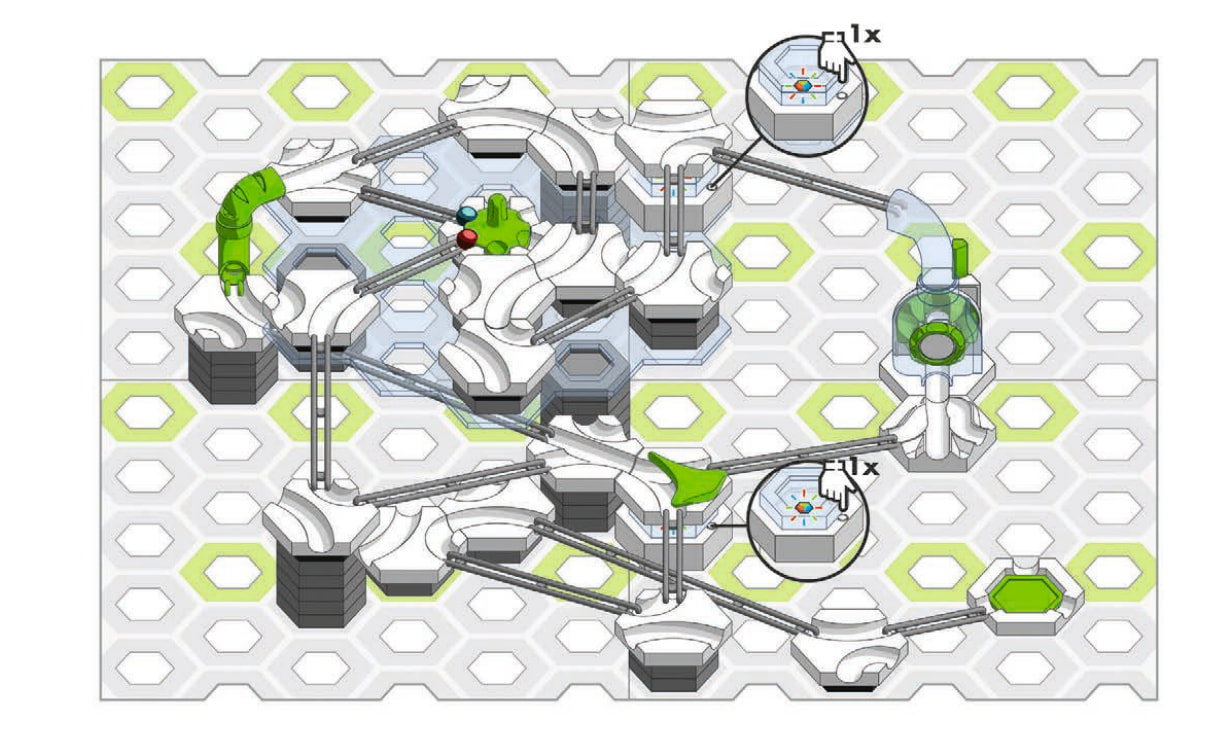
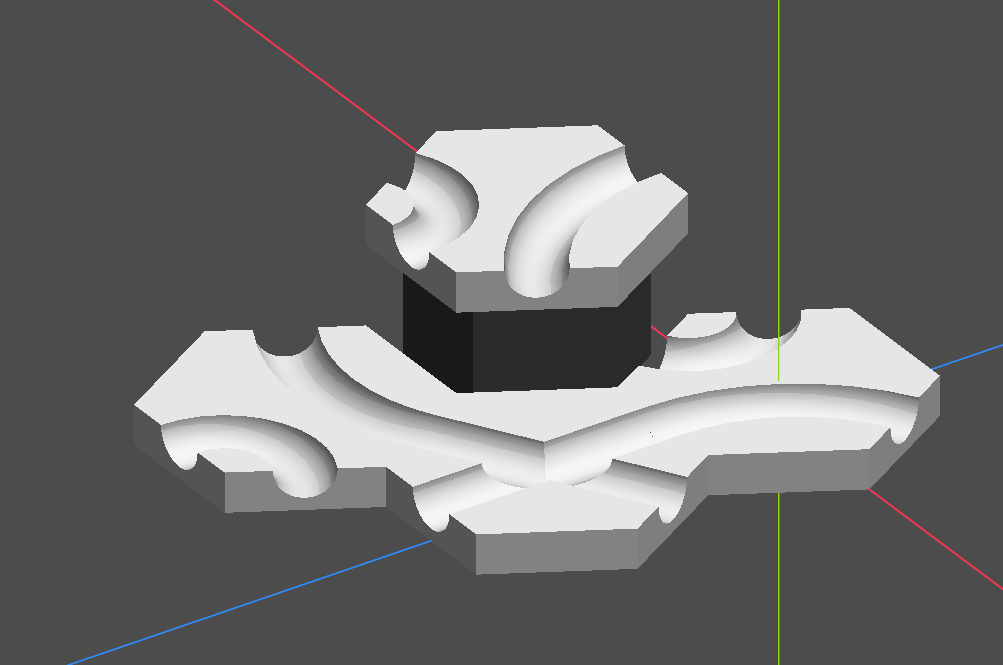
Hello, im new to godot and currently working on a Programm to build marbleruns for the system GraviTrax and make building instructions of them, i wanna recreate the artstyle of the original instructions.
here is already what i have.
i know i can get this using normal and depth detection, but i dont think this will work for parts right next to each other and it also needs to work on tansparent parts
It is unclear what you are asking for help on. What problem are you having? How have you tried solving it?
the problem i have is that the shaders i tired werent exactly how its in the first image, and most of the methods to highlight edges wont draw between two of the parts next to each other and wont work with tansparent parts.
dont think that will work, i need this for 3D but the method with the quad mesh doesnt give good results
I don’t see any highlighting of edges in that first image. I also do not see it in your second image.
Since you haven’t told us what methods you’ve used, all I can say is clearly you need to try more methods.
Is there a reason you’re using a shader instead of just adding an outline using the stencil buffer?
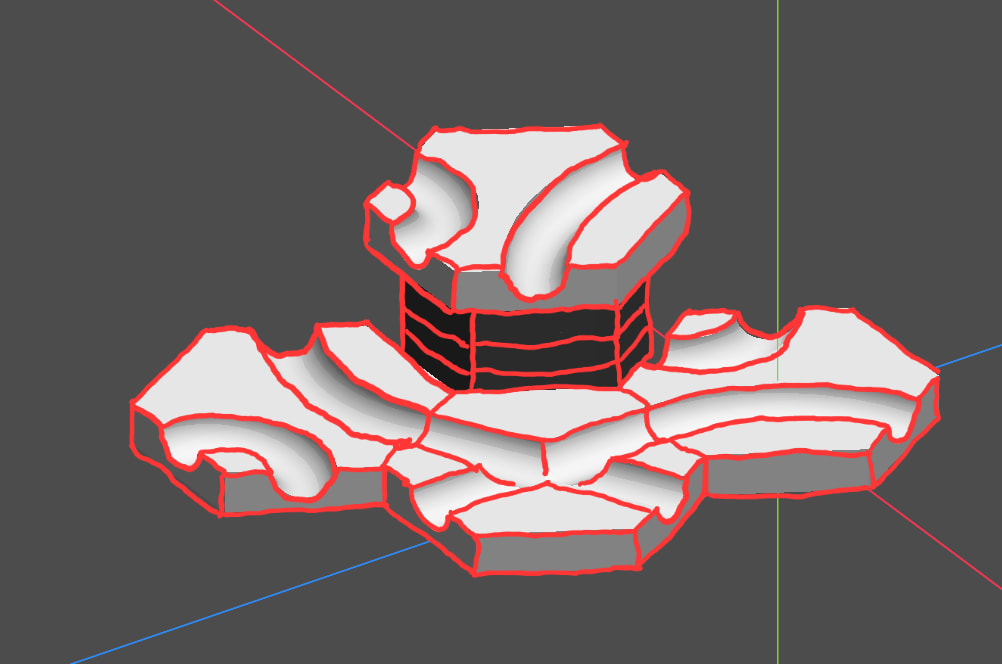
In the first image the induvidual parts have black lines on the edges thats what im trying to get, as far as i know stencil just adds outlines around the objekt.
I maked the edges with red here, these are the ones i wanna highlight with black for example
The reference image may be pre-rendered.
What are your planned camera constraints? How thick do you need the outline?
1 Like
The refrence is drawn as far as i know, and for the Camera movement its gonna be free in perspective mode when building and locked in angle in orthograpic when doing instructons of the build track
And for line thickness i need it to be constant for the model, like if i move away the lines dont get bigger. So greater distance = smaller lines
I meant the absolute line thickness in screen space. Do you need larger than 1 pixel lines and adjustable thickness? If not you can simply create line geometry in the pre-processing stage and just draw that.
The second options is the standard post processing shader that samples normals/depth, but since you need it on transparent objects and between different possibly tangential objects the best way would be to implement it as a post-transparent compositor pass. This will require doing it in a compute shader and rendering an additional buffer that encodes unique object IDs so the shader can differentiate between them.
3 Likes
Ah so ill need a compositor gotta look into that then, was just unsure what exacly i need
I’d think about drawing the edges as geometry. It may be a good option for this.
1 Like
Would i have to do this for each part? Becouse i wanna give the option to add new parts the user can define by themselfs
Yes but you can completely automate it.
I looked at your reference image more closely and it appears that outlines are not only on transparent objects but they are visible through them. Doing this with a post processing shader may get involved. You’ll need at least two compositor passes (post-opaque and post-transparent).
If you indeed need lines visible behind the transparent objects then generating outline geometry approach might end up being simpler to implement.
so the outline geometry is also done using compute shaders?
No, you just generate it by processing the original mesh either at startup or as a part of asset production or importing process.
You can use MeshDataTool to get all the edges, and copy only the hard edges to the outline mesh.
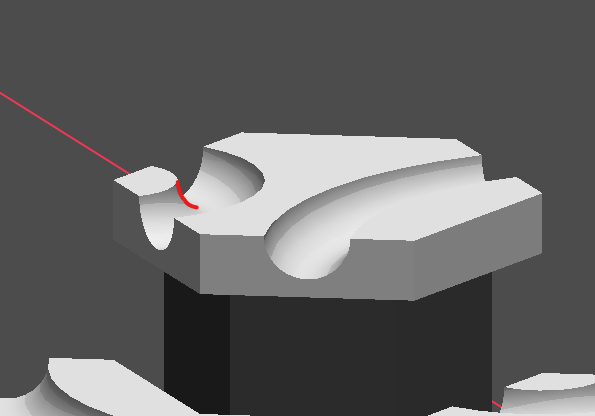
hm but this wont work for edges by curved faces if im not mistaken
What do you mean by “edge by curved face”?
You can pre-process mesh data end determine hard edges using any criterion or combination of criteria that’s adequate for your use case.
i mean these kind of edges wouldnt be in the outline, or do i understand this wrong?
what you mean is that i take the mesh at startup and generate a copy of it only with the hard edges, but this edge is only visable from specific angles becouse of the curved surface