Godot Version
4.6
Question
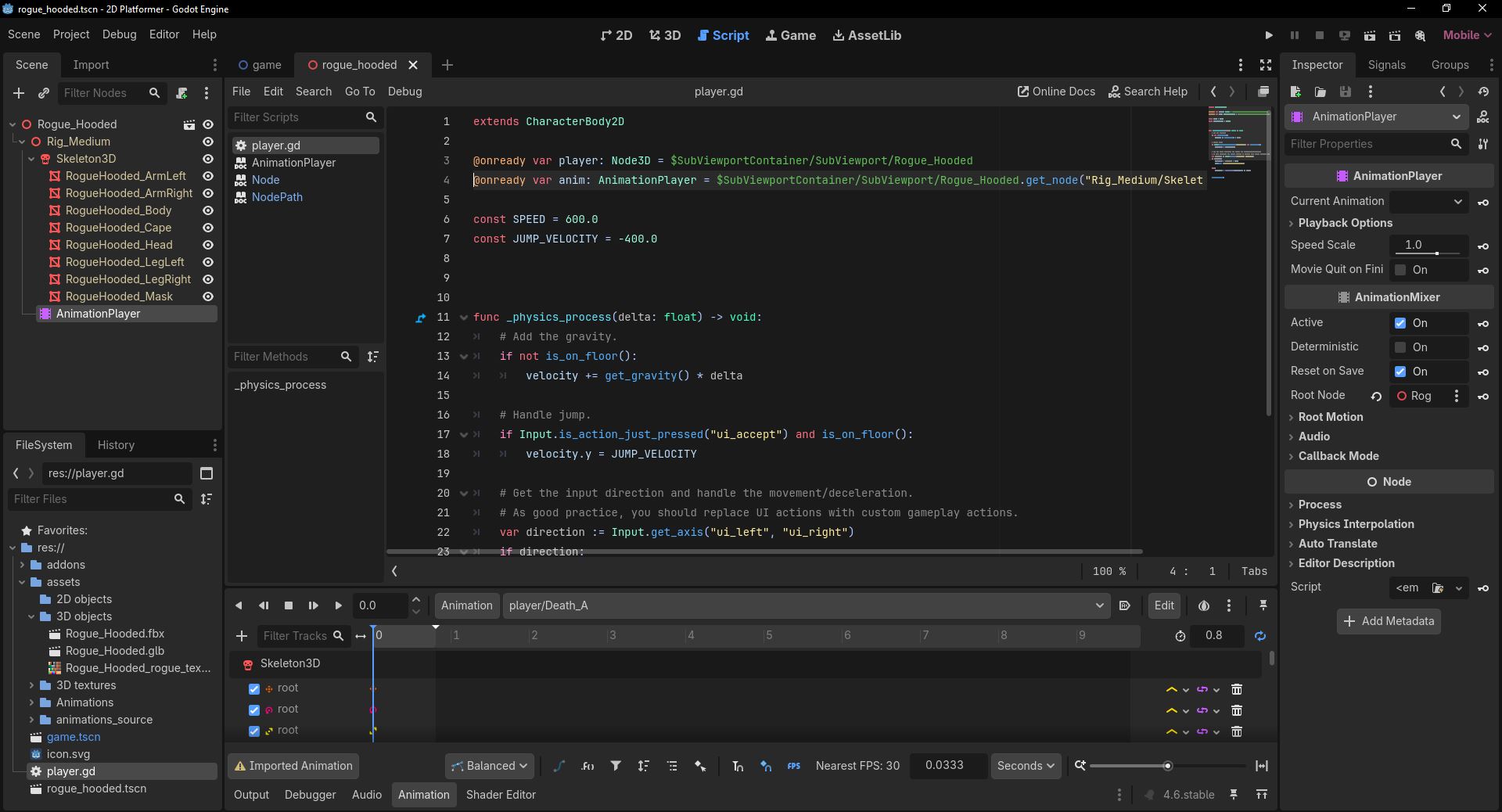
Something is wrong with where I am calling a node from.
extends CharacterBody2D

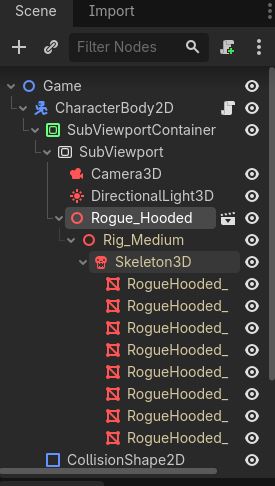
@onready var player: Node3D = $SubViewportContainer/SubViewport/Rogue_Hooded
@onready var anim: AnimationPlayer = $SubViewportContainer/SubViewport/Rogue_Hooded.get_node("Rig_Medium/Skeleton3D/AnimationPlayer")

const SPEED = 600.0
const JUMP_VELOCITY = -400.0


func _physics_process(delta: float) -> void:
	# Add the gravity.
	if not is_on_floor():
		velocity += get_gravity() * delta

	# Handle jump.
	if Input.is_action_just_pressed("ui_accept") and is_on_floor():
		velocity.y = JUMP_VELOCITY

	# Get the input direction and handle the movement/deceleration.
	# As good practice, you should replace UI actions with custom gameplay actions.
	var direction := Input.get_axis("ui_left", "ui_right")
	if direction:
		velocity.x = direction * SPEED
		anim.play ("anim/Player_Rogue/Idle_B")

	else:
		velocity.x = move_toward(velocity.x, 0, SPEED)


	move_and_slide()
Getting error E 0:00:00:513 player.gd:4 @ @implicit_ready(): Node not found: “Rig_Medium/Skeleton3D/AnimationPlayer” (relative to “/root/Game/CharacterBody2D/SubViewportContainer/SubViewport/Rogue_Hooded”).
<C++ Error> Method/function failed. Returning: nullptr
<C++ Source> scene/main/node.cpp:1963 @ get_node()
player.gd:4 @ @implicit_ready()
I am attempting to follow this tutorial with a Kaykit character and animations. I have setup the animationplayer with the mesh and it works in the animationplayer menu; however I’m unable to figure out how to get it to function in script.