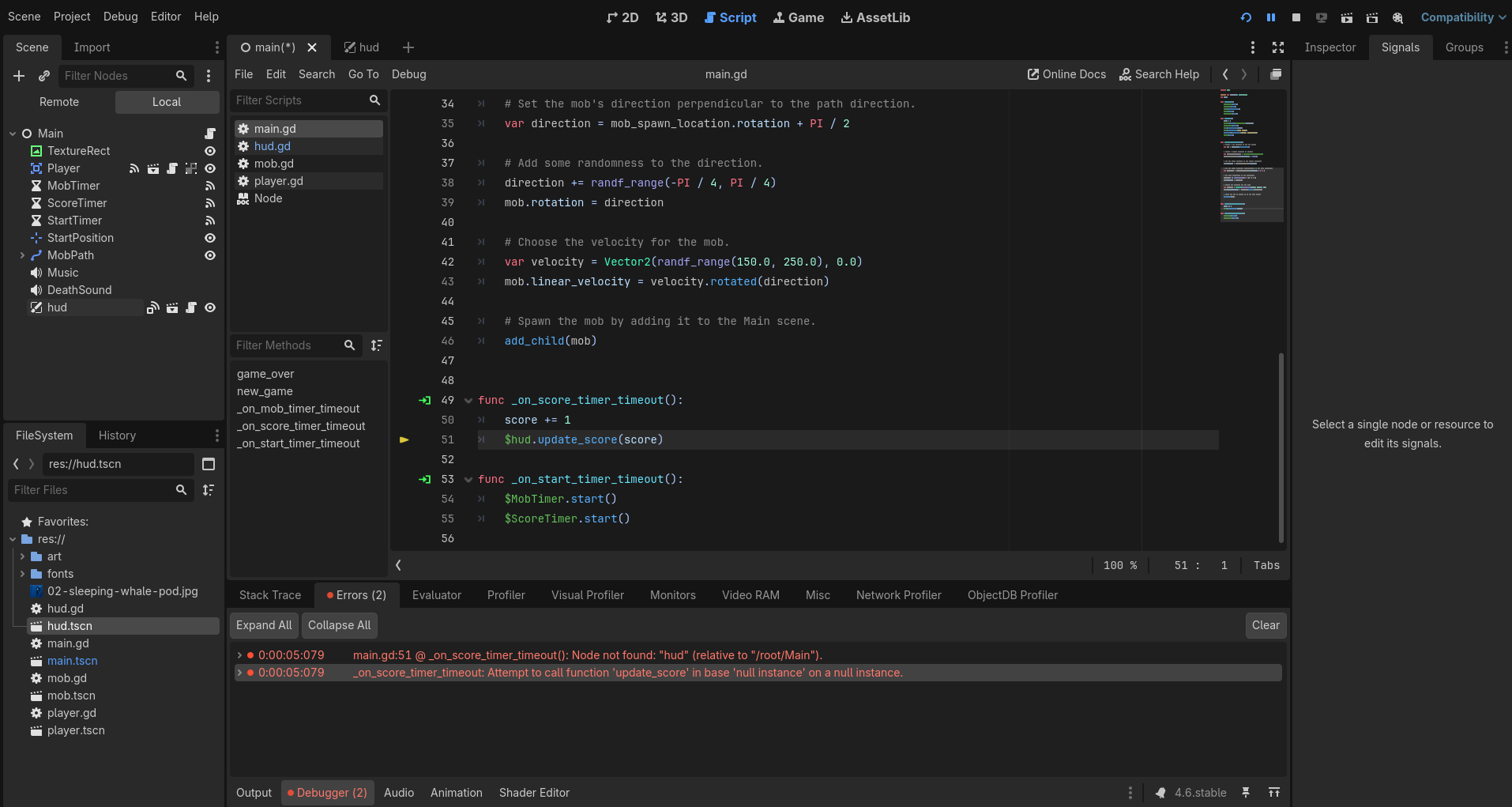
Hi, I've followed the Your First 2D Game from Godot Docs, everything was working fine until I started connecting signals which I believe I copied to a T. When I hit the start button in game, it quits and I get these errors:
Attempt to call function ‘update_score’ in base ‘null instance’ on a null instance.
_on_score_timer_timeout(): Node not found: “hud” (relative to “/root/Main”).
I downloaded the finished project to compare and everything seems exactlty the same and obviously the finished one works no dramas.
It might be a cache issue. Please close godot, open up your project folder, and delete the .godot FOLDER. This is a folder that contains a lot of cached data, and godot will re-generate it once you open the project again.
PLEASE make sure you delete ONLY the folder called .godot and nothing else. That folder is safe to delete. If you don’t see the folder, go to your windows explorer settings, and enable the visibility of hidden folders and files.
I did make some kind of progress by changing _*on_*score_timer_timeout to _on_Score_Timer_Timeout, but when I do this to on start timer timeout below it just doesn’t spawn enemies. And I still have the persistent issue which is that the timer just disappears when I press start in game, which I forgot to mention.
Okay so, this was true, I had added HUD to mobs group somehow. After unchecking it didn’t affect anything, but then I reconnected the "‘on score timer timeout’ signal afterwards and now it’s running as intended! Thank you very much.