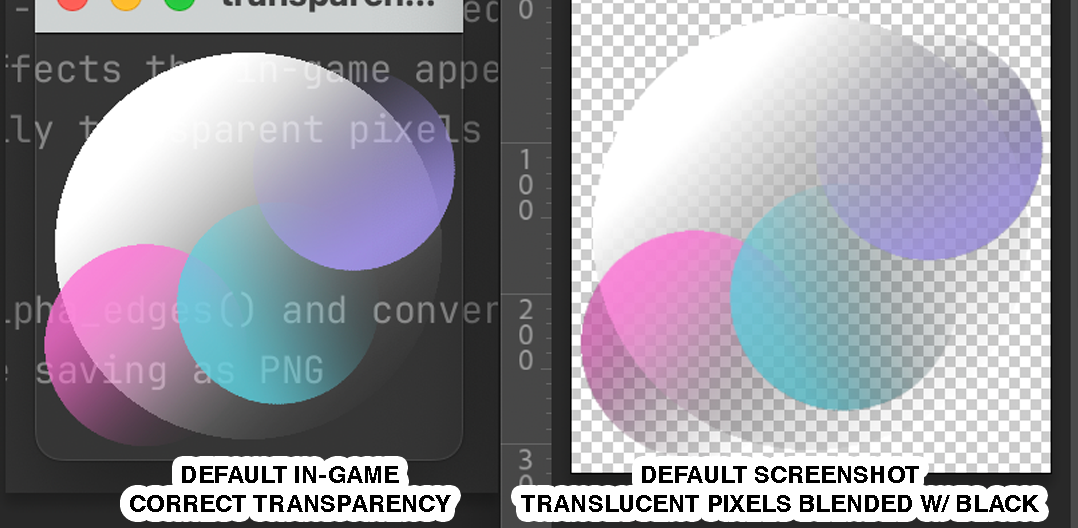
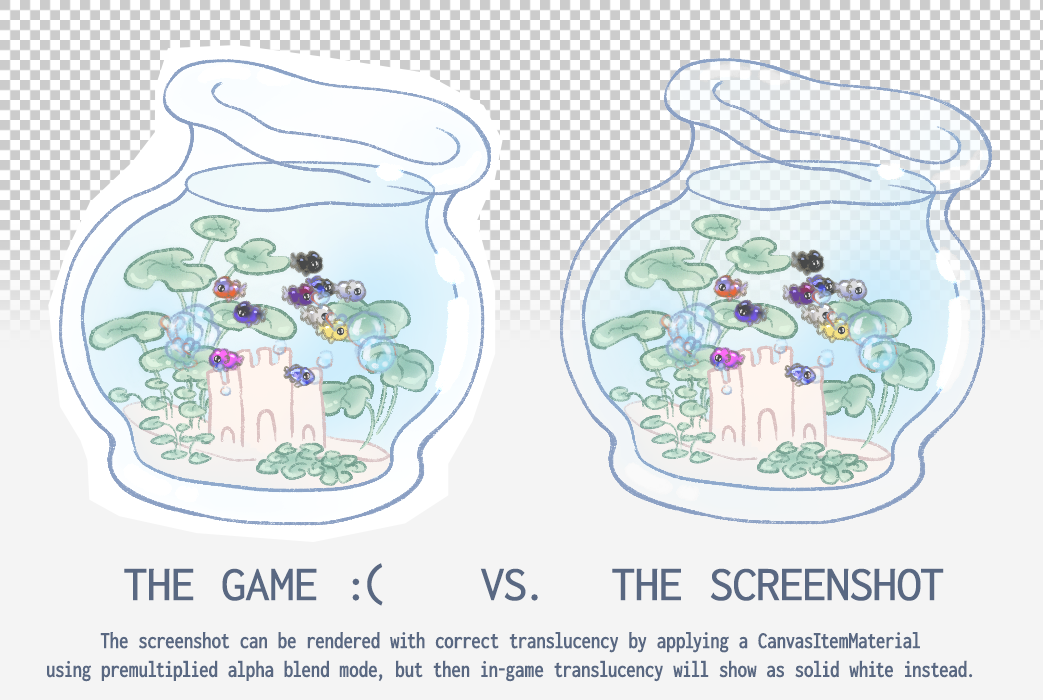
When using Godot’s get_viewport().get_texture().get_image().save_png() function to save screenshot images of a game with partially transparent visuals (such as gradients which fade to transparent) using a transparent background window, the partially transparent pixels are blended with black, resulting in a darker (and uglier) image:
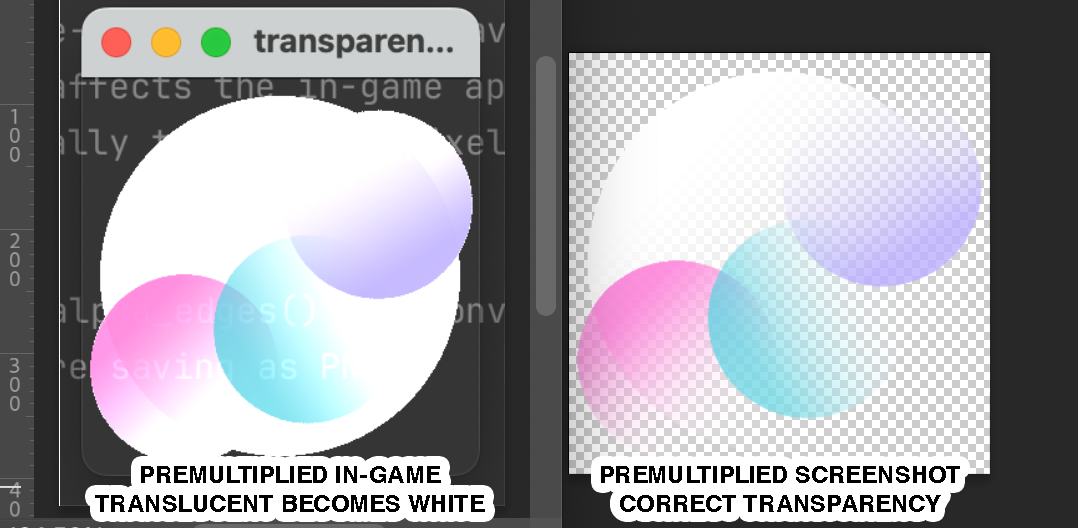
In my own game I implemented the hacky workaround so that the material is only applied for a split-second while taking the screenshot, but it’s still perceptible as a white flash, very unpleasant. Any suggestions for implementing this workaround to make it less unpleasant for the player somehow?
The white flash is so disruptive. I wish I could somehow hide the game visuals from the player’s view while still taking the screenshot.
Unfortunately I don’t know the solution, but I’d like to add that something very similar and very annoying happens when using the engine’s “Movie Maker” mode, where the entire recording made using that mode is a LOT darker and looks really ugly unless manually modified to look super bright. Maybe it’s related, and perhaps fixing it would fix both the screenshots and the Movie Maker “bug”?
Ok I looked at your mrp. You’re plucking the image from the main screen which afaik means that you can’t get linear/hdr data so the image is RGBA8 with premultiplied alpha.
As a quick solution, you can simply un-premultiply the pixels by dividing RGB values by their alpha before saving. Skip the zero divisions.
Not technical at all. Just iterate through image pixels and divide their value by their alpha.
# just before saving
for j in image_data.get_height():
		for i in image_data.get_width():
			var c = image_data.get_pixel(i, j)
			if c.a > 0:
				c.r /= c.a
				c.g /= c.a
				c.b /= c.a
			image_data.set_pixel(i, j, c)
It’s a bit strange that Godot’s Image class has premultiply_alpha() function but doesn’t have its reverse.



 Thank you!