I’m trying to calculate the max jump height of a CharacterBody2D. Here’s the thing: I give a CharacterBody2D -400 velocity on Y-axis with gravity=980, the max height should be:
400*(400/980) - 0.5 * 980 * (400/980) * (400/980) = 81.632653.
CharacterBody2D stands on exact zero point of Y-axis. Then i record the max height in _process(), it is only 78.461212. I know there is inaccuracy in physics but this seems to be unacceptable.
It’s mostly caused by how you apply the gravity: To be technically precise, for a constant acceleration you’d have to apply half the acceleration before move_and_slide, and the other half afterwards. (Otherwise you would use the velocity at the end of the current physics step to calculate the change of height during the whole previous physics step.)
If you change this, then there should be only a very minor discrepancy left, because the maximum height will most likely be between two physics steps.
Thank you! It works.
But why? All the tutorials i read is simply apply the gravity then move_and_slide, even in godot documents. Is it because i slice the gravity effecting time into small periods that makes the result more accurate? Should that be the most correct way to apply gravity to CharacterBody2D?
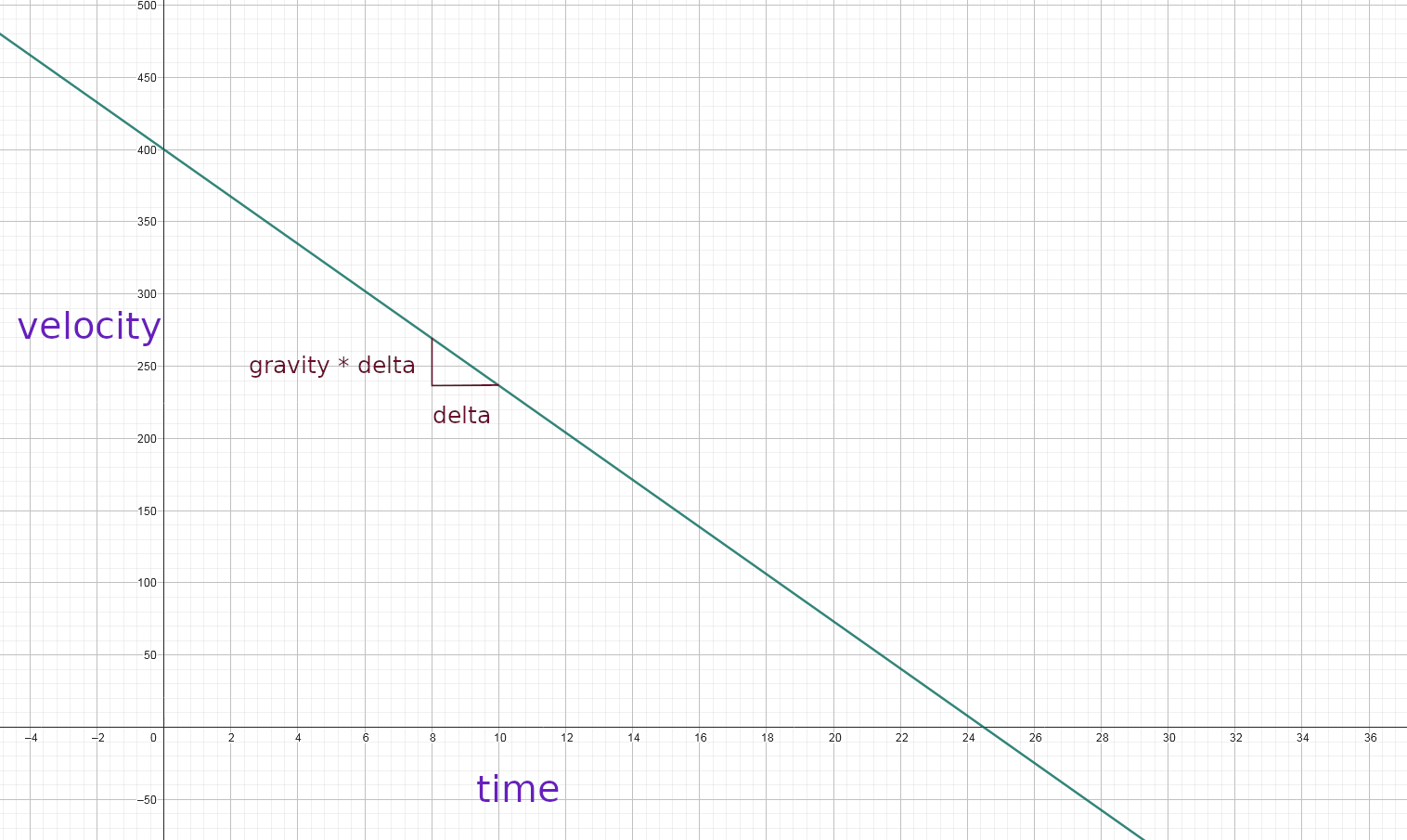
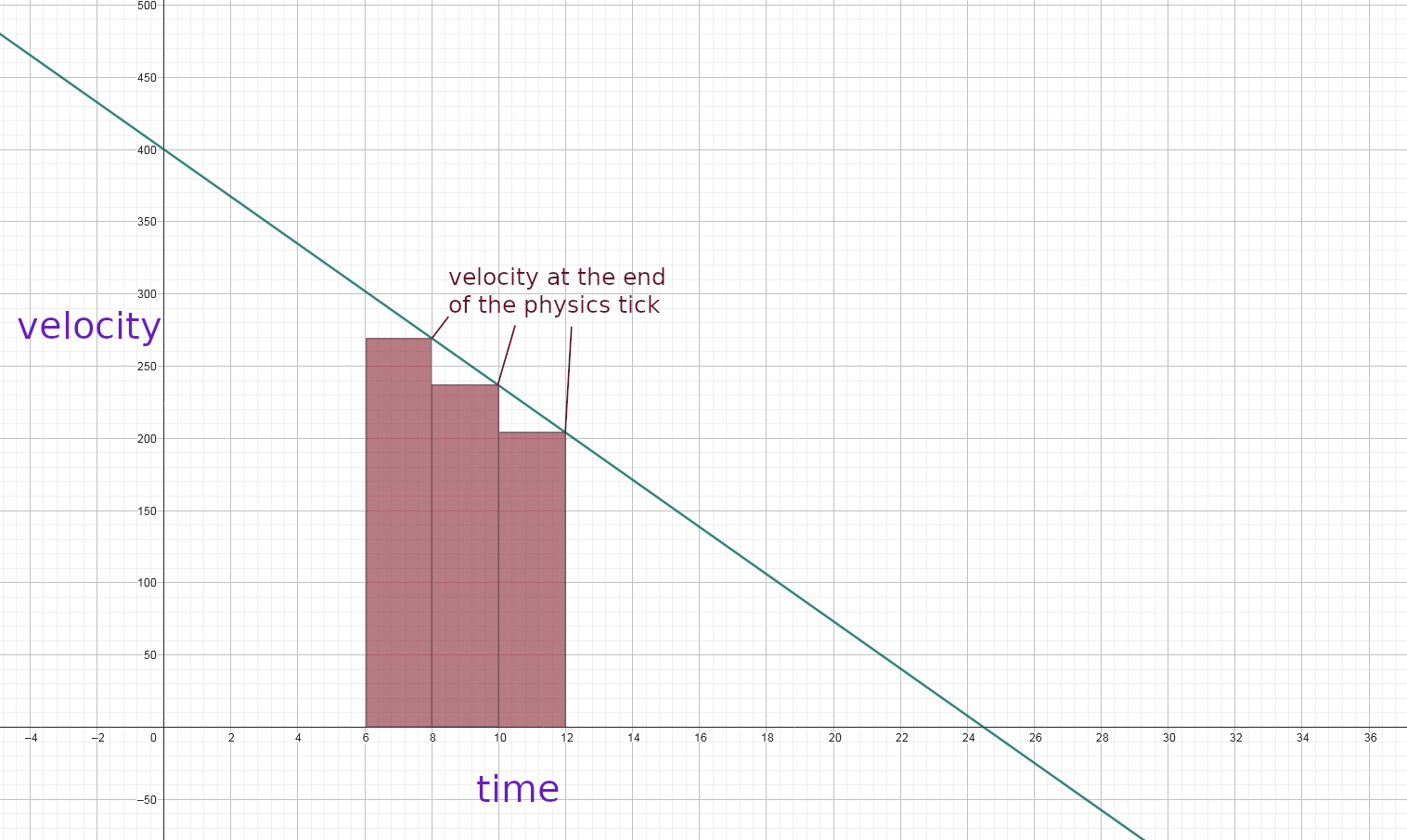
The area beneath the graph (between two x values) is your total movement (between two points in time). In every _physics_process() you’re adding something to your position. But if you use the velocity from the end of the current physics tick, the calculated area looks like this:
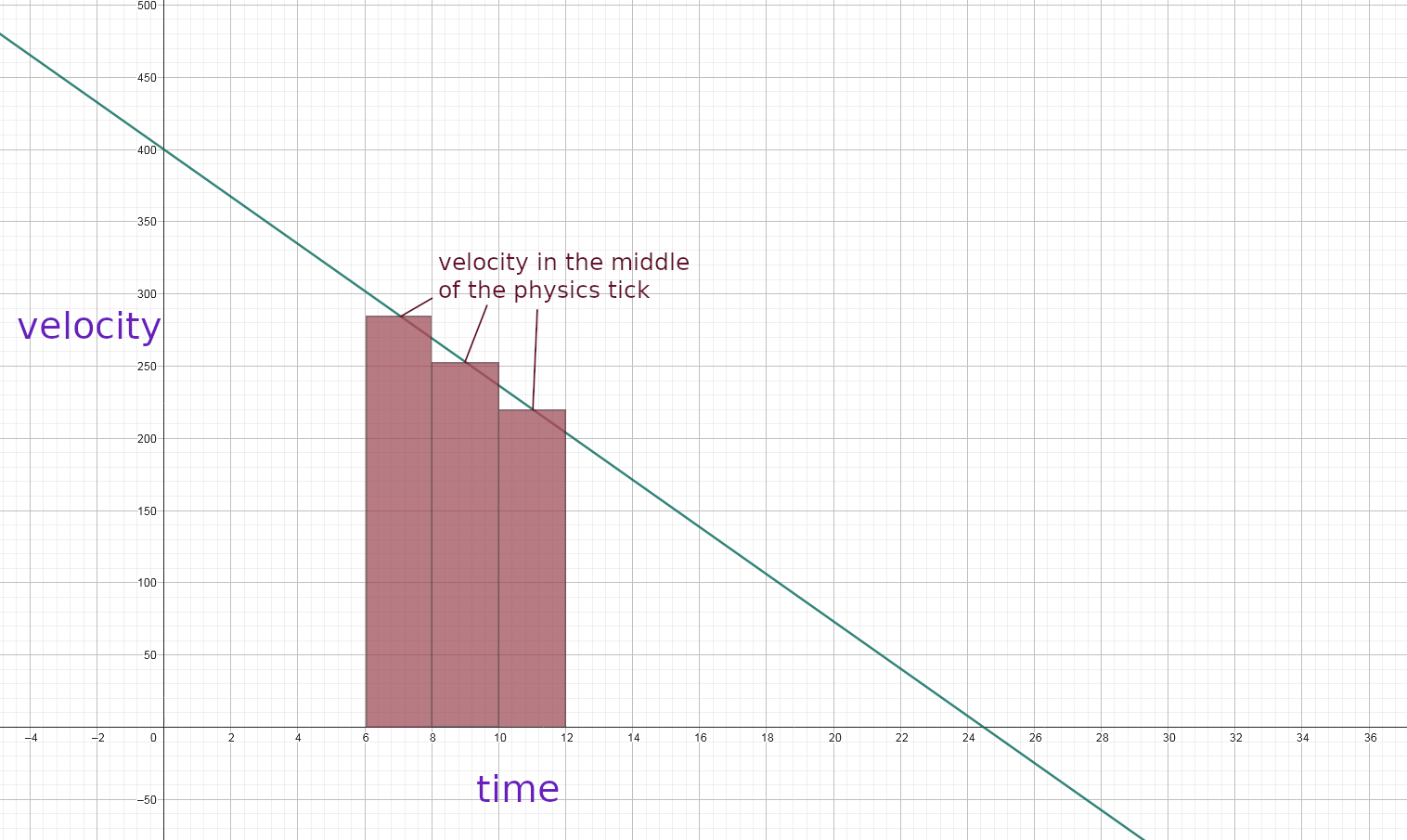
Since a constant acceleration results in a linear velocity, you can just use the velocity from the middle of the current physics tick instead to get the correct values: (For non-linear velocities it is way harder to get the correct results.)
(The missing triangles beneath the graph and the triangles sticking out above have the exact same size, so they even each other out.)
And the easiest way to achieve this is by delaying half of the acceleration to after move_and_slide().
About tutorials and the official documentation, I guess it just doesn’t matter that much? It would be important if delta wasn’t constant, but (in _physics_process() at least) it is, so all jumps will still have the same height (even though that height is technically incorrect).