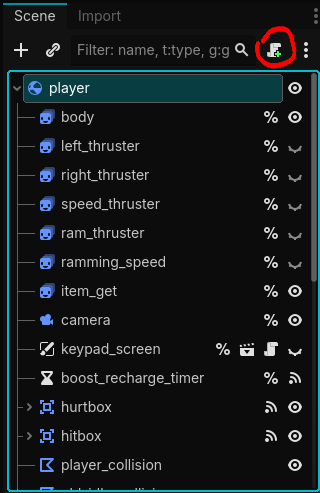
so here is my code and the player wont move and i set up the action input and btw im using the web version
extends CharacterBody2D


const SPEED = 300.0
const JUMP_VELOCITY = -400.0


func _physics_process(delta: float) -> void:
	# Add the gravity.
	if not is_on_floor():
		velocity += get_gravity() * delta

	# Handle jump.
	if Input.is_action_just_pressed("jump") and is_on_floor():
		velocity.y = JUMP_VELOCITY

	# Get the input direction and handle the movement/deceleration.
	# As good practice, you should replace UI actions with custom gameplay actions.
	var direction := Input.get_axis("move_left","move_right")
	if direction:
		velocity.x = direction * SPEED
	else:
		velocity.x = move_toward(velocity.x, 0, SPEED)

	move_and_slide()
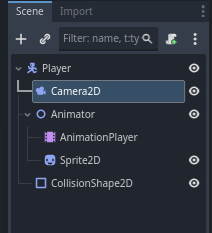
Is your camera a child of the player? Do you have any other frame of reference for movement? It could be moving just fine but with nothing else in the scene and the camera moving with the player it appears like there is no movement.
var gravity = ProjectSettings.get_setting(“physics/2d/default_gravity”)
func _physics_process(delta):
if not is_on_floor():
velocity.y += gravity * delta
# Handle jump.
if Input.is_action_just_pressed("ui_accept") and is_on_floor():
	velocity.y = JUMP_VELOCITY

# Get the input direction and handle the movement/deceleration.
# As good practice, you should replace UI actions with custom gameplay actions.
var direction = Input.get_axis("ui_left", "ui_right")
if direction:
	velocity.x = direction * SPEED
else:
	velocity.x = move_toward(velocity.x, 0, SPEED)

move_and_slide()
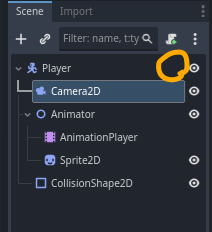
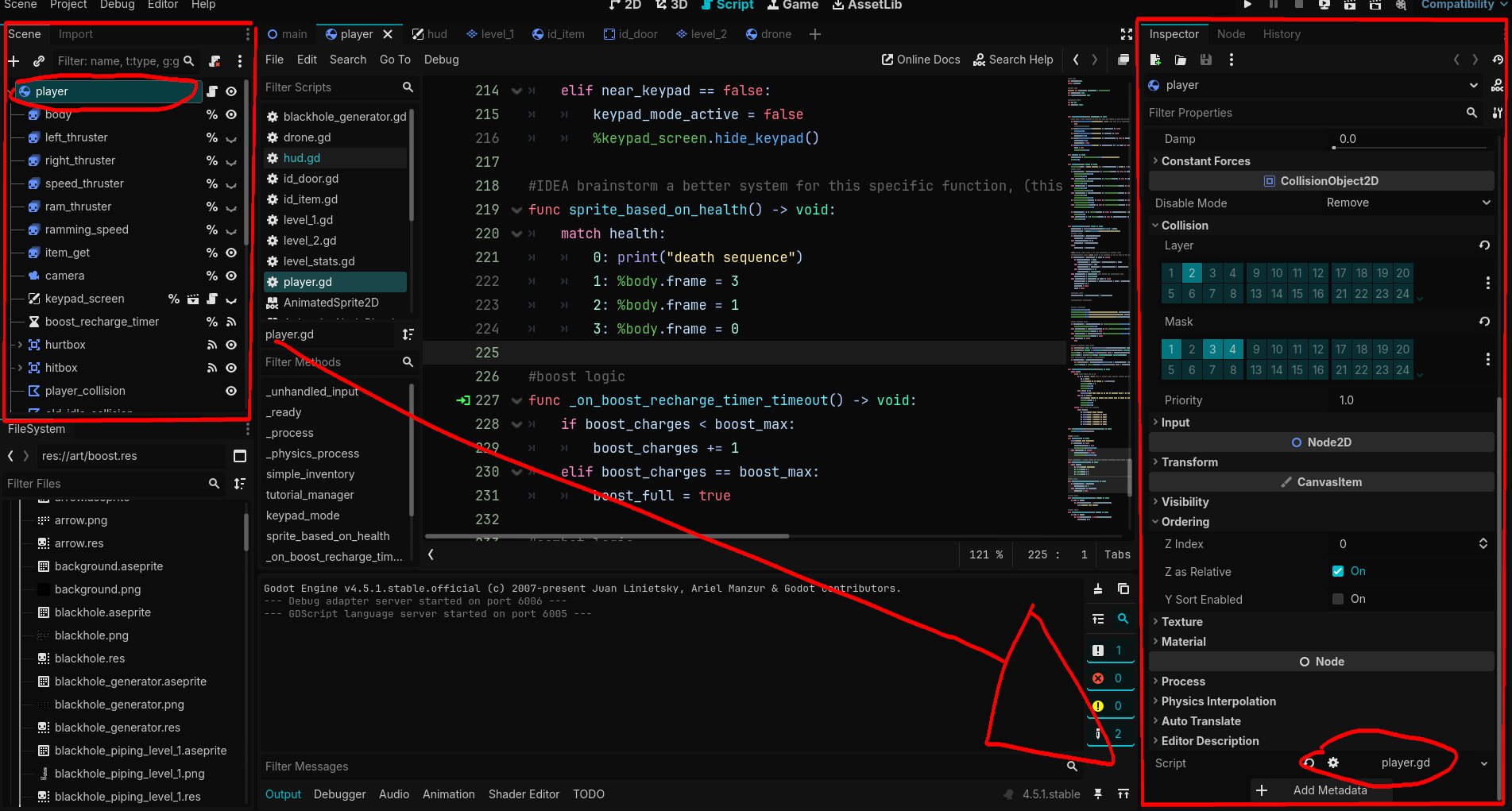
I’m not asking what you did before, but if you attached the script to the node now?
Without the script, your node will not be doing anything.
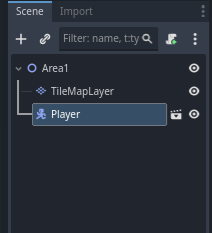
On the screenshot you sent, there is no script.