Godot Version
4.6.1 stable
Question
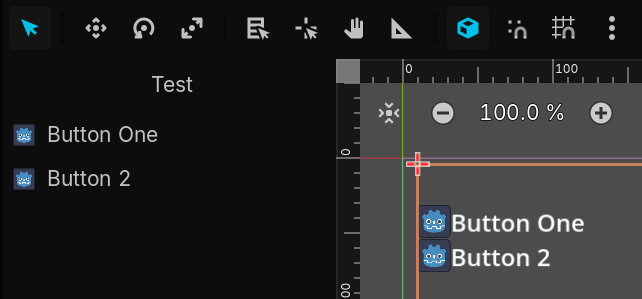
How can I get a pixel perfect preview of how my plugin will look like in the editor? The 2D workspace preview is completely useless. Display Scale has no effect.
In the 2D workspace, you should be able to preview what it looks like with the editor theme under View > Preview Theme > Editor theme.
That’s much closer thank you, even though I’d say the font rendering is still off. Do you know what else I should change, e.g. Texture Filter → Nearest seems to make the text somewhat clearer.
I can’t think of any other settings you could change, but I wouldn’t spend too much time on it. I’m sure there will always be some subtle differences between the preview and the actual plugin.