Godot Version
4.3
Question
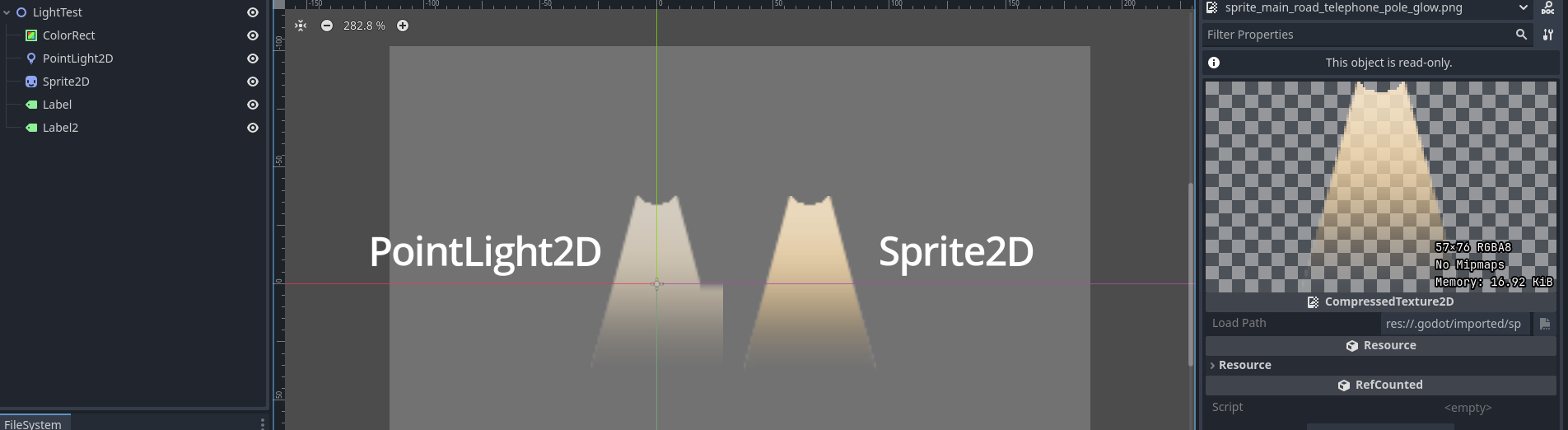
Hello! I have a fresh scene here, with a PointLight2D and a Sprite2D. Both are using the same texture. As you can see from the picture, the PointLight2D is not displaying the texture correctly. Neither have any scripts, shaders, or anything else. Literally out of the box. I've tried reimporting the texture with different settings, and looking at it very closely in Photoshop but I can't figure out where that right-side glitch is coming from. What is going on here?
Does that specific distortion stay on the same place if you move PointLight2D up? From the image it seems like the interception on the x-axis causes distortion. But I can’t be sure.
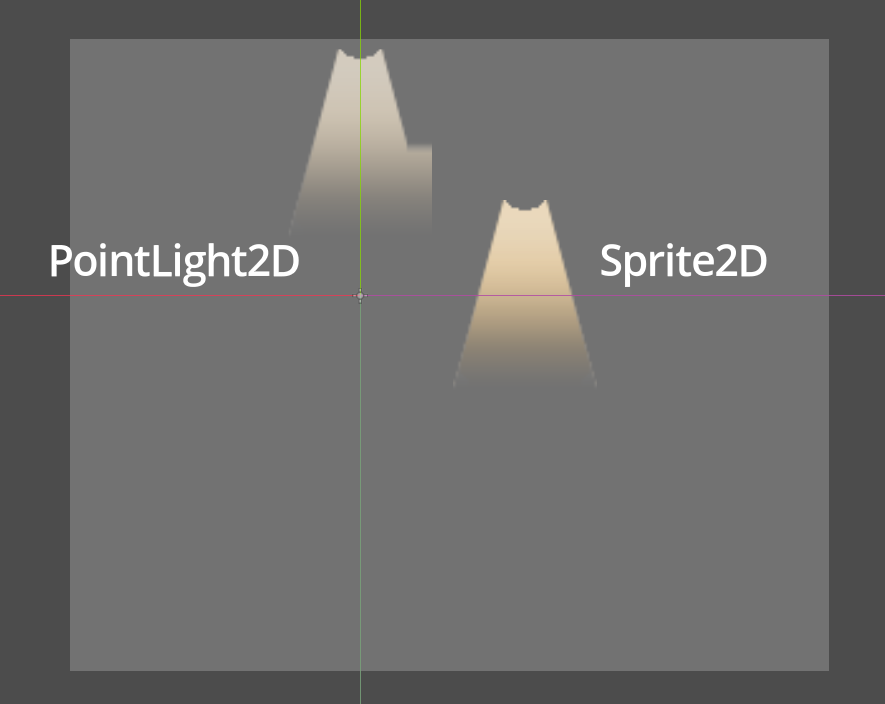
Thanks for your reply! Correct, it stays regardless of position. Sorry for my confusing alignment. Here is another image:
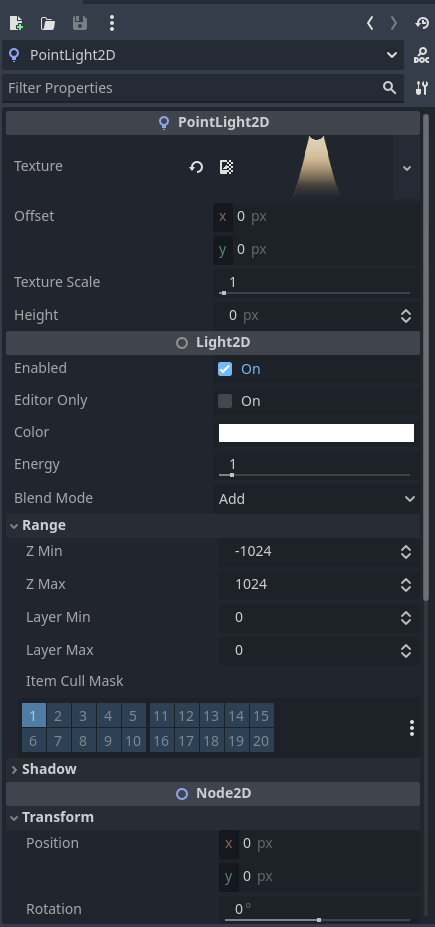
May I please see your PointLight2D settings? I… couldn’t even replicate this myself.
To be honest I can’t be 100% sure but I’ve heard that having Y-sort enabled may cause some problems.
Sure thing, but it’s just the out of the box settings, I’ve changed nothing.
I have an update: If I close my main game scene (where the lights are in use), close Godot, and reopen, then this problem is fixed. It comes back as soon as look at my main game scene, and then the glitch appears wherever I’m using this texture. Even in isolated scenes not being used. So something in my game is causing this glitch, affecting the texture anywhere it is being used Perhaps a weird cache issue? It might take me a while to deduce what the culprit is, but I’ll try to update once I find it.
What if you use different texture? Does the same issue persist?
What if you try to re-import the texture. Y’know like remove the your_texture.import file from your godot engine project directory. Perhaps, it’s the import settings issue. I am not sure, but worth a try.
Thanks for suggestions but those weren’t the culprit.
Update: So to test this, I closed all scenes except my light_test scene, closed Godot, reopened, and opened every scene with a light in it until the problem showed up again (when Godot starts up the problem is gone, then mysteriously appears again while I work).
So eventually I narrowed it down to a specific scene that was causing the glitch every time I opened it. Closing the offending scene did not fix it again, only closing Godot entirely does.
The offending scene is not related in any way to where my glitched lights are. Completely different scripts, assets and shaders. The lights in this scene don’t even use compressed textures, they use gradient textures. Anyway, these gradient textures were scaled up a bunch, instead of using the gradient size parameters. What I did was change this so that the offending lights were scaled up using Gradient size parameters instead of transform parameters. This seems to have fixed the issue.
Again, this offending scene shares nothing with my glitched scene, other than the fact that it has PointLight2D’s in it. Very strange indeed.