Godot Version
4.5.1
Question
I have been working on animating a 2D sprite for a top-down game using AnimationTree and AnimationPlayer. I have set up an automatic attack loop for my character, but sometimes when the player turns a lot (spamming different directions on the stick), the attack loop stops.
I know the problem is related to the method I am calling at the end of each animation in the Call Method track of the animation player, because the method sometimes just isn’t called, so the next attack is never queued and the player never returns to being idle between attacks. It just gets stuck in a limbo.
I suspect it has something to do with the BlendSpace2D nodes I have setup for the directional attack animations and switching animations on the same frame as the method should be called, but I’m not sure how to fix it or even if that is the true problem.
The problem can take a while of spamming the stick to appear (or sometimes it happens almost immediately).
Here is a video of the bug happening:
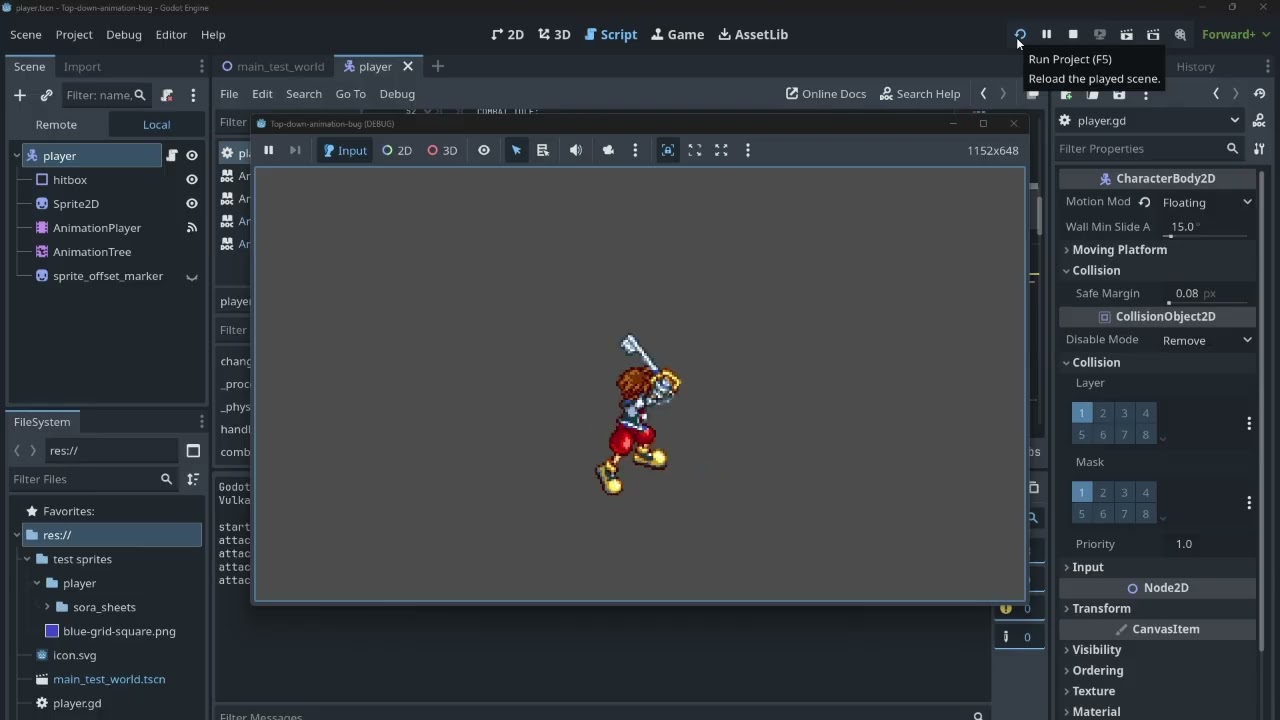
Any thoughts on what might be happening?
Edit:
Here is the relevant code from my player script:
extends CharacterBody2D

enum {IDLE,WALK,RUN,SPRINT,ATTACK,MOVE_ATTACK,COMBAT_IDLE, ATTACK2, ATTACK3}

var cur_state = IDLE


@onready var Animation_Tree = $AnimationTree

const SPEED = 450.0

var facing_vector = Vector2(0,0)


var combo_stage = 1

var atk_queued = false
var atk_cooldown = 1.0
var time_since_atk = 0.0

# 0 = no attacks, .8 = default. Usually scales 0.0-1.0.
var atk_speed = .8


func _process(delta: float) -> void:

		time_since_atk += 1*delta*atk_speed
		if in_attack_range and in_combat:
			if time_since_atk >= atk_cooldown:
				if atk_queued:
					combo_step()


func _physics_process(delta: float) -> void:

	#print(cur_state)

	# Get axis of left/right inputs and up/down inputs
	var input_direction = Input.get_vector("move_left", "move_right", "move_up", "move_down")


	velocity = input_direction * SPEED

	#stores the direction the player was last moving/is facing as a vector2 that
	# wont be set to 0 when controls are released
	if input_direction.x != 0 or input_direction.y != 0:
		facing_vector = input_direction


	if Input.is_action_just_pressed("spacebar"):
		print("started attacking")
		start_atks()


	move_and_slide()

	handle_animations()


#SETS THE BLEND POSITIONS FOR ALL THE BLENDSPACE2D NODES IN THE ANIMATION TREE
func handle_animations():
	Animation_Tree.set("parameters/Idles/blend_position", facing_vector)
	Animation_Tree.set("parameters/combatIdles/blend_position", facing_vector)
	Animation_Tree.set("parameters/Runs/blend_position", facing_vector)
	Animation_Tree.set("parameters/attack1s/blend_position", facing_vector)
	Animation_Tree.set("parameters/attack2s/blend_position", facing_vector)
	Animation_Tree.set("parameters/attack3s/blend_position", facing_vector)


#RESETS ATTACK COOLDOWN AND FIRES A DIFFERENT ONESHOT ATTACK ANIMATION BASED ON WHICH HIT OF THE
#COMBO IS NEXT, THEN INCREMENTS OR RESETS COMBO_STAGE.

#ALL COMBO HITS HAVE IDENTICAL PLACEHOLDER ANIMATIONS

func combo_step():

	atk_queued = false
	time_since_atk = 0.0
	change_state(ATTACK)

	match combo_stage:
		1:
			Animation_Tree.set("parameters/Attack1/request", AnimationNodeOneShot.ONE_SHOT_REQUEST_FIRE)
			combo_stage += 1
			print("attack 1")

		2:
			Animation_Tree.set("parameters/Attack2/request", AnimationNodeOneShot.ONE_SHOT_REQUEST_FIRE)
			combo_stage += 1
			print("attack 2")
		3:
			Animation_Tree.set("parameters/Attack3/request", AnimationNodeOneShot.ONE_SHOT_REQUEST_FIRE)
			combo_stage = 1
			print("attack 3")
		_:
			combo_stage = 1
			print("combo_stage outside of 1-3")

#CALLED AT THE END OF ATTACK ANIMATIONS TO INDICATE THE ATTACK HAS FINISHED.
func queue_atk():
	atk_queued = true
	change_state(COMBAT_IDLE)

#CALLED IMMEDITELY ON START. SIMULATES ENTERING ATTACK RANGE OF AN ENEMY.
func start_atks():
	atk_queued = true
	time_since_atk = 0.0