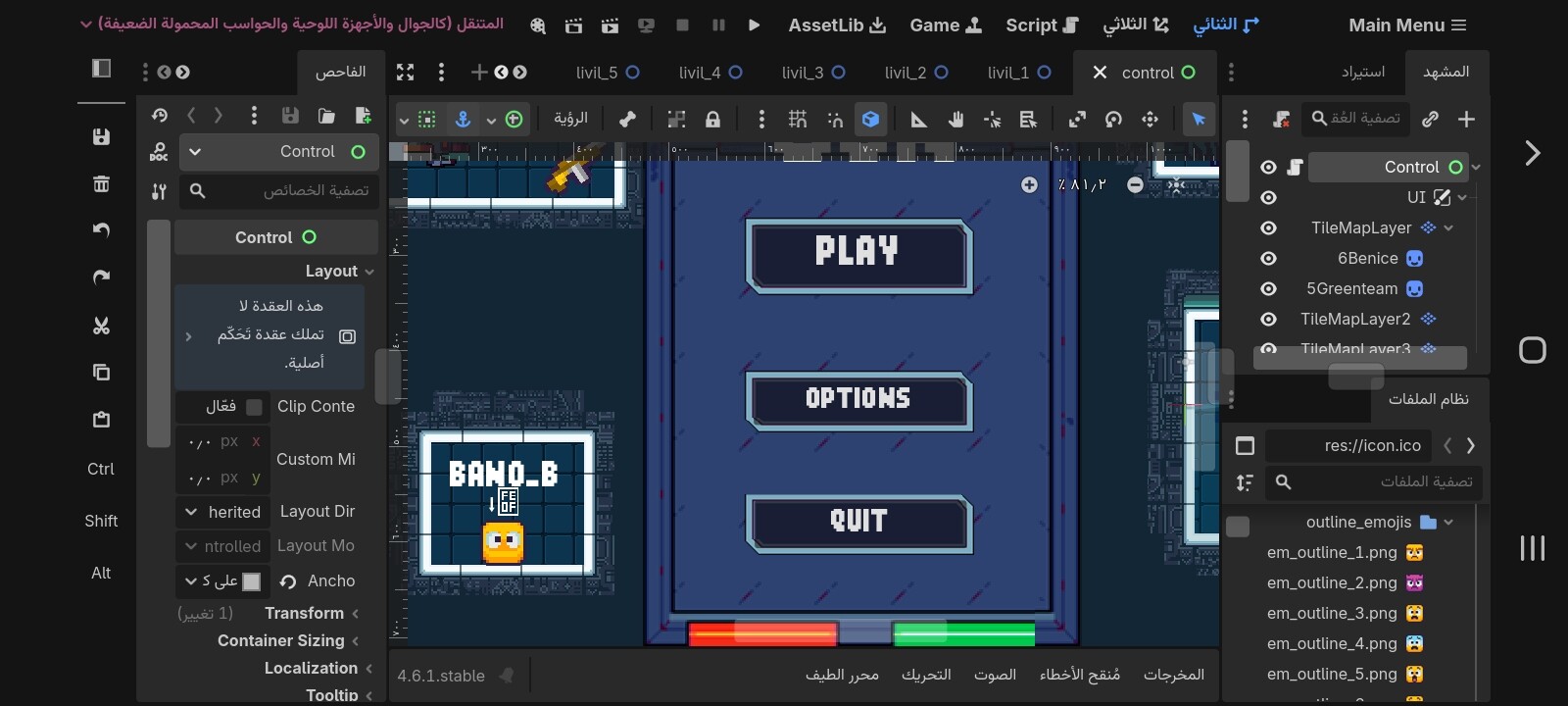
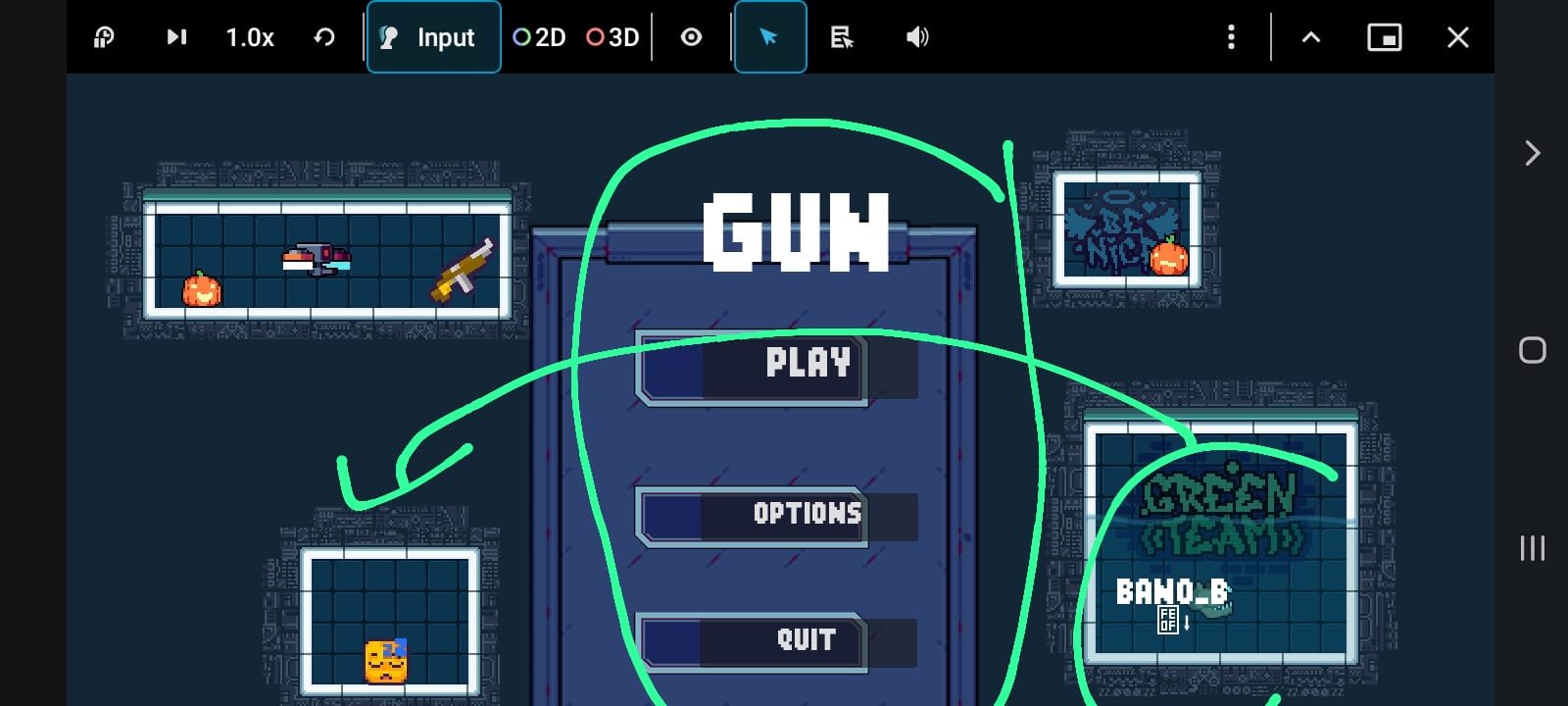
Problem with the Godot interface on the phone When I try a game on my phone, it changes to UI, and also UI isn’t the way I intended. When I try a game, the player interface is in a different place. I hope you can reply as soon as possible.
I don’t understand from the screenshots you provided what is the intended way you want the UI to look like. The arrows without any context are meaningless. Please also post a screenshot how it looks like on your phone.
I have a problem with the mobile version of Godot; when I run the game on my phone through the editor, it shifts the position of some of the UI elements.
If you compare the first and second screenshots, you can see the text is all shifted to the right: the menu buttons are all slightly shifted, and the “BANO_B” text has migrated all the way from the box on the left to the box on the right.
Getting a clearer screenshot that shows this would be difficult, given the medium.