Godot Version
V4
Question
I’m creating a 2D platformer in Godot 4 which is a puzzler and I am attempting to create a feature which allows the player to push and pull boxes so the character can stand on top of the boxes to reach levers and such (think of LittleNightmares).
I have had no problem with the pushing of the box and have managed to get this working smoothly even though Tilesets don’t play very well with it and tend to get stuck (I found a workaround).
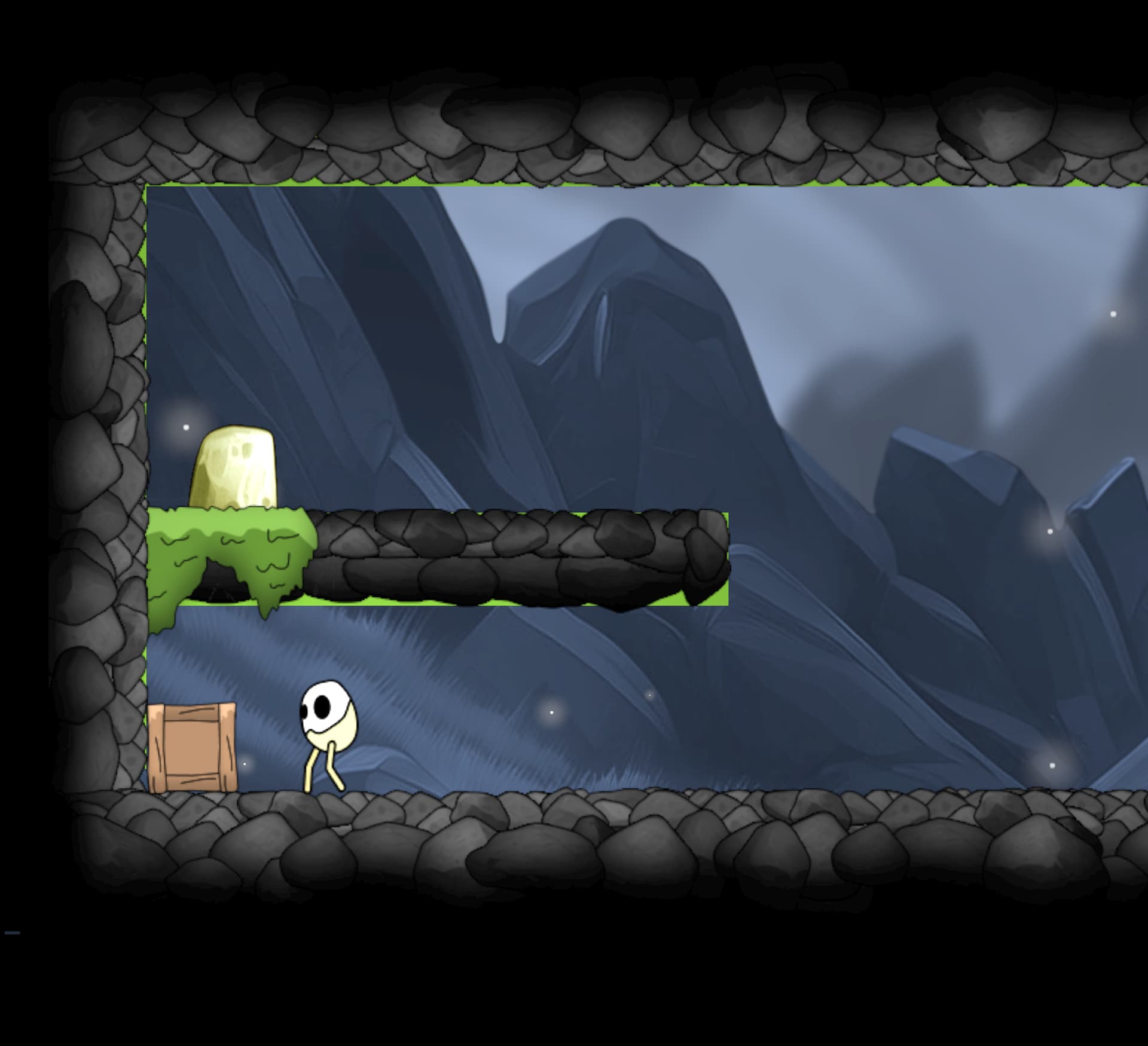
Them problem I am having is that if the player pushes the box into the corner they have no way of pulling it back out unless they drag it out - this is where the problem lies, I have tried many things but cannot seems to get the characterbody2d to drag the box backwards.
I was hoping someone might have some ideas on how to achieve this, below is the code I am using to push the boxes and I’m not even sure the pulling mechanism would be included in the same blockscope in the player script and perhaps rather from an Area2d of the box itself?
for index in get_slide_collision_count():
		var collision = get_slide_collision(index)
		if (collision.get_collider() is RigidBody2D):
			is_pushing = true
			collision.get_collider().apply_central_impulse(-collision.get_normal() * push_force)
I have also included an image of the game below so you can see what I mean about the box being stuck in a corner. If anyone has any ideas, I would be really grateful!
How I have tried to handle it
So far I have created a variable called is_pulling which is true as long as the player is holding down the shift key. I thought that I could perhaps use an if statement within the scope of the code block above which uses the apply_impulse ( Vector2 impulse, Vector2 position=Vector2(0, 0) ) method to dictate the behaviour once the collision with the box is detected… this did not work. I have tried a few other things which involved creating a Global var which was being switched on in an Area2d of the Box node itself to leverage the ability to attempt to conditionally switch between push and pull.
I’m pretty much out of ideas now so any help would be great.
Many thanks in advance!
Have you added a breakpoint and stepped through (F11) to see what happens when you push shift and move backwards? I wonder if the move away from the box is happening before the collision check can determine the box should be dragged (or if no collision for a given object is registered at all while moving away from that object).
I haven’t looked at it yet, but I have a similar problem in 3d on my to-do list. I was planning on using a child Area3D node to detect any collisions with draggables when the drag input is pressed. I would then store a reference to the first draggable found (if any) in a local variable and apply a force to it whenever the character moves until either the drag input is released, the draggable is no longer in the Area3D, or the character is put into a state in which it can’t drag anything. No idea if this will work yet though.
Hey, Thanks for the response.
My first thought was that the move away from the box was happening before the collision check but I checked this with a simple print() which proved it wasn’t the case.
I’m relatively new to game programming as I come from FE Engineering in .JS so i’m not familiar with adding a breakpoint in Godot (if you have any resources on this, that would be great).
I think the answer is going to lay in some pretty hacky code with (as you said) usign a child Area2d to detect collisions on the draggable object and then perhaps leverage the behaviour through a global variable.
Apologies if my rantings are a little sporadic and i’m not making perfect sense as I’m still adjusting to the game dev lingo!
Really appreciate your help friend!
Thanks
1 Like
They work the same way as they do in your browser’s sources panel - just click the left margin in the Script editor to make the red dot show up and then execution will halt when it’s reached. Then you can take a look at in-scope variables in the Editor, execute code line by line with F11 or hit play to continue running. Very handy. You can also use the breakpoint keyword, though I haven’t found this very useful so far.
I’d probably send a signal up to the parent rather than use a global variable. But if the slide collision array is working then maybe you can just store the reference straight from there. I’d still store it on press and null it on release - otherwise you might get weird occurences of switching between dragging different objects while moving past a second draggable object.
1 Like