GD4.4
so i made a selection screen Ui that works
and i have no idea what should i look for to learn to set character for each player like do i need global script or a code in Level itself?
heres what i have after both has selected
func _check_selection_done():
	if player1Character and player2SelectionIndex:
		pass
If you are changing scenes, you will likely need a global to keep track of information from one scene (such as your character selection) over to another scene. The global may not be the best for actually spawning characters so it may be better to only store data on the global
I’d imagine you could make a “PlayerSpawn” scene that reads the global and spawns the appropriate scene as a sibling.
# player spawner script
extends Node3D

# Assign a player spawner to 0 and 1 for two players
@export var player_index: int = 0

# probably better to store array of character paths on global
const CHARACTER_SCENE_PATHS: Array[String] = [
    "res://fire_guy.tscn",
    "res://leaf_girl.tscn",
]

func _ready() -> void:
    # get who selected what from global
    var selected_character: int = Globals.player_selections[player_index]

    # load the character
    var character_scene: PackedScene = load(CHARACTER_SCENE_PATHS[selected_character])
    var new_character: Player = character_scene.instantiate()

    # assign our player to this character, up to your implementation of the player
    new_character.controlled_by_player = player_index
    add_sibling(new_character)
So set _check selectiondone to change scene when both players done and store data of selected characters in global and then make a player spawn script?
Yes I suppose, something like this for your initial snippet
func _check_selection_done():
	if player1Character and player2SelectionIndex:
		Globals.player_selections[0] = player1Character # This should also be a selection index
		Globals.player_selections[1] = player2SelectionIndex

		get_tree().change_scene_to_file("res://main_game_scene_with_two_player_spawners.tscn")
Hows the global script should look like?
It could be just the player selections variable
extends Node

# up to four players
var player_selections: Array[int] = [0, 0, 0, 0]
But it may do you better to keep the character scene paths in the global too, you’ll want the scene path array to line up with your character selection screen. It’s not good business to keep many arrays in sync so a better strategy would be to make resources that can store information for each type of character, then only one array for those resources. But if keeping these in sync works for now it may not need any more restructuring.
Tysm, i will let u know if it works or have a problem
should player spawner look like this?
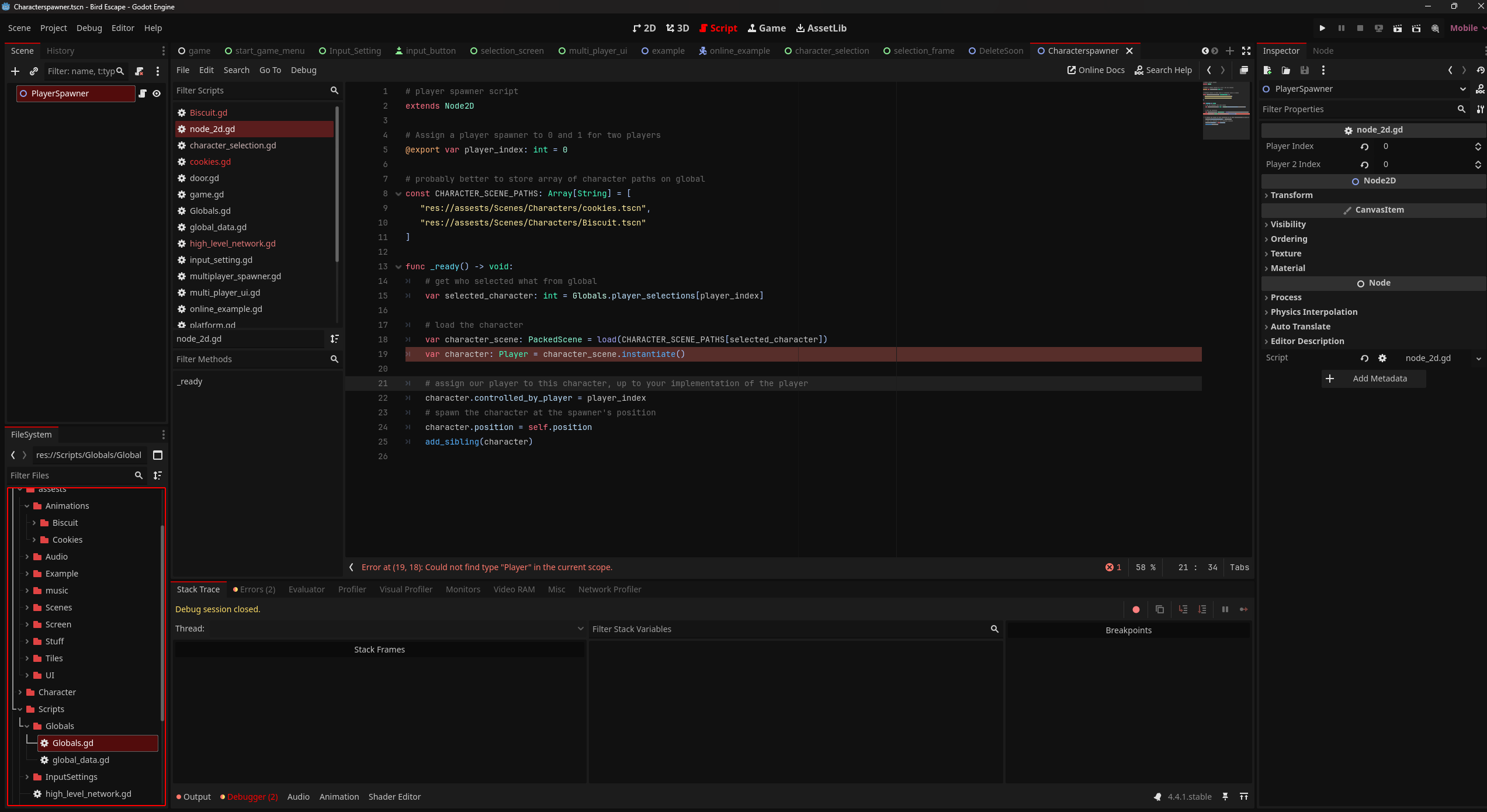
also having Error "could not find type “Player” in current scope
# player spawner script
extends Node2D

# Assign a player spawner to 0 and 1 for two players
@export var player_index: int = 0
@export var player2_index: int = 1

# probably better to store array of character paths on global
const CHARACTER_SCENE_PATHS: Array[String] = [
   "res://assests/Scenes/Characters/cookies.tscn",
   "res://assests/Scenes/Characters/Biscuit.tscn"
]

func _ready() -> void:
	# get who selected what from global
	var selected_character1: int = Globals.player_selections[0]
	var selected_character2: int = Globals.player_selections[1]

	# load the character
	var character1_scene: PackedScene = load("res://assests/Scenes/Characters/cookies.tscn"[selected_character1])
	var Cookies: Player = character1_scene.instantiate()
	var character2_scene: PackedScene = load("res://assests/Scenes/Characters/Biscuit.tscn"[selected_character2])
	var Biscuit: Player = character2_scene.instantiate()

	# assign our player to this character, up to your implementation of the player
	Cookies.controlled_by_player = 0
	add_sibling(Cookies)
	Biscuit.controlled_by_player = 0
	add_sibling(Biscuit)
Very close, a big key is that the script should not contain variable names after the characters, because which character is decided by the player. The spawner script should only handle spawning one player, you will create two nodes (acting like spawn points), one for each player and use the @export to decided in the editor which spawner is used for which player.
My script example was very literal, I’ve edited what you posted and ended up with a nearly identical example as my first. The spawner only handles a single player, which player it handles it determined by the @export.
# player spawner script
extends Node2D

# Assign a player spawner to 0 and 1 for two players
@export var player_index: int = 0

# probably better to store array of character paths on global
const CHARACTER_SCENE_PATHS: Array[String] = [
   "res://assests/Scenes/Characters/cookies.tscn",
   "res://assests/Scenes/Characters/Biscuit.tscn"
]

func _ready() -> void:
	# get who selected what from global
	var selected_character: int = Globals.player_selections[player_index]

	# load the character
	var character_scene: PackedScene = load(CHARACTER_SCENE_PATHS[selected_character])
	var character: Player = character_scene.instantiate()

	# assign our player to this character, up to your implementation of the player
	character.controlled_by_player = player_index
	# spawn the character at the spawner's position
	character.position = self.position
	add_sibling(character)
alright i get it now also what to do with this error
My example included Player assuming you would have a class_name Player declared. Assuming your characters would share a base class of some kind, if that is CharacterBody2D then you can use that instead. The variable .controlled_by_player will not exist on it’s own either, you will need to create this so that it exists on every character, and of course the characters should respond to it appropriately by only accepting that player’s inputs.
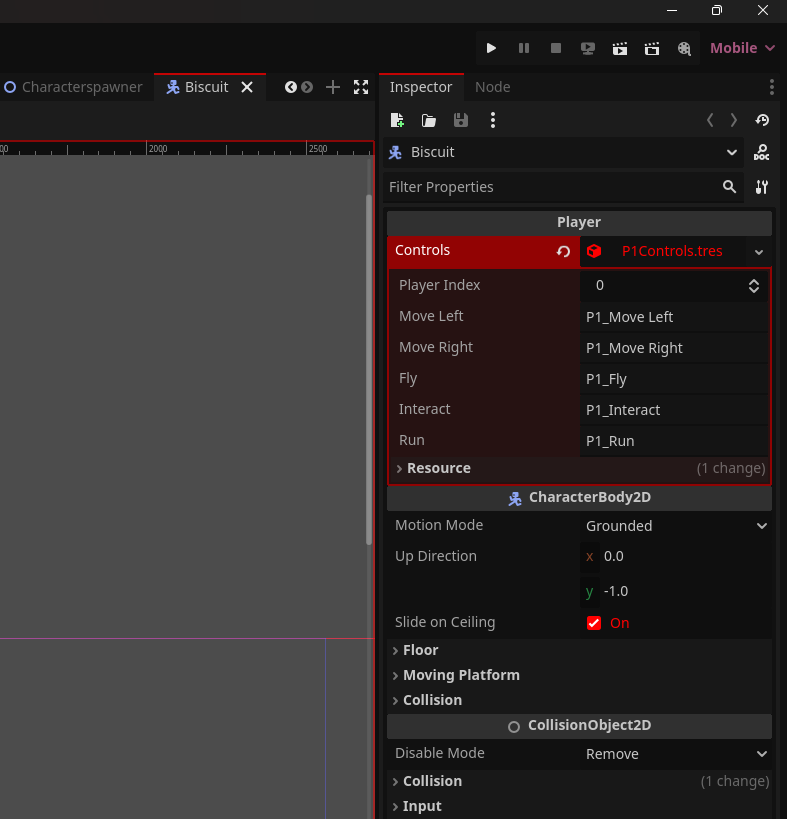
i have a script for player Controls and 2 Resource files for P1/2 Controls if that will help
all i do is just Change Control RSS
Nice! then you can use P1Controls and P2Controls if it exists. Do both of your characters have a controls variable for this resource?
var character_scene: PackedScene = load(CHARACTER_SCENE_PATHS[selected_character])
var character: Player = character_scene.instantiate()

# controls_path will replace the `%d` with the player_index + 1
# I am not sure if your controls reside in res:// or somewhere deeper
var controls_path: String = "res://P%dControls.tres" % (player_index + 1)
character.controls = load(controls_path)
If you want to have a Player type that understands your controls you could add this script in your filesystem, and extend from it for each of your characters.
# base_player.gd
extends CharacterBody2D
class_name Player

@export var controls: Resource
# biscuit.gd and/or cookies.gd
extends Player

# everything else can remain the same
ye @export var controls: Resource = null
heres how it works like controls.name of action
	if not is_on_floor():
		var speed = Input.get_axis(controls.Move_left, controls.Move_right)
		velocity.x = speed * FLYSPEED
	if Input.is_action_just_pressed(controls.Fly):
		velocity.y = JUMP_VELOCITY
	elif velocity.x == 0 and not is_on_floor():
		current_state = States.FLYING
1 Like
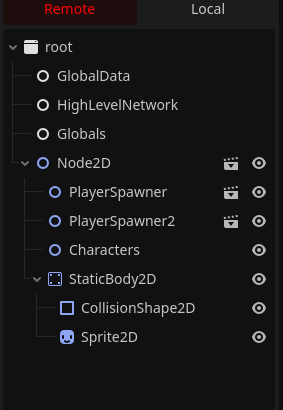
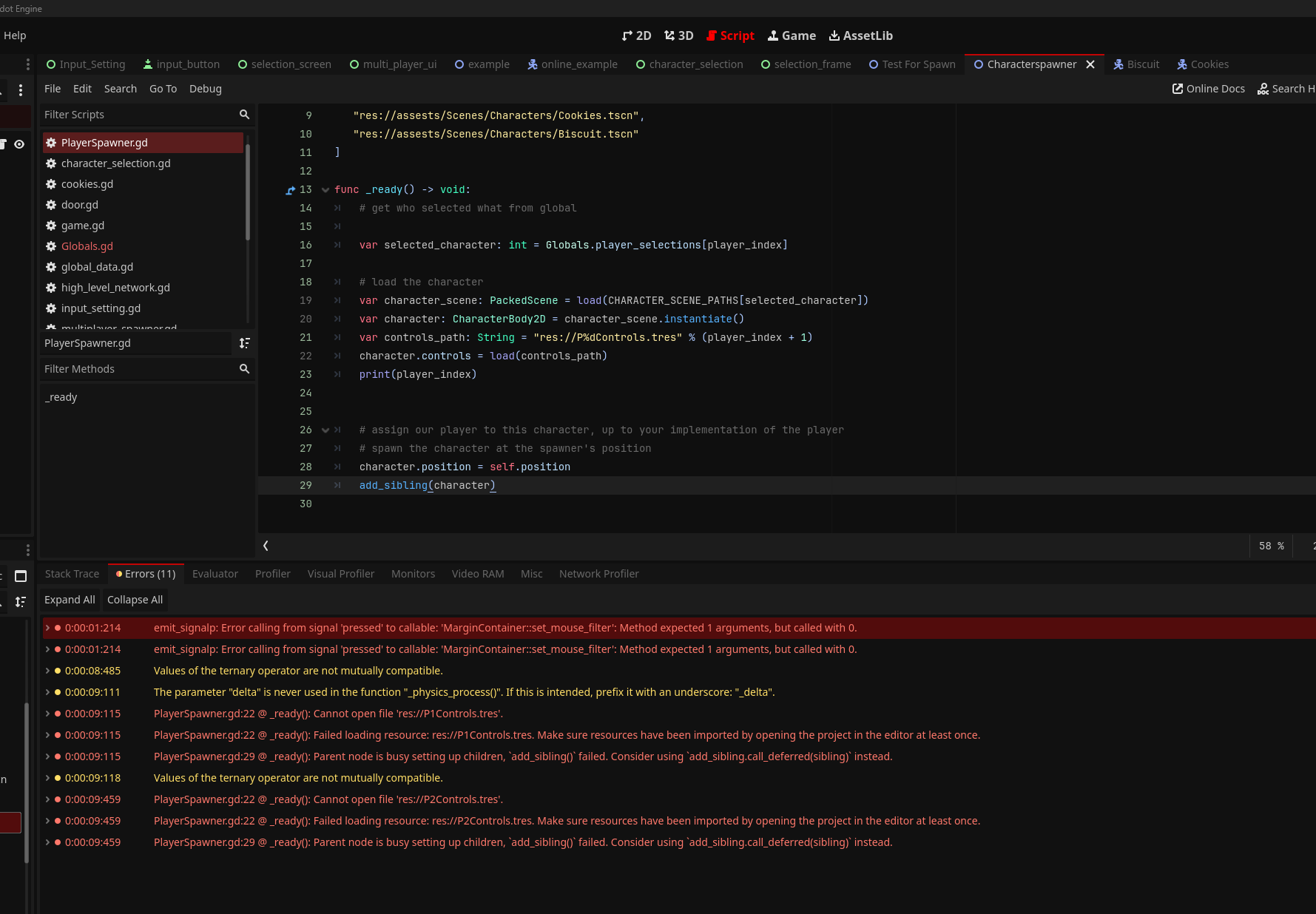
okay Everything works fine only issue tho is that it doesnt Spawn Players When Entered Test Scene
Can you post your most updated spawner script? Maybe a screenshot of the “Remote” scene tree when debugging
# player spawner script
extends Node2D

# Assign a player spawner to 0 and 1 for two players
@export var player_index: int = 0

# probably better to store array of character paths on global
const CHARACTER_SCENE_PATHS: Array[String] = [
   "res://assests/Scenes/Characters/Cookies.tscn",
   "res://assests/Scenes/Characters/Biscuit.tscn"
]

func _ready() -> void:
	# get who selected what from global
	var selected_character: int = Globals.player_selections[player_index]

	# load the character
	var character_scene: PackedScene = load(CHARACTER_SCENE_PATHS[selected_character])
	var character: CharacterBody2D = character_scene.instantiate()
	var controls_path: String = "res://P%dControls.tres" % (player_index + 1)
	character.controls = load(controls_path)


	# assign our player to this character, up to your implementation of the player
	# spawn the character at the spawner's position
	character.position = self.position
	add_sibling(character)
huh! any errors? Try adding a print statement to the _ready() function too