Godot Version
4.5
Question
Just so I understand this,
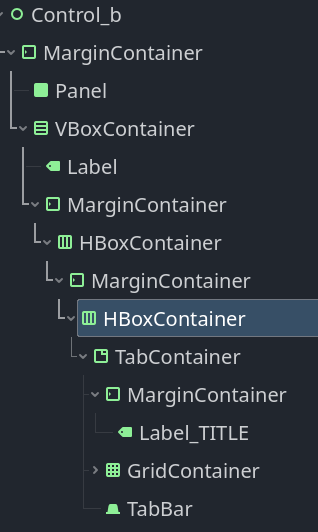
if I want margins I’d have to put a margin container on every container that I want it in?
Example:
4.5
Just so I understand this,
if I want margins I’d have to put a margin container on every container that I want it in?
Example:
I’m not sure what you’re trying to achieve exactly, but you should set the margin by clicking on the MarginContainer, then on the right side, expand: Theme Overrides, then Constants, and set the margins as you see fit (Left, Top, Right, Bottom)
As the image above,
If I want margins for the content inside “Control_b” I have to add a MarginContainer, then if I want margins for the content inside “VBoxContainer” I’d also have to add another MarginContainer. And do the same for “HBoxContainer” and so on and so on?
Some more example,
You see the first “asdf..” is at the left edge of the GridContainer.
So If I want a left margin there then I would need to add another MarginContainer as a child and move all the labels under MarginContainer?
Basically I’m asking If you want margins inside any container then your only option is to add a margin container as its child?
Not always. I barely use MarginContainers
Some Containers have separation constants in their theme properties like BoxContainer.separation
Some Control nodes have StyleBox resources in their theme properties. StyleBox has content_margin_* properties that act as margins.
For example, in this Godot 3.2 project I worked on there’s only one MarginContainer and, looking into it now, I think it can be removed without any issues.
I learn I can use Containers Anchors Preset/Offset to control padding/margin of their contents.
But not all containers have this option… I guess each container has its own way of doing this?. 
All Controls have this functionality unless they are children of a Container. In that case the parent (Container) will position and size its children.
What about container inside a container? eg.
Control
-HboxContainer
–VboxContainer
—GridContainer
How do I set margins inside the Vbox or GridContainer?
A Container is also a Control so the same rules apply.
In this case you can use a MarginContainer
Sorry I’m still bothered by Godot UI..
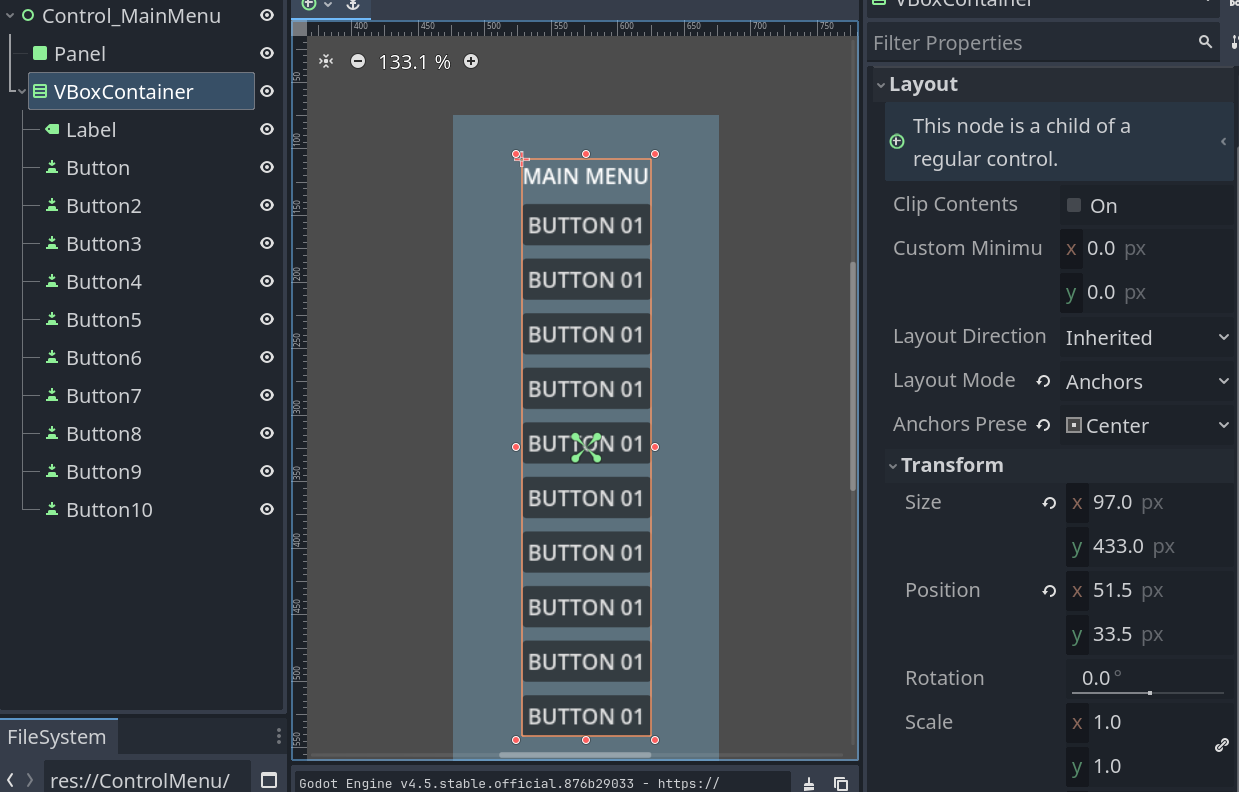
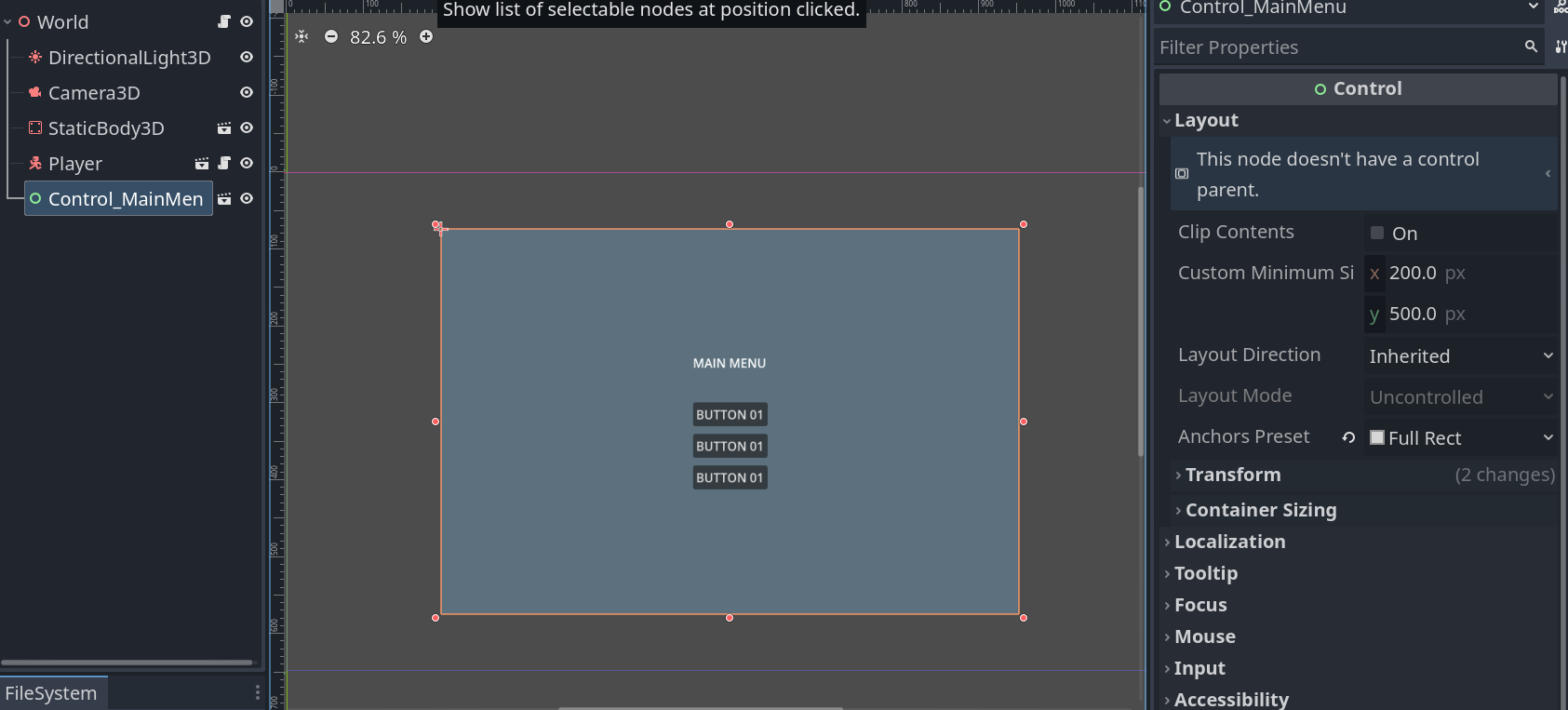
First, How would you add some space between the MainMenu label and the first button?
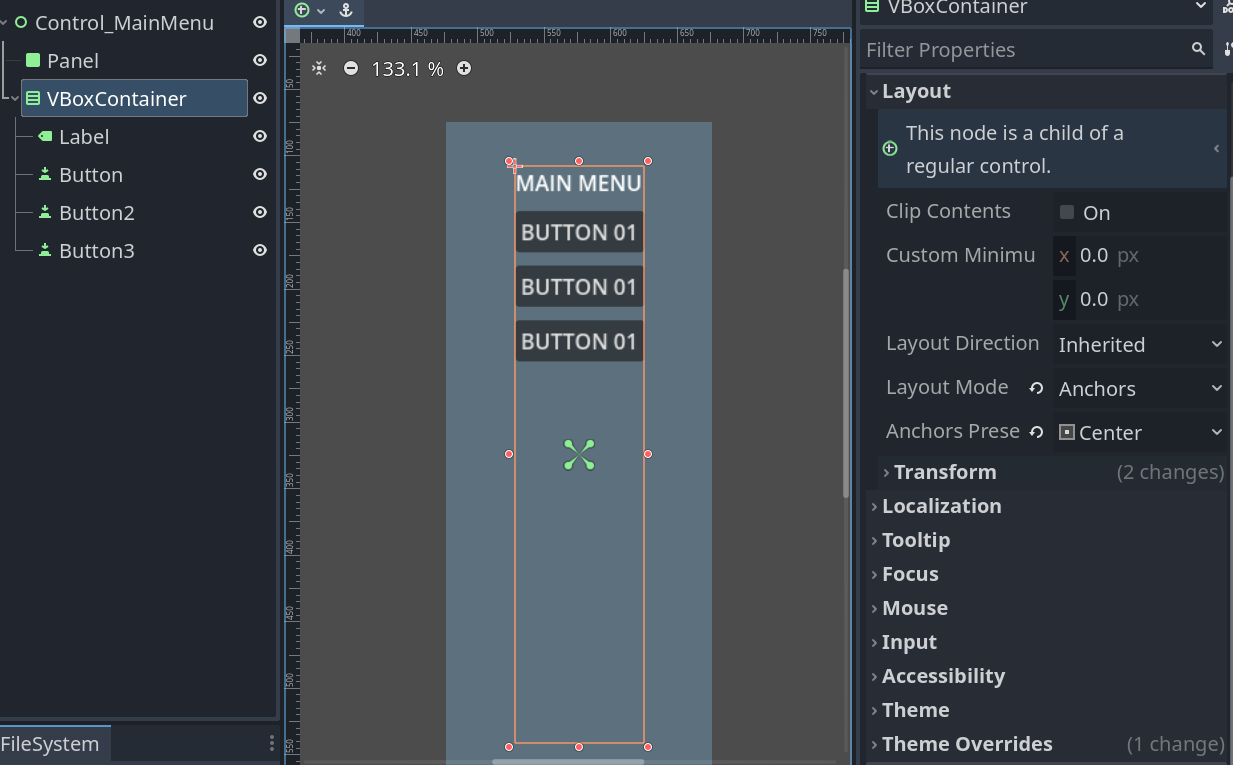
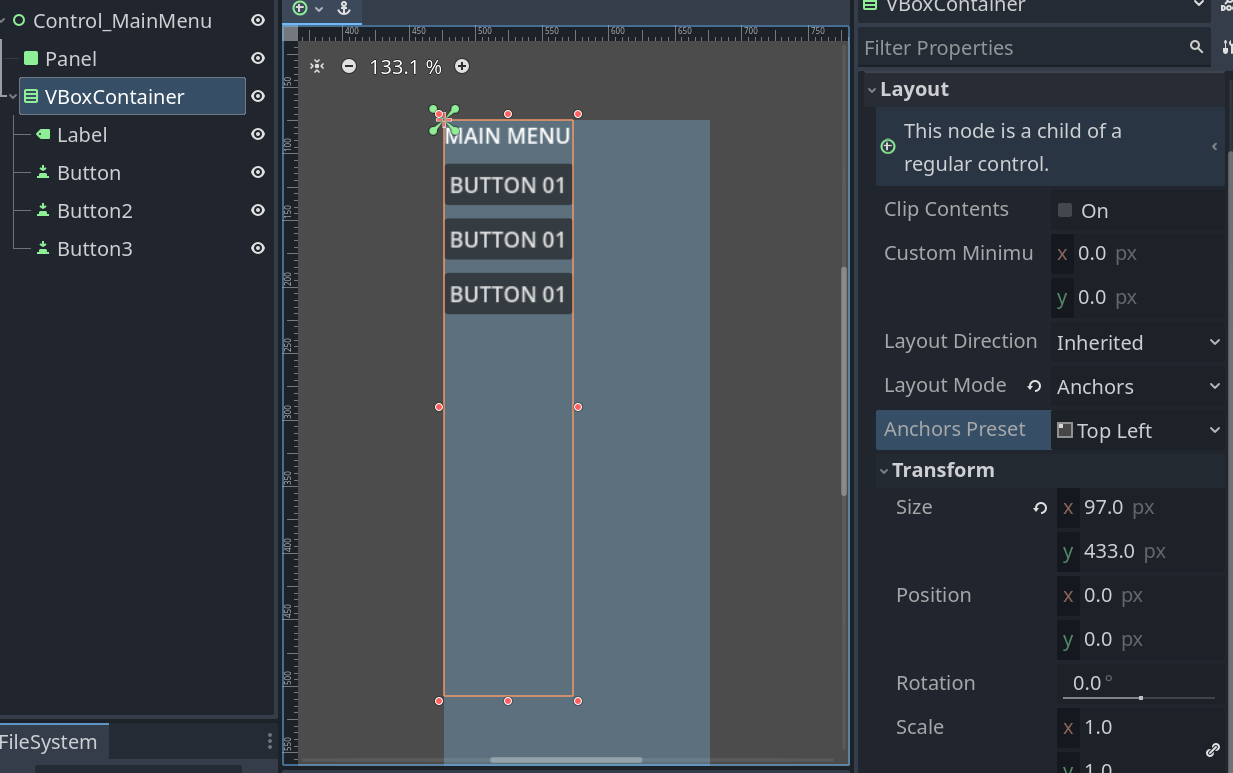
Also, found it weird the way it update things, for example:
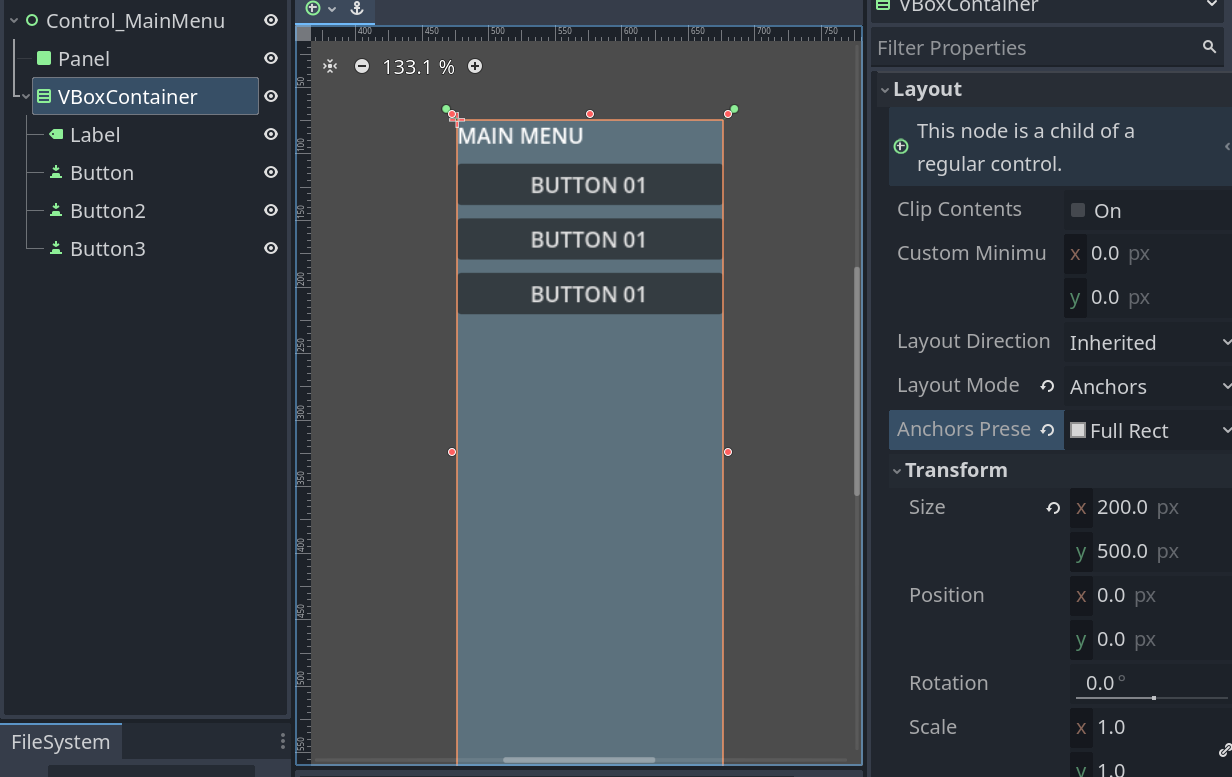
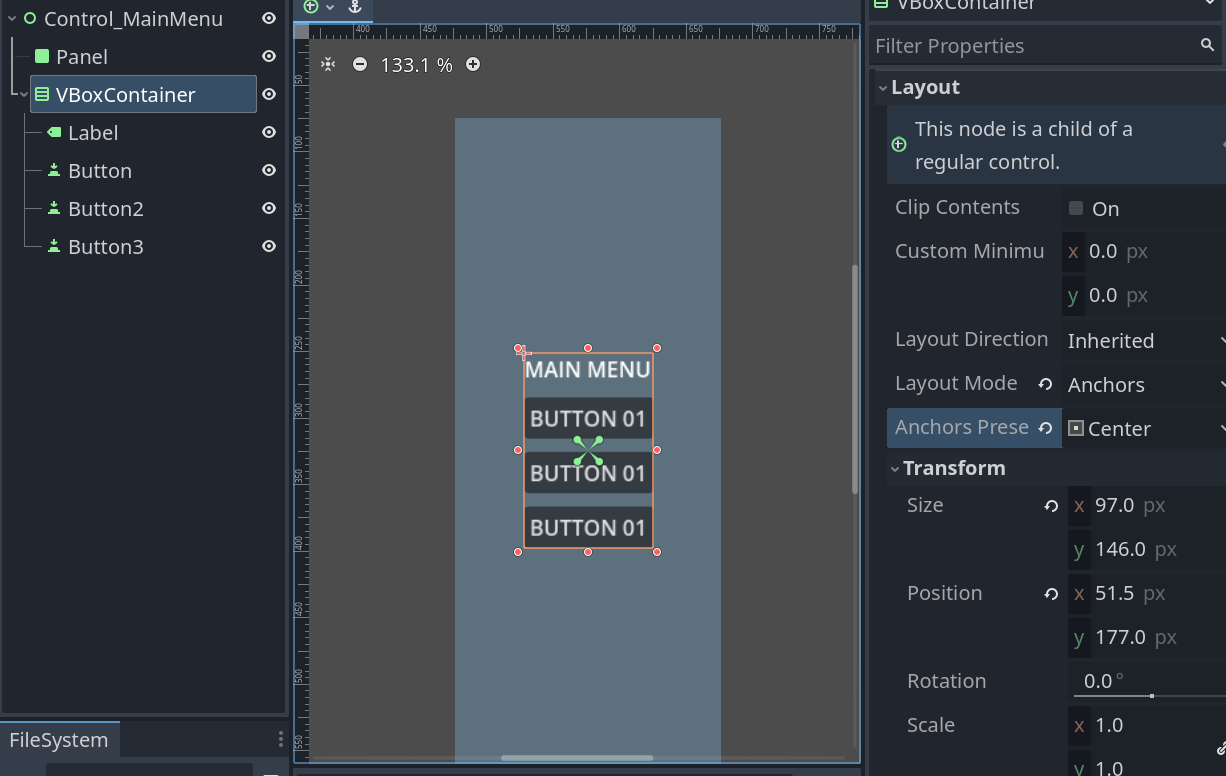
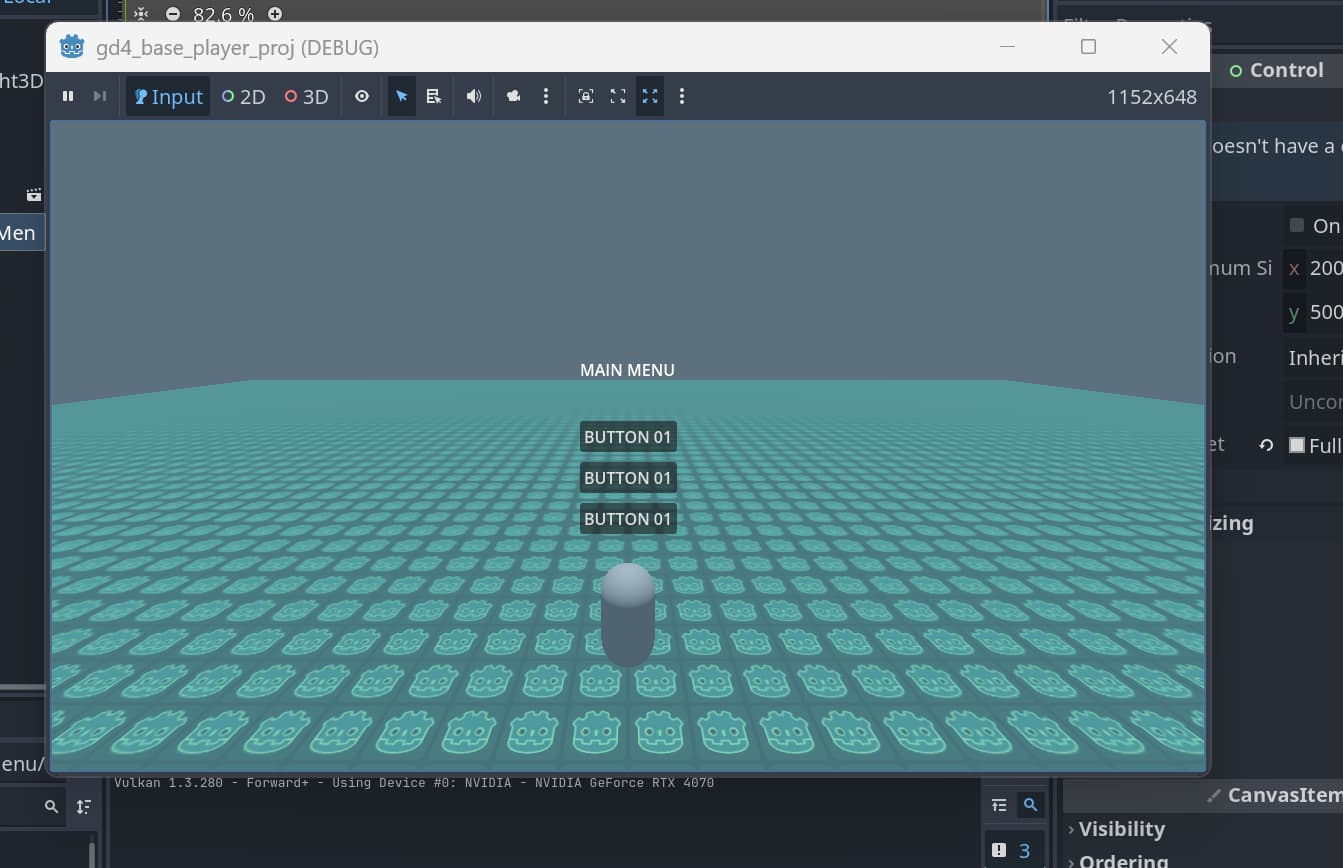
When I remove few buttons the size and position does not update visually, even when I changed anchors preset to Top Left/ bottom right ..etc. and back to Center. It won’t update the visual.
Only when I go to Anchors Full Rect first then back to Center again for it to update?
Another example:
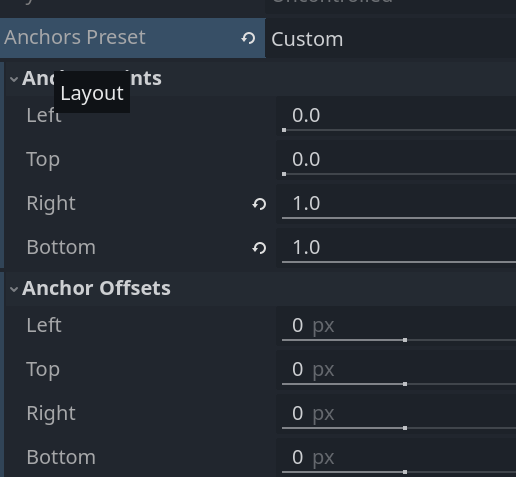
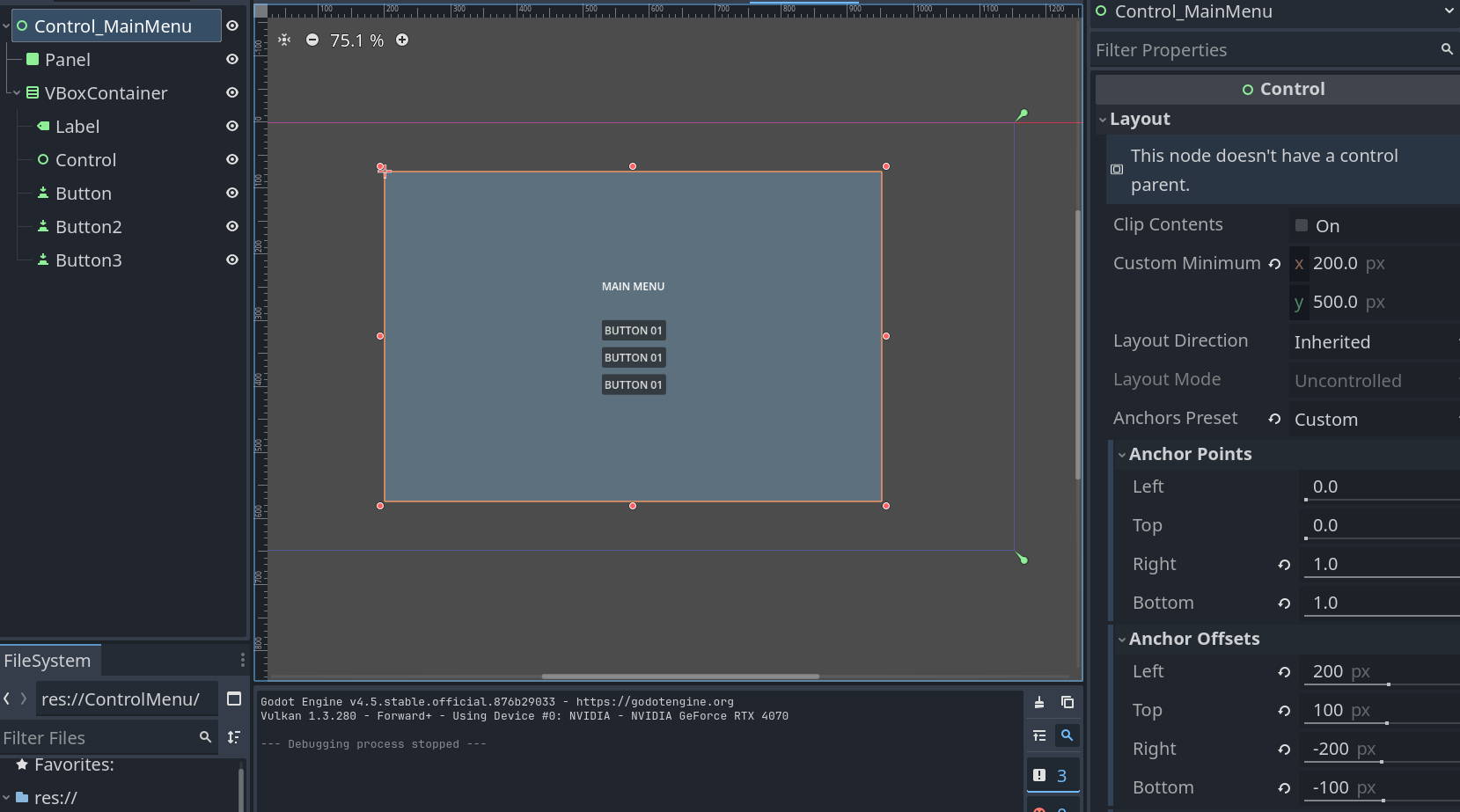
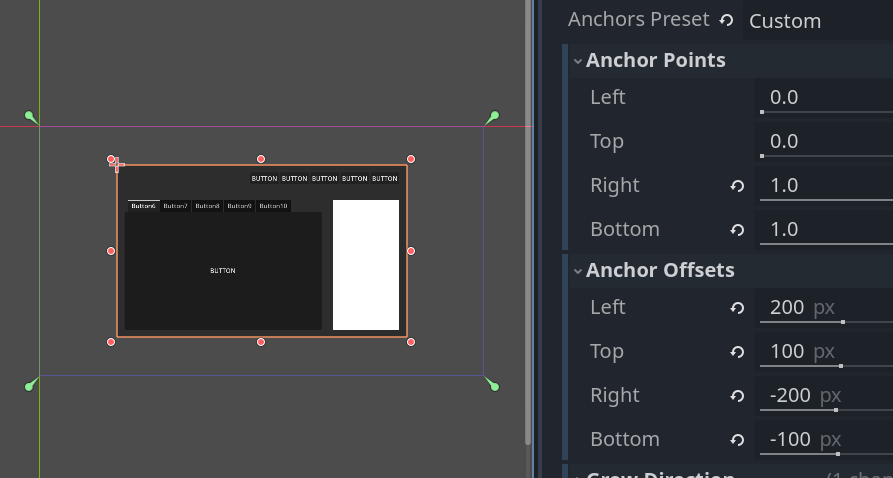
I have a Control scene which I did my anchors margin settings.
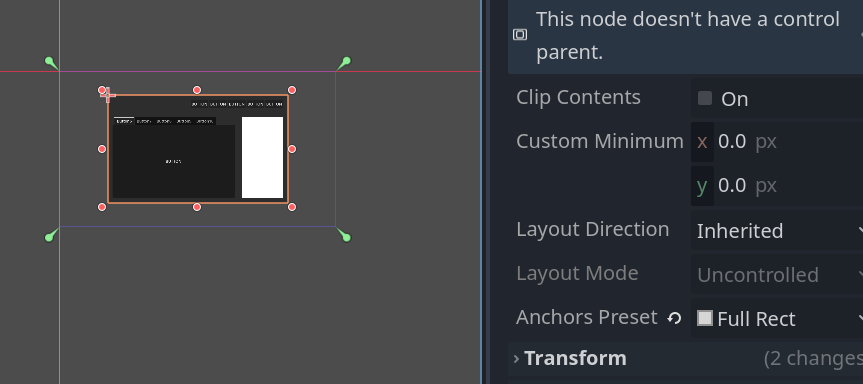
But when I put it in the Main scene my anchor setting is revert back to Full Rect, but it still shows the old margin settings.
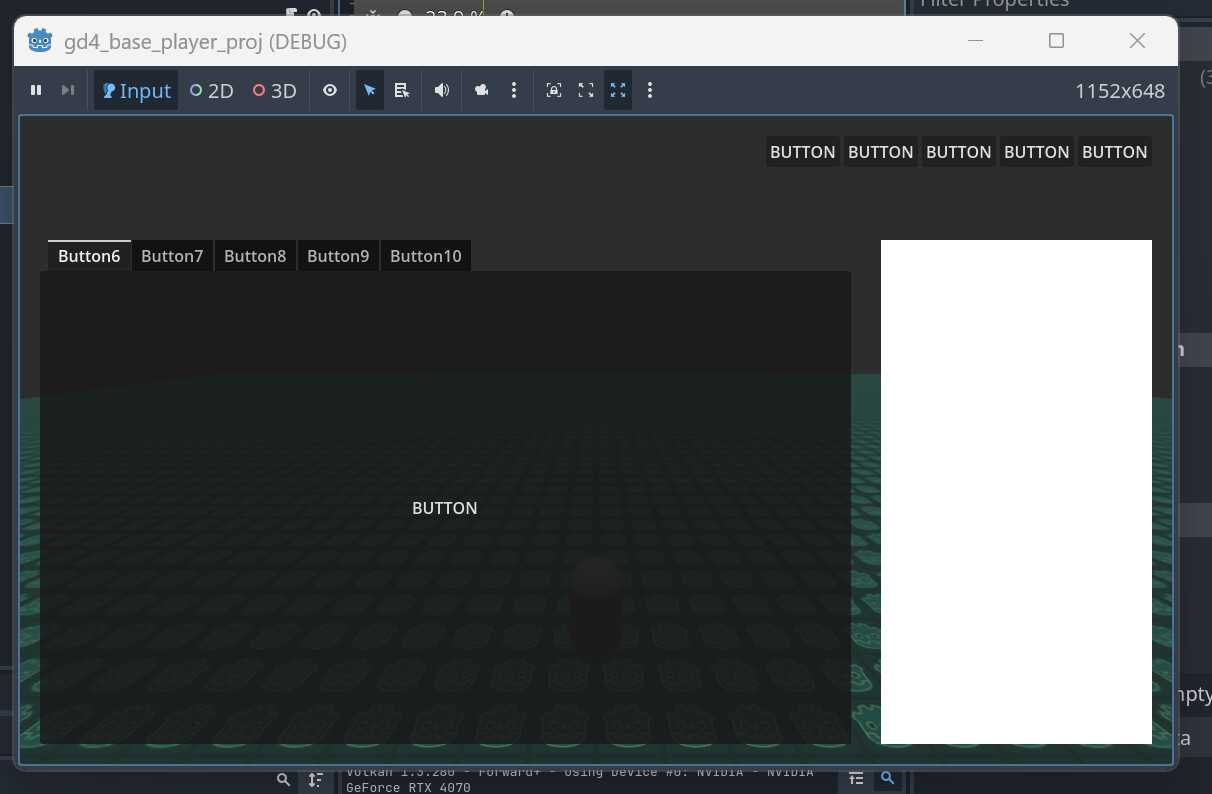
However, it is Full Rect at runtime.
I just started learning Godot UI and it is very confusing. Not sure if I understand it correctly or I’m missing something.
I don’t know how you managed to make it work in your project. Do you have any system/template/rule of thumb that you go by when working with UI?
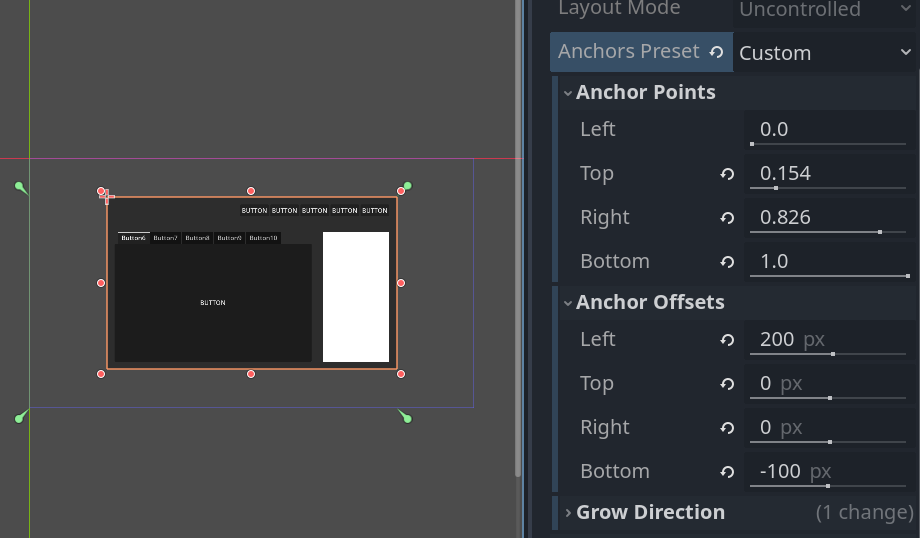
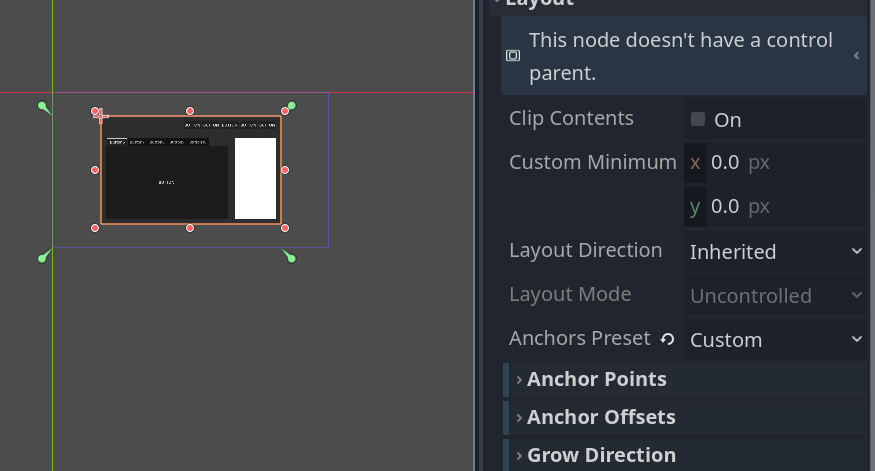
So.. in the case that you have a UI scene, I found that if your anchors’ custom settings is the same as one of “The Presets” (eg. Full Rect, Top Left, Bottom Wide..etc) it will automatically apply as that preset when you add UI to your main scene.
UI scene: My Anchors custom settings is DIFFERENT from the presets.
UI scene: My Anchors custom setting is the SAME as Full Rect Setting.
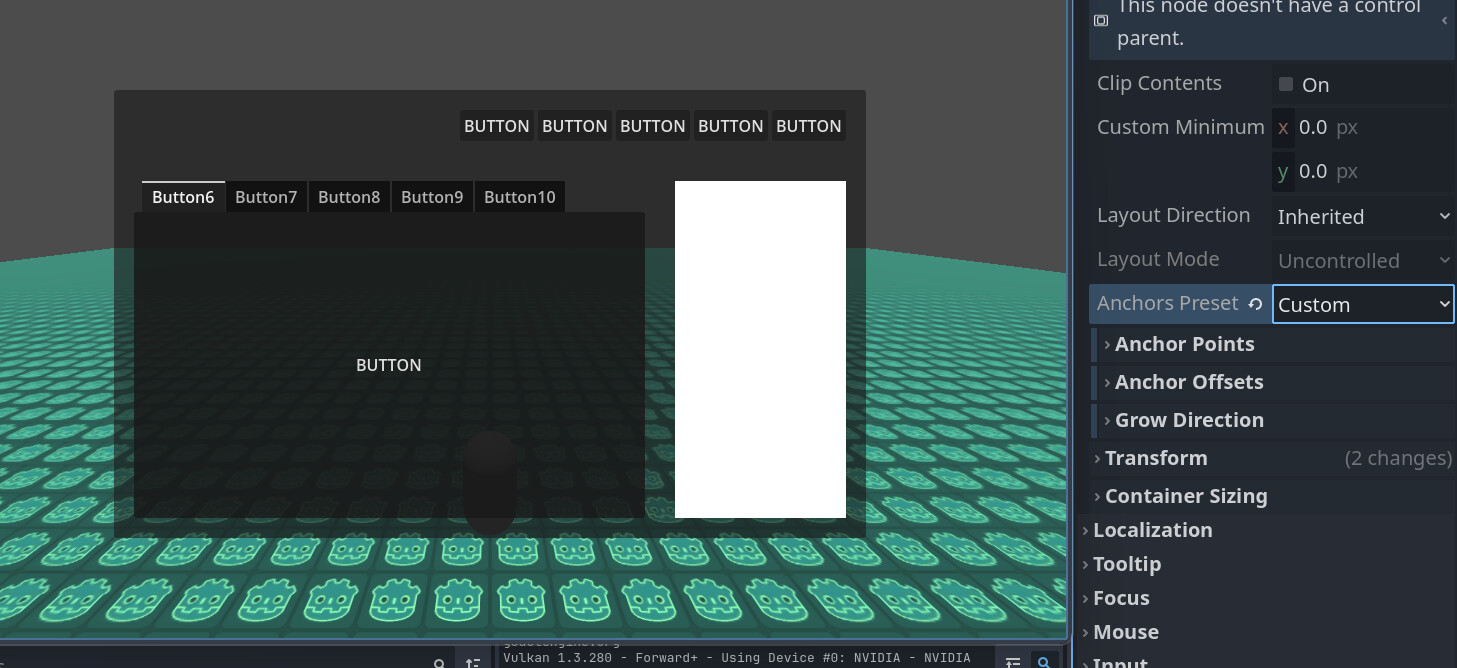
And because of that you no longer have your anchor custom Points/Offsets settings and your menu will look different at runtime.
You have to change your Anchor Preset from “Full Rect” back to “Custom” the get your anchor settings back.
The visual in the editor not updating and showing the changes in settings really confuses me. Hope this provides some understanding of what’s happening.
This topic was automatically closed 30 days after the last reply. New replies are no longer allowed.