No, that’s raycast code. We don’t know how the ray itself is calculated.
In any case, best to make a MRP.
1 Like
the raycast is just the godot way of doing a raycast in code. (space_state.intersect_ray(ray_params))
And by calculated you mean how start and end position is generated? Lets say start pos is just a position from a Node3D somewhere way out. 12km out. And the end pos is just the camera position.
And i’m wondering what an MRP is?
I must say I wouldn’t even be bothered if it wasn’t for the fact that a box collision works flawlessly. 
Too lazy to write, copied it from Godot git:
Minimal reproduction project (MRP)
A small Godot project which reproduces the issue, with no unnecessary files included. Be sure to not include the .godot folder in the archive (but keep project.godot).
1 Like
ALRIGHT! I got an MRP, and it is still happening. I can also see that the hit position of the raycast is perfect for boxes, and AB.SO.LUTE.LY rubbish for cylinders and spheres.
Sphere
In this case spheres does indeed register the hit, but the position is completely wrong.
Cylinders
Cylinders the ray will seep through, AND the positions from the hit is rubbish
Box
For the box everything is fine. Hit is on the surface and no seeping through.
Instructions:
Move “end” with mouse. Side to side. In play mode
Manually set start to be further out or in in the editor.
press escape to exit
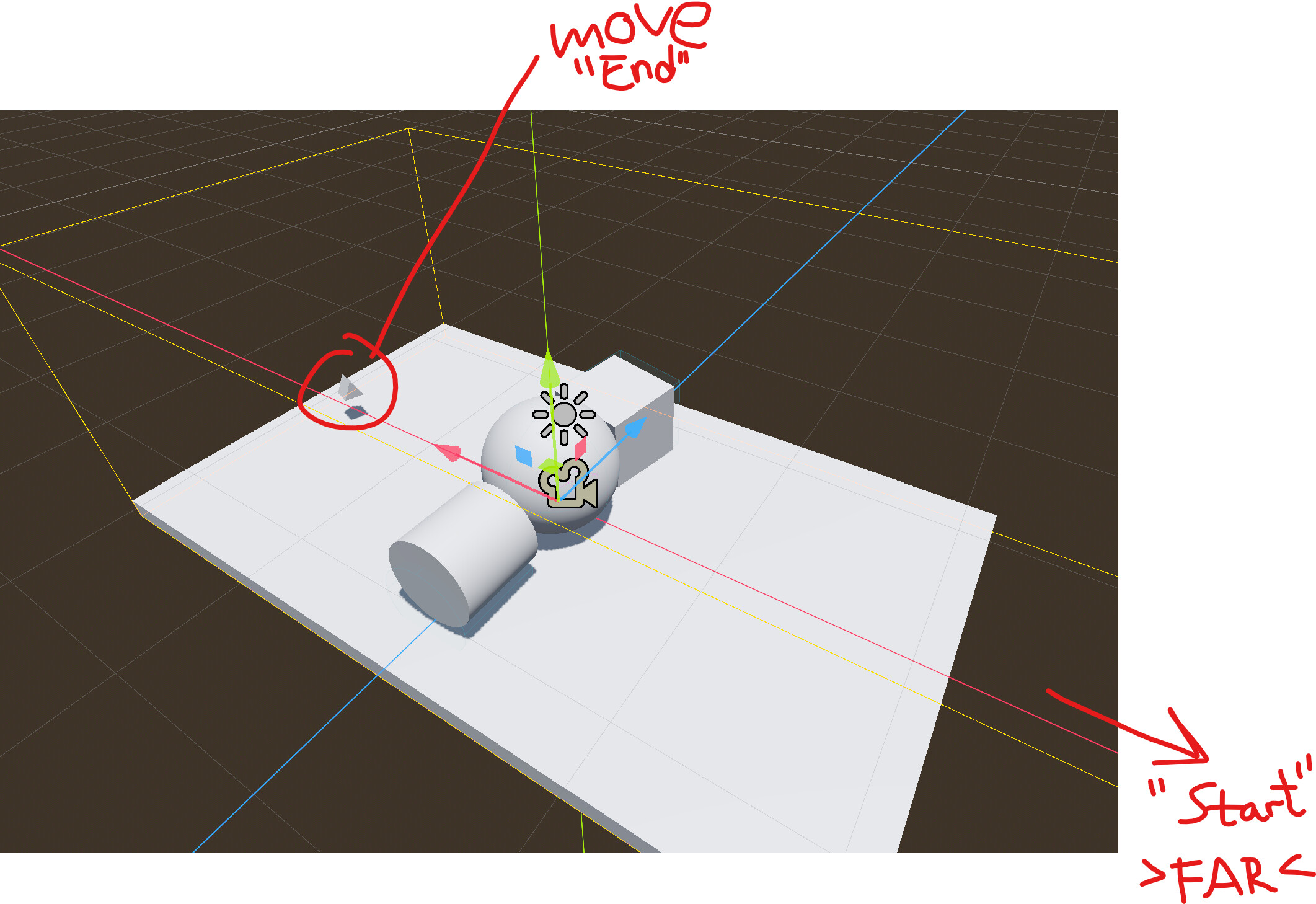
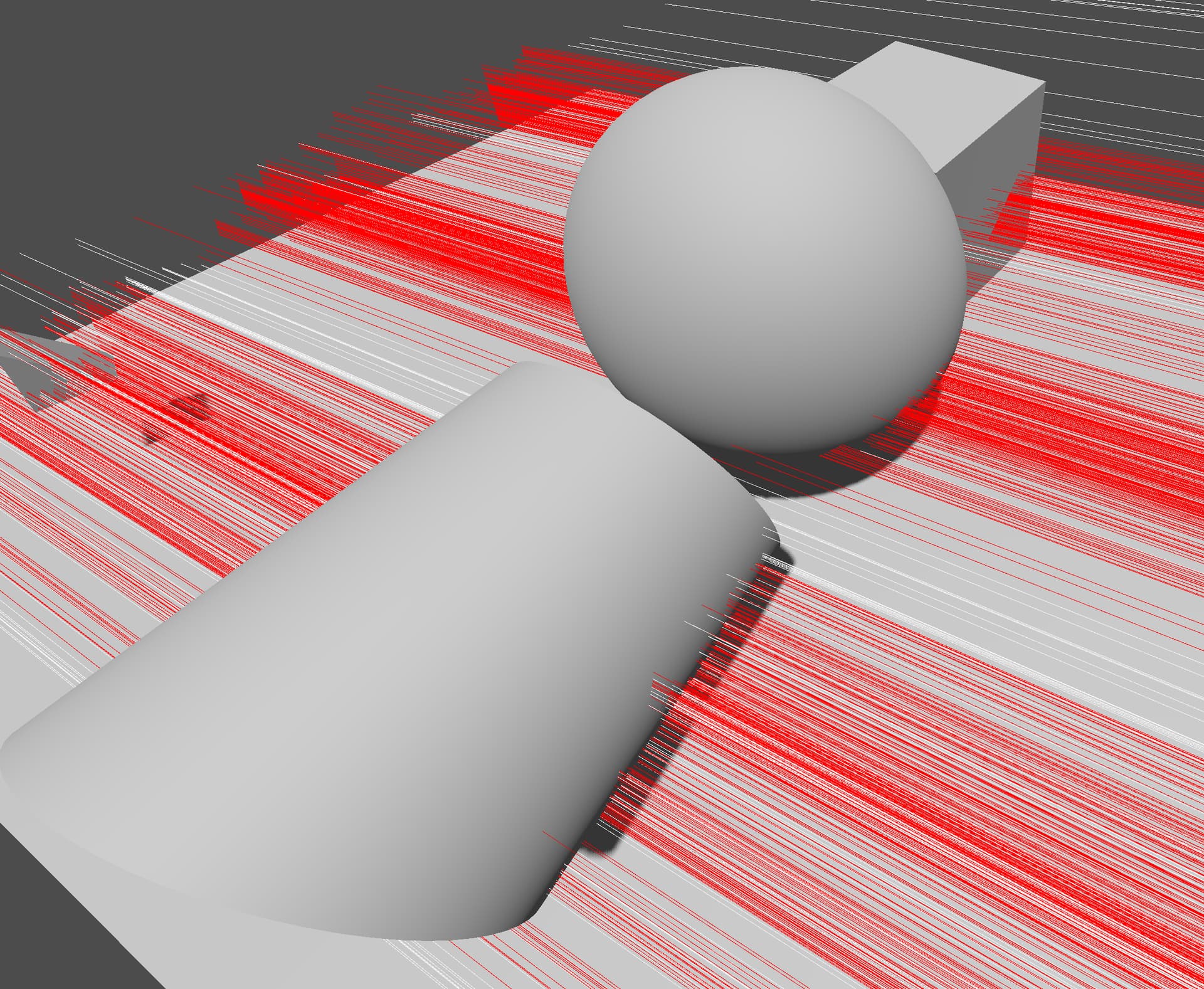
Red lines are hits
White lines are no hit.
- As you can see few actually goes through the sphere.
- Alot goes through the cylinder
- And none go through the box
It’s Jolt. Works as expected with godot physics. Probably some optimization on account of precision. I couldn’t find a setting that makes it go away though.
As a quick workaround; shorten the ray if colliders are guaranteed to be near the target:
var direction = (endPos - startPos).normalized()
startPos = endPos - direction * 1000.0
1 Like
I am just using an add-on DebugDraw to draw the ray cuz I just found it fancy 
Can you just narrow it down and start with a very empty project?
1 Like
@Frozen_Fried
Yeah check out the files I shared up above. It is after all a bug in Jolt.
1 Like
Hmm that’s bad news. Cus using godot physics makes things, such as the character controller, able to get stuck easily on all sorts of collision shapes.
Ok! I have a better solution. I will do the ray cast in segments of 1000 meters (or less)
BUT! Just to be clear, this is a flaw/bug in Jolt! (?)
hmmmm,
you can report a bug …
you should just find alternatives …
1 Like
I have now posted the issue in jolt git.
and I know exactly how to circumvent it. 

1 Like
Not necessarily a bug. As I said it may be a performance optimization that sacrifices some precision, or just plain old float precision limit. It may be worthy to check Jolt official documentation if precision limits are mentioned.
Note that the issue may not be solely due to ray length, but also due to absolute distance of coordinates from the origin/zero.
Scaling your whole world down by the order of magnitude could be a viable workaround.
EDIT: Yeah, the page I linked above mentions, among other things, that precision may become a problem when coordinates go beyond 5k units from the origin.
1 Like
Åh yes OK. Well I will do my ray in sections. Starting off by tracing from the camera towards the sun by 500units. This will be much better I’m sure.
Thanks for the help!
I wouldn’t qualify this as an issue though. Floating point calculations always have precision limits. The only real solution is to re-compile the library to work with 64 bit floats.
1 Like
yeah i agree. But anyway, now they know that some rando (me) encountered a thing that stumped me for a couple of days, and then they can use that information however way they want. I think its ok. 
For posterity →
Solutions.
Jolt can’t do raycasts from far off distances towards close by distances without losing alot of precision.
Actual solutions to the problem in bold
- Try swap the ray to come from close by to far off. (instead of far off to close by)
- Try doing the raycast in sections of 1000m
- Try NOT to do raycasts that fly off into the universe
- Try reading up on the limits of Jolt found in the documentation.
- Try not casting rays across giant worlds.
See more here →
2 Likes
It’s not just raycasts. Everything will lose precision when far from origin. Jolt’s docs even explicitly state the optimal size ranges for dynamic/static colliders and velocities, and recommends scaling to that range. You should include a link to “limits” and “big worlds” sections in your “solution” post.
2 Likes