Quick Node Actions — Godot Editor Plugin
Hey everyone! 
I recently renamed my Godot editor plugin from Raykit Batch Actions (PRO) to Quick Node Actions.
It’s still the same tool with the same functionality — just a new name that’s easier to find and remember.
What is Quick Node Actions?
Quick Node Actions is a Godot editor plugin designed to make working with multiple nodes faster by providing several useful actions in one place.
Some of the available actions include:
- Randomize Transform
- Duplicate / Copy / Paste Nodes
- Rename Nodes
- Show / Hide Nodes
- Add / Remove Groups
- Add / Remove Scripts
- Make Resource (PackedScene)
- Align Nodes
- Distribute Nodes
- And more
 Latest Update — v1.4
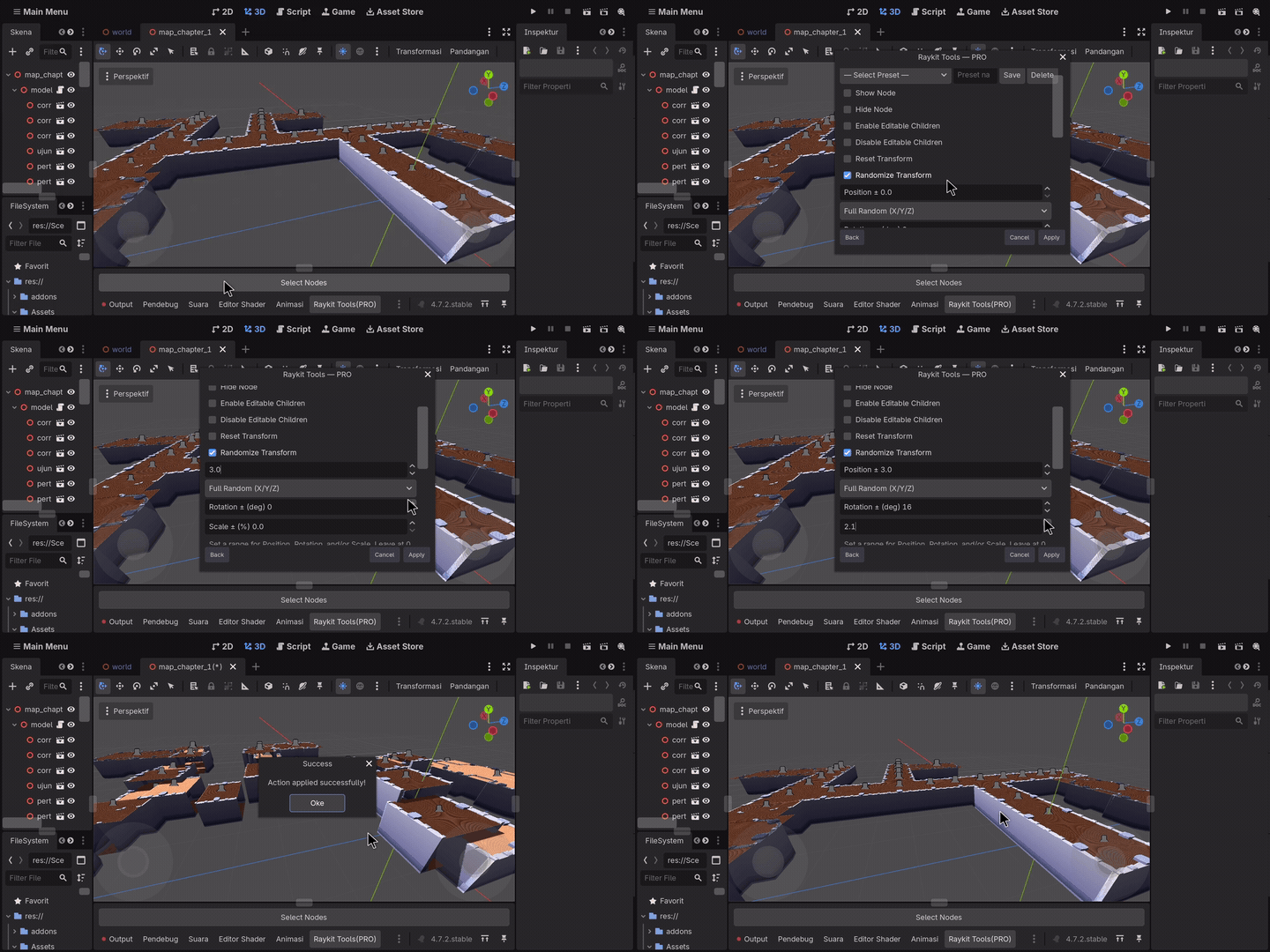
The latest update adds a new feature to Randomize Transform:
Per-Axis Rotation
You can now choose exactly which rotation axes to randomize:
X • Y • Z — or any combination of them
This is useful for situations where you only want rotation on a specific axis. For example, you can randomize only the Y axis for upright props instead of rotating them in every direction.
 Feature Demo
 Bug Fixes
This update also fixes a couple of issues:
-
Rotation and Scale Randomization — Rotation and Scale values were previously not properly applied to selected nodes. This has now been fixed.
-
Decimal Scale Range — Scale ranges now properly support decimal values such as
0.8without rounding them to whole numbers.
 Get Quick Node Actions
Quick Node Actions - By Raykit Studio
Feedback
Feedback, suggestions, and bug reports are always welcome!
Thanks for checking out Quick Node Actions 