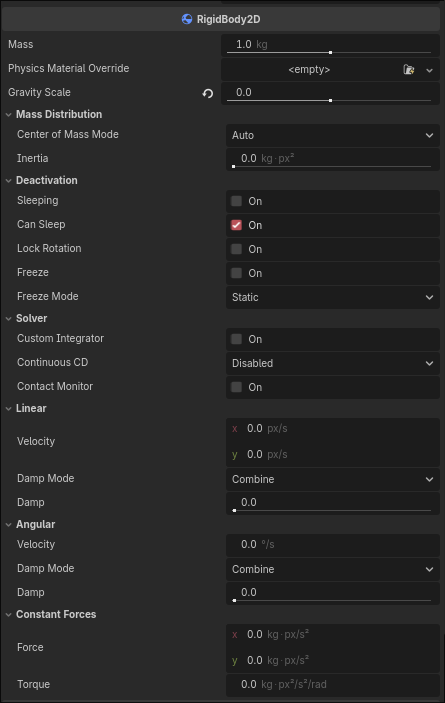
I have a RigidBody2D representing a spacecraft. In space there is no friction, so once something starts spinning, it should keep spinning.
So I have a script that applies a torque when a key is pressed. When I press the key, the rigidbody spins up as expected; however, I expected that on releasing the key, the RigidBody2D would go on spinning at a constant rate, since angular_damp is set to 0. But it instead slows down and stops spinning. Which is not what I want; I want it to keep spinning.
My script:
extends RigidBody2D

func _physics_process(delta: float) -> void:
	if Input.is_action_pressed("cw"):
		apply_torque(1000)
I can’t check it myself right now, but I believe there’s a project setting that introduces some sort of drag by default. If you turn that off, this might help your case.
Make sure you are looking at all settings via the Advanced Settings toggle in the top-right of the Project Settings window. The setting you are looking for should be under the Physics tab somewhere.
Yes, you’re correct. There is a physics/3d/default_angular_damp settings, which is set to 0.1 by default. It tripped me over some time ago as well
There is also physics/3d/default_linear_damp, which is also set to 0.1.