Godot Version
4.5.1 Linux
Question
I’m trying to sort of make my own version of is_on_floor() for a platformer project, where instead of needing to specifically be on the floor to jump, you just need to be a certain distance from it. I tried doing this with a downward raycast to start off, and it’s sort of worked but the raycast’s behavior is extremely janky and inconsistent. I can’t figure out what it’s doing.
I get the status of the raycast every physics tick like this:
if $MainCollision/RayCast2D.is_colliding():
	ground_close = true
else:
	ground_close = false
$Control/Label3.text = "%s" % ground_close
I then use a label to monitor it. But at that point whatever it does is seemingly random. Sometimes it flickers between true and false every frame, or just stays as true forever, or returns true when there is very obviously nothing there. I have them set to ignore parent, and see every collision mask. The testing just happens on a static square collision platform with decent depth.
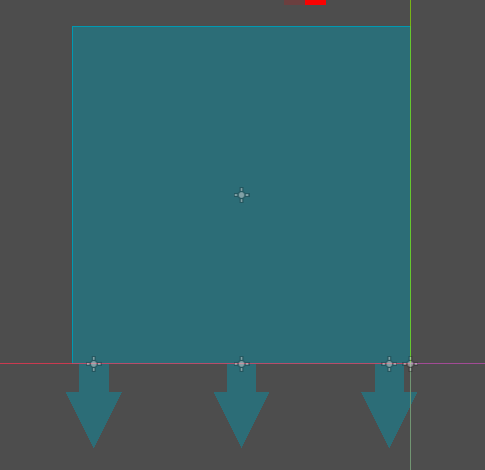
The raycasts are arranged like that under the player. For testing purposes, only the leftmost one is actually in use.
Any ideas on how these things work? Is there any other, better way to accomplish what I’m trying to do?