Hello. I am trying to make tiny puzzle game. I implemented a rudimentary movement system but later realized it’s not doing all I needed it to do so I scrapped it and replaced it. The game has only four buttons right now (WASD/arrows, basic four directions) and two of them (right and down) just don´t seem to work no matter what I do.
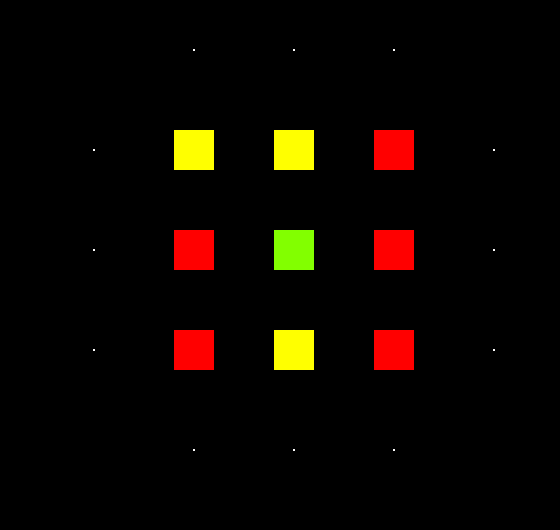
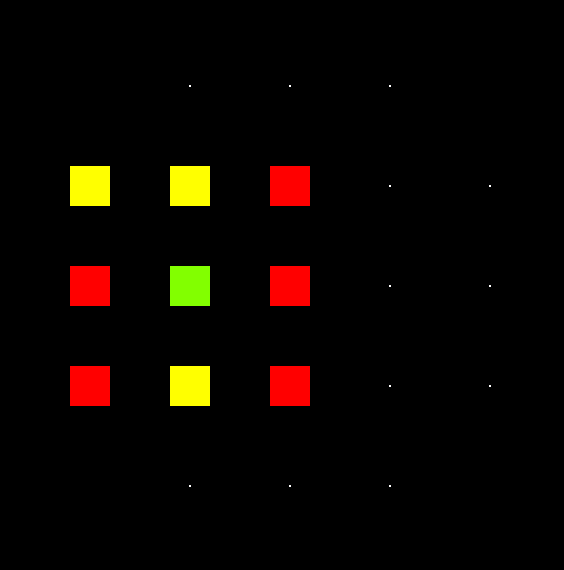
The intended effect is for an “entity” (larger square) to jump from “grid node” (smaller squares) to another node.
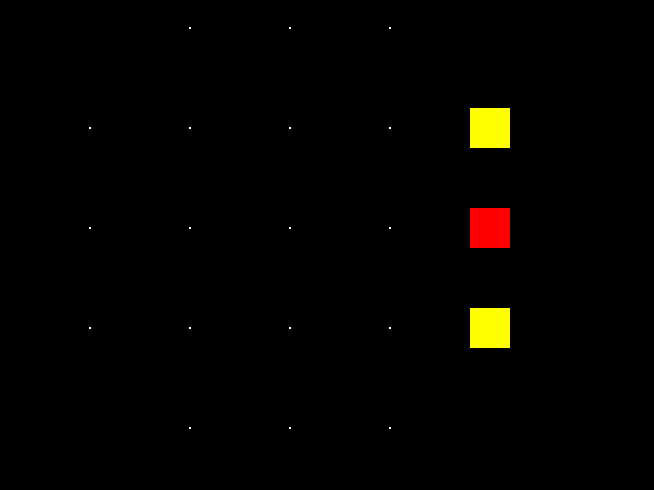
The issue is that whenever I press right/down the input is taken several times. Instead of every square moving one node in the desired direction it moves as many nodes as it can.
These are the relevant code parts. The reason why input calls trigger_turn is because I intend to have 3-4 parts there (like the premove_interact_phase).
At this point I’ve tried having the instructions directly in input or in process. Using Input, moving a specific amount of pixels but whatever mistake I made it persists. It’s most likely a very minor thing that I just can´t figure out so any help is appreciated.
func _input(event: InputEvent) -> void:
	trigger_turn(event)

func trigger_turn(event):
	#premove_interact_phase() #TODO
	move_phase(event)

# Moves all entities to appropriate grid nodes.
func move_phase(event):
	var nodes = get_tree().get_nodes_in_group("grid_nodes")
	var entities = get_tree().get_nodes_in_group("entities")

	# Moves entity to a new node.
	for entity in entities:
		if entity.can_move:
			if event.is_action_pressed("input_up"):
				for node in nodes:
					if node.row == entity.paired_node.row - 1 && node.column == entity.paired_node.column:
						entity.position += (node.position - entity.position)
						entity.set_values(node)
			if event.is_action_pressed("input_right"):
				for node in nodes:
					if node.row == entity.paired_node.row && node.column == entity.paired_node.column + 1:
						entity.position += (node.position - entity.position)
						entity.set_values(node)
			if event.is_action_pressed("input_down"):
				for node in nodes:
					if node.row == entity.paired_node.row + 1 && node.column == entity.paired_node.column:
						entity.position += (node.position - entity.position)
						entity.set_values(node)
			if event.is_action_pressed("input_left"):
				for node in nodes:
					if node.row == entity.paired_node.row && node.column == entity.paired_node.column - 1:
						entity.position += (node.position - entity.position)
						entity.set_values(node)
You can use is_action_just_pressed() which – as far as I know – fires only once per key press, unlike is_action_pressed(). In case your strategy game is not based on real-time, the just pressed event might be enough.
I also suggest you keep your input handling and your game code separate. There is two main things I would do: First, remove the initial nesting of move_phase(event), i.e. the for entity in entities: loop and the if if entity.can_move:. Secondly, you could define simple functions which only execute the minimum reaction to the given user input (something like the code below).
func handle_input():
	if Input.is_action_just_pressed("input_up"):
		react_to_up()
	if Input.is_action_just_pressed("input_right"):
		react_to_right()
	if Input.is_action_just_pressed("input_down"):
		react_to_down()
	if Input.is_action_just_pressed("input_left"):
		react_to_left()
This should make also debugging your input handling easier.
For more clarity of mind you the code which executes your game logic, should be as independent from handling the input event as possible and only react to the data changes which occurred during input handling. At best you could just pass the updated data to the game logic code in order to reflect the necessary changes.
For example with something like this.
func game_logic():
	for entity in entities:
		if entity.can_move:
			for node in nodes:
				evaluate_movement()

func evaluate_movement():
	if your_updated_data_here() == -1:

		# TODO: pick up the data which was changed in your input handling here,
		# instead of directly reacting to input events.

		entity.position += (node.position - entity.position)
		entity.set_values(node)
I separated the code as you suggested. There’s still some cleanup to do but making it into smaller bits instead of my grand loops really helped.
The issue was in the “for node in nodes:” part. Since the nodes were created in a certain order, going through them in the same order meant that if entity jumps from node 1 to node 2, the system would process node 1 (and correctly assign/move entity to node 2) but then would proceed to process node 2 (where the entity was now located so it took it and moved it again). This explains why the issue was only with down and right inputs since those moved entity to not yet processed nodes. So with just one input taken it would move forever into that direction.
The key bit of code now looks like this:
func react_to_right():
	var nodes = get_tree().get_nodes_in_group("grid_nodes")
	var entities = get_tree().get_nodes_in_group("entities")

	for entity in entities:
		for node in nodes:
			if node.row == entity.paired_node.row:
				if node.column == entity.paired_node.column + 1:
					entity.pair_entity_with_node(node)
					break

	evaluate_movement()
I will tinker with this a bit more but the movement issue is solved. Thank you once again.