Space game prototype - With planets, orbital physics, and nuclear reactors

Hi there!

I’ve been learning Godot by making a fully physics-based space game for the past 3 months, and I can’t wait to start showing my progress ! The game will be pretty chill, kinda sandbox-ish, focused on flying your spaceship around an alien solar system, buying cheese, repairing familiar-yet-alien machinery, delivering packages, and some more odd jobs. (With maybe some elements about terraforming your home, but I’m getting ahead of myself.)

Here a few clips showing the progress so far. Obviously this is all placeholders and WIP models - also been learning Blender for the past month, so these are my first donut and house and trees and spaceship ! - this is mostly to showcase the mechanics of rigidbodies in relative frames and orbital movement and all that physics goodness.
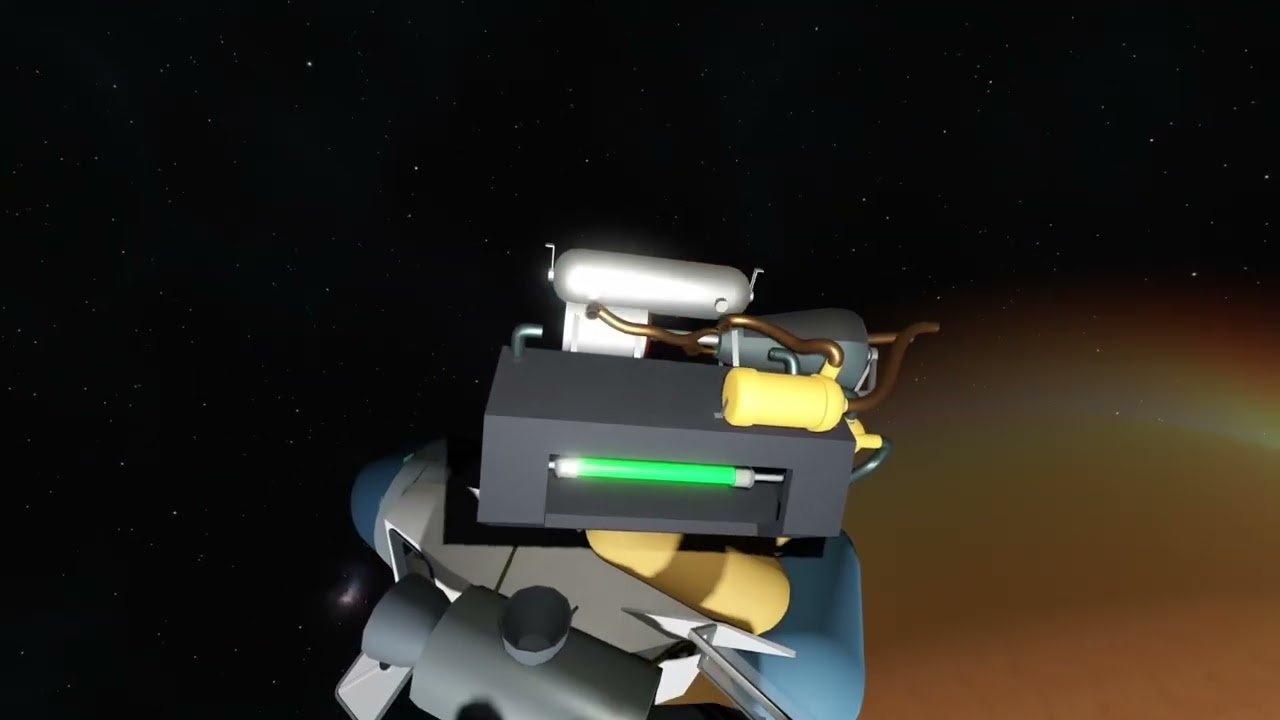
(2nd clip is a tad bit longer, but there are some views of the planets, spaceship “stunts”, and cool sunsets)
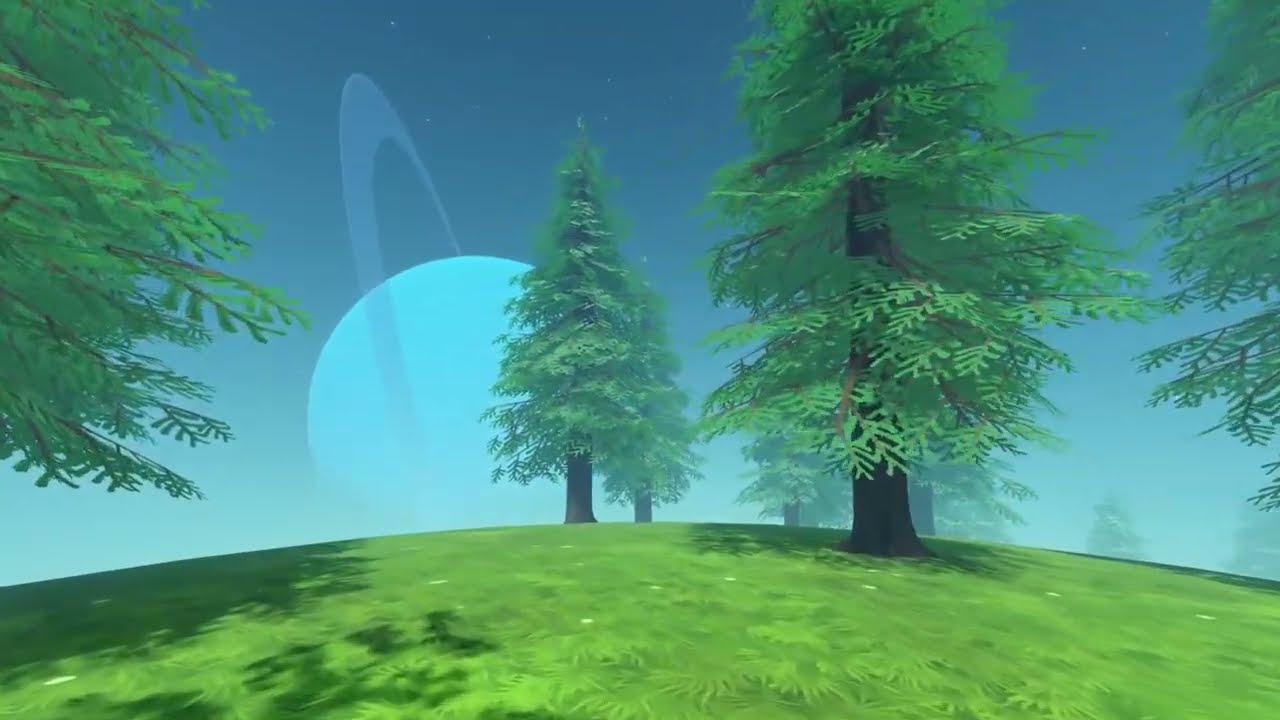
Now, if your first thought was “learning a game engine by making a space game sounds like the worst idea ever”, you’d be right! Thankfully I knew what I was getting myself into (so far), and so I’ve been spending these first few months working on all the base systems needed for a large scale fully simulated solar system. From Kepler orbital equations, to floating point errors and distant planet rendering, it’s been a pretty wild ride. I could talk for hours about the nested world-spaces system to allow static and rigidbodies to exist within the frame of a moving planet or spaceship (or both), there’s honestly so much to say !

I’m also working on having a playable demo soon-ish, but I need some things to do mostly, so maybe a basic job/activity, some basic QoL and safeties to not get stuck, and some resources like food, oxygen, fuel, to make it more interesting. I’d say you can expect that in about a month or 2.

So yeah, if that looks fun to you, I’d love to hear some feedback, suggestions, ideas, anything !

19 Likes

Wow looks awesome! Kind of reminds me of The Aurora Wager which I adore and love to see anything alike!

3 Likes

Reminds me of an early version of Outer Wilds. Looks good man, sincerely.

This is exactly what I’ve been doing (working on a physics based space game for the past three months), but in 2D. It was the set example in the books I bought on how to code in Godot, plus I have some hardware and software constraints. (I went out and specifically bought a computer which cannot play games, so I could devote the remainder of my life to study - I am serious scholar. Learning Mandarin-Chinese at the moment). In any case, I love the look of this game, looks good man.

1 Like

Damn this is the first time I’ve heard of it, looks fun, I should give it a try !

Suprisingly Outer Wilds is my biggest inspiration ! When I played it I instantly fell in love with the gameplay, even before I got into the amazing story. My very first idea that sparked this project was having OW’s smaller scale space flight gameplay within a world that would be more persistent, where you get to live and build things.

Hell yeah !! Have you shared anything about your game? I’d love to see it!
Hardware constraints do make it so much more “fun”, I spent days optimising my atmosphere shader so it would run at more than 20fps :melting_face: (Also my first time working on actual shaders, so it’s one hell of a learning curve)
Great and promising start !

1 Like

I’d love to hear some of that. Is your spaceship a static body in one world and the outside world a background from a SubViewport? Or do you mean something else by “nested” world-spaces?

Basically, all rigidbody object are split in 2 parts: a visual Node3D that is always top-level in the scene tree, and a rigidbody for all the physics part. At first the rigidbody is a sibling of the visual node, and it uses a custom RemoteTransform3D to apply its transform to the visual node. The RB can get reparented into another space (a SubViewport with its own world3D).

Spaceships and planets also have a “refSpace” node, that’s where the subviewport is. Their RB node is the “outside” body, and they have an “inside” body in their own space (that’s usually a StaticBody). They must have an Area3D to capture and reparent RBs into their own space (actually, they need 2 areas, one inside and one outside).

When a RB gets captured, it has to figure out its global position and velocity, and convert it to the space’s transform. And that’s the tricky part ! Because a spaceship can also be “in” a planet, a RB inside the ship needs to do some recursive calculations to apply its space’s transform, and then its space’s space’s transform, etc. Those calculations are used in the custom RemoteTransform3D I mentioned, to move the visual node to its position in global space ; and they’re also used to reparent the RB in and out of a space.

Honestly I kinda had to reinvent the wheel and I have to deal with “local” global and “global” global transforms, it’s a bit of a headache. It wasn’t my first iteration of the spaceship interior system of course, but I’m pretty happy with the result. Ship interiors are absolutely stable, objects can sleep and benefit from static physics optimisations, and I have full control on the forces applied to the inside of the ship !

2 Likes

So, just to make sure I understood, when you throw those donuts into the ship, the ship captures their rigidbody nodes, places them in its own static world with correct transforms and velocities, and the player only sees the visual node left behind that’s being synchronized? And when the ship collides with something, it needs to accelerate every rigidbody inside to fake the momentum.

When the ship is parked and you’re inside, the planet is just a visual node, right? Like, if reparenting the player that jumps out of the ship didn’t work, they would go straight through the mesh?

Anyway, this is clever, I’m impressed. I might try to have a go at a similar setup for my current project. Thank you.

Yea that’s the gist of it ! Though just to be clear, all spaces always exist at any given time. It’s not exactly that the player sees a visual node “left behind” when it entered the ship, in fact the donut was a synchronized visual node from the very beginning if it was on a planet’s surface. Everything is being synchronized to its global position, all the meshes, lights, cameras, really everything that has to follow a rigidbody that may enter a ref space.

(And then there’s also the whole headache of interacting between 2 spaces, like the raycasts to grab an item through the ship’s doorframe…)

To give a concrete pseudo-example, imagine the donut inside the ship, landed on a planet. To synchronize its mesh, it will do something kinda like this:

# Example of nested space transforms being combined
# In reality it's not that "manual", it's a recursive function
var spaceTransform: Transform3D = planet.refSpace.outside.global_transform * ship.refSpace.outside.global_transform

donutMesh.transform = spaceTransform * donutRigidbody.transform

So yeah this happens all the time, whether the player is here or not. The planet is not just a visual node when you’re in the ship, otherwise all the rigidbodies on the planet would stop working, it’s just in a separate world. However you’re right, if the reparenting doesn’t work correctly you do end up falling through the planet ! It still happens from time to time, when entering and exiting a space happens too quickly, cause I struggled with delaying the reparenting to the end of the frame, so it does mess up sometimes :confused:

I’m so glad it inspires you, I have lost so much sleep over this whole system. What kind of project are you working on that needs something similar ?

2 Likes

[Edited 'cause turns out I was replying to a magic 8-ball. But some of my points still stand I guess]

In a way the vibe I’m going for would be some kind of balance or constrast of:
A. The reality that space is hard to live in, it wants to kill you, oyxgen costs money and you’re mostly on your own
B. Once you learn how to do things, make life easier, improve your ship and suit, get to know who can help you, it’s a beautiful place

This is kinda inspired by games like My Summer Car or Morrowind (very similar games, I know), where the beginning is super hard and unforgiving and you feel lost, but it feels incredibly rewarding when you do find your bearings. I don’t know yet how to strike a good balance or make different mechanics and constraints work together, not against each other, but I guess I’ll have to figure it out when I have some more gameplay and all.

1 Like

It’s a submarine game, I’m aiming for similar gameplay as you, but instead orbital motion I have pressure drag, skin friction and hydraulics. I want to recreate that feeling of “me and my ship” but more in a Subnautica way.

I went with rendering outside world as a background, which has its own set of tradeoffs. There’s one nice side effect though: I don’t need to figure out how to keep the water surface plane out of my interior. It just stays behind any geometry by default.

That’s a bot, it talks like an LLM and doesn’t react like a human using an LLM would.

1 Like

Ooo sounds fun ! I’m guessing you will also have gameplay swimming out of the submarine, piloting the sub, and walking inside, then ? Just as an idea, I’m pretty sure you can get away with something much simpler than my system if you don’t need actual rigidbodies, if the player and the objects inside are kinematic or static. I went with the hard solution because funny physics and items flying around the dashboard are really important to me !

Yeah, took me some time to be sure :confused: . Its last reply sounded very botty, and I noticed its first unedited reply mentioned not watching the clips because it “couldn’t run the build”. Guess I got so happy about sharing my thing I forgot bots existed for a second.

Also how did you achieve this? It sounds exactly like what I had to do to render distant planets, using a 2nd camera and scene with much longer clipping planes.

At first I tried using subviewports, but couldn’t get it behind the main viewport without also making the main viewport a subviewport, which had wayy too many drawbacks (broken transparency, wrong resolution, no 3D picking in the editor…). In the end I wrote a compositor effect with a GLSL shader. I’m very curious about how you did it!

I want to keep this somewhat realistic when it comes to physics, so probably no exploring outside while underwater. IRL while getting pressurized relatively quickly is possible, you then have to deal with very slow decompression afterwards, and if you decompress to quickly it gets real bad. I’m working on going outside while surfaced right now though, using some ideas you gave me.

I created a “Main > CanvasLayer > SubViewportContainer > SubViewport > OutsideWorld” hierarchy for the outside world, and “Main > InsideWorld” for the inside. That CanvasLayer has layer property set to -1 so it shows up underneath everything. Then the inside world’s Environment resource has its background mode property set to “Canvas” with max layer set to -1 so it shows only that specific CanvasLayer. I additionally synchronize a camera node in the outside world to the player’s interpolated transform on every frame, but I do it within input handler to avoid a 1-frame delay that would be there if I just did that in frame process.

When I go outside, the background is visible when the hatch opens (submarines usually don’t have windows, but it would work with windows too). At this point the inside geometry will always be in front of outside geometry, since outside is just a moving picture in the background. I need to take care not to put anything in the outside world between the camera and where inside walls are, otherwise perspective breaks (an object is supposed to be visible but is not, because wall behind it obscures it). Once I’m out, I just reparent the player to the outside world. The player’s camera - now being inside the SubViewport - renders to CanvasLayer, and since there’s no camera on the inside world anymore, the inside world renders transparency, so there’s nothing to obscure that layer.

It’s a weird, fiddly system, renders stuff twice when you’re inside the boat, but otherwise gets the job done. I don’t have to figure out transforms, other than updating inside gravity vector when the boat pitches or rolls, and tilting the player to stand at an angle. I haven’t figured out going back into the sub yet, as there’s just nothing behind the hatch until you get reparented to the inside world, but that’s on the roadmap. Maybe I’ll just draw a sprite there.

2 Likes

Damn I wish I knew about that when I got started. When I did some research every thread was saying “it’s so easy in Unity but in Godot you just can’t without a compositor shader or layered SubViewports”. If I experiment with it, I’ll have to check if it keeps the glow information so that the sun glow can bleed into both background and foreground.

Pretty neat workaround, for my distant camera sync (and also to sync rigidbody meshes) I’m using the TRANSFORM_CHANGED notification, just like the actual code in RemoteTransform3D. I’m pretty sure it copies the transform exactly when it gets set, so I haven’t had any timing issues at all.

I definitely imagined a big ole windshield when you compared it to Subnautica! I guess that means you don’t even have to show the outside 99% of the time, so that’s pretty handy.

Don’t worry about the system being too fiddly if it works, you can improve it as you go if it needs optimisations or changes. Although I guess it’s the kind of system where you gotta decide pretty early on how much you will need to interact / see / transition to the outside world, 'cause pretty much every system in the game may depend on it.

2 Likes

I did see glow coming from the background, but I think it’s just another glow derived from the brightness of the image. If so, it would mean glow can generate glow. You’d have to ensure the glow outside never gets bright enough to trigger that.

Yeah no, those boats were underwhelming. What Subnautica did right was fear of the abyss, but it failed completely with the feeling of actually being deep underwater. What do you mean I can just walk through single door into 10MPa of water?

1 Like

Guess they chose to simplify and move away from the nerdy complicated aspects to make the gameplay smoother, appeal to more people. It would definitely be more niche if you had to deal with the actual consequences of pressure and darkness and all (which is infinitely more terrifying when you do understand it). Honestly can’t wait to see how you do it!

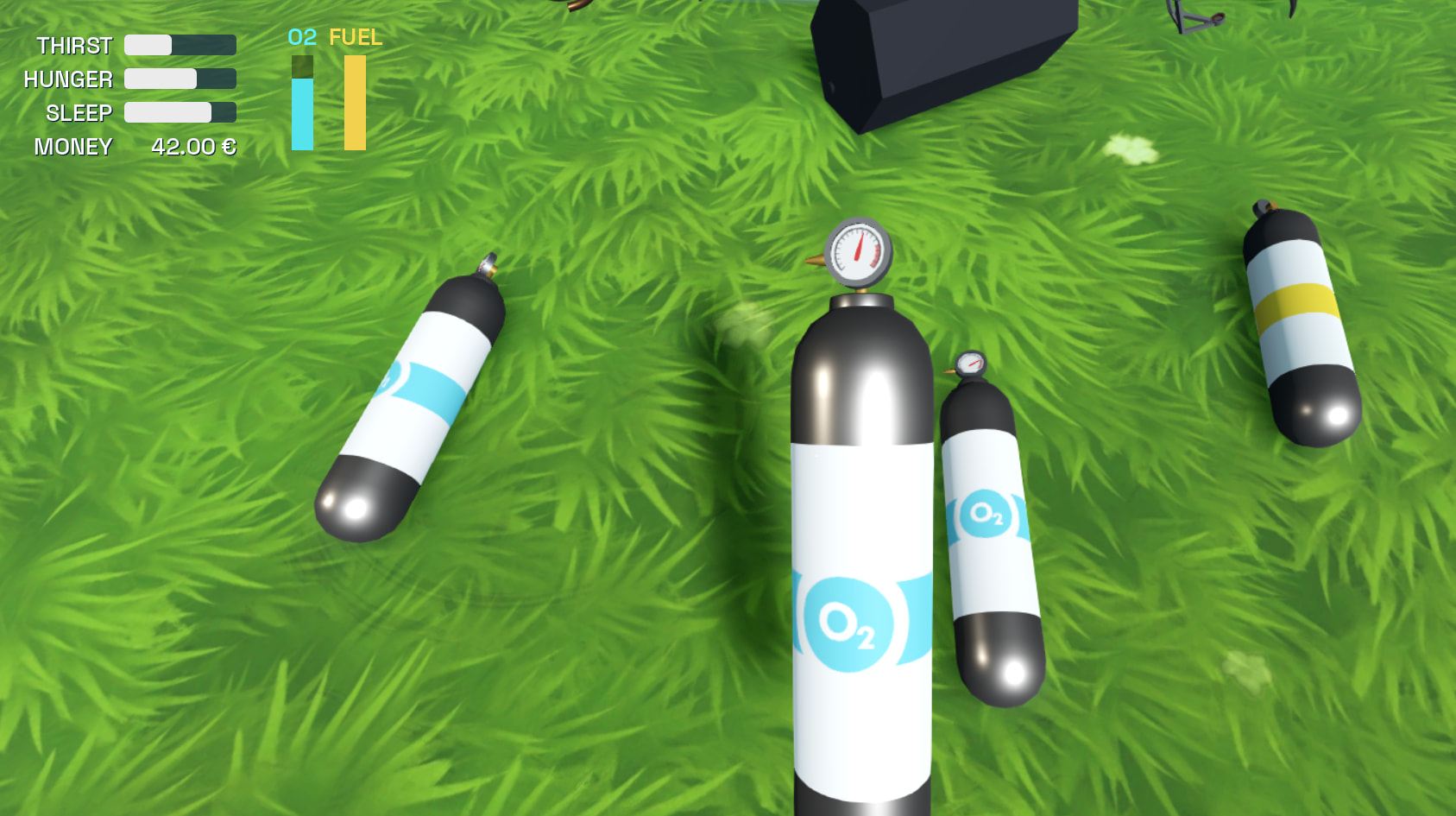
To get back into more devlog related things, I’ve been trying things for player needs systems, and I just modeled some quick oyxgen and fuel canisters. With working pressure gauges, of course!

6 Likes

Finally, a space game down to Earth! The details are so crisp, everything from collisions making donuts fly into your windshield, the quick planet entry times, and especially the larger than life planets fading into the horizon. Can’t wait to see more!

1 Like