Godot Version
v4.5
Question
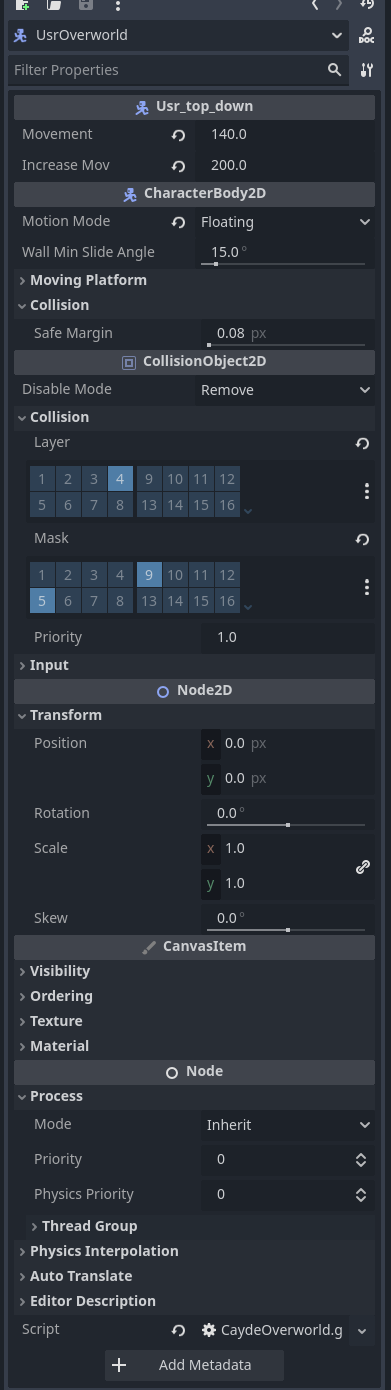
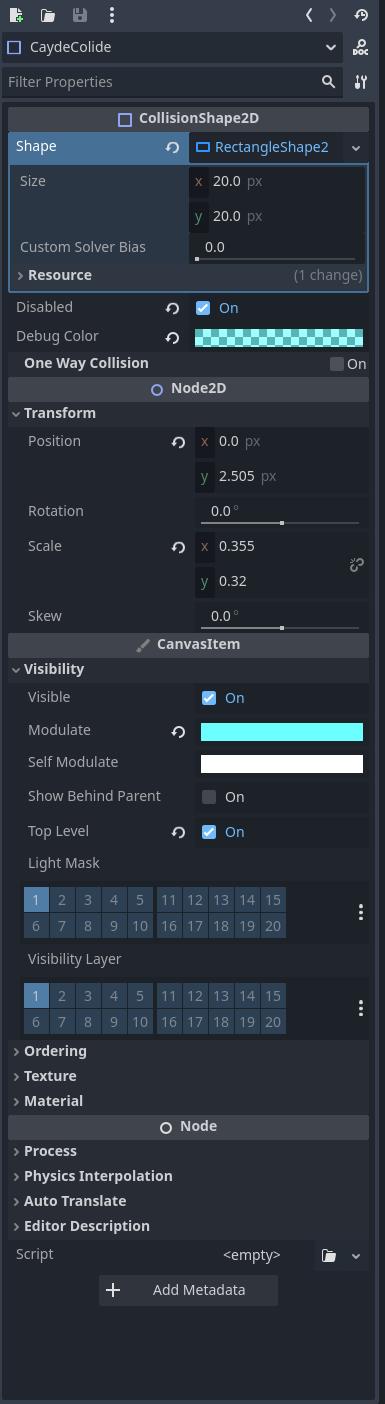
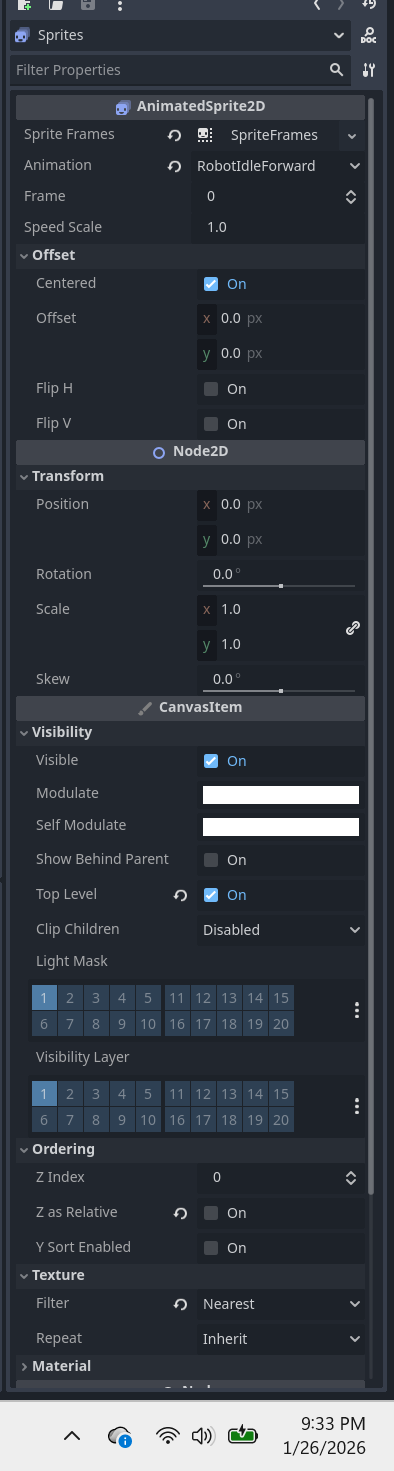
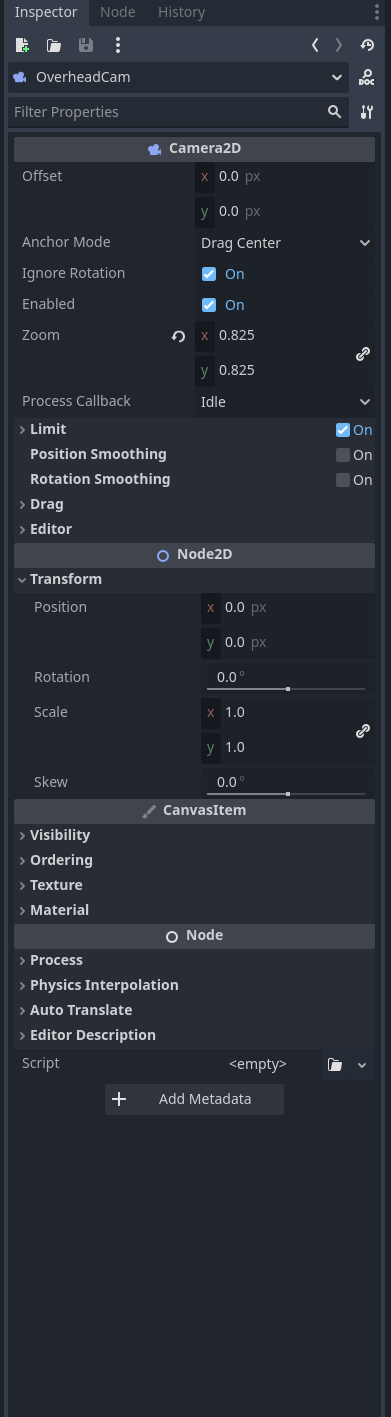
Hey all, back on godot 4.2 this code worked. Basically I have a top down character that is a player_controller, has a collision shape, sprite, camera. When I do movement inputs the camera moves but the sprite stays in place. I’m not certain on what I can change. Here is the code and the tree.
extends CharacterBody2D

class_name Usr_top_down

const chara_name = "USR"
@export var movement : float = 100
@export var increaseMov: float = 30
@onready var collide = $CaydeColide
var spawn = Vector2i(0,0)
var direction : Vector2
var lastMovement: String
var run = false
var player1 = true

func _ready():
	collide.disabled = false

func _process(_delta) -> void:
	direction.x = Input.get_axis("ui_left", "ui_right")
	direction.y = Input.get_axis("ui_up", "ui_down")


	#if Input.is_action_just_pressed("light") and player1 == true:
			#player1 = false
			#$Sprites.animation = "ZaiIdleForward"
	#elif Input.is_action_just_pressed("light") and player1 == false:
		#player1 = true
		#$Sprites.animation = "IdleForward"
	if Input.is_action_just_pressed("Disable_collide"):
		if collide.disabled == false:
			collide.disabled = true
		elif collide.disabled:
			collide.disabled = false

	if direction:
		if Input.is_action_pressed("heavy") and run == false:
			movement = movement + increaseMov
			$Sprites.speed_scale += 0.5
			run = true
		elif Input.is_action_just_released("heavy") and run == true:
			movement = movement - increaseMov
			$Sprites.speed_scale -= 0.5
			run = false
		velocity = direction * movement
		#print(movement)
		if player1:
			if direction.x > 0:
				$Sprites.animation = "RobotWalkRight"
				lastMovement = "RobotWalkRight"
			elif direction.x < 0:
				$Sprites.animation = "RobotWalkLeft"
				lastMovement = "RobotWalkLeft"
			elif direction.y > 0:
				$Sprites.animation = "RobotWalkForward"
				lastMovement = "RobotWalkForward"
			elif direction.y < 0:
				$Sprites.animation = "RobotWalkbackwards"
				lastMovement = "RobotWalkbackwards"
		#else:
			#if direction.x > 0:
				#$Sprites.animation = "ZaiWalkRight"
				#lastMovement = "ZaiWalkRight"
			#elif direction.x < 0:
				#$Sprites.animation = "ZaiWalkLeft"
				#lastMovement = "ZaiWalkLeft"
			#elif direction.y > 0:
				#$Sprites.animation = "ZaiWalkForward"
				#lastMovement = "ZaiWalkForward"
			#elif direction.y < 0:
				#$Sprites.animation = "ZaiWalkBack"
				#lastMovement = "ZaiWalkBack"
	else:
		velocity = velocity.move_toward(Vector2.ZERO, movement)
		if player1:
			if lastMovement == "RobotWalkRight" : $Sprites.animation = "RobotIdleRight"
			elif lastMovement == "RobotWalkLeft" : $Sprites.animation = "RobotIdleLeft"
			elif lastMovement == "RobotWalkForward" : $Sprites.animation = "RobotIdleForward"
			elif lastMovement == "RobotWalkbackwards" : $Sprites.animation = "RobotIdleBackwards"
		#else:
			#if lastMovement == "ZaiWalkRight" : $Sprites.animation = "ZaiIdleRight"
			#elif lastMovement == "ZaiWalkLeft" : $Sprites.animation = "ZaiIdleLeft"
			#elif lastMovement == "ZaiWalkForward" : $Sprites.animation = "ZaiIdleForward"
			#elif lastMovement == "ZaiWalkBack" : $Sprites.animation = "ZaiIdleBack"
	move_and_slide()


func _on_timer_timeout():
	collide.disabled = false