Godot Version
Godot 4.4 using C# with ‘Mobile’ rendering.
Question
I created a StandardMaterial3D that looks like this:
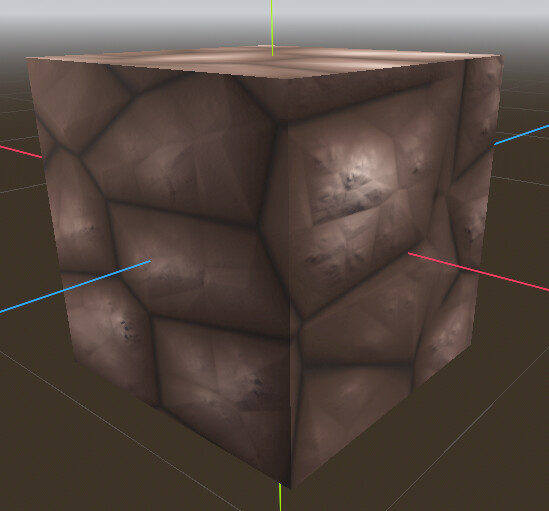
It’s based on some noise mapping and color gradient. Very beautiful, much wow.
All works well (including normal mapping) on a default BoxMesh.
But I am creating a voxel world with custom meshes per chunk. The chunk works well and the Material is applied, but only in a base color.
See this example:
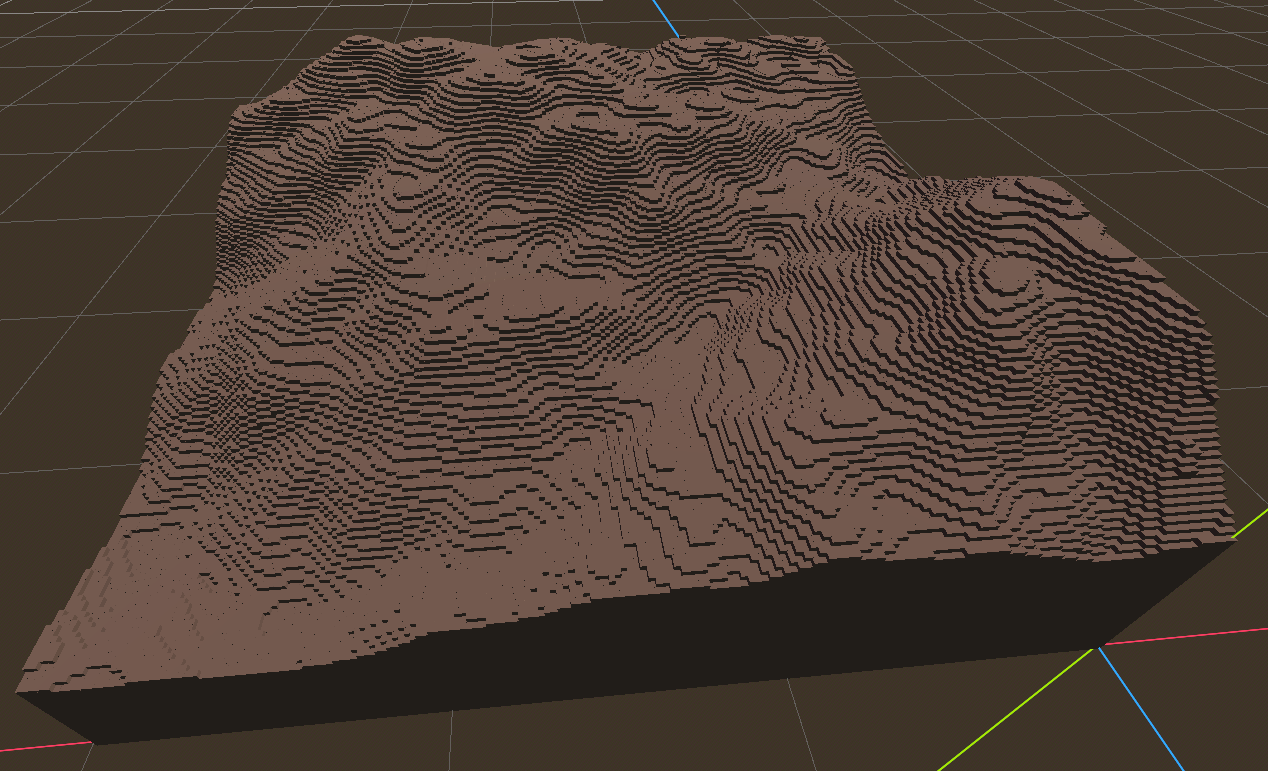
It now looks like 1 big brown color, that’s no good. I would have expected the material to also show the ‘heightend’ spots that are lighter brown or the darker cracks. I feel like it is strechted immensely or something, because if I change the noise frequence of the material, it changes color based on the noise but the color changes over the entire terrain…
In the chunk class I exported the material variable:
[Export]
public StandardMaterial3D DefaultMeshMaterial;
And when applying the mesh I do this:
ArrayMesh terrainMesh = new();
terrainMesh.AddSurfaceFromArrays(Mesh.PrimitiveType.Triangles, surfaceArray);
terrainMesh.SurfaceSetMaterial(0, DefaultMeshMaterial);

MeshInstance3D meshInstance = GetNode<MeshInstance3D>("MeshInstance3D");
meshInstance.Mesh = terrainMesh;
I copied the material into the exported material, to the effect of the above image.
What am I doing wrong? Tweaking the settings changes nothing unfortunately.
Extra info:
Each voxel is checked for what faces to draw. That data is then given to the surfaceArray. I haven’t applied greedy meshing (yet).
Now that I am writing this, should I perhaps apply the DefaultMeshMaterial per voxel face instead of the entire mesh? Any thoughts into this is very welcome.