Godot Version
Godot_v4.7.2
Question
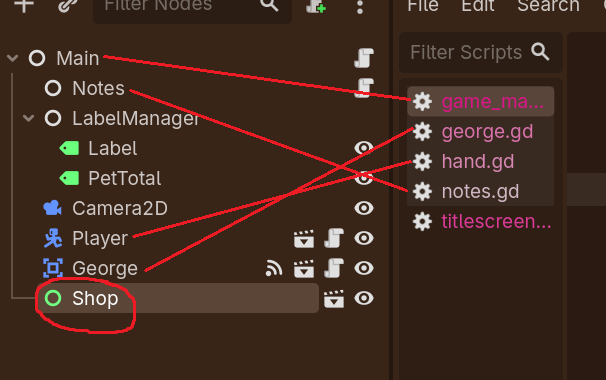
Hello! I’m trying to write a global script that will handle transitioning between scenes in my game.
My issue currently is that I can’t get the script to identify the scene I want disabled (the “Shop” scene.) I don’t know if it’s syntax I don’t know yet or if I’m missing something. I’ve tried making an onready variable for the scene and referencing it any way I can but it always says the node is “not declared in current scope.”
extends Node

@onready var shop: Control = $Shop

# Scene Control Var
var pet_scene_now : bool = false
var shop_scene_now : bool = false

# Scene Control Code
# Enable game start, first instance of petting scene.
func trans_pet_scene():
	get_tree().change_scene_to_file("res://scenes/main.tscn")
	pet_scene_now = true
	get_node("Shop").set_process_internal(false)