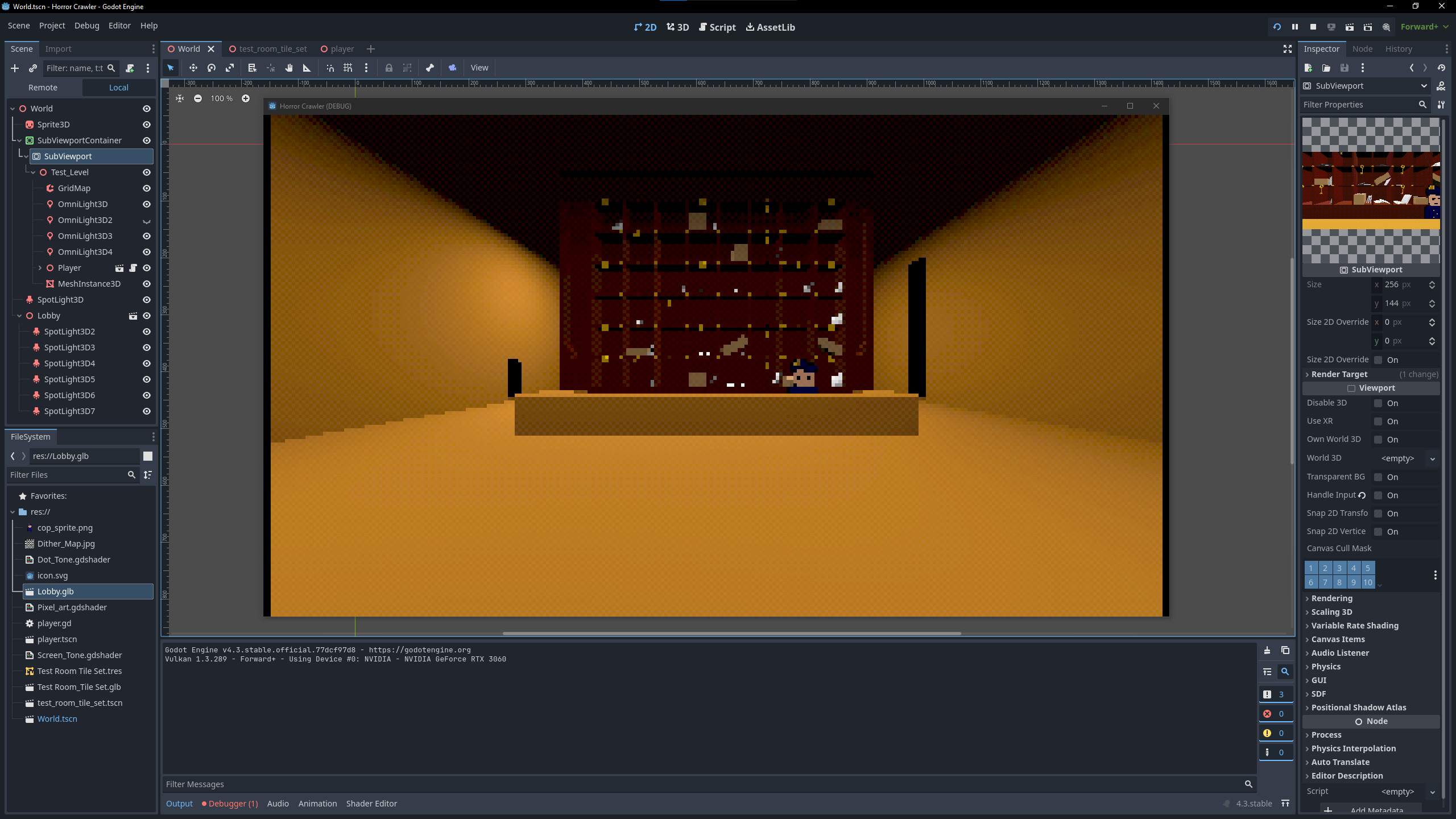
I have chosen to use SubViewport to render my 3D scenes into pixels, as its the best one i’ve found so far that mitigates anti-aliasing.
The problem i’m having with it, is that when i move away from any objects they continue to pixelize even more in the distance. Is there a way with the subViewport to keep the same pixel size regardless of the cameras location?
If I understand the technique you’re using, that won’t work with subviewports.
What you’re doing is essentially making the game render at 256x144 pixels, and then stretch that up to the size that’s actually displayed. That means you’re going to lose detail at range, and quickly.
If what you want is a pixellated look that scales well, you probably want to make the art pixellated, and draw it with min/mag filter of NEAREST, probably with mipmaps on if your textures are noisy at all. That should scale reasonably.
Actually, there is another thing you could do, if you wanted to keep the subviewport scheme you’re using; switch your camera to an orthographic projection.
Orthographic projections don’t do the perspective divide, so things don’t get smaller when they’re further away. It’s a specific look, and it may not be what you want, but it might do the job for you.
Thank you for your response you helped contextualize things for me.
I gave up on trying to have the pixels in the distance stay the same size, i think that would be best served in a game with a fixed camera.
Instead I focused on increasing the resolution in the subviewport container. Meant i had more pixels to work with which meant more fine tuning when messing with the stretch shrink function. I think i landed on a sweet spot.