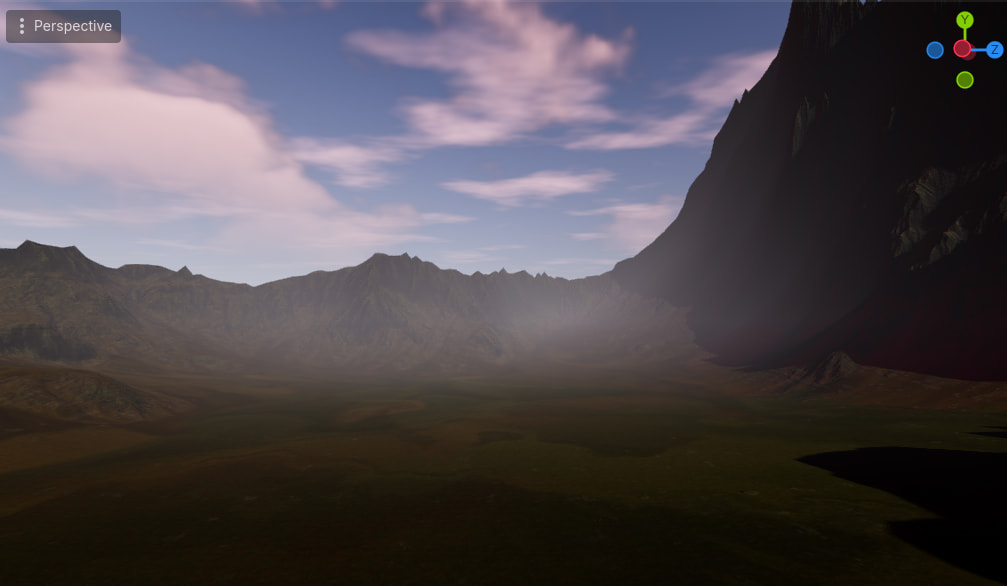
Godot Version
4.6
Question
Although this is technically concerning an addon, there’s some chance it might be known about or helpful to other people, so I thought I would post here … I downloaded a recent Terrain3D build and modified the script: “CodeGenerated.gd”; because it wasn’t working and there were API changes. I was wondering if anyone can help with how to write the generated scene files into a directory to reload later in the editor? Heres the initial script with some temporary texture loader functions …
extends Node

var terrain: Terrain3D


func _ready() -> void:
	$UI.player = $Player

	if has_node("RunThisSceneLabel3D"):
		$RunThisSceneLabel3D.queue_free()

	terrain = await create_terrain()

	# Enable runtime navigation baking using the terrain
	# Enable `Debug/Visible Navigation` if you wish to see it
	$RuntimeNavigationBaker.terrain = terrain
	$RuntimeNavigationBaker.enabled = true


func create_terrain() -> Terrain3D:
	# Create textures
	var green_gr := Gradient.new()
	green_gr.set_color(0, Color.from_hsv(100./360., .35, .3))
	green_gr.set_color(1, Color.from_hsv(120./360., .4, .37))
	var green_ta: Terrain3DTextureAsset = await create_rock_texture()# create_texture_asset("Grass", green_gr, 1024)
	green_ta.uv_scale = 0.02

	var brown_gr := Gradient.new()
	brown_gr.set_color(0, Color.from_hsv(30./360., .4, .3))
	brown_gr.set_color(1, Color.from_hsv(30./360., .4, .4))
	var brown_ta: Terrain3DTextureAsset = await create_grass_texture()#"Dirt", brown_gr, 1024)
	brown_ta.uv_scale = 0.03

	var grass_ma: Terrain3DMeshAsset = create_mesh_asset("Grass", Color.from_hsv(120./360., .4, .37))

	# Create a terrain
	terrain = Terrain3D.new()
	terrain.name = "Terrain3D"
	# Optionally log to the console. Use the console version of Godot. See Troubleshooting doc.
	#terrain.debug_level = Terrain3D.DEBUG
	add_child(terrain, true)
	terrain.owner = get_tree().get_current_scene()

	# Set material and assets
	terrain.material.world_background = Terrain3DMaterial.NONE
	#terrain.material = ShaderMaterial.new*()
	terrain.material.auto_shader = true
	terrain.material.set_shader_param("auto_slope", 10)
	terrain.material.set_shader_param("blend_sharpness", .975)
	terrain.assets.set_texture(0, green_ta)

	terrain.assets.set_texture(1, brown_ta)
	terrain.assets.set_mesh_asset(0, grass_ma)

	# Generate height map w/ 32-bit noise and import it with scale
	var noise := FastNoiseLite.new()
	noise.frequency = 0.0005
	var img: Image = Image.create_empty(4096, 4096, false, Image.FORMAT_RF)
	var img2:Image = Image.load_from_file("res://test_data/Terrain003_4K.exr")
	for x in img2.get_width():
		for y in img2.get_height():
			img.set_pixel( x, y, img2.get_pixel(x,y))# Color(noise.get_noise_2d(x, y), 0., 0., 1.))
	terrain.region_size = Terrain3D.SIZE_1024
	terrain.data.import_images([img, null, null], Vector3(-2048, -20000, -2048), 0.0,750.0)

	# Instance foliage
	var xforms: Array[Transform3D]
	var width: int = 100
	var step: int = 2
	for x in range(0, width, step):
		for z in range(0, width, step):
			var pos := Vector3(x, 0, z) - Vector3(width, 0, width) * .5
			pos.y = terrain.data.get_height(pos)
			xforms.push_back(Transform3D(Basis(), pos))
	terrain.instancer.add_transforms(0, xforms)

	# Enable the next line and `Debug/Visible Collision Shapes` to see collision
	#terrain.collision.mode = Terrain3DCollision.DYNAMIC_EDITOR

	return terrain

func create_grass_texture():
	#var COLOR:Image = Image.load_from_file("uid://d0ky3vxq5lsh7")
	#var DISP:Image = Image.load_from_file("uid://cg36lnu74x0lu")
	#var NORM:Image = Image.load_from_file("uid://cthkxmggm0d30")
	#var ROUGH:Image = Image.load_from_file("uid://dhvqdh1m51pvt")

# path to the demo folders grass images, albedo+bump and normal+rough
	var COLOR:Image = Image.load_from_file("uid://ddprscrpsofah")
	var NORM :Image = Image.load_from_file("uid://g80pbqtklcws")

	#for x in COLOR.get_width():
		#for y in COLOR.get_height():
			#var col = COLOR.get_pixel(x,y)
			#col.a = DISP.get_pixel(x,y).r
			#COLOR.set_pixel( x, y, col)# Colo
			#
			#var nrm = NORM.get_pixel(x,y)
			#nrm.a = ROUGH.get_pixel(x,y).r
			#NORM.set_pixel( x, y, nrm)# Colo

	COLOR.generate_mipmaps()
	NORM.generate_mipmaps()
	var albedo := ImageTexture.create_from_image(COLOR)
	var normal := ImageTexture.create_from_image(NORM)
	var ta := Terrain3DTextureAsset.new()
	ta.name = "grass"
	ta.albedo_texture = albedo
	ta.normal_texture = normal
	return ta

func create_rock_texture():

	#var COLOR:Image = Image.load_from_file("uid://cm6rt7x7xfiey")
	#var DISP:Image = Image.load_from_file("uid://dxmbhr4se8u0r")
	#var NORM:Image = Image.load_from_file("uid://bq11kfith0bbk")
	#var ROUGH:Image = Image.load_from_file("uid://cuamdy1bm2j57")

	var COLOR:Image = Image.load_from_file("uid://c88j3oj0lf6om")
	var NORM :Image = Image.load_from_file("uid://dabyathlpy04p")

	#for x in COLOR.get_width():
		#for y in COLOR.get_height():
			#var col = COLOR.get_pixel(x,y)
			#col.a = DISP.get_pixel(x,y).r
			#COLOR.set_pixel( x, y, col)# Colo
			#
			#var nrm = NORM.get_pixel(x,y)
			#nrm.a = ROUGH.get_pixel(x,y).r
			#NORM.set_pixel( x, y, nrm)# Colo

	COLOR.generate_mipmaps()
	NORM.generate_mipmaps()
	var albedo := ImageTexture.create_from_image(COLOR)
	var normal := ImageTexture.create_from_image(NORM)
	var ta := Terrain3DTextureAsset.new()
	ta.name = "rock"
	ta.albedo_texture = albedo
	ta.normal_texture = normal
	return ta


func create_texture_asset(asset_name: String, gradient: Gradient, texture_size: int = 512) -> Terrain3DTextureAsset:
	# Create noise map
	var fnl := FastNoiseLite.new()
	fnl.frequency = 0.004

	# Create albedo noise texture
	var alb_noise_tex := NoiseTexture2D.new()
	alb_noise_tex.width = texture_size
	alb_noise_tex.height = texture_size
	alb_noise_tex.seamless = true
	alb_noise_tex.noise = fnl
	alb_noise_tex.color_ramp = gradient
	await alb_noise_tex.changed
	var alb_noise_img: Image = alb_noise_tex.get_image()

	# Create albedo + height texture
	for x in alb_noise_img.get_width():
		for y in alb_noise_img.get_height():
			var clr: Color = alb_noise_img.get_pixel(x, y)
			clr.a = clr.v # Noise as height
			alb_noise_img.set_pixel(x, y, clr)
	alb_noise_img.generate_mipmaps()
	var albedo := ImageTexture.create_from_image(alb_noise_img)

	# Create normal + rough texture
	var nrm_noise_tex := NoiseTexture2D.new()
	nrm_noise_tex.width = texture_size
	nrm_noise_tex.height = texture_size
	nrm_noise_tex.as_normal_map = true
	nrm_noise_tex.seamless = true
	nrm_noise_tex.noise = fnl
	await nrm_noise_tex.changed
	var nrm_noise_img = nrm_noise_tex.get_image()
	for x in nrm_noise_img.get_width():
		for y in nrm_noise_img.get_height():
			var normal_rgh: Color = nrm_noise_img.get_pixel(x, y)
			normal_rgh.a = 0.8 # Roughness
			nrm_noise_img.set_pixel(x, y, normal_rgh)
	nrm_noise_img.generate_mipmaps()
	var normal := ImageTexture.create_from_image(nrm_noise_img)

	var ta := Terrain3DTextureAsset.new()
	ta.name = asset_name
	ta.albedo_texture = albedo
	ta.normal_texture = normal
	return ta


func create_mesh_asset(asset_name: String, color: Color) -> Terrain3DMeshAsset:
	var ma := Terrain3DMeshAsset.new()
	ma.name = asset_name
	ma.set_generated_type(Terrain3DMeshAsset.TYPE_TEXTURE_CARD)
	ma.height_offset = 0.5
	ma.lod0_range = 128.0
	ma.material_override.albedo_color = color
	return ma