Godot Version
4.5.1 Stable Mac OS
Question
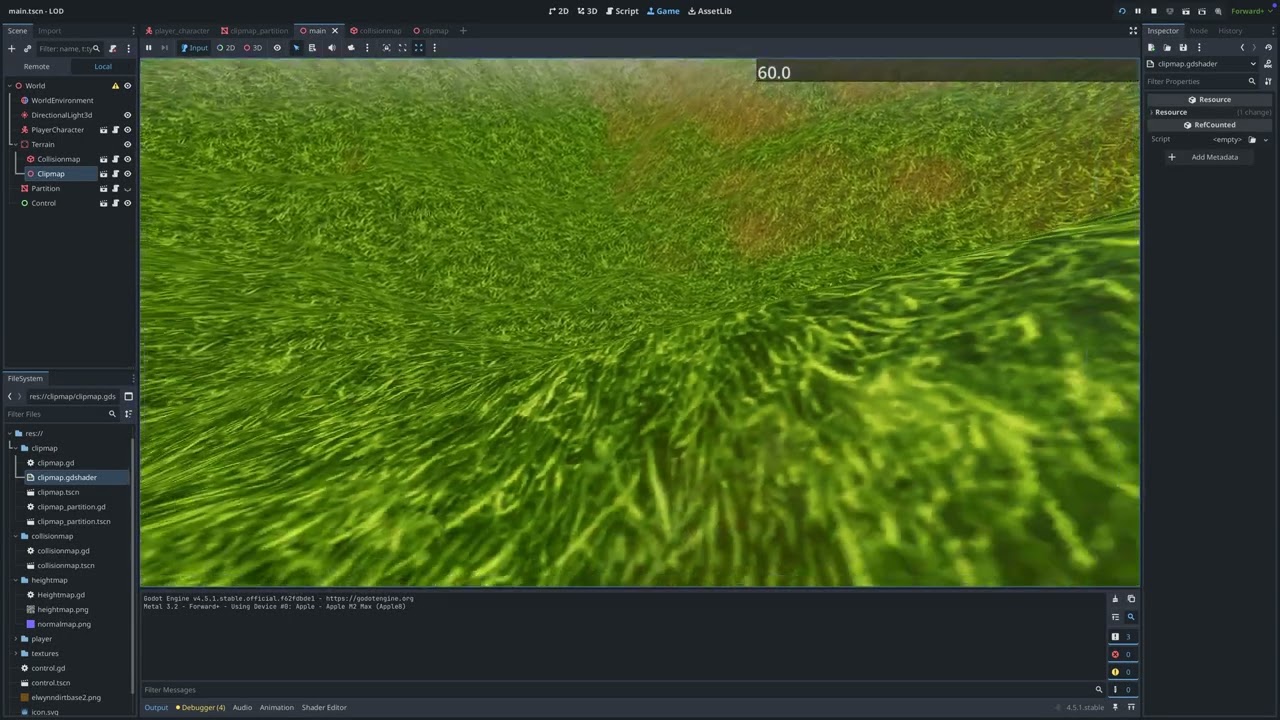
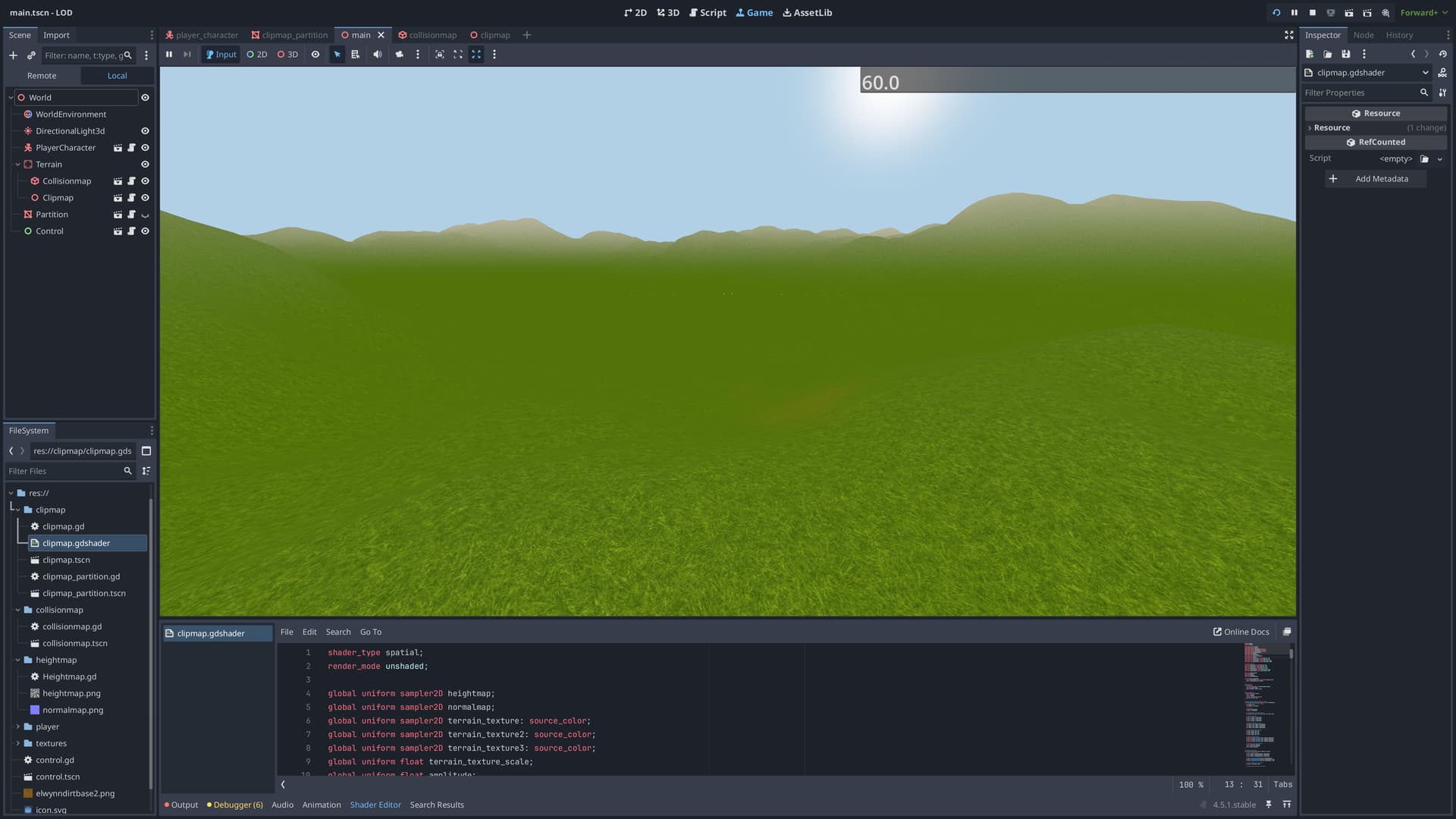
What do you guys thing how should I approach scale of three or more textures to make it looks good and also not so repetitive ?
Current shading code
shader_type spatial;
render_mode unshaded;

global uniform sampler2D heightmap;
global uniform sampler2D normalmap;
global uniform sampler2D terrain_texture: source_color;
global uniform sampler2D terrain_texture2: source_color;
global uniform sampler2D terrain_texture3: source_color;
global uniform float terrain_texture_scale;
global uniform float amplitude;
global uniform vec3 clipmap_position;
global uniform float clipmap_partition_length;
global uniform float lod_step;
global uniform float slope_blend_max : hint_range(0.0, 1.0) = 0.8;
global uniform float slope_blend_min : hint_range(0.0, 1.0) = 0.5;
global uniform float height_blend_min : hint_range(0.0, 500.0) = 150.0;
global uniform float height_blend_max : hint_range(0.0, 500.0) = 200.0;

varying vec2 normalmap_position;
varying vec2 texture_uv;
varying float world_height;

float get_height(vec3 world_vertex) {
	vec2 uv = (world_vertex.xz + 0.5) / float(textureSize(heightmap, 0).x);
	return texture(heightmap, uv).r * amplitude;
}

void vertex() {
	vec3 world_vertex = (MODEL_MATRIX * vec4(VERTEX, 1.0)).xyz;
	normalmap_position = (world_vertex.xz + 0.5) / float(textureSize(heightmap, 0).x);
	texture_uv = world_vertex.xz * terrain_texture_scale;
	vec3 offset_from_center = world_vertex - clipmap_position;
	float partition_x = floor(offset_from_center.x / clipmap_partition_length + 0.5);
	float partition_z = floor(offset_from_center.z / clipmap_partition_length + 0.5);
	float distance_from_center = max(abs(partition_x), abs(partition_z));
	float my_lod = floor(distance_from_center / max(lod_step, 1.0));
	float my_grid_size = pow(2.0, my_lod);
	vec3 partition_center = vec3(partition_x, 0.0, partition_z) * clipmap_partition_length + clipmap_position;
	float half_partition = clipmap_partition_length * 0.5;
	float edge_epsilon = 0.01;
	bool on_min_x_edge = abs(world_vertex.x - (partition_center.x - half_partition)) < edge_epsilon;
	bool on_max_x_edge = abs(world_vertex.x - (partition_center.x + half_partition)) < edge_epsilon;
	bool on_min_z_edge = abs(world_vertex.z - (partition_center.z - half_partition)) < edge_epsilon;
	bool on_max_z_edge = abs(world_vertex.z - (partition_center.z + half_partition)) < edge_epsilon;

	vec3 final_position = world_vertex;

	if (on_min_x_edge || on_max_x_edge || on_min_z_edge || on_max_z_edge) {
		float neighbor_x = partition_x;
		float neighbor_z = partition_z;
		if (on_min_x_edge) neighbor_x -= 1.0;
		else if (on_max_x_edge) neighbor_x += 1.0;
		if (on_min_z_edge) neighbor_z -= 1.0;
		else if (on_max_z_edge) neighbor_z += 1.0;
		float neighbor_distance = max(abs(neighbor_x), abs(neighbor_z));
		float neighbor_lod = floor(neighbor_distance / max(lod_step, 1.0));
		float neighbor_grid_size = pow(2.0, neighbor_lod);
		if (neighbor_grid_size > my_grid_size) {
			if (on_min_x_edge || on_max_x_edge) {
				final_position.z = round(world_vertex.z / neighbor_grid_size) * neighbor_grid_size;
			}
			if (on_min_z_edge || on_max_z_edge) {
				final_position.x = round(world_vertex.x / neighbor_grid_size) * neighbor_grid_size;
			}

		}
	}
	VERTEX.y = get_height(final_position);
	world_height = VERTEX.y;
}

void fragment() {
	vec3 terrain_color1 = texture(terrain_texture, texture_uv).rgb;
	vec3 terrain_color2 = texture(terrain_texture2, texture_uv).rgb;
	vec3 terrain_color3 = texture(terrain_texture3, texture_uv).rgb;
	vec3 nrm = texture(normalmap, normalmap_position).rgb * 2.0 - 1.0;
	NORMAL = normalize(nrm);
	float slope = dot(NORMAL, vec3(0.0, 1.0, 0.0));
	float slope_blend_factor = smoothstep(slope_blend_max, slope_blend_min, slope);
	vec3 slope_terrain_color = mix(terrain_color1, terrain_color2, slope_blend_factor);
	float height_blend_factor = smoothstep(height_blend_min, height_blend_max, world_height);
	vec3 final_color = mix(slope_terrain_color, terrain_color3, height_blend_factor);
	ALBEDO = final_color;
	//ALBEDO = vec3(dot(NORMAL, vec3(0.0, 1.0, 0.0))); // Debug White/Black
}