Godot Version
4.5.1
Question
My goal is to get a texture progress bar to be reasonably sized in a HUD.
Below is the HUD, a control object in the top left of the larger screen. I have placed four items in a vbox - two labels and two textureProgressBars. The texture progress bars are smooshed to nothing because there is no minimum pixel size.
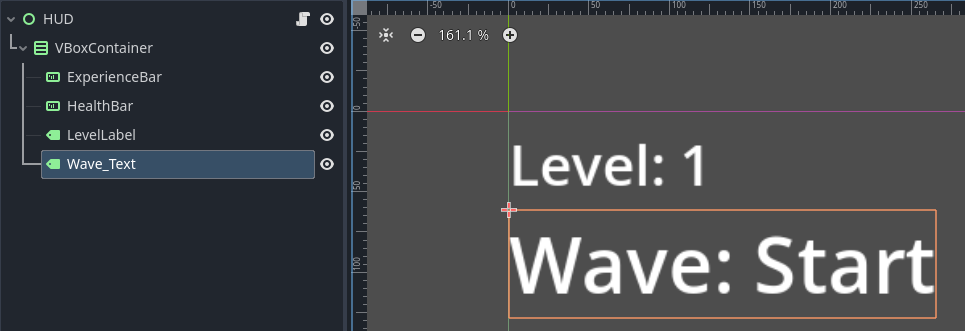
What I would like is for the width of the HUD box to be set (eg either a percentage of the screen, or set by the width of the text label based on the font size). Then the textureProgressBar should scale up to be the width the the already set vbox, and then the height of the progress bar should scale to match the width, keeping the texture bar the same
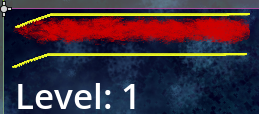
This is how it looks without the vbox (which I do need to add so that it scales properly and I can add more items)
What have I tried:
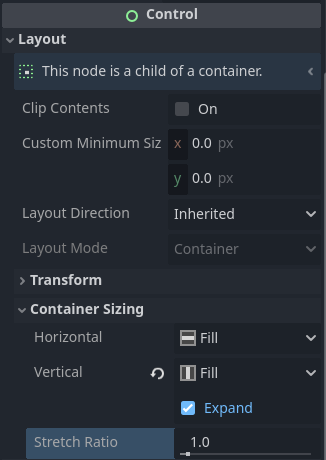
The first picture is with the following settings plus ninepatchrect ON:
\
If I turn ninePatchRect off, it scales huge. I could manually scale it down but that doesn’t solve aspect ratios or give flexibility
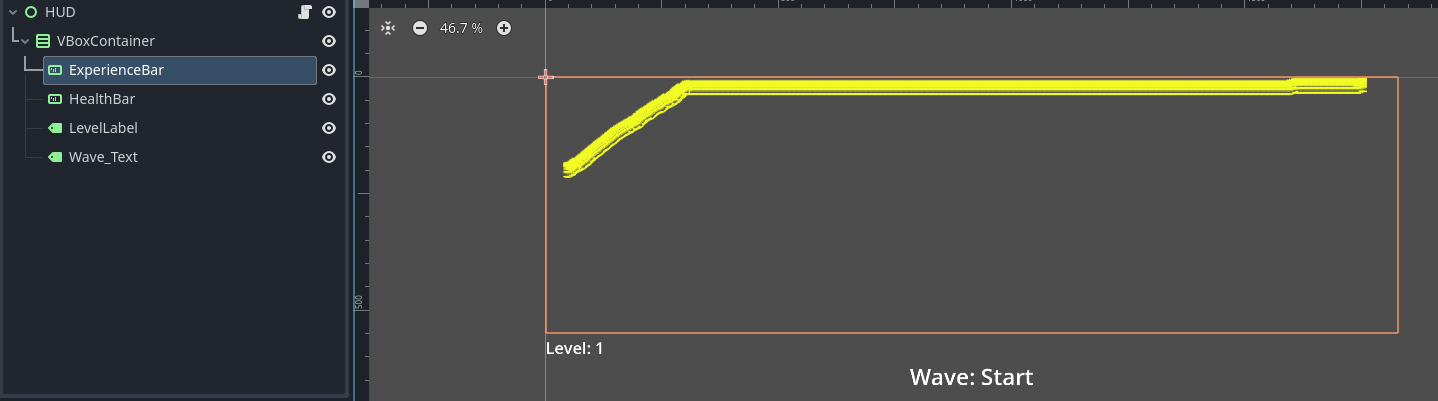
Others online suggest setting a minimum pixel size. That again feels wrong because you arent setting it up to resize when the game screen expands or contracts
Putting the texture in its own container, such as an aspectratio or margin container, setting that to fill/fill and expand, and then doing the same to the inner progressbar did not make it larger
Do I need to do something where I have an outer margin container, and manually set the anchors to a certain fill percentage in order to have it a certain width first?