You’ve got a lot of code for what you described. Also, your naming convention is a bit confusing. Your CollisionShape2D is called shape, but it also has a member variable called shape. Then you are doing a LOT of checks to see if shape exists in every setter and getter. You are also exporting your CollisionShape2D as a variable that needs to be linked, and then searching for a child node that you would have to create anyway for it to exist. Finally, you are adding the CollisionShape2D every time you enter the tree. So let’s simplify.
Header and CollisionShape2D
@tool
class_name Platform extends StaticBody2D

var collision_shape_2d: CollisionShape2D
First, this is a @tool script. Second, following the GDScript Style Guide, class_name should be on the same line, and before extends.
We also need a reference to your hidden CollisionShape2D. So we will make it a standard class variable.
_init()
func _init() -> void:
	collision_shape_2d = CollisionShape2D.new()
	add_child(collision_shape_2d)
	collision_shape_2d.shape = RectangleShape2D.new()
During Node initialization, we can create and add nodes to it. We do so in the _init() function. Because we are doing this here, we always know we have a collision_shape_2d, and we know it will only be created once, when the object is first created.
After saving this file, we need to reload the project so the @tool script gets recognized.
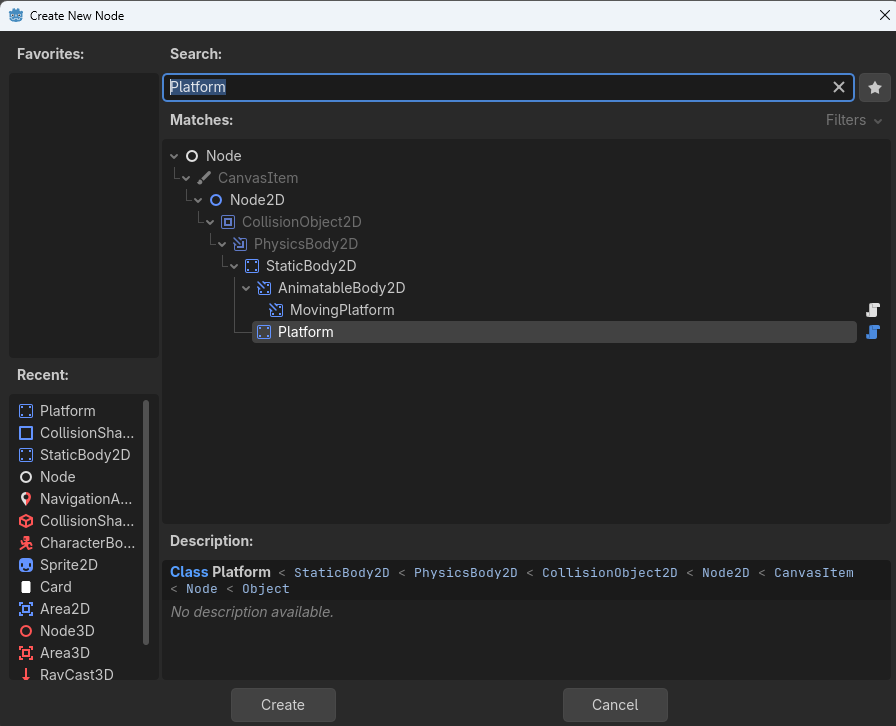
Now when we create it in the editor, by using Add Node…
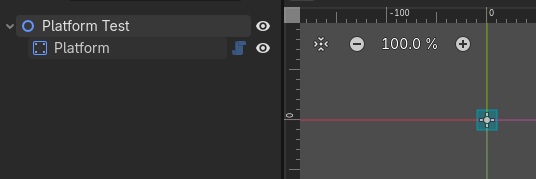
We get this:
shape_size
Next up, we can greatly simplify the shape_size variable declaration. All we need to do is set the proxy variable, and set the collision_shape_2d.shape.size. since the only access to that value is through this variable, we don’t need a custom getter at all. and since we’ve ensured collision_shape_2d (previously shape) always exists, we can get rid of that test.
## The size of the [RectangleShape2D] automatically created for this
## [StaticBody2D].
@export var shape_size: Vector2 = Vector2(1000.0, 50.0):
	set(value):
		shape_size = value
		collision_shape_2d.shape.size = shape_size
Since this is an @export variable, the setter is not going to run, until and unless we change the value, but we want the value to be set when the object is created in initialization. So we also add a line to _init():
collision_shape_2d.shape.size = shape_size
Full code so far.
@tool
class_name Platform extends StaticBody2D

## The size of the [RectangleShape2D] automatically created for this
## [StaticBody2D].
@export var shape_size: Vector2 = Vector2(1000.0, 50.0):
	set(value):
		shape_size = value
		collision_shape_2d.shape.size = shape_size

var collision_shape_2d: CollisionShape2D


func _init() -> void:
	collision_shape_2d = CollisionShape2D.new()
	add_child(collision_shape_2d)
	collision_shape_2d.shape = RectangleShape2D.new()
	collision_shape_2d.shape.size = shape_size
Now if we delete our node, and re-add it…
(If you don’t see this change, do a quick reload of the project.)
one_way_collision
The other two values are going to be exactly the same as the first @export variable.
## Sets whether this collision shape should only detect collision on one side
## (top or bottom).
##Note: The one way collision direction can be configured by setting
## one_way_collision_direction.
@export var one_way_collision: bool = false:
	set(value):
		one_way_collision = value
		collision_shape_2d.one_way_collision = one_way_collision
## The direction used for one-way collision.
@export var one_way_collision_direction: Vector2 = Vector2.UP:
	set(value):
		one_way_collision_direction = value
		collision_shape_2d.one_way_collision_direction = one_way_collision_direction
And two more lines to the _init():
collision_shape_2d.one_way_collision = one_way_collision
collision_shape_2d.one_way_collision_direction = one_way_collision_direction
_enter_tree()
Finally, we can simplify your _enter_tree() function greatly. You no longer need to create or search for the CollisionShape2D or RectangleShape2D. and while I wouldn’t do what you’re doing with the groups, I’m leaving that there.
func _enter_tree() -> void:
	if Engine.is_editor_hint():
		if not get_parent() is PlatformGroup or not get_parent().get_parent() is PlatformGroup:
			printerr("Adicione plataformas apenas em grupos de plataformas.")
			queue_free()
If you want the default shape to be 500 pixels wide instead of 1,000, just change the default on the @export variable. If you want to set the owner, you can, but there’s no need to do so. But add it to _init(). You also do not need to force a readable name, because this node is not visible anywhere, and you don’t need to set Node.INTERNAL_MODE_FRONT, unless you run into problems with a recursion function. If you really want to change it, do so in _init(), but I would recommend NOT doing it unless you need it to make something work. Otherwise it could cause you a bug that’s really hard to track down later on.
Final Code
@tool
class_name Platform extends StaticBody2D

## The size of the [RectangleShape2D] automatically created for this
## [StaticBody2D].
@export var shape_size: Vector2 = Vector2(1000.0, 50.0):
	set(value):
		shape_size = value
		collision_shape_2d.shape.size = shape_size
## Sets whether this collision shape should only detect collision on one side
## (top or bottom).
##Note: The one way collision direction can be configured by setting
## one_way_collision_direction.
@export var one_way_collision: bool = false:
	set(value):
		one_way_collision = value
		collision_shape_2d.one_way_collision = one_way_collision
## The direction used for one-way collision.
@export var one_way_collision_direction: Vector2 = Vector2.UP:
	set(value):
		one_way_collision_direction = value
		collision_shape_2d.one_way_collision_direction = one_way_collision_direction

var collision_shape_2d: CollisionShape2D


func _init() -> void:
	collision_shape_2d = CollisionShape2D.new()
	add_child(collision_shape_2d)
	collision_shape_2d.shape = RectangleShape2D.new()
	collision_shape_2d.shape.size = shape_size
	collision_shape_2d.one_way_collision = one_way_collision
	collision_shape_2d.one_way_collision_direction = one_way_collision_direction


func _enter_tree() -> void:
	if Engine.is_editor_hint():
		if not get_parent() is PlatformGroup or not get_parent().get_parent() is PlatformGroup:
			printerr("Adicione plataformas apenas em grupos de plataformas.")
			queue_free()