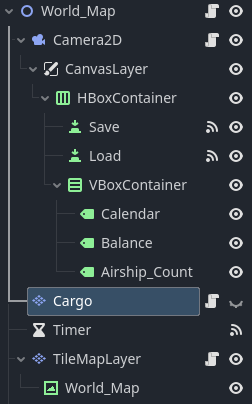
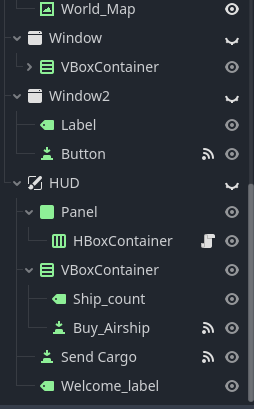
I re-created nodes in my World_Map scene, to bring everything into just one scene (with the exception to the main menu, that’s a difference scene). The idea is that the world map would show and when a city is clicked on, the world map would then be hidden, while the cargo loading nodes would then appear on screen. I am trying to write some code so that when the player clicks on a cargo button, a cargo tile would show and be played on-screen. Except that is not happening for some reason. The buttons operate as intended, except that the tiles are not showing. I even have the World_Map scene as the main scene in the Project Settings. Below is the code I have so far:
extends TileMapLayer

@onready var world_map: Node2D = $".."
@onready var cargo: TileMapLayer = $"."
@onready var h_box_container: HBoxContainer = $"../HUD/Panel/HBoxContainer"
@onready var ship_count: Label = $"../HUD/VBoxContainer/Ship_count"
@onready var canvas_layer: CanvasLayer = $"../Camera2D/CanvasLayer"
@onready var hud: CanvasLayer = $"../HUD"
@onready var tile_map_layer: TileMapLayer = $"../TileMapLayer"

var source_id: int
var x_counter: int = 3
var cargo_vector = Vector2i(0, 0)
var qty_ships: int = 0
var selected_cargo = []

func button_pressed(btn: Button, cargo_selector, destination):
	cargo_vector = world_map.cargo[cargo_selector][0]
	selected_cargo.append(cargo_selector)
	cargo.set_cell(Vector2(x_counter, 4), 1, cargo_vector)
	x_counter += 1
	btn.queue_free()

	# Finds distance between origin city and destination city, then multiply it with income rate based on cargo.
	Globals.origin_city_vector = Globals.cities[Globals.current_city]
	Globals.destination = destination
	var cargo_rate = world_map.cargo[cargo_selector][1]
	Globals.travel_distance = Globals.origin_city_vector.distance_to(Globals.cities[Globals.destination])
	Globals.cargo_income = Globals.cargo_income + (Globals.travel_distance * cargo_rate)

func _on_send_cargo_pressed():
	x_counter = 3
	Globals.balance = Globals.balance + Globals.cargo_income
	tile_map_layer.airship_transit()
	Globals.active_cities[Globals.current_city] -= 1
	Globals._save()
	canvas_layer.visible = true
	tile_map_layer.visible = true
	hud.visible = false
	cargo.visible = false

func _on_buy_airship_pressed():
	Globals.active_cities[Globals.current_city] += 1
	ship_count.text = "Ship count: " + str(Globals.active_cities[Globals.current_city])
	Globals._save()
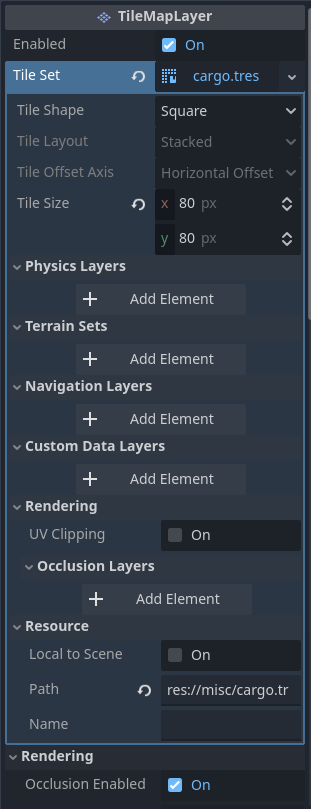
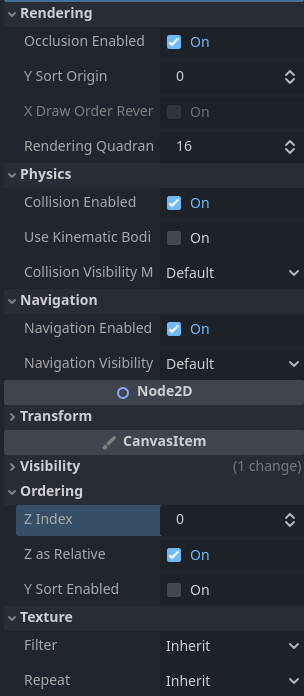
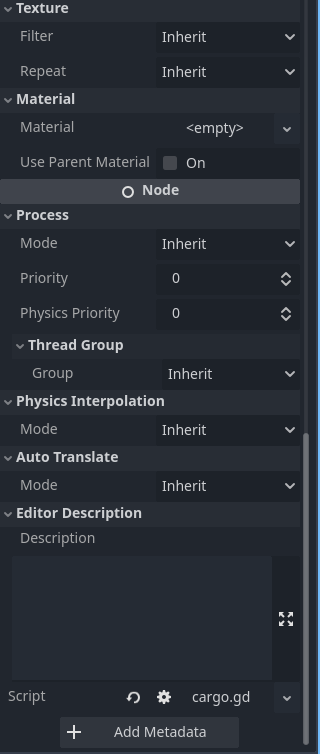
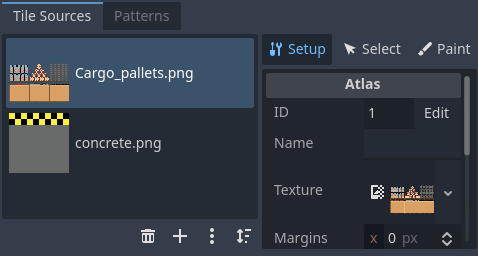
Screenshots on the properties of the tilemaplayer:
The signal from “button_pressed()” is from this method, in the TileMapLayer node (which populates cities on the world map as buttons):
func populate_cities():
	for key in Globals.cities:
		var btn = Button.new()
		btn.icon = CITY
		btn.text = str(key)
		btn.flat = true
		btn.alignment = HORIZONTAL_ALIGNMENT_LEFT
		btn.position = map_to_local(Globals.cities[key])
		btn.pressed.connect(cargo_scene.bind(btn.text))
		add_child(btn)
		#Makes the button transparent if it is not an accessible city
		if Globals.active_cities.has(key) == false:
			btn.modulate.a = 0.5
For “cargo.set_cell()” the Atlas ID is in fact, 1:
I did some more work and found out that I didn’t even have the code to set_cell() of the cargo tiles to begin with. Whoops. Below is the code I typed, so far:
func process(_delta: float):
	#Creates preview version of building sprite, hovers on mouse position
	new_mouse_position = local_to_map(get_local_mouse_position())
	if old_mouse_position != new_mouse_position:
		erase_cell(old_mouse_position)

	set_cell(new_mouse_position, 1, cargo_vector)
	old_mouse_position = new_mouse_position

	if Input.is_action_pressed("LEFT_CLICK"):
		set_cell(new_mouse_position, 1, cargo_vector)

	if get_cell_atlas_coords(new_mouse_position) != Vector2i(-1, -1):
		modulate = Color.RED
However, despite this attempt, I still don’t see any tiles being shown on screen on the tilemap for some reason. The idea is to have the cargo tile follow the mouse, until the player left clicks to place the cargo on screen. The modulate is to have the tile colored red if it overlaps over an already-placed tile.
I apologize, I now understand I should’ve shown more of my code. Below is the code I have for the “TileMapLayer” code, which is shown over the World_Map TextureRect. When you click on a city, it showns the Cargo TileMapLayer, while making the TileMapLAyer node invisible (I did this instead of having two separate scenes):
extends TileMapLayer

const CITY = preload("res://sprites/city.png")
const airship_sprite = preload("res://sprites/Airship_icon.png")
const speed = 5

@onready var tile_map_layer: TileMapLayer = $"."
@onready var world_map: TextureRect = $World_Map
@onready var canvas_layer: CanvasLayer = $"../Camera2D/CanvasLayer"
@onready var hud: CanvasLayer = $"../HUD"
@onready var window: Window = $"../Window"
@onready var window_2: Window = $"../Window2"
@onready var camera_2d: Camera2D = $"../Camera2D"
@onready var balance_label: Label = $"../Camera2D/CanvasLayer/HBoxContainer/VBoxContainer/Balance"
@onready var calendar: Label = $"../Camera2D/CanvasLayer/HBoxContainer/VBoxContainer/Calendar"
@onready var airship_count: Label = $"../Camera2D/CanvasLayer/HBoxContainer/VBoxContainer/Airship_Count"
@onready var cargo: TileMapLayer = $"../Cargo"

var button_status: bool = false
var travel_time_multiplier: int = 3
var timer_counter: int = 1
var year: int = 2025
var airship_btn = Button.new()

# Called when the node enters the scene tree for the first time.
func _ready():
	calendar.text = str("Week " + str(timer_counter) + ", " + str(year))
	camera_2d.global_position = map_to_local(Vector2(78, 165))
	balance_label.text = "$ " + str(Globals.balance)
	populate_cities()
	if Globals.cargo_income != 0:
		airship_transit()
	count_ships()

func populate_cities():
	for key in Globals.cities:
		var btn = Button.new()
		btn.icon = CITY
		btn.text = str(key)
		btn.flat = true
		btn.alignment = HORIZONTAL_ALIGNMENT_LEFT
		btn.position = map_to_local(Globals.cities[key])
		btn.pressed.connect(cargo_scene.bind(btn.text))
		add_child(btn)
		#Makes the button transparent if it is not an accessible city
		if Globals.active_cities.has(key) == false:
			btn.modulate.a = 0.5

func cargo_scene(button_text: String):
	Globals.current_city = button_text
	#Checks if the city has airships
	if Globals.active_cities.has(button_text):
		if Globals.active_cities[Globals.current_city] == 0:
			window_2.visible = true
		else:
			cargo.visible = true
			canvas_layer.visible = false
			tile_map_layer.visible = false
			hud.visible = true
	else:
		window.show()

func airship_transit():
	#Spawns new airship button in World Map
	airship_btn.icon = airship_sprite
	airship_btn.flat = true
	airship_btn.position = map_to_local(Globals.cities[Globals.current_city])
	add_child(airship_btn)
	airship_btn.pressed.connect(self.button_pressed.bind())

	#Restarts cargo income variable
	Globals.cargo_income = 0

	#Moves the spawned airship button from the origin to the destination cities
	var tween = create_tween()
	tween.tween_property(airship_btn, "position", map_to_local(Globals.cities[Globals.current_city]), Globals.travel_distance * travel_time_multiplier)
	tween.tween_property(airship_btn, "position", map_to_local(Globals.cities[Globals.destination]), Globals.travel_distance * travel_time_multiplier)
	await tween.finished
	airship_btn.queue_free()

	#Updates airship count at destination city
	Globals.active_cities[Globals.destination] += 1
	count_ships()

#Used when player clicks on the airship button
func button_pressed():
	print("1")

#Used to purchase access to a city
func _on_yes_pressed():
	Globals.active_cities[str(Globals.current_city)] = 0
	populate_cities()
	window.hide()

func _on_no_pressed():
	window.hide()

func _on_button_pressed():
	window_2.hide()

var maintenance_cost: int = 5
var fuel_cost: int = 2

func _on_timer_timeout():
	timer_counter += 1
	calendar.text = str("Week " + str(timer_counter) + ", " + str(year))
	Globals.balance = Globals.balance - (maintenance_cost * qty_ships) - (fuel_cost * qty_ships)
	balance_label.text = "$ " + str(Globals.balance)

var qty_ships: int = 0

func count_ships():
	for key in Globals.active_cities:
		qty_ships = qty_ships + Globals.active_cities[key]
	airship_count.text = "Airships available: " + str(qty_ships)
func _process(_delta: float):
	set_cell(new_mouse_position, 1, cargo_vector)
	new_mouse_position = local_to_map(get_local_mouse_position())
	if old_mouse_position != new_mouse_position:
		erase_cell(old_mouse_position)
		old_mouse_position = new_mouse_position

func _input(event: InputEvent):
	#Creates preview version of building sprite, hovers on mouse position
	if Input.is_action_pressed("LEFT_CLICK"):
		placed_cargo.set_cell(new_mouse_position, 1, cargo_vector)
I made a new tilemaplayer, so the tiles can be permeanantly set on a separate tilemaplayer. It didn’t work when I tried to do that on the cargo tilemaplayer.