Godot Version
4.5
Question
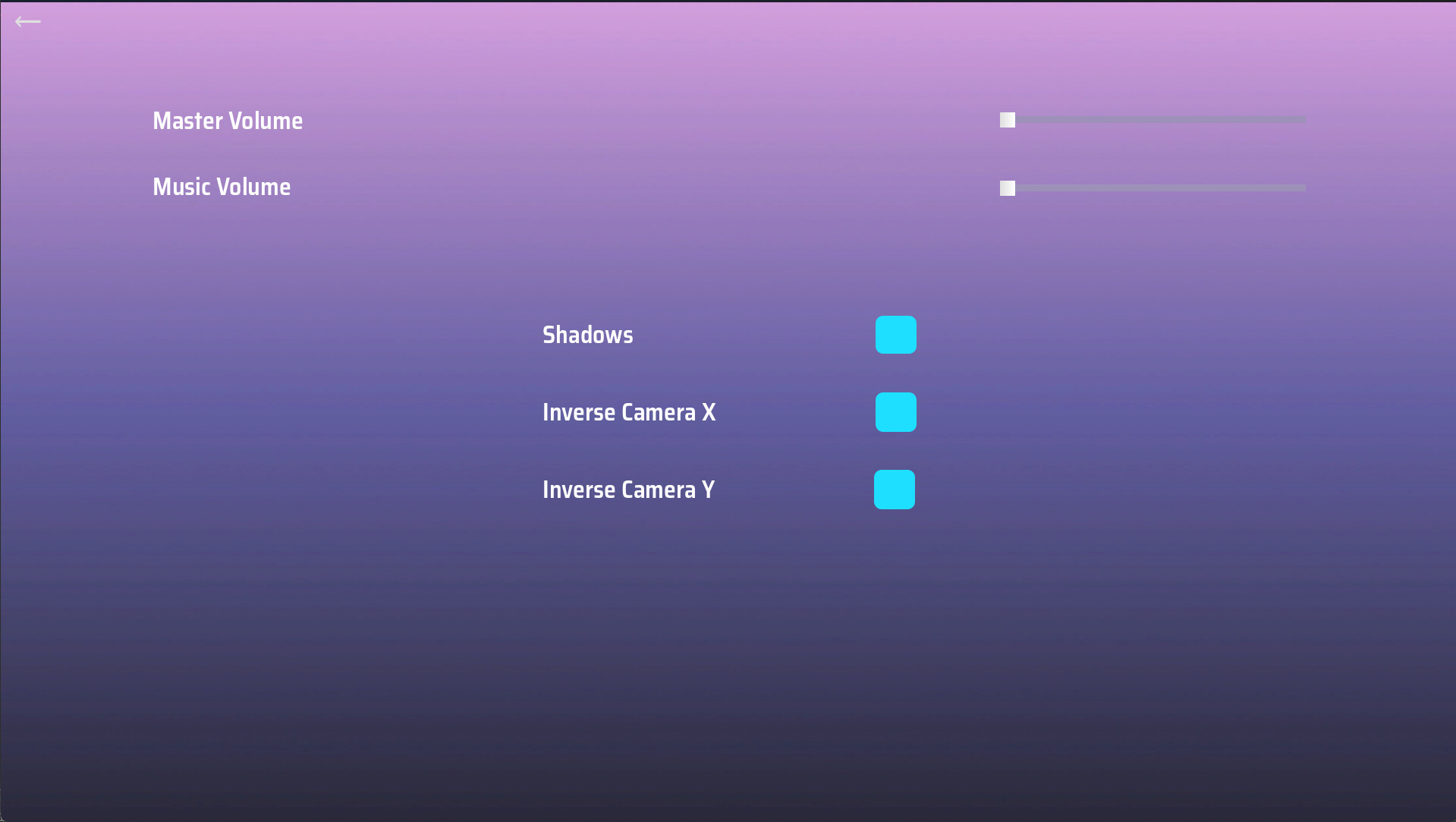
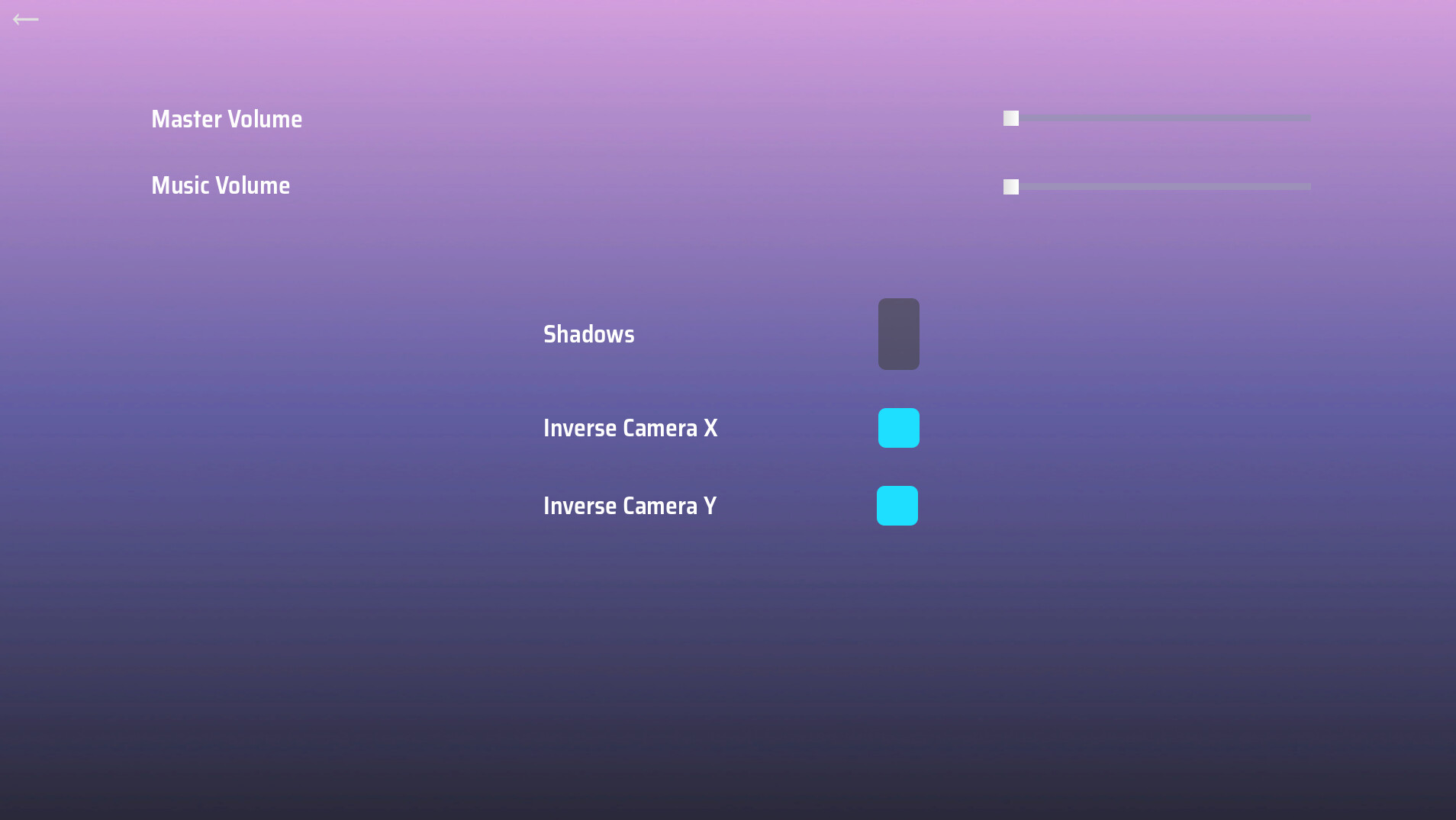
I have square toggle buttons in a settings menu for the game that I am working on. At first, these buttons appear correctly during runtime - they are positioned correctly and have the correct shape. However, if I de-select one of the buttons in the settings menu, go back to my main menu, and then click on the settings menu again, the button that was deselected appears vertically elongated (no longer a square). The only way to have it go back to normal is if I select the button again, go back to the main menu, then reopen the settings menu again. It seems as though, for some reason, deselecting the button is causing it to change shape? All of the parent containers have vertical fill set to shrink center, so I’m not sure why it’s expanding vertically when not selected. My code that switches between menus essentially just fades the respective group of buttons in & out, and disables their visibility. I don’t manually change any container configurations or anything like that.
Any help on this would be greatly appreciated.