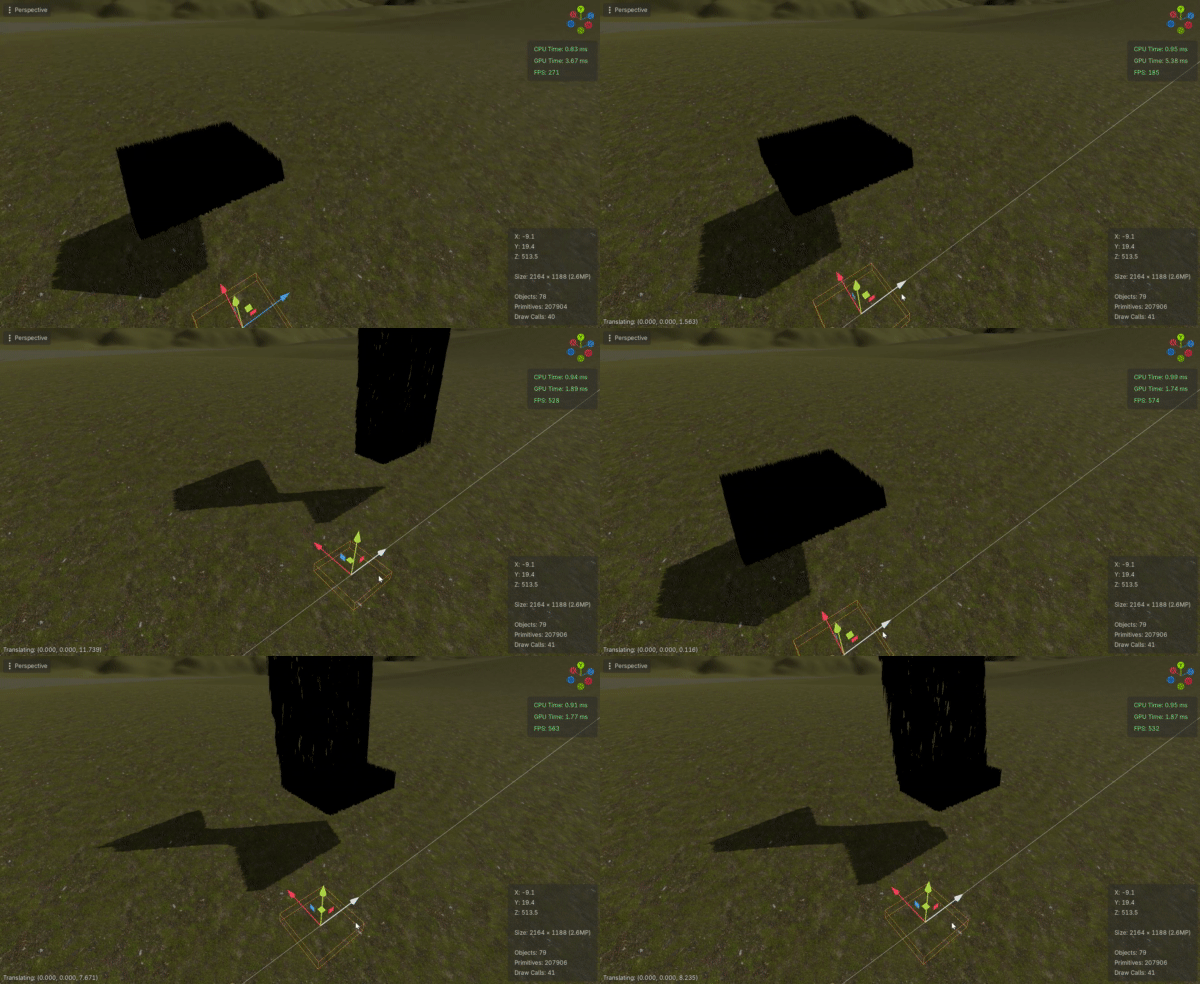
Transmit grass across individual unique planes/meshes

VERTEX in vertex function is in local space. You need to transform it to global space by multiplying it with MODEL_MATRIX, which is a local-to-global transformation matrix. Then you’ll have to transform its xz components to 0-1 uv space. Assuming one heightmappixel represents one global unit and there is no additional translation/rotation of the heightmap (or resulting mesh) involved, this boils down to dividing it with texture size.

vec3 vertex_world = (MODEL_MATRIX * vec4(VERTEX, 1.0)).xyz;
vec2 uv = vertex_world.xz / TEXTURE_SIZE;

Where TEXTURE_SIZE can be a constant you hardcode in the shader or an uniform.

There is no additional translation or rotation of the exported heightmap to my knowledge, the 8192x8192 resolution heightmap matches the 8km x 8km size of the terrain and the orientation/rotation is the same as it is in Godot.

I’m trying to implement this and it’s doing a lot of the same (wanting to stay at world origin, you can see the 10x10 chunk’s grass being displaced from itself when moved away from world origin).

It’s not really clear what is happening from your description and screenshot. What exactly do you mean by “wanting to stay at world origin”?

Use a debug horizontal plane and a shader on it that reads the heightmap and just displays it, to see what exactly gets sampled in the world space from the heightmap.

3b7ac2975572249d8f4a7c1b593dad1d

It’s also moving all of the grass on the outer edges of the plane (it should be filling the entire 5x5 plane) into the center as well, but I assume that’s related to whatever is causing this world origin thing to happen.

Regarding the heightmap, I made a 8192x8192 plane and aligned it with the terrain, played with some values and it is reading the heightmap accurately and to scale with the terrain.

Making the test shader for this plane I realized uniform_float world_scale = 100.0 didn’t actually communicate dimensions so I changed that to uniform vec2 world_scale = vec2(8192.0, 8192.0); which did correctly affect the heightmap scale inside the debug plane when changed (grass shader has been updated with this change but it’s not making any difference yet as same issues persist). I’ll put both shaders below.

Debug plane shader:

shader_type spatial;
render_mode world_vertex_coords;

uniform sampler2D heightmap;
uniform vec2 world_scale = vec2(8192.0, 8192.0);
varying vec2 world_uv;

void vertex() {
vec3 vertex_world = (MODEL_MATRIX * vec4(VERTEX, 1.0)).xyz;
world_uv = (vertex_world.xz / world_scale) + 0.5;
}

void fragment() {
float height = texture(heightmap, world_uv).r;
ALBEDO = vec3(height);
}

Grass shader:

shader_type spatial;
render_mode cull_disabled, world_vertex_coords;

uniform float size_small = 0.2;
uniform float size_large = 0.6;

uniform float blade_bend = 0.5;

uniform vec3 color_small: source_color = vec3(0.3, 0.6, 0.1);
uniform vec3 color_large: source_color = vec3(0.9, 0.9, 0.2);

uniform sampler2D patch_noise;
uniform float patch_scale = 5.0;
varying float patch_factor;

uniform sampler2D wind_noise;
uniform float wind_strength = 0.1;
uniform vec2 wind_direction = vec2(1.0, 0.0);
uniform float wind_bend_strength = 2.0;
uniform float wind_ao_affect = 1.5;

uniform float object_radius = 1.0;
uniform vec3 object_position;

instance uniform float alpha = 1.0;

varying float bottom_to_top;
varying float current_wind_bend;
varying float cut_height;

uniform sampler2D heightmap;
uniform float height_scale = 1.0;
uniform vec2 world_scale = vec2(8192.0, 8192.0);

void vertex() {
	vec3 vertex_world = (MODEL_MATRIX * vec4(VERTEX, 1.0)).xyz;
	vec2 world_uv = (vertex_world.xz / world_scale) + 0.5;
	float height = texture(heightmap, world_uv).r;
	VERTEX.y += height;

	//cut_height = 1.0;

	//// Cutting all grass on the right
	//if (NODE_POSITION_WORLD.x > 0.0) {
		//cut_height = 0.5;
//
		//VERTEX.y = min(VERTEX.y, cut_height);
		//UV.y = max(UV.y, 1.0 - cut_height);
	//}

	bottom_to_top = 1.0 - UV.y;

	// Wind logic
	vec2 wind_position = NODE_POSITION_WORLD.xz / 10.0;
	wind_position -= (TIME + 8.0) * wind_direction * wind_strength;

	current_wind_bend = texture(wind_noise, wind_position).x;

	current_wind_bend *= wind_strength;
	current_wind_bend *= bottom_to_top * 2.0;

	mat4 inv_model = inverse(MODEL_MATRIX);
	vec2 local_direction = (inv_model * vec4(wind_direction.x, 0.0, wind_direction.y, 0.0)).xz;

	VERTEX.xz += current_wind_bend * local_direction * wind_bend_strength;

	// Bend away from the object
	float object_distance = distance(object_position, NODE_POSITION_WORLD);
	float bend_away_strength = max(object_radius - object_distance, 0.0) / object_radius;
	vec2 bend_direction = normalize(object_position.xz - NODE_POSITION_WORLD.xz);

	VERTEX.xz -= (inv_model * vec4(bend_direction.x, 0.0, bend_direction.y, 0.0)).xz
			* bend_away_strength * bottom_to_top;
	VERTEX.y -= bend_away_strength * bottom_to_top * 0.5;

	// General appearance
	VERTEX.z += blade_bend * pow(bottom_to_top, 2.0);

	patch_factor = texture(patch_noise, NODE_POSITION_WORLD.xz / patch_scale).r;
	VERTEX *= mix(size_small, size_large, patch_factor);

	NORMAL = mix(NORMAL, vec3(0.0, 1.0, 0.0), mix(1.0, bottom_to_top, alpha + 0.2));
}

void fragment() {
	if (!FRONT_FACING) NORMAL = -NORMAL;
	
	AO = bottom_to_top - current_wind_bend * wind_ao_affect;
	AO_LIGHT_AFFECT = mix(0.2, 1.0, alpha);

	ALBEDO = mix(color_small, color_large, patch_factor);
	BACKLIGHT = vec3(0.2);

	ROUGHNESS = 0.4;
	SPECULAR = 0.2;
	
	ALPHA = alpha;
	ALPHA_HASH_SCALE = 1.0;
}

Also I’d like to thank you for your patience and help with this, I have a hard time understanding some abstract aspects of programming.

Start by commenting out everything in the grass vertex shader except the code that conforms grass to the terrain, and see if it does what it’s supposed to. It looks like your other code is causing the unwanted behavior as it alters VERTEX.xz.

In general, when stuff misbehaves, always isolate things and check them one by one.

Commented out everything in the grass vertex (except the terrain conforming code) and then one by one went down and brought things back in one at a time, the only line that had any negative impact was VERTEX *= mix(size_small, size_large, patch_factor);

VERTEX *= mix(size_small, size_large, patch_factor); commented out:

Not being commented out:

This does explain what’s causing the grass to “remain” at the world origin as well as what is causing the grass content to all move towards the center. However this line is necessary for controlling the size of small/large blades, and I’m unsure how and what is causing it’s conflict with the terrain code.

Regardless even then after commenting the relevant line out it does not conform to the terrain as seen over a slope below:

I keep frequent backups of this project, with the most recent being made right before any terrain conforming code was implemented (just in case something like what’s happening now happens), so I’m able to confirm the grass shader is working exactly as expected without any of the new terrain code being implemented into the grass shader.

You should do things like this before conforming to terrain. VERTEX is in local space and all the previous code likely expect the base of blades to be at zero. Otherwise the scaling (i.e. multiplication) will scale the displacement as well.

In any case, comment everything out make the terrain displacement work in isolation. Once you have that, re-introduce everything else and do the terrain displacement last.

Try dragging the grass over some parts of the terrain where there is some noticeable elevation change and see how it behaves.

You might want to scale height so it matches the vertical scale used by Terrain3D, as already mentioned earlier.

Started from the backup so I’m working with a “clean” version from before any attempts at implementing terrain code were made.

First thing I’m noticing is adding render_mode world_vertex_coords; is what’s working with VERTEX *= mix(size_small, size_large, patch_factor); to cause the world origin thing/reduction of the grass. This is before making any additional changes to the code (or commenting anything out)/implementing any terrain code.

(ignore difference in plane color, is impostor system stuff)

With everything inside of void vertex() commented out, and the only addition to the code being render_mode world_vertex_coords; we start with this below:

From here I implemented the code below (with the void vertex() content being added at the end of void vertex() and got this result:

uniform sampler2d heightmap;
uniform float height_scale = 700.0;
uniform vec2 world_scale = vec2(8192.0, 8192.0);

vec3 vertex_world = (MODEL_MATRIX * vec4(VERTEX, 1.0)).xyz;
vec2 world_uv = (vertex_world.xz / world_scale) + 0.5;
float height = texture(heightmap, world_uv).r;
VERTEX.y += height;

It’s pretty much the same.

Moving the grass around in altitude and up slopes shows nothing.

The Terrain3D height is closer to 690, rounded it to 700 for now, I’ll scale it to the exact decimal height once the grass is actually conforming.

Swapping to VERTEX.y += height * height_scale; does this below:
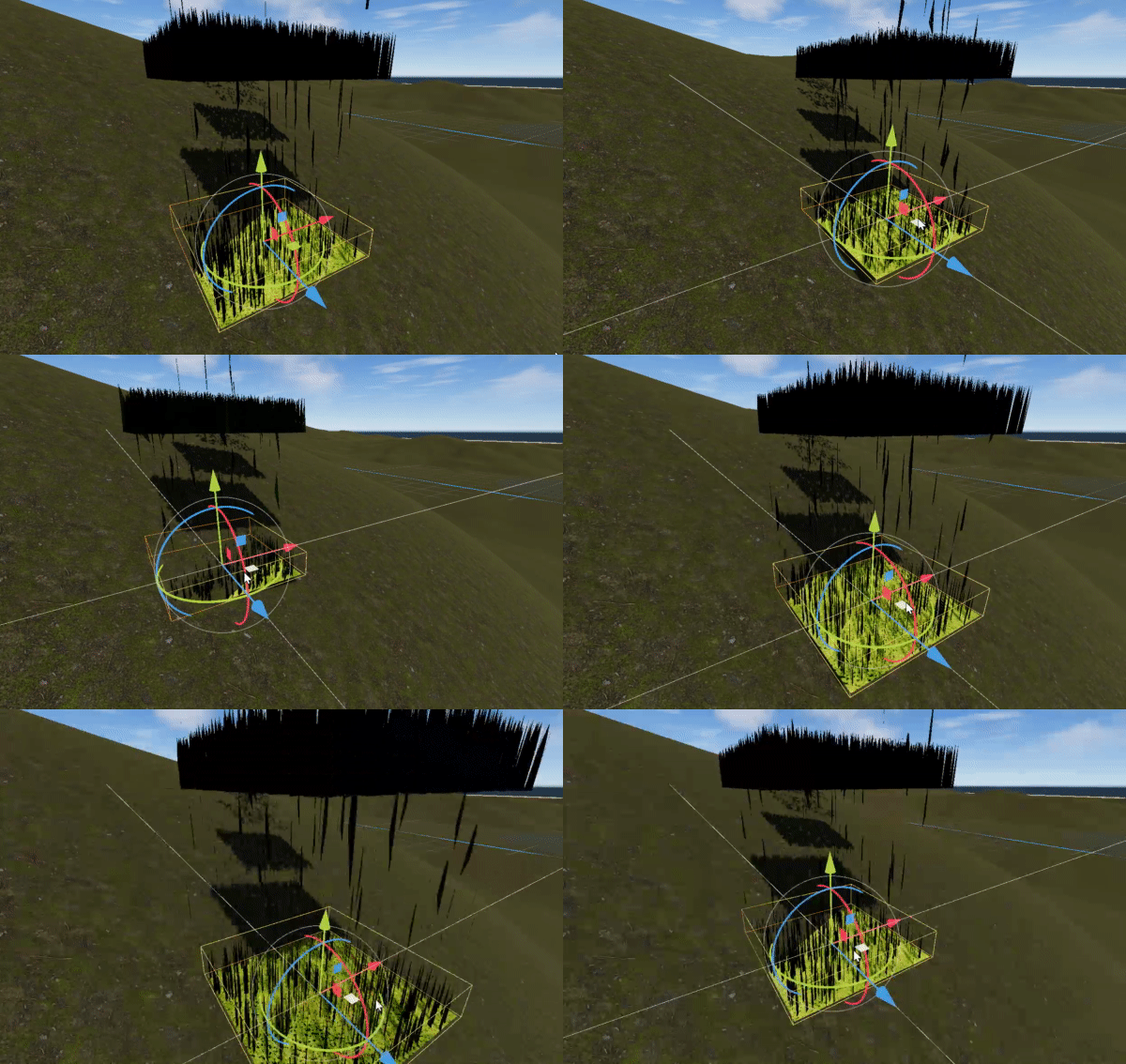
It moves, technically. Not sure where to go from here. Removing render_mode world_vertex_coords; removes all grass and leaves behind the impostor plane.

Just in case for clarity this is the entire grass.gdshader script currently

shader_type spatial;
render_mode cull_disabled, world_vertex_coords;

uniform float size_small = 0.2;
uniform float size_large = 0.6;

uniform float blade_bend = 0.5;

uniform vec3 color_small: source_color = vec3(0.3, 0.6, 0.1);
uniform vec3 color_large: source_color = vec3(0.9, 0.9, 0.2);

uniform sampler2D patch_noise;
uniform float patch_scale = 5.0;
varying float patch_factor;

uniform sampler2D wind_noise;
uniform float wind_strength = 0.1;
uniform vec2 wind_direction = vec2(1.0, 0.0);
uniform float wind_bend_strength = 2.0;
uniform float wind_ao_affect = 1.5;

uniform float object_radius = 1.0;
uniform vec3 object_position;

instance uniform float alpha = 1.0;

varying float bottom_to_top;
varying float current_wind_bend;
varying float cut_height;

uniform sampler2D heightmap;
uniform float height_scale = 700.0;
uniform vec2 world_scale = vec2(8192.0, 8192.0);

void vertex() {
	//cut_height = 1.0;

	//// Cutting all grass on the right
	//if (NODE_POSITION_WORLD.x > 0.0) {
		//cut_height = 0.5;
//
		//VERTEX.y = min(VERTEX.y, cut_height);
		//UV.y = max(UV.y, 1.0 - cut_height);
	//}

	//bottom_to_top = 1.0 - UV.y;

	// Wind logic
	//vec2 wind_position = NODE_POSITION_WORLD.xz / 10.0;
	//wind_position -= (TIME + 8.0) * wind_direction * wind_strength;

	//current_wind_bend = texture(wind_noise, wind_position).x;

	//current_wind_bend *= wind_strength;
	//current_wind_bend *= bottom_to_top * 2.0;

	//mat4 inv_model = inverse(MODEL_MATRIX);
	//vec2 local_direction = (inv_model * vec4(wind_direction.x, 0.0, wind_direction.y, 0.0)).xz;

	//VERTEX.xz += current_wind_bend * local_direction * wind_bend_strength;

	// Bend away from the object
	//float object_distance = distance(object_position, NODE_POSITION_WORLD);
	//float bend_away_strength = max(object_radius - object_distance, 0.0) / object_radius;
	//vec2 bend_direction = normalize(object_position.xz - NODE_POSITION_WORLD.xz);

	//VERTEX.xz -= (inv_model * vec4(bend_direction.x, 0.0, bend_direction.y, 0.0)).xz
			//* bend_away_strength * bottom_to_top;
	//VERTEX.y -= bend_away_strength * bottom_to_top * 0.5;

	// General appearance
	//VERTEX.z += blade_bend * pow(bottom_to_top, 2.0);

	//patch_factor = texture(patch_noise, NODE_POSITION_WORLD.xz / patch_scale).r;
	//VERTEX *= mix(size_small, size_large, patch_factor);

	//NORMAL = mix(NORMAL, vec3(0.0, 1.0, 0.0), mix(1.0, bottom_to_top, alpha + 0.2));

	vec3 vertex_world = (MODEL_MATRIX * vec4(VERTEX, 1.0)).xyz;
	vec2 world_uv = (vertex_world.xz / world_scale) + 0.5;
	float height = texture(heightmap, world_uv).r;
	VERTEX.y += height * height_scale;
}

void fragment() {
	if (!FRONT_FACING) NORMAL = -NORMAL;
	
	AO = bottom_to_top - current_wind_bend * wind_ao_affect;
	AO_LIGHT_AFFECT = mix(0.2, 1.0, alpha);

	ALBEDO = mix(color_small, color_large, patch_factor);
	BACKLIGHT = vec3(0.2);

	ROUGHNESS = 0.4;
	SPECULAR = 0.2;
	
	ALPHA = alpha;
	ALPHA_HASH_SCALE = 1.0;
}

Don’t use world_vertex_coords if you’re transforming to world space using MODEL_MATRIX and vice versa. Also don’t move the grass vertically. Its base should always be at 0.

Also get rid of the impostor plane. It only makes sense to have it if your terrain is completely flat and there is no terrain mesh. If you have the terrain mesh - it serves as an “impostor plane”.

Removed world_vertex_coords and left the grass vertical axis at 0, grass remains flat above slopes/contours. Both hiding and deleting the impostor plane from the node setup shows no difference. (hazy look is from LOD camera distance)

It doesn’t go up or down at all?

My bad, posted too early, it doesn’t recognize all slopes/countours, but is now reacting to one of them finally (not properly though). The entire area it’s on is sloped pretty much the same at this area, but it only starts to react at a certain point.

It had to go 500 meters from origin which goes across different varying slopes of terrain with zero reaction until this point.

Do you have any scaling on the terrain mesh?

The terrain has default scaling.

Terrain3d already has grass … Does that work with ordinary cross quads?

Have you got Editor collision set to dynamic mode?

What GPU are you planning on targetting?

This grass system is to my knowledge incompatible with Terrain3D’s mesh instancing. Collision is set to dynamic, but I don’t think that would be an issue as it’s not reading from collision, it’s reading from a heightmap.

For GPU, I’m not sure. I’m on a 3080ti, but I intend for the end goal to be scalable to systems of all kinds. I do have a specific interest in optimization and look forward to learning about all the different methods, although it’s too early to make any of those determinations as you can see, the grass doesn’t even work lol.

Can you post the project?

Of course! If it has any problems let me know and I’ll reupload it.

Are you using the exact same heightmap you used for the terrain? The image you’re using is 16 bit png which Godot automatically converts to 8 bits on import.

The displacement works but it’s stepped due to 8 bit imprecission.

Instead png, use a 16 bit image format like exr. Also make sure you normalize the values to 0-1 range. So use the exact same image file for the terrain and for the grass.

grass

The steps from 8 bit imprecision makes total sense, I didn’t even realize it had imported as 8 bit. I’ll have to double check the Terrain3D documentation and see what my options are for exporting the heightmap as an .exr, I tried that originally but changed to .r16 as that was specifically recommended for exporting heightmaps.

The heightmap is the exact same heightmap for the terrain, which was sculpted by hand in Godot with Terrain3D. Since exporting the heightmap I have made no changes to the terrain. With how the current workflow is shaping up I would be re-exporting the terrain heightmap and updating the shader with the new heightmap after any changes.

Thank you for taking a look, seeing that gif was a huge relief.

(also when you say “normalize the values to 0-1 range”, is this a specific process you are referring to?)

edit: Would you mind explaining in detail how exactly you got the result seen in your gif? Did you convert the png to an .exr or export the terrain heightmap from Godot? What import settings for Godot? I’m plugging an .exr of the heightmap in on my end and I am getting the same result as before.

I think I figured it out on my end and properly imported the .exr. Thank you again, I’ll have to continue work on this tomorrow.