Godot Version
4.5.1
Question
Hey all, I’m working on learning the UI system and specifically implementing a settings menu, and I’m currently working on a controller/keyboard input remapping page. Currently everything works, however I was curious about a way to fix a focusing issue I’ve got.
Right now, I have 2 buttons per input action, one for remapping the joypad input, and one for the keyboard. Whenever these buttons are toggled, they release focus so that the player shouldn’t be able to click any other buttons. With the mouse they can, but I have them all in a button group so that they cannot be toggled at the same time.
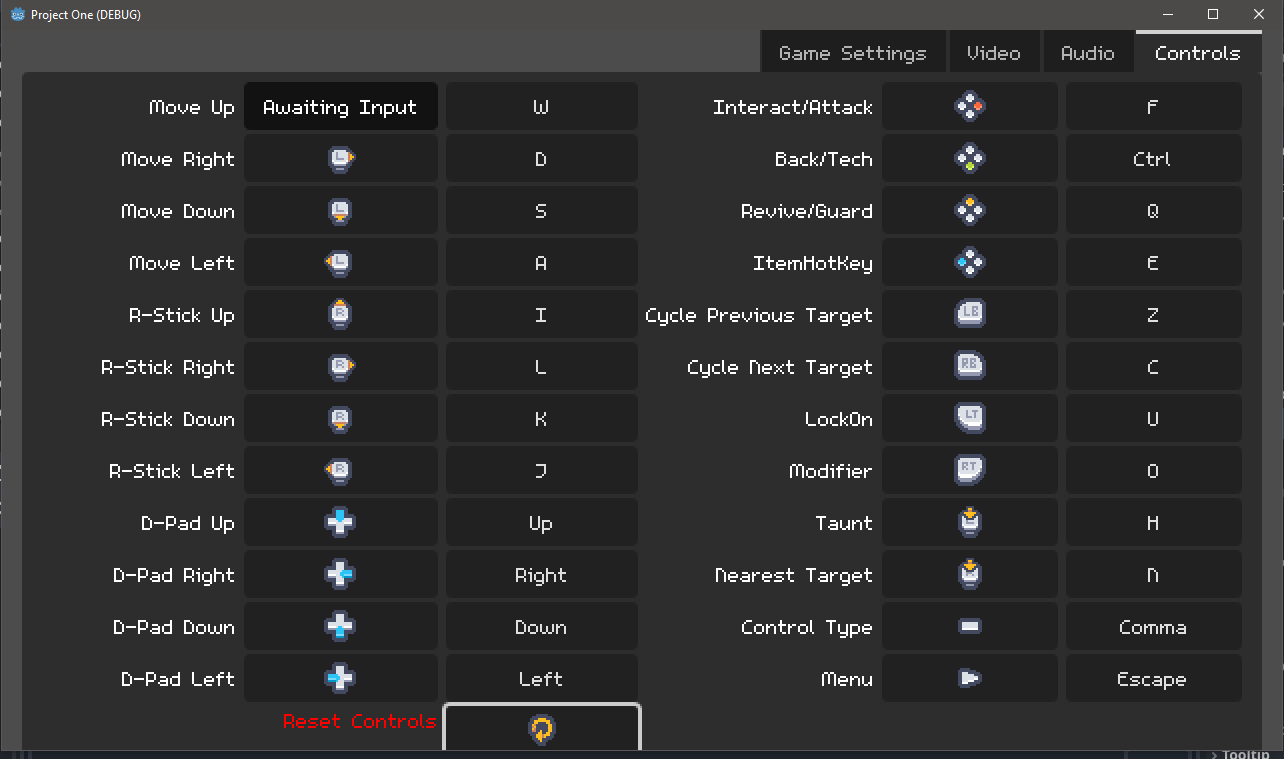
My main issue right now is that if there is a button that is at the lowest part of the screen, if I press the event for the “ui_down” action, that button will grab focus, from any other button.
This is an example of what I mean. I clicked on the joypad remap button for “Move Up”, and then I pressed the keyboard input for “ui_down” (Which I have coded to not overwrite joypad inputs), and the “Reset Controls” button at the bottom grabs focus. I imagine this would happen in any other direction as well.
I figure I could either change the focus_mode of every button in the menu when a button is toggled, and when it is un-toggled then change it back, which seems not great to me, or my other option was to have a control node in the menu that would grab focus, and have no neighbors so that the player would not be able to move the focus around freely, sort of like a temporary container that ensures that the focus can’t move to other buttons and interact with them when I wouldn’t want them to.
Are there other better methods to achieve what I’m looking for? Thanks!
You can unfocus the button when the player presses it so that the keyboard focus inputs don’t do anything.
That’s what I was thinking, but I do have it set up that way so that any time a button is pressed it calls release_focus(). Not sure why the button at the bottom is getting focus after release_focus() is called.
Essentially I end up in a state where no node has focus, but pressing the “ui_down” action makes the bottom button grab focus.
That’s strange, you shouldn’t be able to get focus if there isn’t any focus. Can you post the code of that?
func _init():
	toggle_mode = true

func _ready():
	set_process_input(false)
	var atlas_texture = AtlasTexture.new()
	atlas_texture.atlas = icon_sheet
	set_button_icon(atlas_texture)
	expand_icon = true
	update_key_text_or_icon()
	InputHelper.keyboard_input_changed.connect(change_related_actions)
	InputHelper.joypad_input_changed.connect(change_related_actions)

func _toggled(toggled_on):
	set_process_input(toggled_on)
	if toggled_on:
		text = "Awaiting Input"
		if !keyboard_remap:
			var icon_texture = get_button_icon()
			icon_texture.region = Rect2(512,32,8,8)
		release_focus()
		var timer: Timer = Timer.new()
		timer.wait_time = 5.0
		timer.one_shot = true
		timer.autostart = true
		timer.timeout.connect(toggle_off)
		add_child(timer)
	else:
		for child in get_children():
			if child is Timer:
				child.stop()
				child.queue_free()
		update_key_text_or_icon()
		grab_focus()

func _input(event):
	if keyboard_remap:
		if event is InputEventKey and event.pressed:
			InputHelper.replace_keyboard_input_for_action(action, InputHelper.get_keyboard_input_for_action(action), event, true)
			button_pressed = false
			get_viewport().set_input_as_handled()
	elif !keyboard_remap:
		if event is InputEventJoypadButton:
			if event.pressed:
				InputHelper.replace_joypad_input_for_action(action, InputHelper.get_joypad_input_for_action(action), event, true)
				button_pressed = false
				get_viewport().set_input_as_handled()
		if event is InputEventJoypadMotion:
			if abs(event.axis_value) > 0.75:
				InputHelper.replace_joypad_input_for_action(action, InputHelper.get_joypad_input_for_action(action), event, true)
				button_pressed = false
				get_viewport().set_input_as_handled()
This is everything that should deal with focusing and input, there’s a few other functions that deal with the input mappings and icon settings as well, but they don’t do any focusing or input stuff.
I’ve got the release_focus in the toggled function whenever a button is toggled on, and it’s during this time that if I press the “ui_down” action, the bottom button grabs focus.
I’ve discovered more of why this happens, not exactly sure what to do to stop it. Turns out that the button on the bottom was slightly outside of the viewport, and this was causing it to somehow grab focus.
If I put any other button there, it grabs focus instead of that one, it doesn’t work for “ui_up” if the button is at the top, and if I remove one row of buttons the problem goes away since all buttons are fully within the viewport. I suppose the solution is just to make sure everything is within the viewport rect, however I would be interested in any other ways to mitigate this.
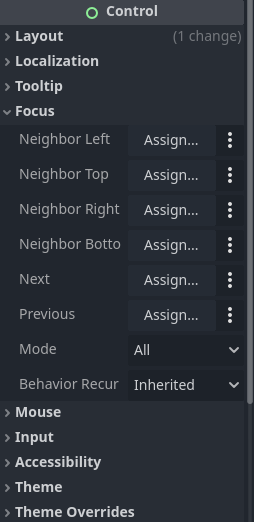
You can define where the cursor goes next by using the Focus section under Control for each button. You can also change the focus_mode in that section so that a button cannot grab focus, or only can with a mouse click.
Thank you, unfortunately the neighbor assignments are already all done in my menu so this issue seems to happen despite those being properly setup.
I do know about the focus_mode, and I mentioned in a previous post that I was considering changing all of the buttons focus modes to disabled whenever I press a button, but this seems like an odd way to fix this issue, I’d rather just have an invisible control node take focus and have no neighbors so that the player can’t get to a real button.
Ok, other thought. Try putting it in a ScrollContainer. That could solve your problem. That’s how I handle it in my Controller plugin. It programmatically creates a list of custom constrols and allows you to map them. Since I don’t know how many controls are going to be in a given game, I use a ScrollContainer to contain them.
Also, your screen shot is 1284 x 759. I’m not sure what your game resolution is, but if you don’t disable window resizing, this problem will crop up if someone makes the window size smaller than the default. The ScrollContainer would solve that problem too.
The screenshot dimensions are just from me doing a quick screen grab, my viewport size is 640x360, and I currently have the window override at 1280x720, but I am trying to learn about resolutions and everything so that’ll be my next big learning curve.
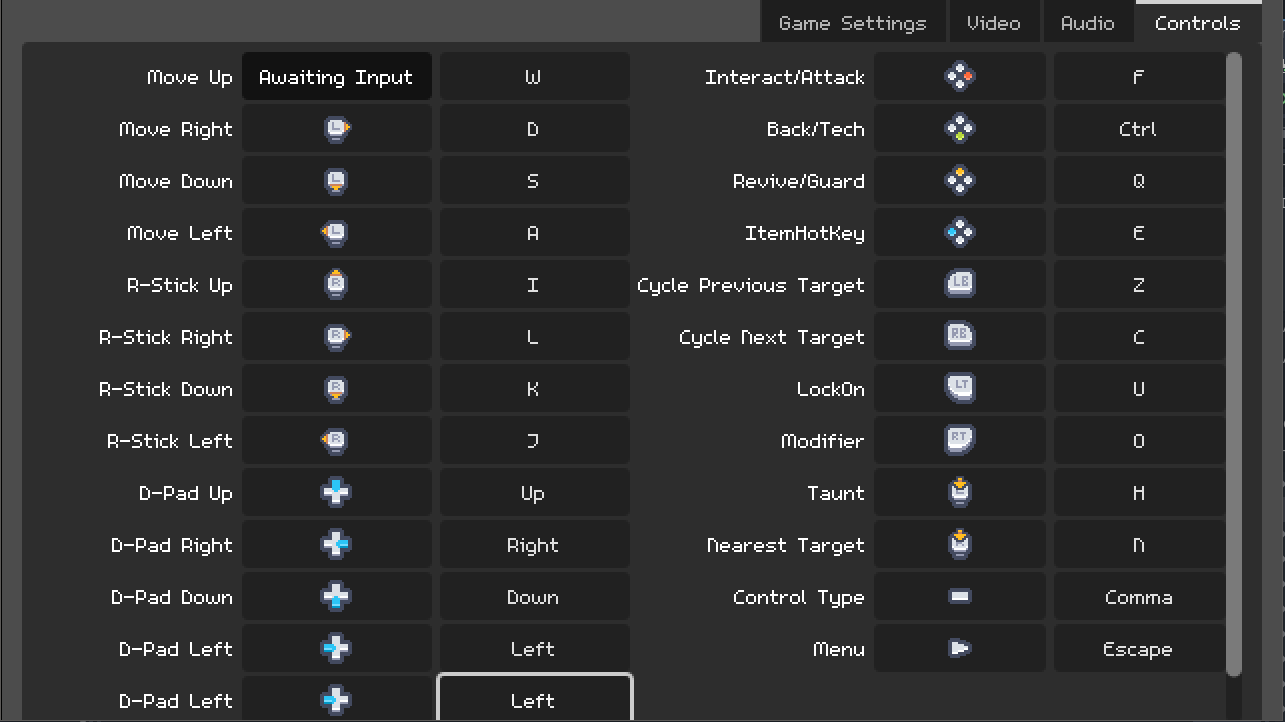
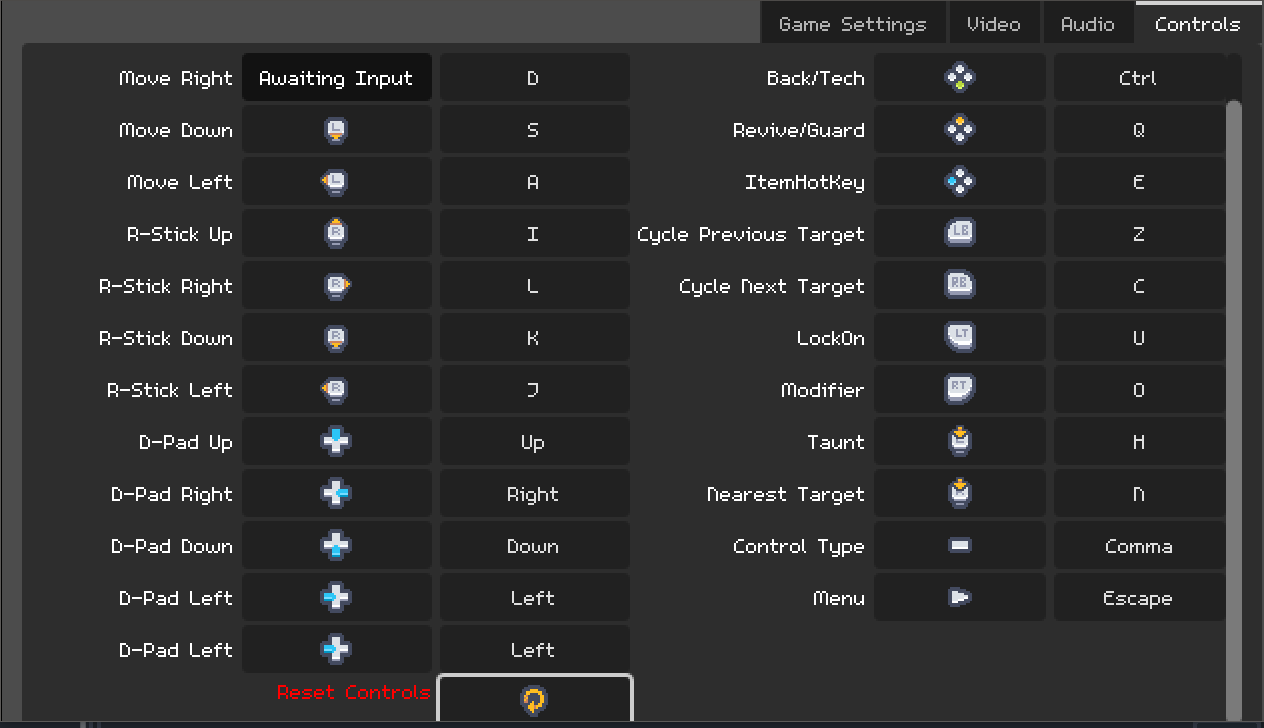
I tried the ScrollContainer, unfortunately it still has this issue. I duplicated a row of the controls to make sure that some items were outside of the viewport and that I could scroll down to them, but now if I do the same process of pressing a button and then pressing an event tied to “ui_down”, it has the button at the bottom of the screen grab focus. With the ScrollContainer it isn’t the button fully outside the viewport that is grabbing focus, but the one that is partially inside and partially outside, so it seems to be something with having a control node not fully within the viewport.
These pictures show the result of pressing a button, and then pressing “ui_down”. The “D-Pad Left” buttons are duplicated to make the Scroll Container have some extra length to test that it was working correctly. If I am scrolled all the way to the top, and press a button and then “ui_down”, the duplicate “D-Pad Left” button gets focus since it is partially outside of the viewport. If I scroll all the way down and press a button then “ui_down”, the “Reset Controls” button grabs focus since it is now the button that is partially outside the viewport.
For now, it’s an easy fix to just change the V Separation of the Grid Container I’m using to put all of the buttons closer, since if they are all within the viewport this problem doesn’t happen at all. But I would like to find the actual reason for why it seems that controls that are partially not in the viewport are able to grab focus with my setup.
I don’t know that we are going to be able to diagnose it with screenshots.
Here’s a link to a basic version of this issue. The V Separation of the Grid Container is set to 7, but if it is set to 2, the issue goes away. If it is set from 3 to 6, pressing a button and then the down arrow key for “ui_down”, the last button grabs focus. Once it is set from 7 to 11, this instead makes the penultimate button grab focus. To me it seems that once a button is partially out of the viewport, something is allowing it to grab focus when it shouldn’t be able to.
I’ve been having an issue with godot recently where after using the undo feature repeatedly, changes to objects in the inspector or even in code aren’t taking place and I keep getting an error message in the output, and I think this happened earlier with the Scroll Container fix, since I just tested again and this issue can be fixed by using a Scroll Container. For now I’ll either put a scroll container in or just have a blank control node grab focus so that nothing else can.
Thanks for the suggestions and help so far, I now have a way to mitigate this issue, but I do wish I knew what was allowing the partially out of view button to grab focus in the first place.
I see this is your first time using GitHub. Do not check in a zipfile. That appears incredibly suspicious. Just check all the files in. The entire project folder.
Should be fixed now, sorry about that.
So I took a look at your project. It looks like it may be a GridContainer bug. I’d recommend logging it as a bug here.
If it comes back, you can also solve it by just setting the first button to have focus.
extends GridContainer

@onready var button: Button = $Button


func _ready() -> void:
	button.grab_focus()