My (relatively) massive solo project is progressing resonnably well. Still too slow for me to feel comfortable with the timeline I’ve given myself (for important reasons), but I am getting there.
I’m looking into how to integrate UI visuals to have something more professional looking. Problem is that I can’t find any tutorial that goes pass “Here is the basic Grey button/UI”.
I need a more complete tutorial that shows a professional end result.
I’m also concern about UI scaling. My project is base on 1 resolution and the UI is kinda fixed in place. I have yet to make a “UI scaling option” nor a “Resolution preset”. Any good/easy way to implement this in my active project?
Extra note: There is some HUD that show information, but it is very minimal.
What I’m looking for is some complete tutorial that includes UI scaling AND Resolution scaling as “in-game options”. Preferably with some nice visual integration so it doesn’t look like a paint.jpeg menu (like I currently have)
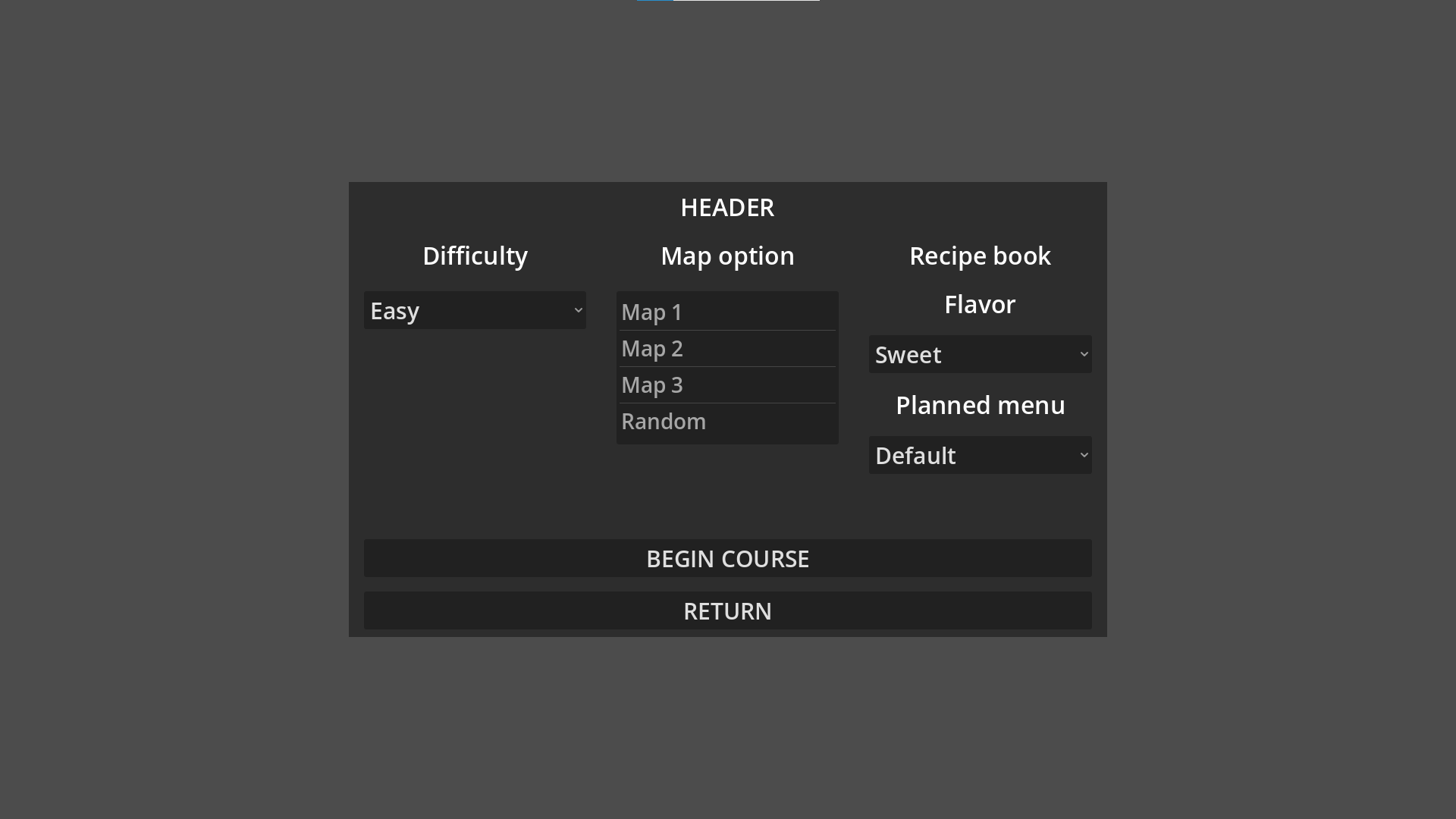
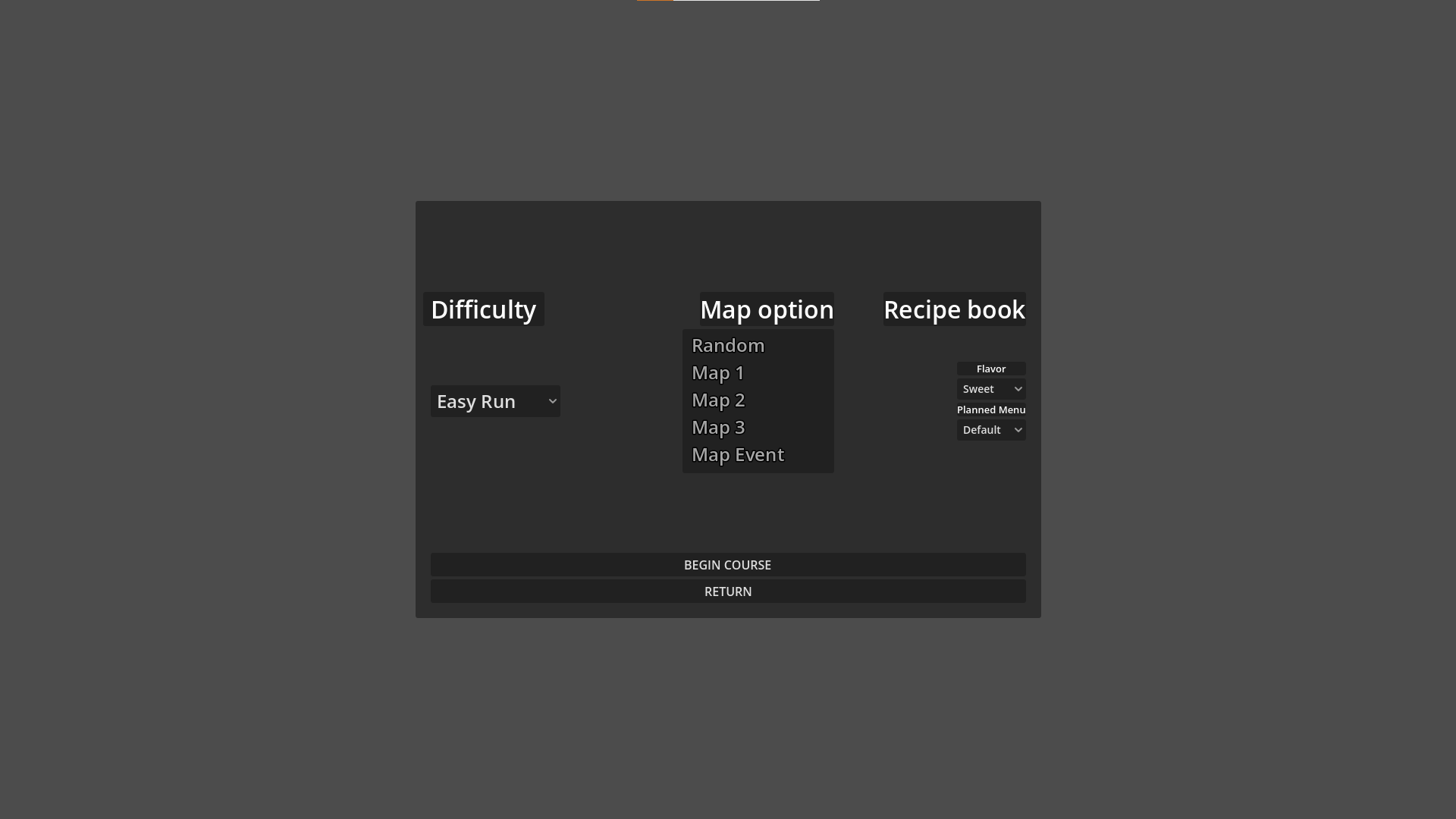
Whenever I change text size, the spacing I make to center everything properly ends up misaligned.
When I have simple buttons like my main menu, everything is fine since it 1 Vbox with 4 buttons. I just need to manipulate a few settings.
I get the feeling I’m complexifying things for no reason.
I’m currently in the “Make it good” phase, not yet to the “Make it pretty”.
So I don’t mind replugging buttons and updating scripts, but not redoing the whole thing from scrap.
EDIT: Don’t mind the very small Font size, it is “normal” since I,m exploring how to fix other things first.
I’ve struggled with UI scaling as well. My ‘solution’ is designing toward a targeted DPI (160) and then scaling everything at start-up based on the screen the app is running on.
var target_dpi := 160.0 # My development environment
var ui_scale := 1.0
var default_font_size := 16
var icon_size := Vector2(32, 32)

func _init_display():
	ui_scale = DisplayServer.screen_get_dpi() / target_dpi
	default_font_size = roundi(default_font_size * ui_scale)
	icon_size = (icon_size * ui_scale).round()
	# ...
I then have a couple helper classes. One iterates through the current Theme and updates everything that requires scaling (font sizes, borders, margins, etc.). The other generates appropriately sized icons from SVGs.
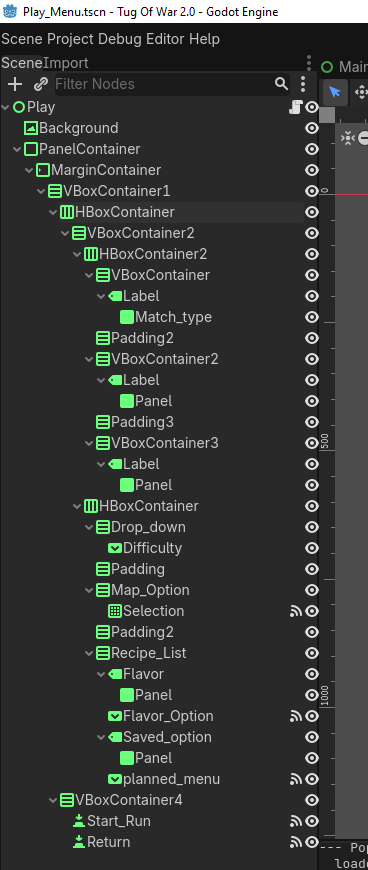
I agree your SceneTree looks a little too complex for what it actually is.
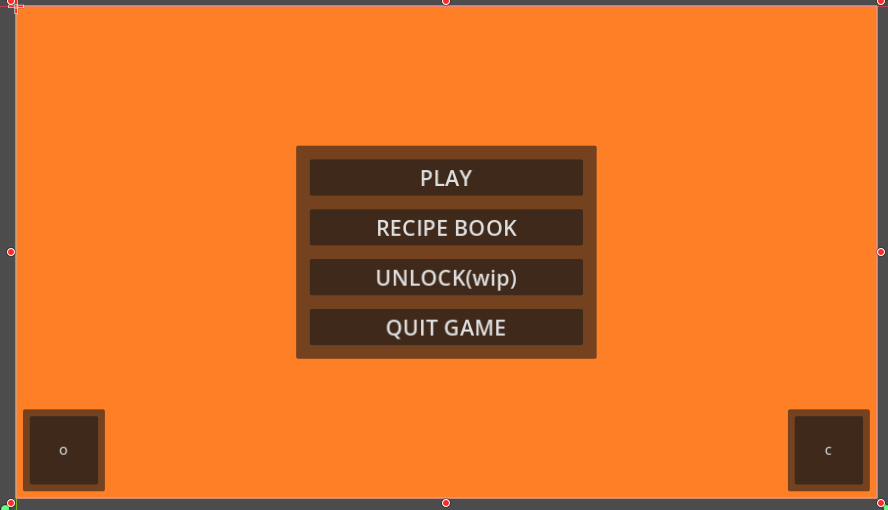
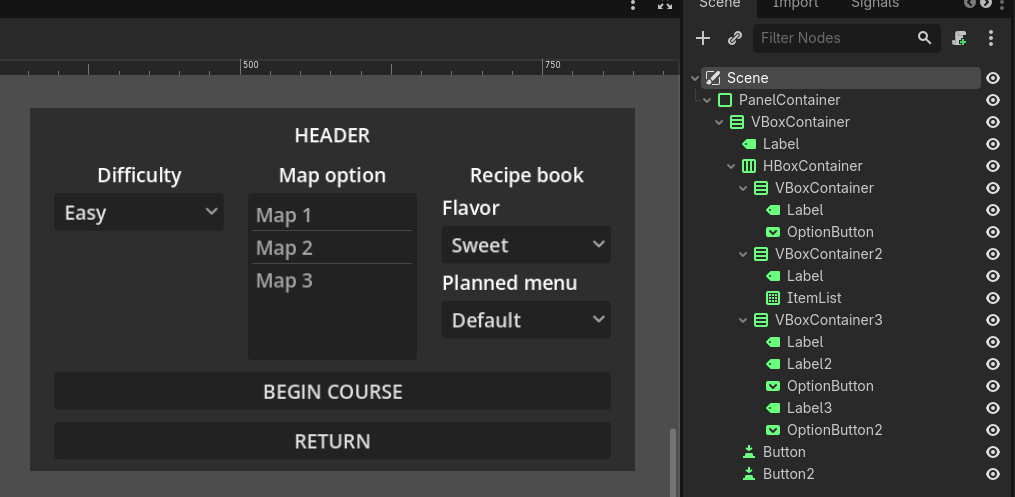
I tried recreating your scene and this is what I ended up with, see how much more compact it is, even though the content is basically the same:
I think you even can’t have any less Nodes than that, I used absolutely the minimum amount that would be required to build this Scene without changing the content.
Here’s the code if you want to see how it was created and play around with it:
I’m not saying that you’re not using them, but rather hinting that you should learn how to use them properly. From the Scene you showed I can deduct you may not understand them fully yet.
Hope you don’t get me wrong and will take this as an opportunity to grow. I’m looking forward to seeing your improvements soon be sure to share it here!
My implementation for Multi-Resolution UI scaling isn’t very visual - just code. I am considering making an addon out of it - but the code isn’t ready for that yet, and I just don’t have the time (it’s working well enough for me).
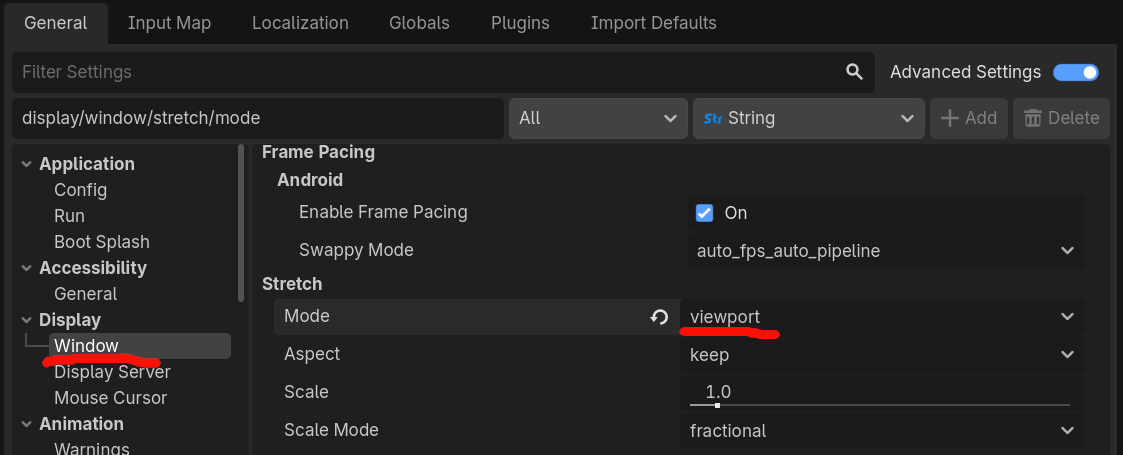
Unless you are really interested full multi-res support, I would just use the project’s stretch mode settings (it you aren’t already). Then, you’ll only have to worry about getting oneresolution looking good.
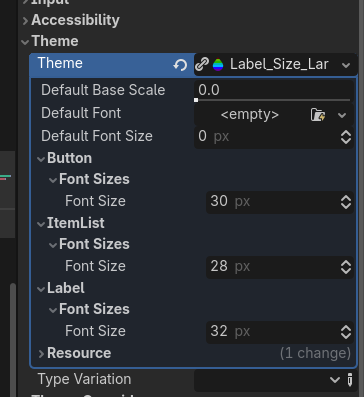
After following a quick tutorial, I’ve managed to figure out that I can also use Control picker to create different “Default size” depending on which controler I picked and added.
Basically, I assign 1 theme ressource the the Container, pick what controler and add what I want to affect.
Meaning I can have 1 “Master” theme for the font style and size, while still making “Sub theme” for more detailed modification. Could also use only 1 theme, but the options are there.
I decided to use* stretch mode to allow some smaller screen to still play without all the GUI ending behind each other. Planning to have some resolution option OR just able manual resizing while leaving the game playable.
P.S.: Ignore the weird viewport size. my screen seems to be not quite 1920x1080 (Despite what Windows says) It the only way I can control where the game goes on my screen if I want acces to Remote and other Editor setting while the game is running.
If you don’t need any more support for now in this area, mark some response as a solution to your problem, so that others know it has been resolved. You can always create a new topic in case you encounter new issues.
 be sure to share it here!