Godot Version
Godot 4.7.1 .NET Edition, obtained from the website
This also happened on 4.6.*
Question
There’s been a bug bugging me as of late and it’s been messing with my motivation to work on my projects.
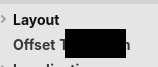
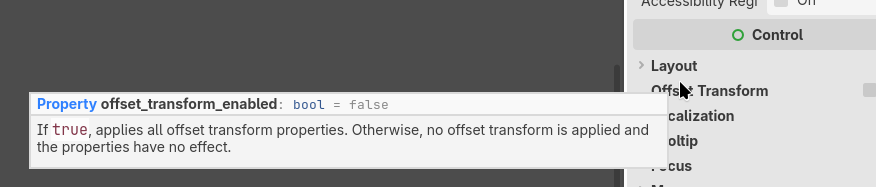
It seems Text, especially on tooltips, just does not render properly. Being covered by a black rectangle most of the time. This is largely inconsistent, but does appear more often in short tooltips, that are less than 2-3 lines in length.
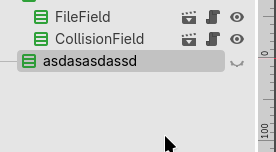
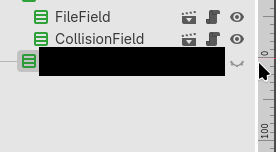
This also happens when renaming nodes. This bug is only present in the editor and i haven’t had any issues with the games themselves. Upon further testing, it seems that the bug is dependent on where the mouse is.
This happens on multiple projects too but just on the editor
My hardware and software setup is far from conventional so i am sure it could be of cause.
Hardware wise, i have a Ryzen 7 7700X, 32GB of DDR5 Ram, a somewhat faulty motherboard (Audio on it was dead on arrival, otherwise works okay) and importantly, an Intel Arc Battlemage B580 12GB graphics card. Which i believe might be responsible.
On the software side of things
I’m using Fedora 43 KDE.
My KDE Plasma version is 6.7 and i recently updated, though this bug predates the update. As X11 is largely deprecated i am using Wayland and i’d rather not switch to X11 as that would likely break a lot of things. Since i am using The B580 GPU, the xe drivers are what i am using and they have been updated though it didn’t fix this issue. The xe drivers are the only drivers supported by my card, as the older i915 drivers by Intel were deprecated on Battlemage.
Interestingly, i don’t believe this bug happened on Arch Linux, with the same hardware.
This also does not happen on my Framework 13 AMD Ryzen 7640U laptop
Attached is a few images of the bug in action.
The initial bug, and how inconsistent it is
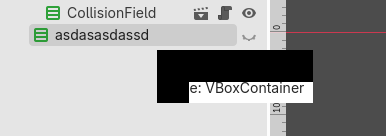
A small tooltip being covered