Godot Version
v4.1.1
Question
Hey guys, so basically I want to read a Json, I made a test script to check if the tutorial I watched would work. Turns out it doesn’t maybe they used an older version or I made a mistake. But here is the code from the test script.
var jsonData = {}
var jsonFilePath = "res://Json/Anfragen.json"


# Test Script
func _ready():
	jsonData = load_json_data(jsonFilePath)
	var jsonText = jsonData["1"]["007"]["+"]["G"]["0"]
	print(jsonText)

func load_json_data(filePath: String):
	if FileAccess.file_exists(filePath):
		var dataFile = FileAccess.open(filePath, FileAccess.READ)
		var parsedResult = JSON.parse_string(dataFile.get_as_text())
		if parsedResult is Dictionary:
			return parsedResult
		else:
			print("Errror!")
	else:
		print ("Error 2!")
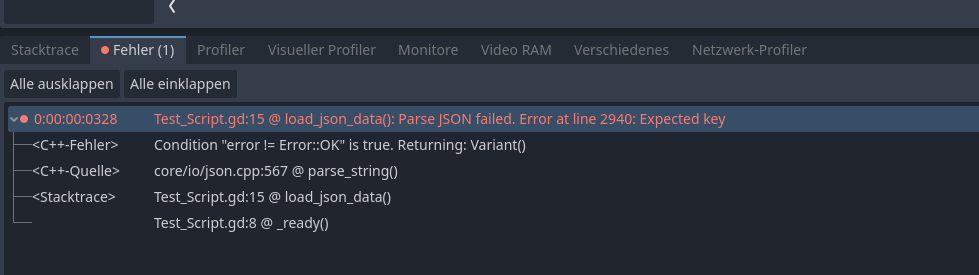
The code crashes in “var jsonText = jsonData[“1”]… etc”. While I double checked the right file path and the right dictionairy place, it still shows me the Error code “Parse JSON failed” but non of my print errors.
Pls help guys.