Why are my RigidBody2D mobs sometimes teleporting? Need some help

Godot Version

Godot_v4.7.2

Hey everyone :hugs: ,

I’m working through the official Dodge the Creeps tutorial and running
into a weird issue with mob spawning.

Most mobs spawn correctly at the screen edges, but some of them
teleport
— they appear in the wrong place or suddenly jump instead of
spawning at the edge :worried: .

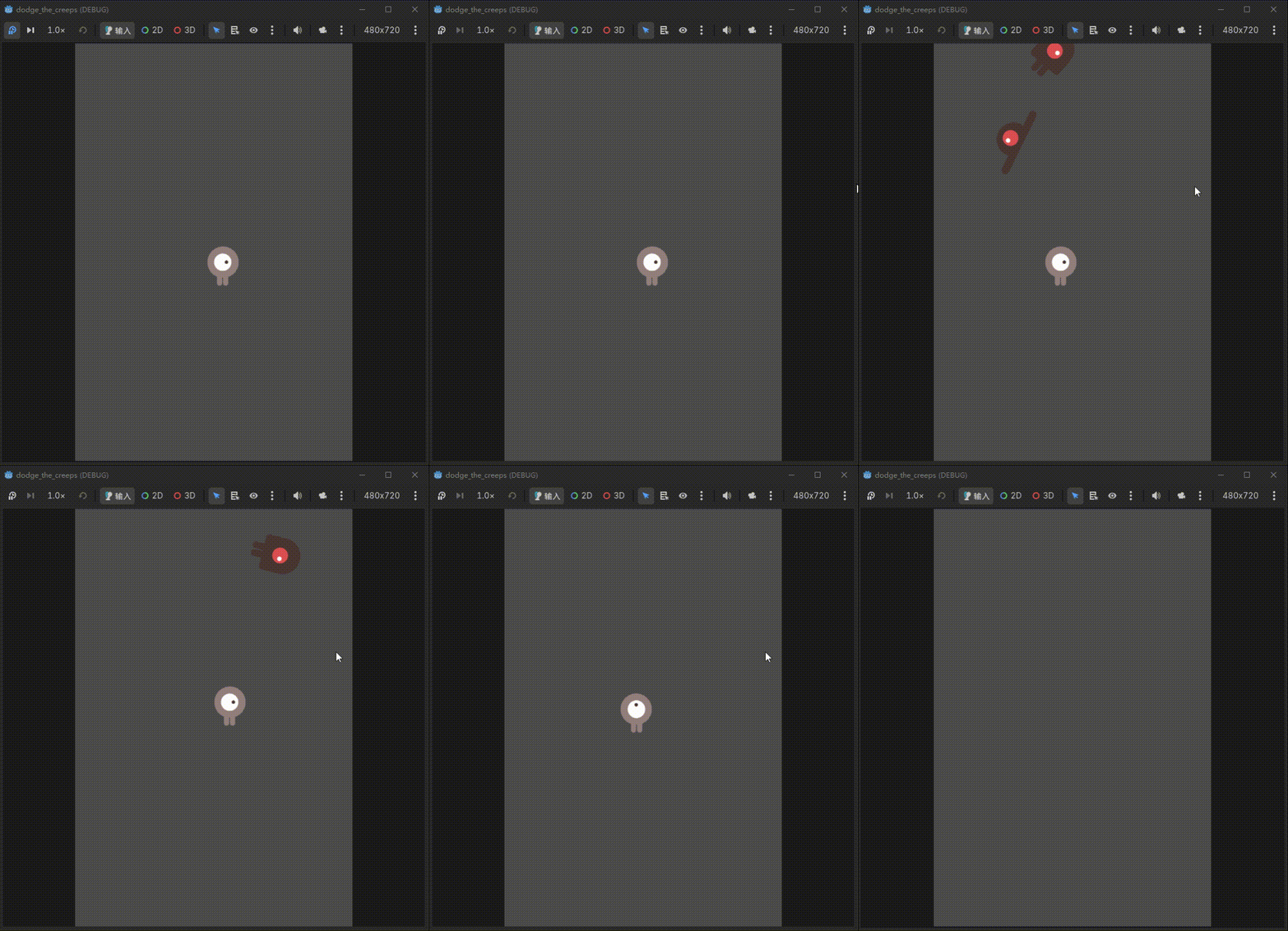
GIF of the issue:

question_1

What I expected:
All mobs should spawn at the screen edges and move inward.

What actually happens:
Some mobs teleport or appear from somewhere unexpected.

Code (main.gd, mob spawning):

func _on_mob_timer_timeout() -> void:
    var mob: RigidBody2D = mob_scene.instantiate()

    var mob_spawn_location = $Path2D/MobSpawnLocation
    mob_spawn_location.progress_ratio = randf()

    mob.position = mob_spawn_location.position

    var direction = mob_spawn_location.rotation + PI / 2
    direction += randf_range(-PI / 4, PI / 4)
    mob.rotation = direction

    var velocity = Vector2(randf_range(150.0, 250.0), 0.0)
    mob.linear_velocity = velocity.rotated(direction)

    add_child(mob)

What does your scene look like in editor? Is your Path2D in the correct location?

Thanks, the issue is resolved :hugs: .
I’d like to share my troubleshooting process:

Symptom:
The mob didn’t spawn from the edge of the screen; instead, it appeared right in the middle of the screen, directly in front of the player. At first, I thought the path was drawn incorrectly or there was a flaw in the randomization logic.

Troubleshooting:
The Path2D curve encircles the screen :white_check_mark:
The MobSpawnLocation type is PathFollow2D :white_check_mark:
The parent-child relationship (direct child of Path2D) is correct :white_check_mark:
Spelling checks passed :white_check_mark:

Solution:
I changed the line mob.position = mob_spawn_location.position to mob.global_position = mob_spawn_location.global_position, and the positioning was immediately fixed. It turned out the Path2D’s position wasn’t at (0, 0):sweat_smile: .

Conclusion: I believe it is best to use global_position whenever handling assignments or transformations (movement, scaling, rotation) across parent nodes.