Why does sampled occluder depth differ greatly from computed depth for the same projected point?
I tried to make a 3d point lighting for 2d top view game this way:
I have heightmap polygons and textures I render to different render layer and capture via heightmap canvas.
Next I render 3d scene from light perspective using the heightmap viewport texture as terrain heightmap, writing depth as pixel color value.
Next I render full-screen postprocessing overlay, where I calculate 3d position of 2d input vertex, project it to 3d point light camera clip space and calculate depth using the same formula as used for rendering 3d camera viewport.
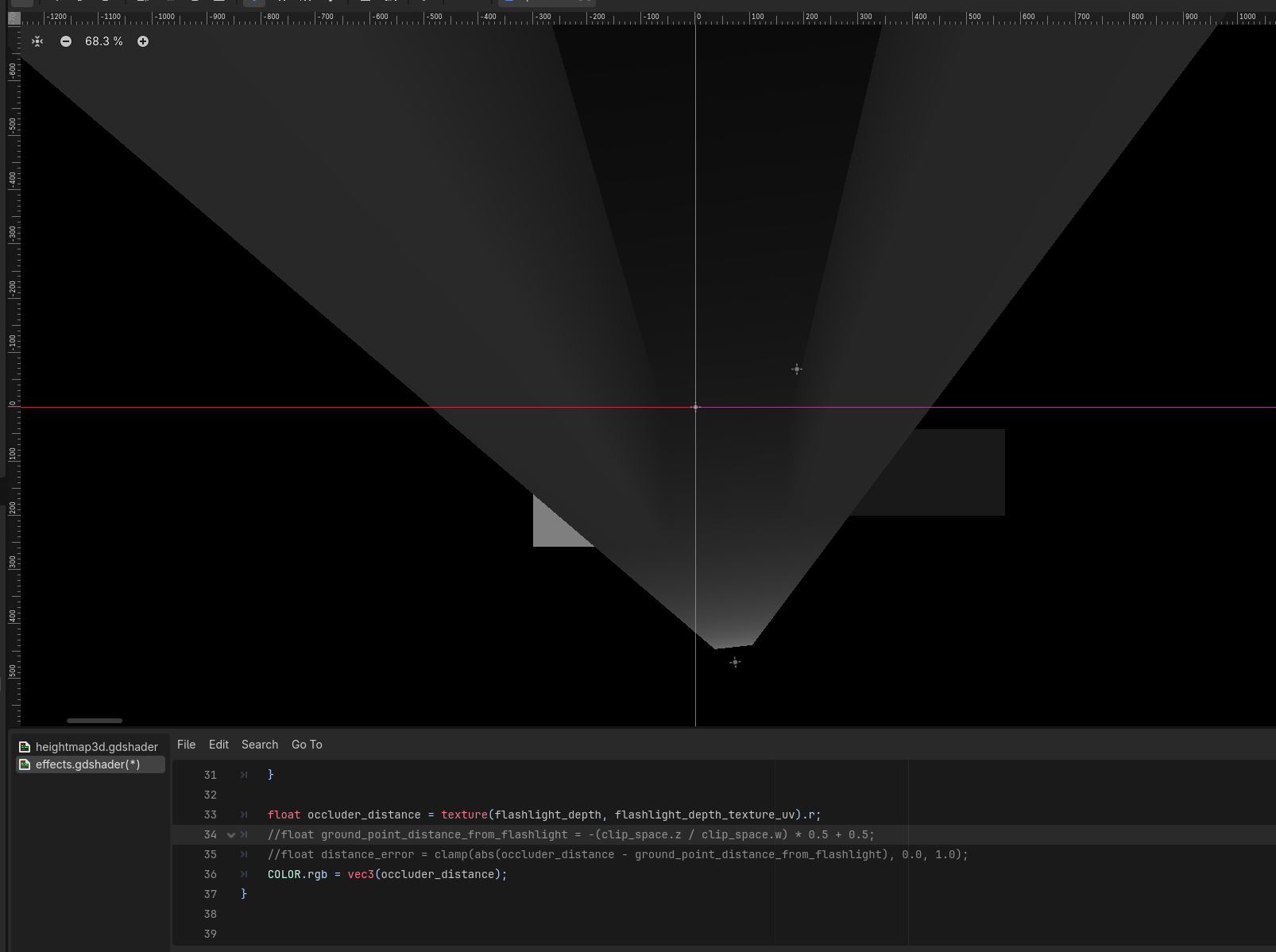
I sample the depth texture I got from 3d viewport and compare it against calculated depth to do shadow and light mapping. The idea was if I get some difference > eps then the point was occluded. Non occluded positions should have point light texture overlay drawn.
The problem is I get this difference everywhere, even where I have height = 0 on my heightmap and no occluders are in the way. What could be the reason I get this depth value divergence?
Light is not aimed horizontaly, its pitch is 20 degrees below horizon. That’s because I want to simulate the light source is at some height (flahlight in player hands) and the shadows to be limited in length.
The transparent region on the depth image is transparent background in 3d world (sky).
@normalized how could marching help here? I just do regular shadow mapping, like in this tutorial LearnOpenGL - Shadow Mapping, but for flashlight-style point light (this is why I use perspective projection), and the viewer camera is opposite - orthogonal top-view projection instead of first person perspective.
You can’t do shadow mapping without the depth buffer, or in this case, since you don’t render geometry, without marching. How would you know what the particular light ray sees if multiple heights can be hit by the same ray. You need to determine the closest hit. When you render geometry this is taken care of by the depth buffer. Without the geometry you can’t utilize the depth buffer and you need to sample the heightmap going step by step from the camera until the sample height is higher than the ray height. Then write the depth the ray reached into the depthmap.
Yes, VERTEX in flashlight perspective shader is in plane mesh model space. After I do manual modelview transform its now in camera space. In fragment shader its in clip space as FRAGCOORD, and I tested my formula with projection matrix and FRAGCOORD.z - they are equal. I kept my formula instead of FRAGCOORD.z to show I do same projection in both shaders.
Well you can’t get the proper world coordinate to read the height from like this. You’re taking the vertex xz where the ray hits the ground plane. If it hits something that sticks out that’s closer than that it will miss it and take the ground xy that’s “behind” it along the same ray. Your sample point will be incorrect. Hence - you need to march the ray.
I agree, the height is missing from that point being projected, but it differs not only in occluded regions, but everywhere else where height is equal to zero, and that projected point does match with terrain surface, as there is no elevation neither there not in the path from the camera (there is nothing “behind”, i project right onto the ground plane in these regions).
Like if that only would be the problem I would have black all those regions on the first image in my question, I marked should be black.
You’re also reading the heightmap at UV, which may or may not correspond to world XZ, depending on the setup. So you should at least transform world XZ to heightmap UV.
Check the scene please. I took care there so they should match, but I agree I have an error somewhere. Because of how UV correspond to world XZ, looking at the scene setup would be very usefull. I set plane size to heightmap size there: var camera_view_size := camera.get_viewport_rect().size / camera.zoom var world_size := camera_view_size * shadow_map_coverage var plane_mesh := mesh_instance.mesh as PlaneMesh plane_mesh.size = world_size
It’s almost the same if I render just depth sampled from texture, because ground_point_distance_from_flashlight is almost everywhere one order of magnitude (5-10 times) smaller, and the difference between them looks almost like just sampled distance ((a - b) almost equal to a alone, because b is always relatively much smaller than a
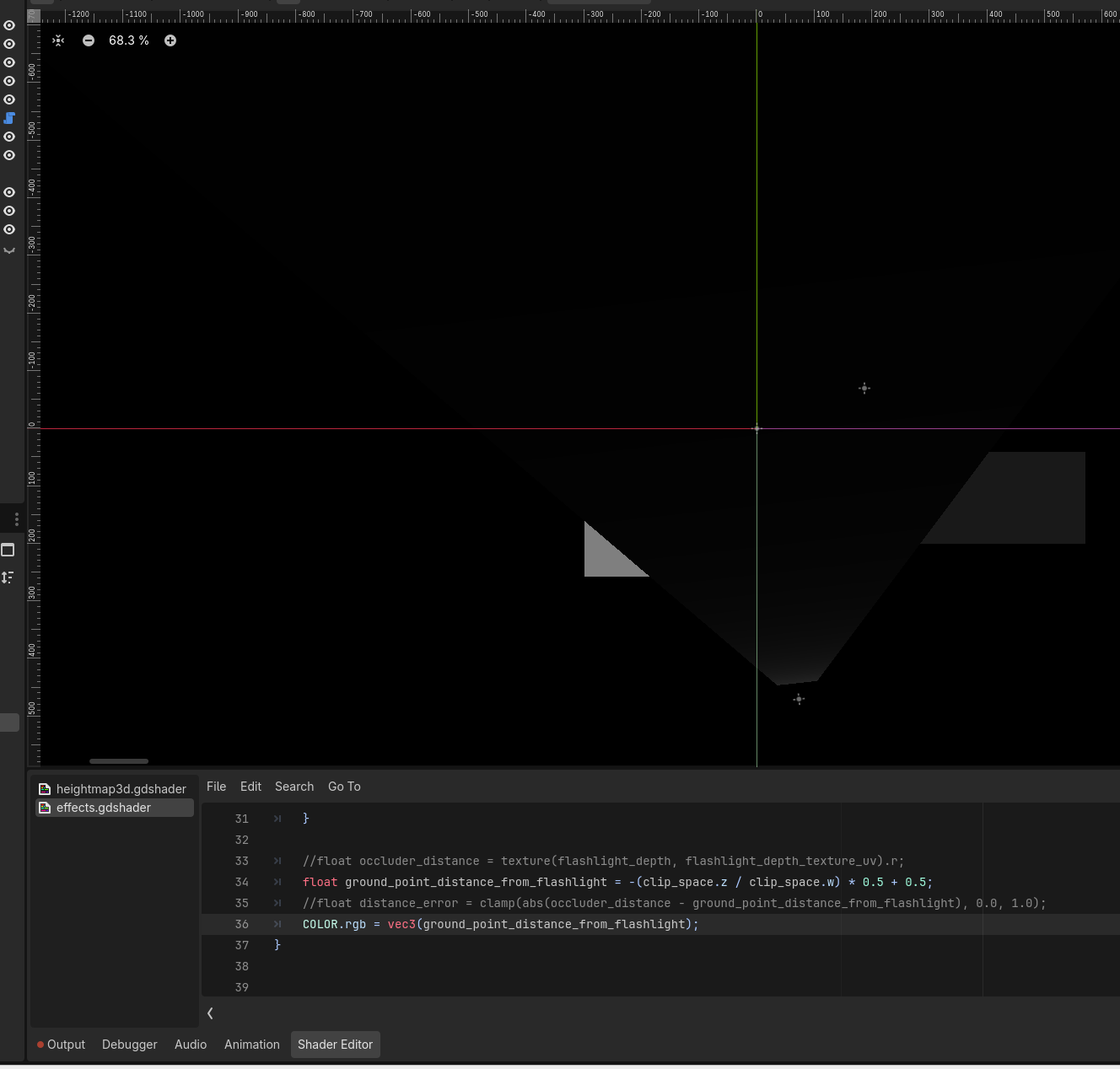
Here the opposite - ground_point_distance_from_flashlightm instead of sampled occluder distance is rendered. As you can see - in all regions it is much darker.
Well is your 3D ground quad matching in size with your 2D world? What happens if you enlarge the ground plane? (Note: not scale, because you’re working in object space)
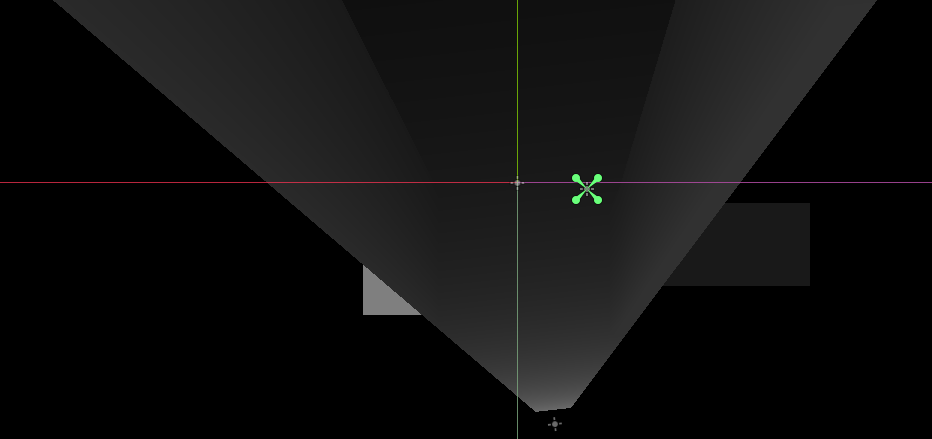
if I enlarge plane mesh 1.5 times, and draw sampled occluder distance I get this. The positions of height polygons now do not match in the rendered overlay (they are bigger in both dimensions). var world_size := camera_view_size * shadow_map_coverage * 1.5