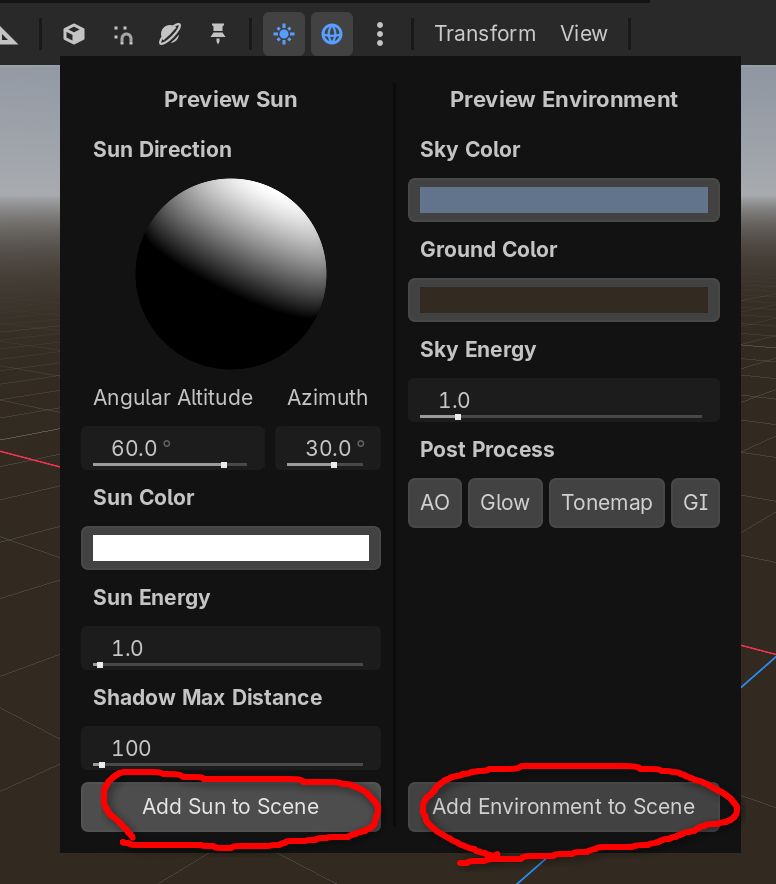
Godot Version
v4.6.3.stable.nixpkgs [35e80b3a8]
Question
I bet everyone knows this - when you make a new scene, without light and without environment - the scene looks absolutely pitch black in game, even though it looks alright in the editor.
Observed experiments:
- No Light3D, no WorldEnvironment: The scene is absolutely pitch black in the game, visible in editor
- No Light3D, yes WorldEnvironment: The scene is … better in game, still not plenty visible
- Yes Light3D, yes WorldEnvironment: The scene looks pretty much the same as editor
Now I think I understand the why - Godot wants the editor to be reasonably usable even when in-game the environment may be dark, or the programmer just didn’t add light yet.
Example repo: GitHub - richard-hajek/godot-lightning-sample · GitHub
My question is:
- What exactly is the mechanism? Does Godot add a special light if one is not present and a special WorldEnvironment if one is not present?
- Where would I find the exact definitions of the WorldEnvironment and Lightining it injects into the scene? Because it looks alright
- Can I convince the editor view to not do this? In case I want the scene to look as closely as possible to the in-game visuals
Thanks!