Why is TileMapLayer Cell 0,0 not equal to origin in isometric layout?

Godot Version

4.4

Question

I have the following setup. The white rect indicates 0,0 where the TileMapLayer is positioned
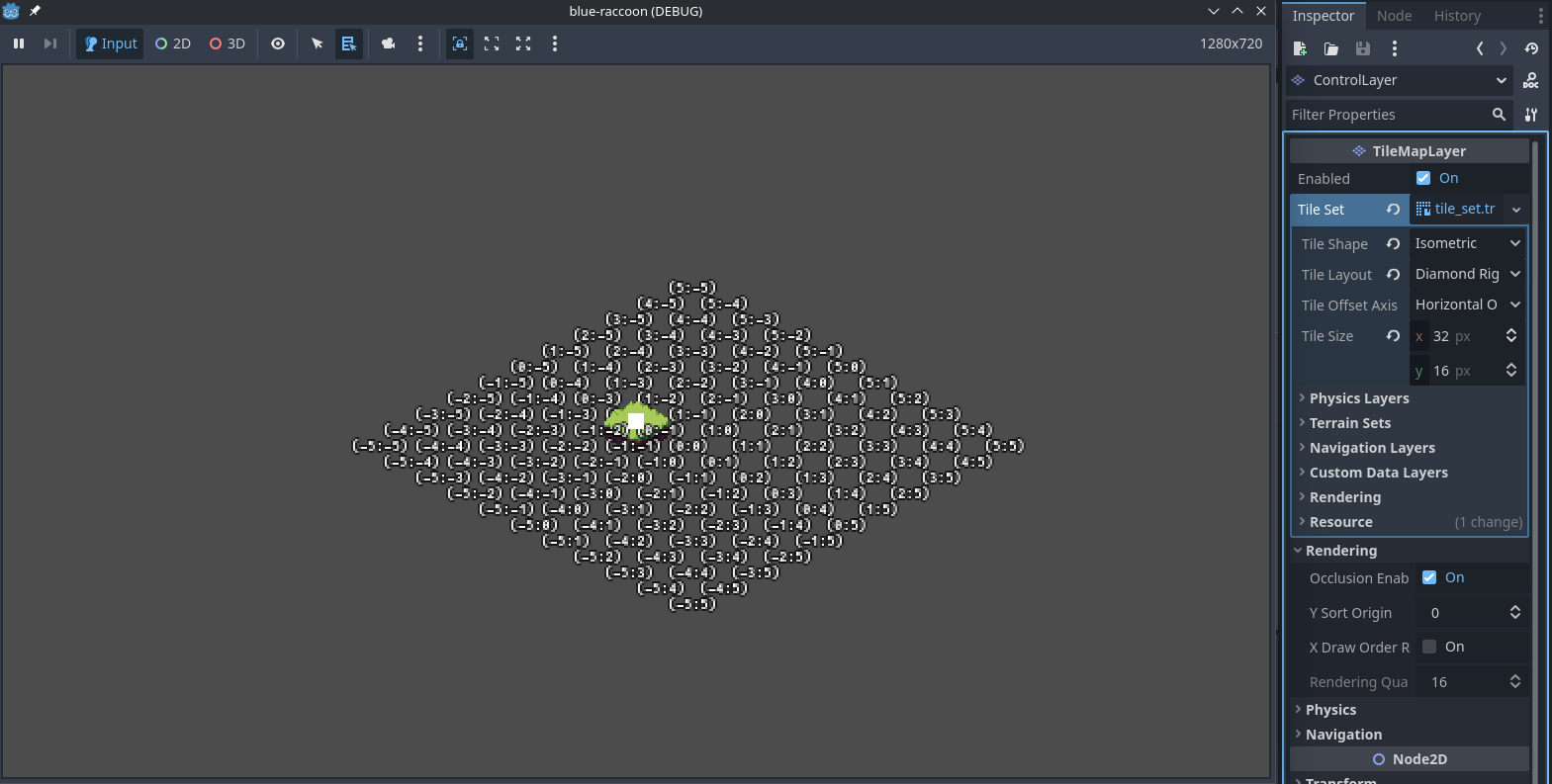
I’m surprised to discover that cell (0,-1) is at local position (0,0) and not cell (0,0). I thouht I had an error in my generator that my tiles where offset, but it turns out to be a quirk of the TileMapLayer, which seems counterintuitive. Or is there something wrong with my setup?

Having learned that, i’ll now offset my isometric layer positions by half a tile. But I can’t stop wondering, if I have some more general error in my config or whether i’m just being pedantic here.

I found a lot of posts related to whether the local position would be centered, top left or somewhere else. This has nothing to do with my question. I’m really just confused about which cell is (0,0)

1 Like

Maybe because the tile size is not a square? Or maybe not (I haven’t tried using isometric tiles).

Also had a similar question when trying to set up isometric tilemap.

It would seem that for every type of tile shape (hexagonal, square, isometric) the tile [0,0] is generated with local zero at top-left corner - you can see that by switching around the Tile Shape in editor. I believe such a decision helps with consistency. With isometric tiles, it just so happens that the upper-left corner of the tile [0,0] is in the center of tile [0,-1]. For example, this won’t be the case for hexagonal tiles.

As for the fix - I also found no global parameter or setting that would switch the origin of the tilemap, so offseting the position like you did seems to be the way around.