Godot Version
Godot Engine v4.4.1
Question
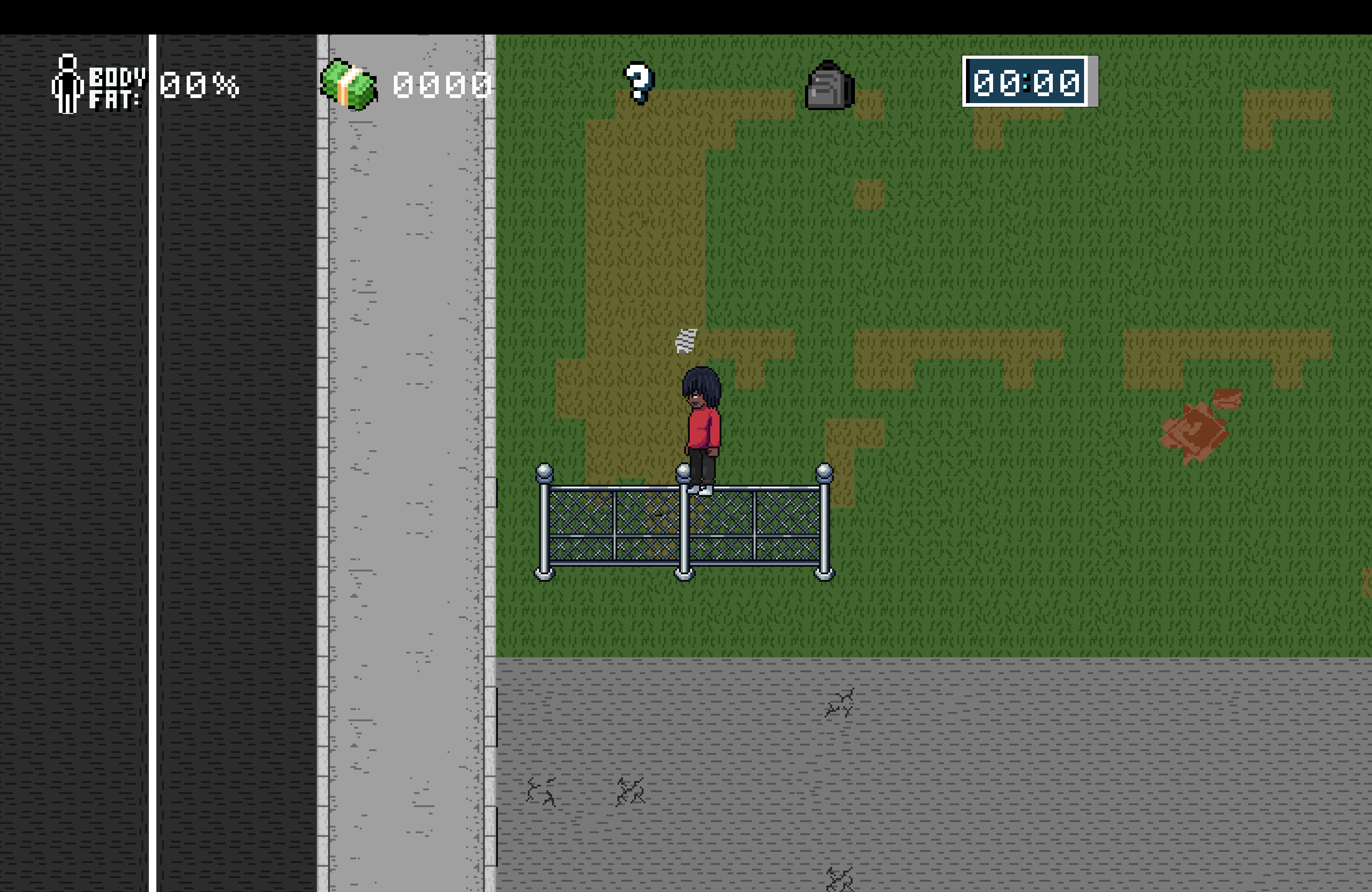
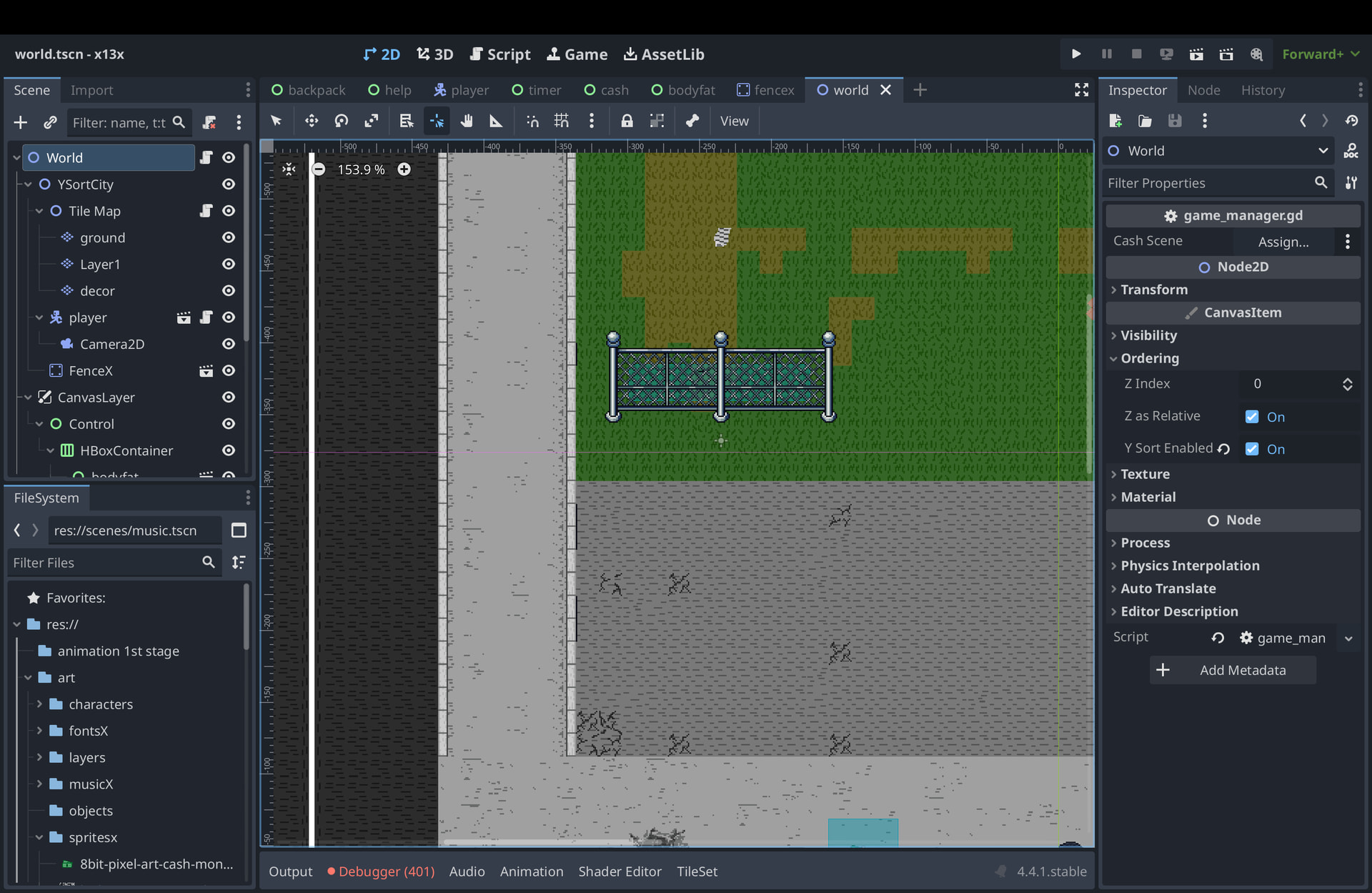
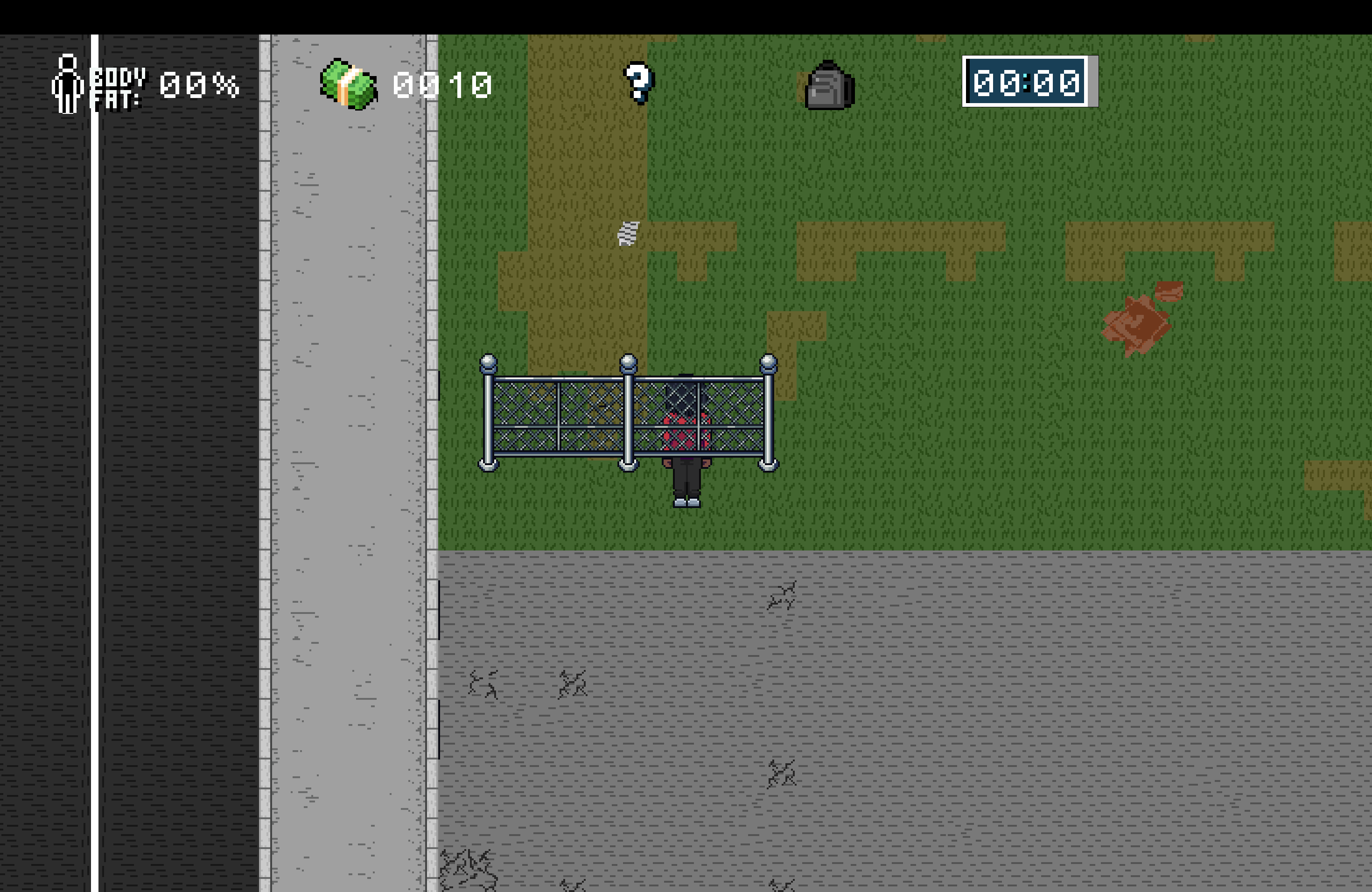
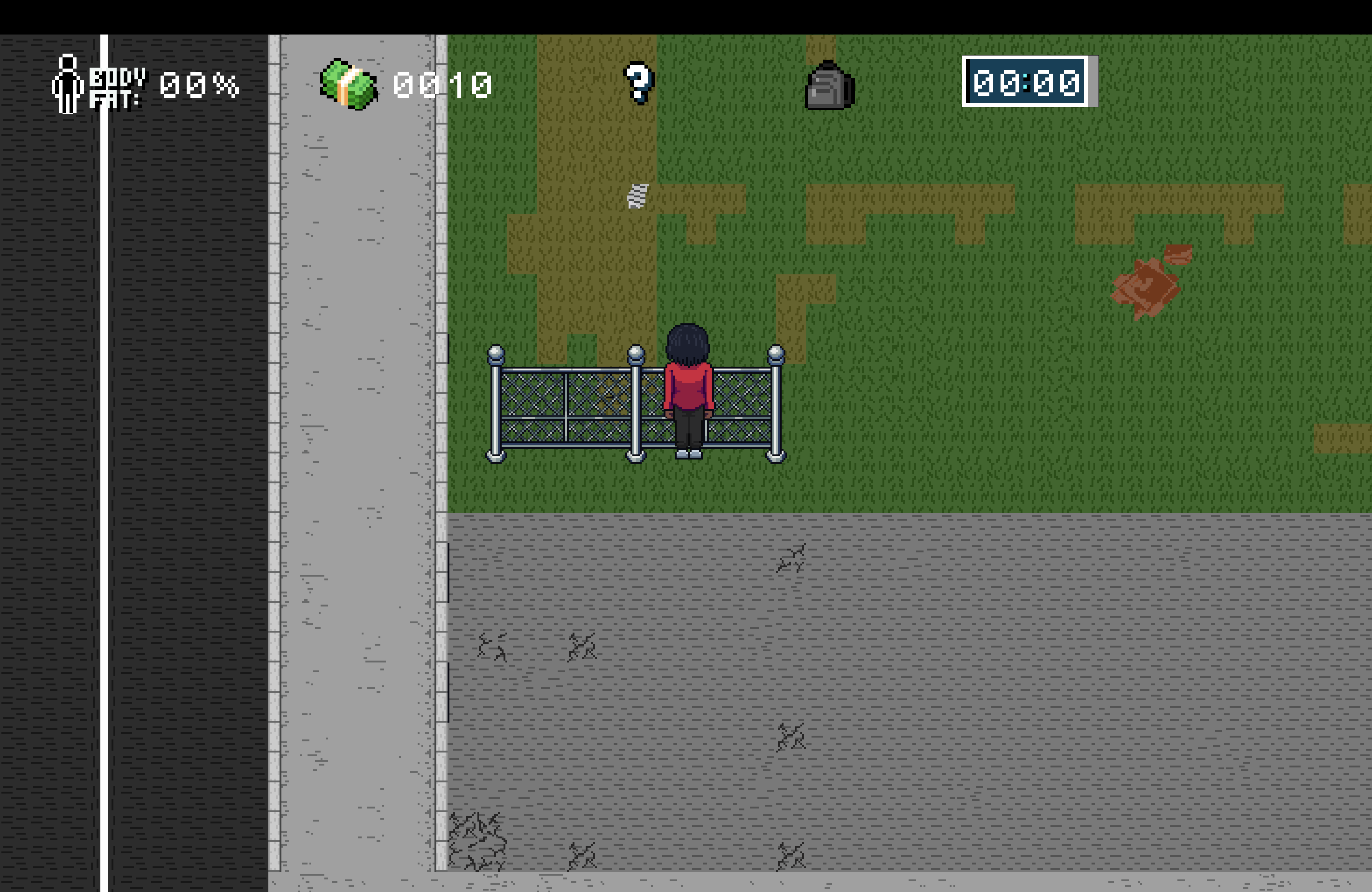
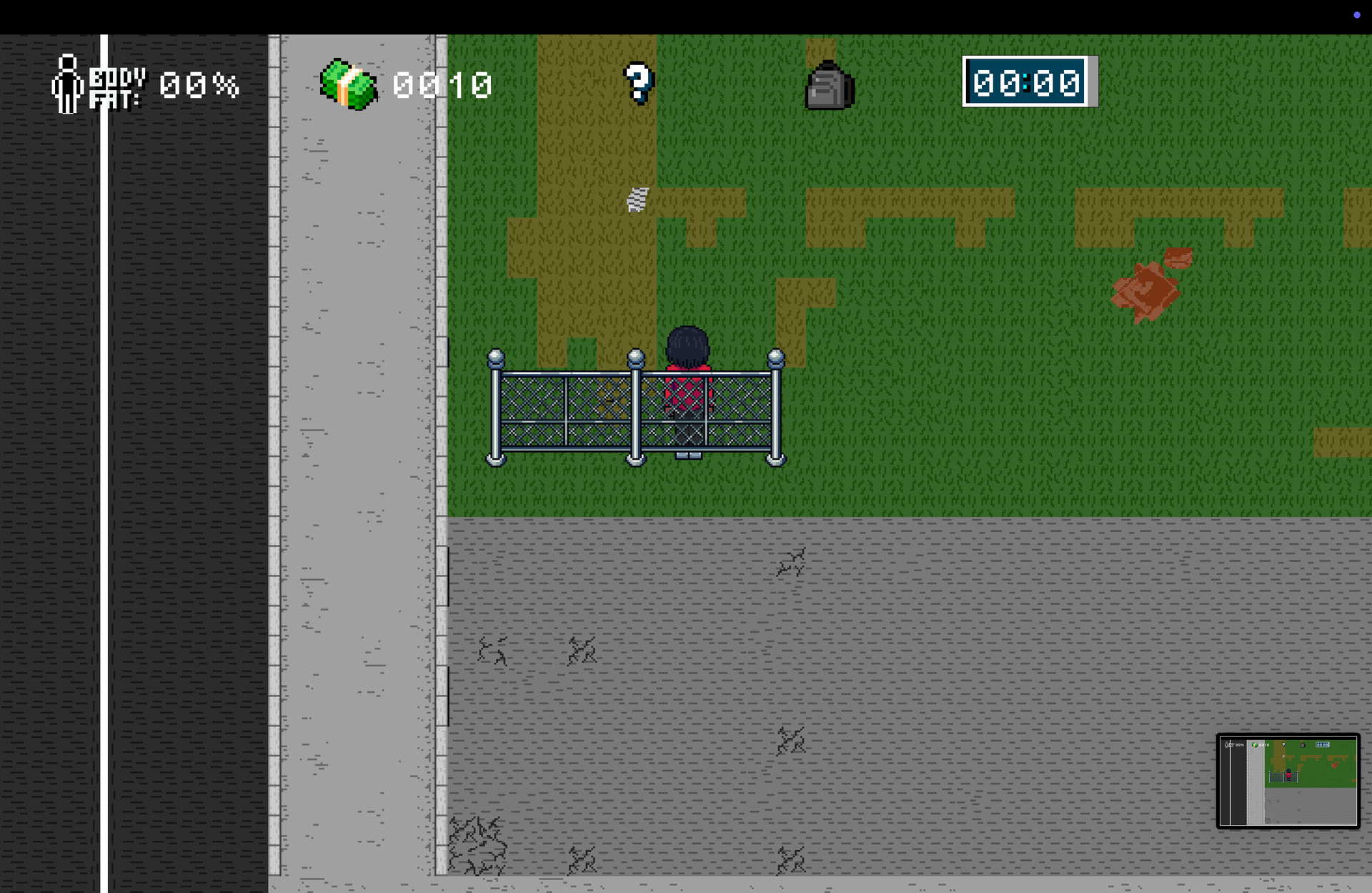
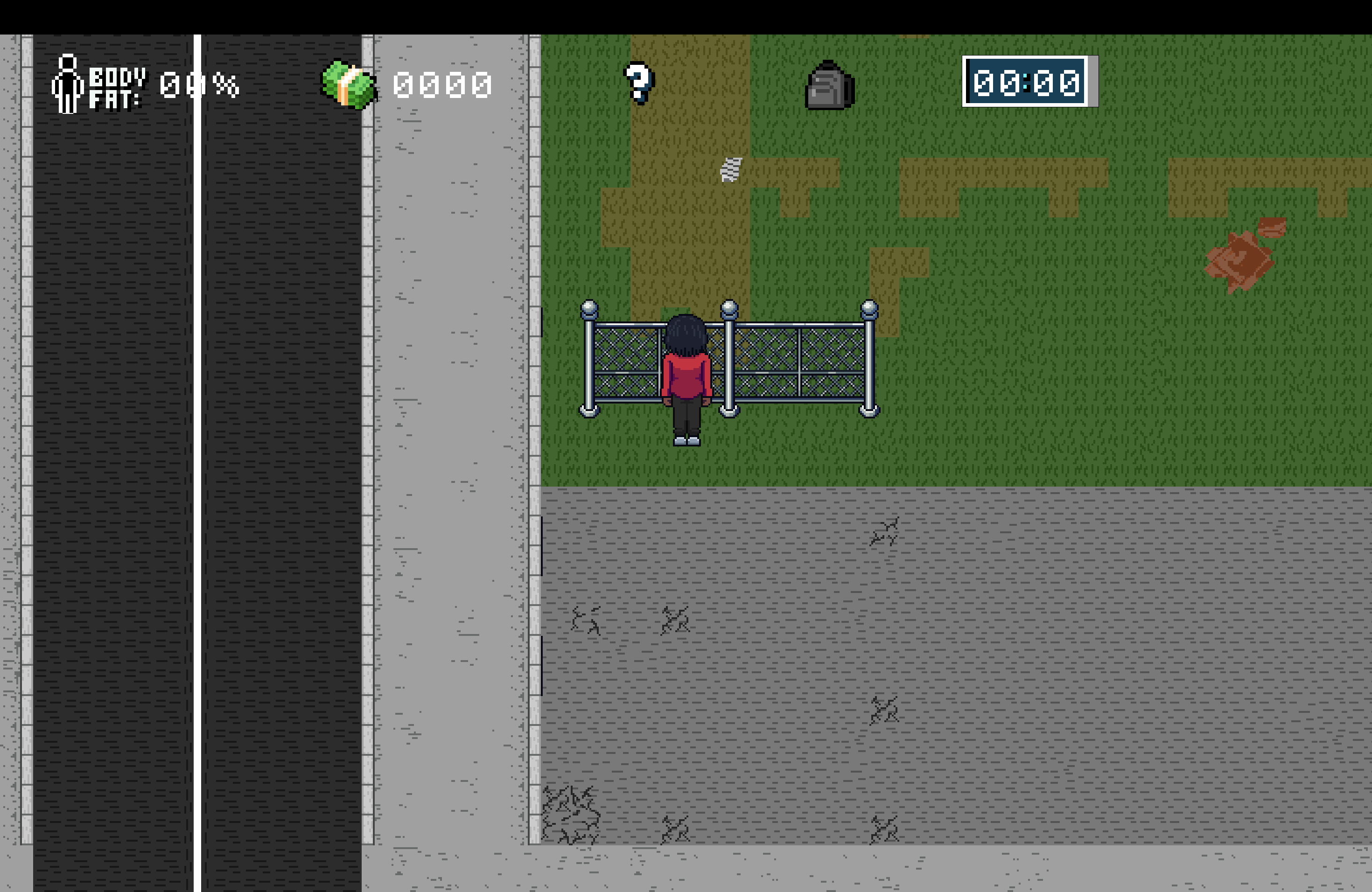
Hi everyone, I’m running into a problem with YSort in Godot 4 and I’m hoping to get some guidance. I’ve been trying to make my player character appear behind fences in a top-down style scene, but it keeps drawing on top of the fence post when I walk behind them. How do I Y sort correctly? Below is what my nodes look like + what it looks like when I try to walk behind
My World node has Z Index 0, Z as Relative enabled, and Y Sorting enabled. My YSort node is inside the World node and has Z Index 0, Z as Relative enabled, and Y Sorting enabled. Inside the YSort node I have a TileMap node with Z Index -1, Z as Relative enabled, and Y Sorting enabled, and that TileMap contains TileMapLayer child nodes. Also inside the YSort node I have my Player, which is a CharacterBody2D, with Z Index 0, Z as Relative enabled, and Y Sorting enabled, and the player has an AnimatedSprite2D as a child. I also have FenceX, which is a StaticBody2D inside the YSort node, with Z Index 0, Z as Relative enabled, and Y Sorting enabled, and the fence visual is an AnimatedSprite2D child of that StaticBody2D.
separate the sprites of the thingy i forgot the name but its made of metal
then make the upper one’s y sort be higher than the characterbody2D and the downer one be
lower than the characterbody2d, and for last, just put a colision in the center so the player doesnt go throught it (i think it would work)
TLDR: The piece of the puzzle you’re probably missing is probably using the sprites offset value.
Make sure you have the z level the same if you want y-sort to do anything.
Make sure y-sort is enabled for both and their parent nodes up until the closest shared parent node.
For top-down view you’ll generally want the origin point of static object sprites to be at the back of the collider. And for other sprites you’ll probably want the origin point to be at the bottom.
So in you’re case, I imagine the origin point of the player sprite should match the bottom of the feet and fence origin point should match the back of the fence hitbox. This way, the player will appear behind the fence right when they can move behind it.
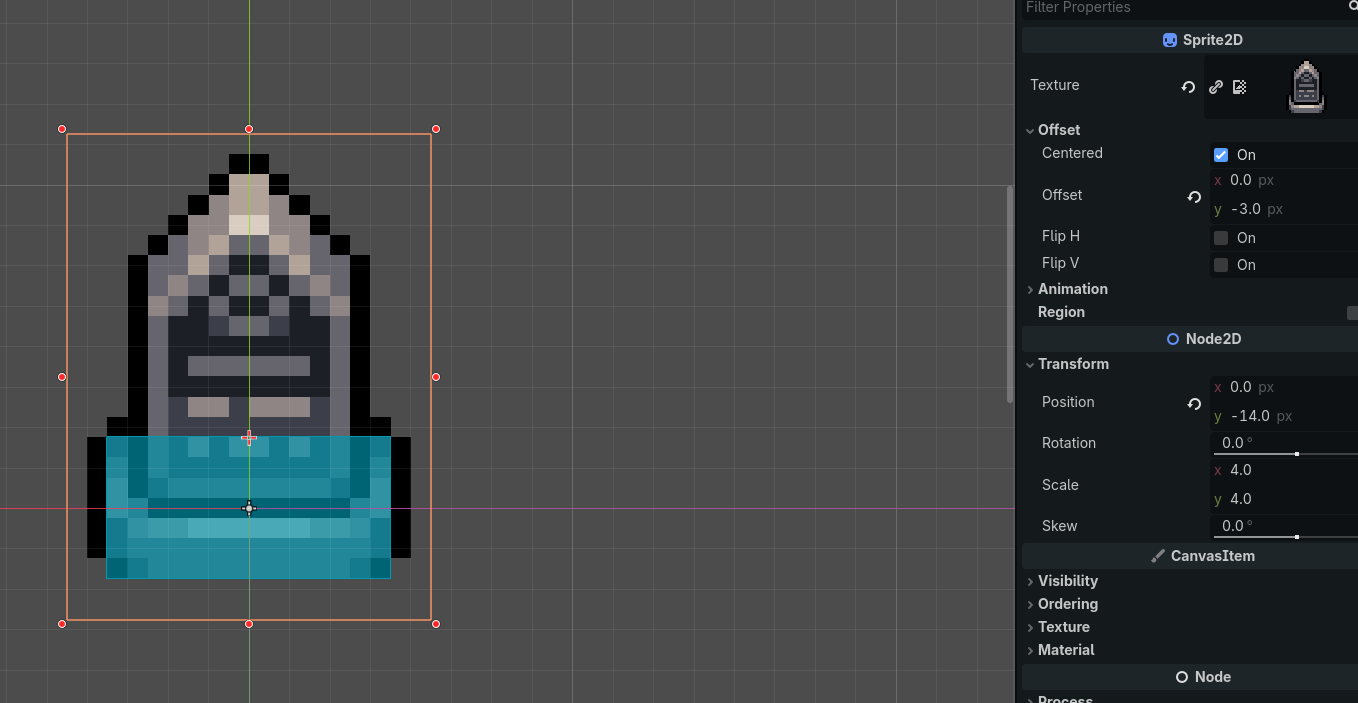
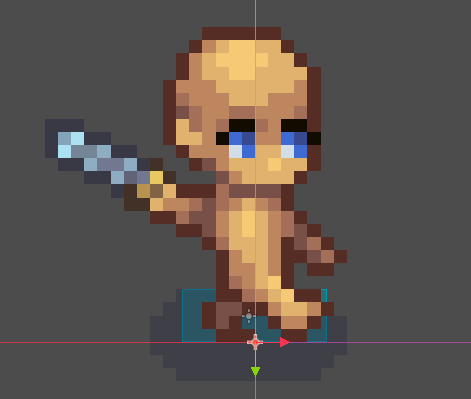
Here’s an example of how I did it with a gravestone. Note the orange crosshair indicating the sprite origin and the adjusted sprite origin and position.
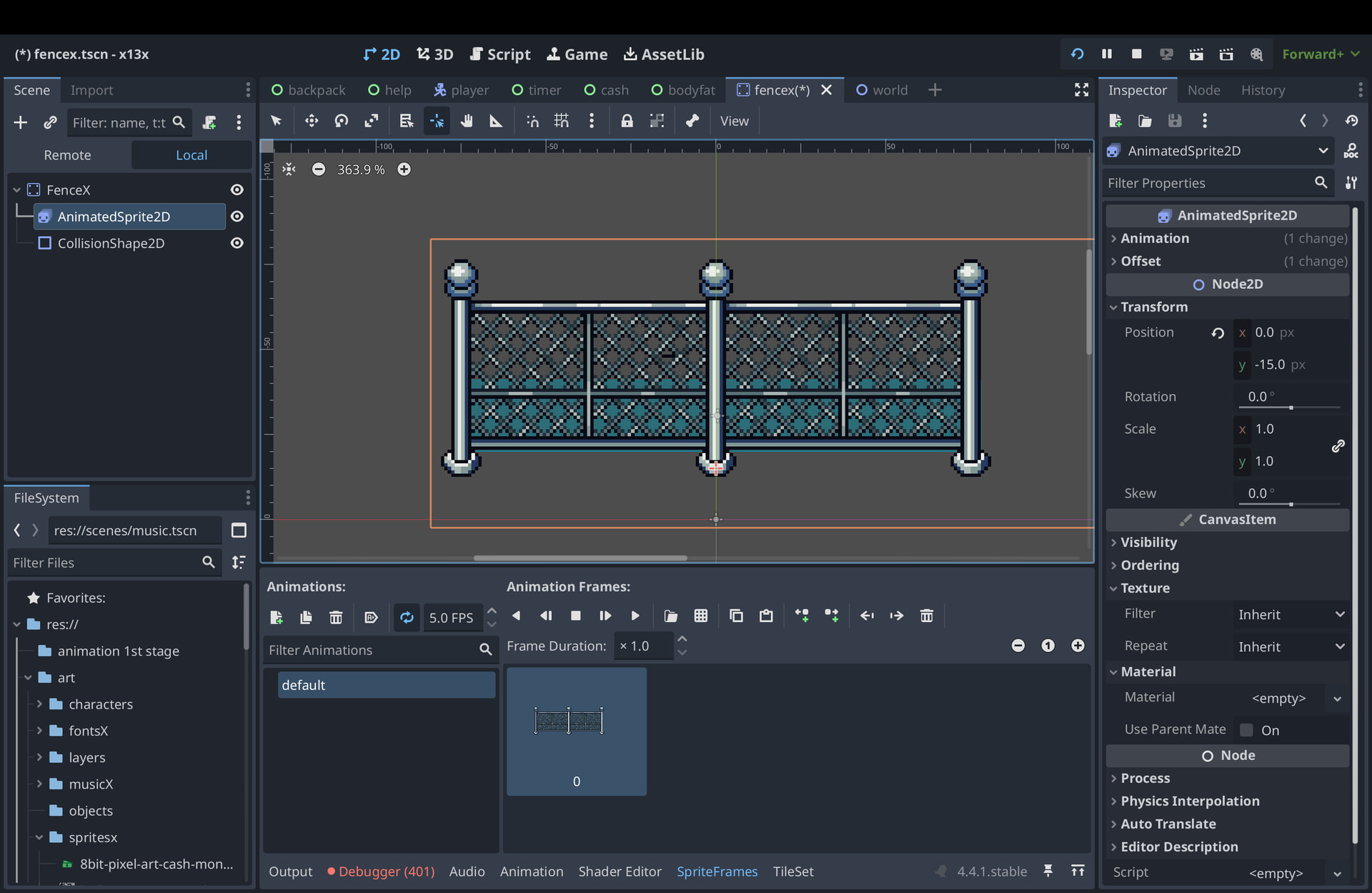
Thanks for your help, I see what you’re saying. My character is still appearing above the fence and I’ve been adjusted the origin points several times. Maybe I’m doing it wrong. Do these images fit what you mean?
the sprite’s z-index is set to 5 in that picture
1 Like
ok yeah i’m definitely fried and was not paying attention  I had player index set to 1 but wasn’t paying attention to the individual sprite, thanks so much. I fixed it and now it’s actually appearing behind the fence, but when it approaches the fence, it’s appearing on top from the front. I’m sure it’s another z index thing I can solve rather quickly
in the screenshots of the fence and character, it looks like the parent node’s origin is in a different position than the sprite’s. if the fence and the character are both children of a parent y-sort container node, then their origins are the ones that matter, not their sprites’ origins; if you line those up, it should work perfectly.
i believe you don’t need y-sort enabled on the staticbody2d or characterbody2d, since that makes them sort their children and they only have one visible child anyway, but it shouldn’t be causing any problems either
2 Likes
This is really helpful, I’m almost there, it’s just when I get as close to the fence as possible (to the collision), my player goes over the fence once again
Where are your scene origins which respect to the colliders now?
If you’ve put them in the ‘middle’ of the colliders then you are still going to have issues with objects having different sized collision shapes, and if you are inconsistent with it you are going to have all sorts of issues 
Line you scenes (character, fence + whatever else) up so the origin is at the bottom of the collision shape, not in the middle.
eg:
2 Likes
Yeah, that was the exact problem. Thank you a lot, all of you in this thread came in super clutch. I’ll remember this info  Problem all fixed.
1 Like