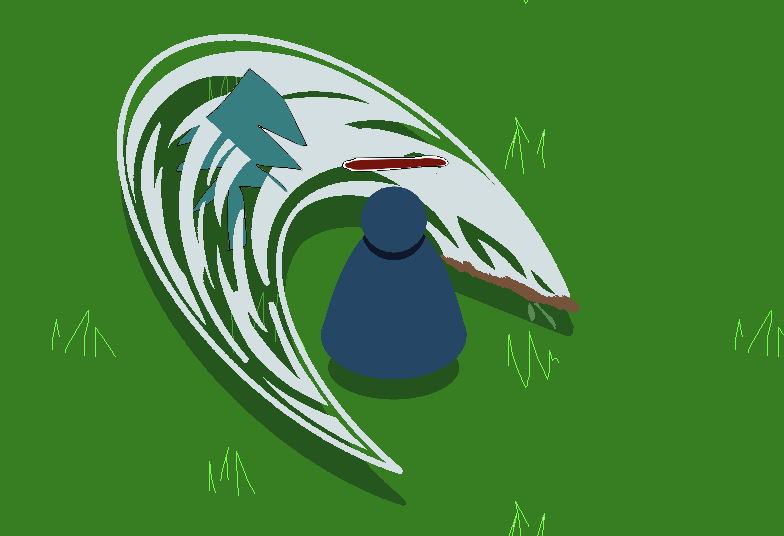
I’m using animations to control the z index of various sprites in my player to allow the attack sprite to be in front of/behind the player depending on which way they’re looking. This has worked pretty well, but I’m running into issues with the layering of sprites outside of the player:
I’d ideally want the player sprite to be rendered on a single layer so that the attack sprite was at least consistent with the z-ordering of the player.
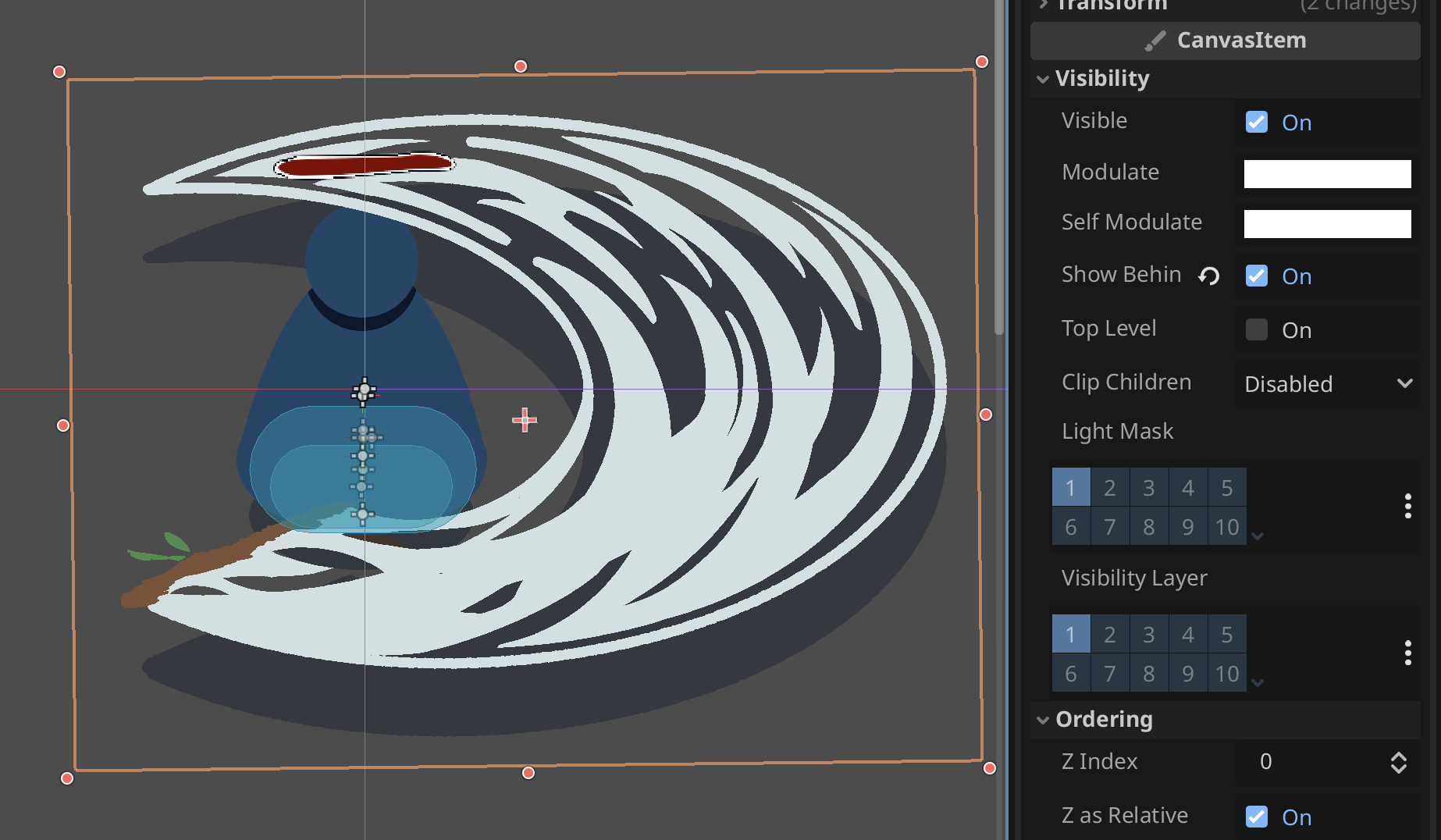
I tried doing this by putting all of the related sprites into a CanvasGroup but it didn’t have any effect on that.
The only thing I can currently think of would be to reparent nodes instead of changing their z-index, but that just feels so much more jank. Is there any way I can use z-indices specifically for ordering inside of a node and then treat all of the children as a single layer outside of that node? Is there an obvious solution I’m ignoring?
The z index and y sort are supposed to control the order the nodes are drawn. I don’t think there is a way to flatten other than to render into a texture first, which is probably an overkill for the issue.
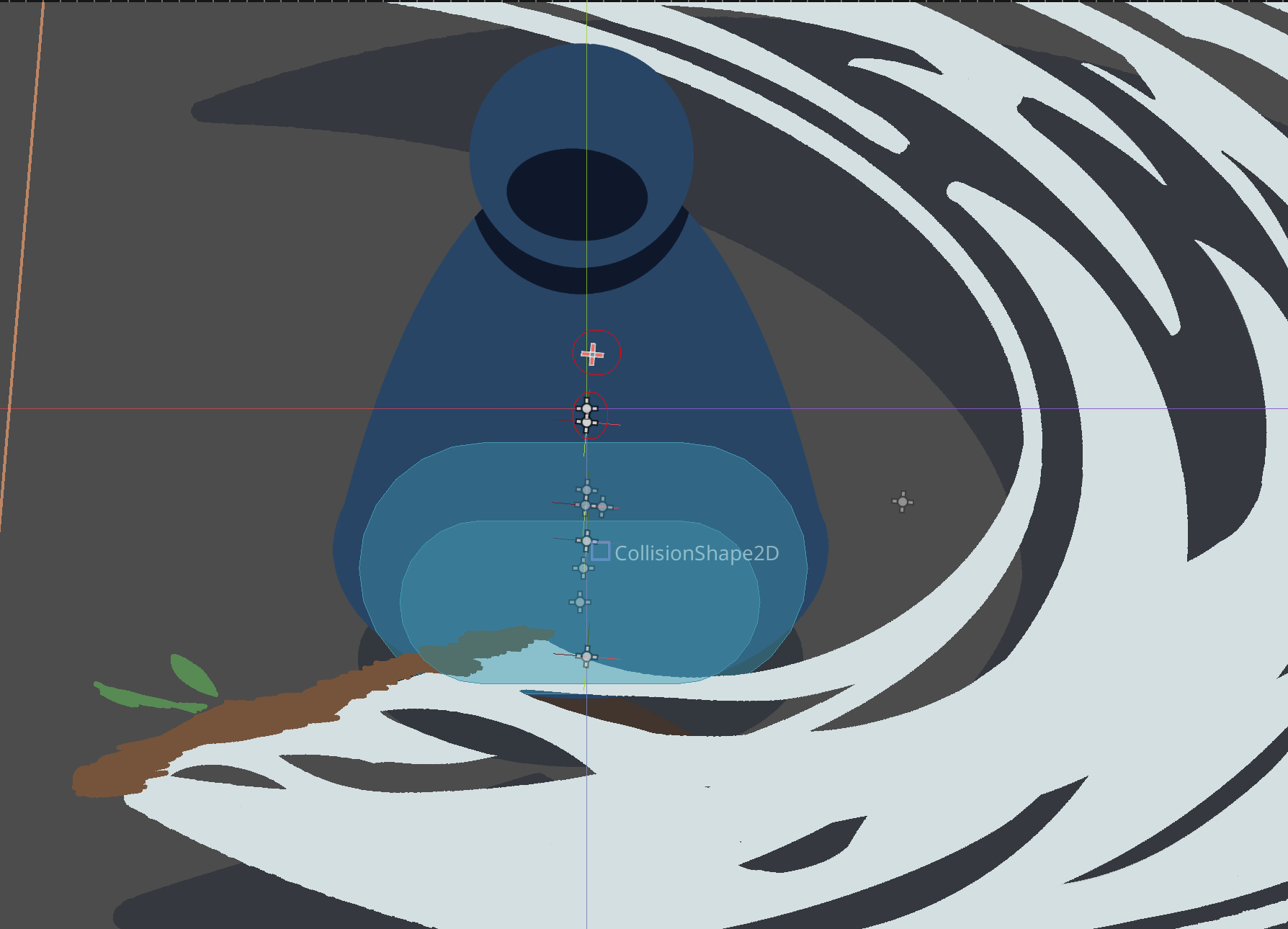
Frankly, I don’t entirely understand the situation you are having. How are the sprites on the screenshot clipping through one another? Is the attack sprite actually two sprites in different layers?
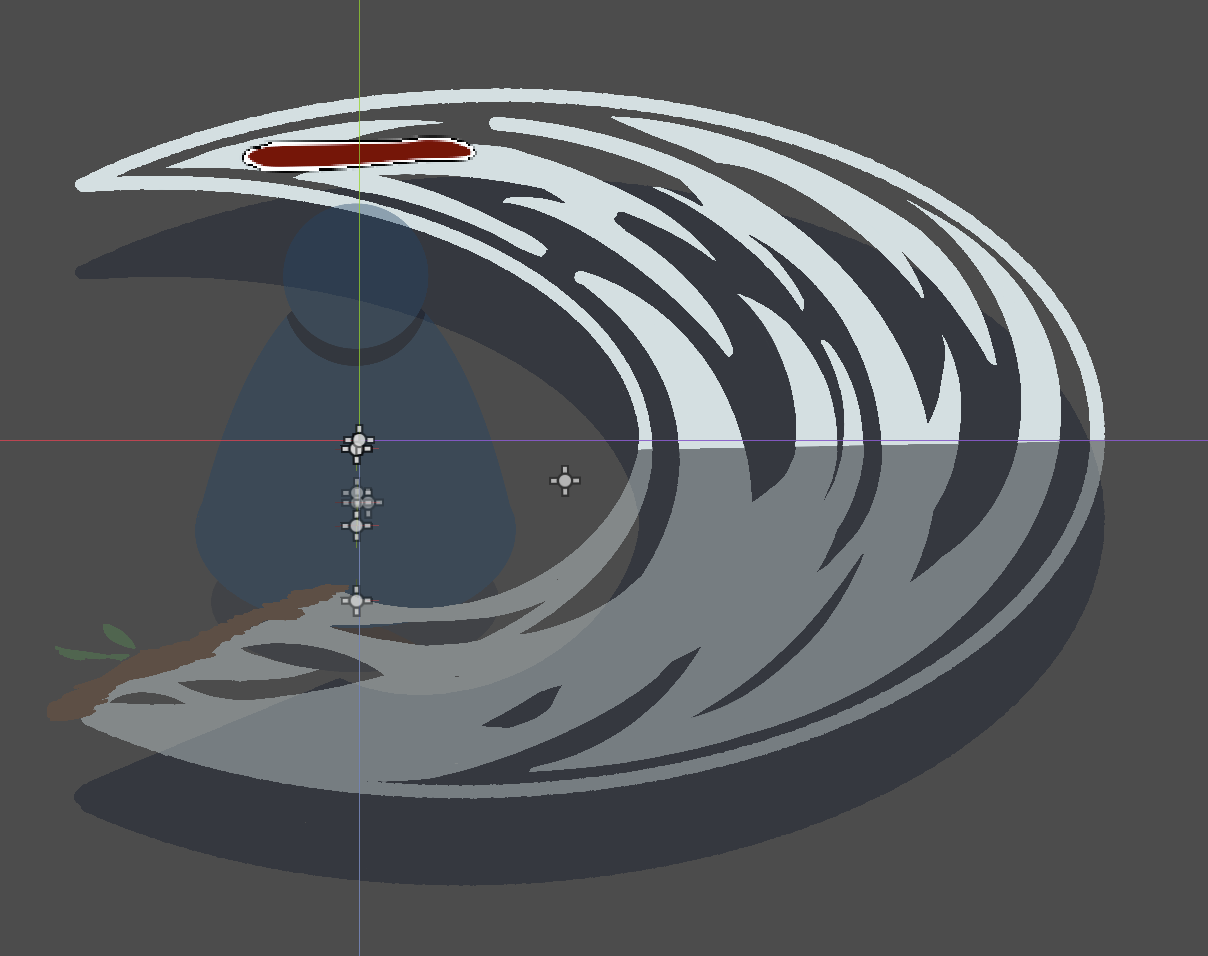
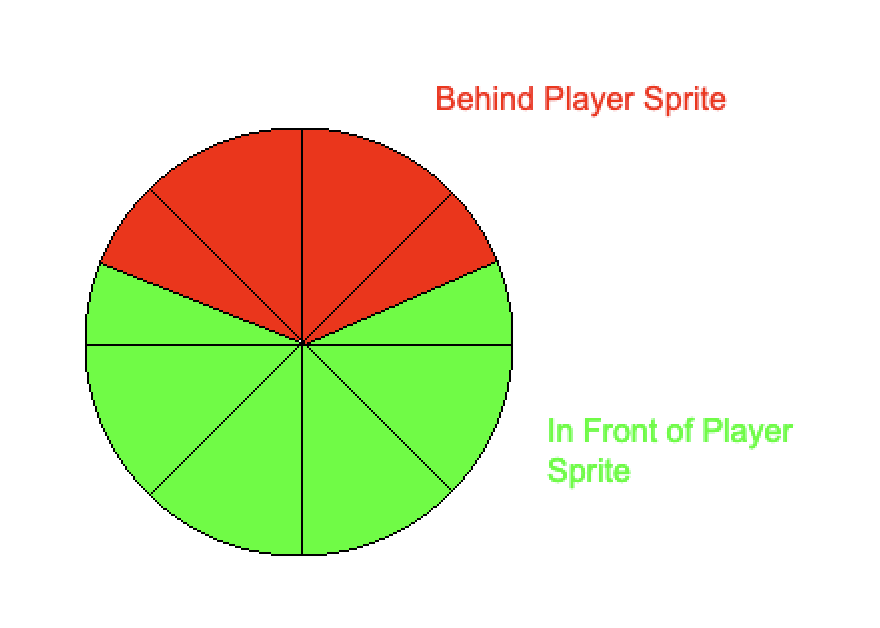
Yeah, the attack sprite is split in two so it can be rendered on top of and below the player since it overlaps with the blue player sprite in the center. I’m doing this by setting it’s relative z-index to -1 or zero depending on the rotation/direction of the attack.
I was really hoping I could render the sprites to a texture using the canvasgroup node since that was sorta how I understood it worked? But no dice there.
Edit: it seems that the canvas group just ignores items on a different z-index:
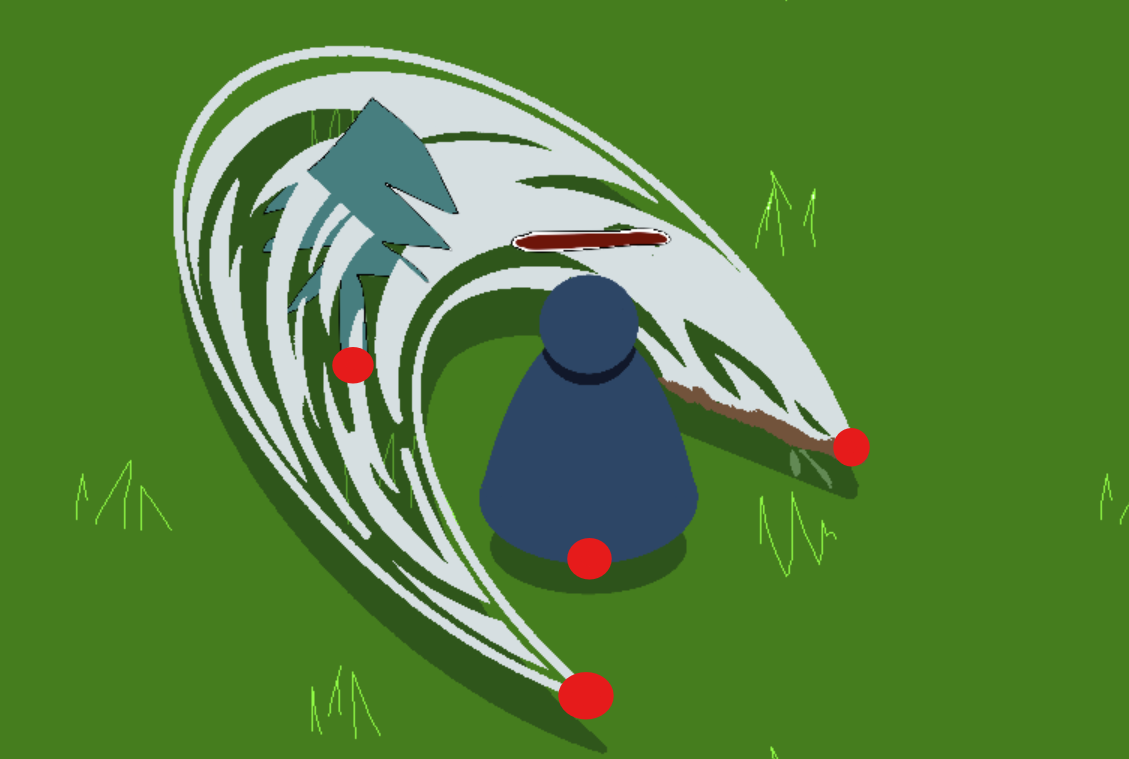
The position of each sprite should be around the red points I marked.
Then y-sorting should work as intended - the upper attack sprite position should be lower than the tree position.
The way CanvasGroup is documented it is hard to understand what its purpose or the intended usage is, but it definitely does not draw its children as one object. You might have to render your player group into a separate viewport, and then use the one texture from that. Beware however that this comes with a penalty to the performance. I’d recommend testing it on the weakest device you are aiming to support to make sure it will perform acceptably.
Alternatively, you could leave things as they are and just edit the attack sprites so that the cut is less jarring/unnatural when it intersects something.
You could have all player sprites as children of one node and on the same z layer, just changing the order of these children to control how they overlap one another.
You could implemet a custom sorting and in it allocate several z layers for the player and its various sprites, and place everything else outside that range.
So it ended up being a bit more complicated than this because of the rotation of the attack sprite, but unifying the z-sorting to all be controlled by the y values did get the result I was looking for! By only offsetting the y of the attack sprites slightly from the center of the player they’re basically always drawn on the same z-index as the player (at least relative to other objects in the scene).
The player sprite’s origin ended up not being set at the feet since it’s position had to be relative to the axis of rotation of the attack sprite which means everything else will have to have a sorta y-offset for their origins, but that’s a level of jank I can live with.
(top point is the origin of the upper attack, middle point is the origin of the player sprite, lower point is the rotation axis for the attack sprites)
Here’s the ordering logic I had to translate into y-index sorting if you’re curious:
As an alternative, I think @rpahut’s solution of changing the artwork to have a more jagged edge would have also worked pretty well, thanks for all the suggestions!