Hi everyone,
I’m a solo developer working on a medieval England RTS in Godot 4.7 (.NET, C#). The working title is 2.5D Europe. It mixes town building with large battles, in the spirit of the big RTS games of the early 2000s. I’d love feedback from people who know Godot’s 3D side better than I do.
All numbers in this post were measured on my PC:
- GPU: NVIDIA GeForce RTX 5090, 32 GB, driver 617.14
- CPU: AMD Ryzen 9 9950X3D, 16 cores
- RAM: 64 GB DDR5 at 6000 MT/s
- OS: Windows 11 Pro 25H2
- Godot 4.7.2 .NET (Forward+, Vulkan 1.4), Unreal 5.8 for the comparison
Nothing else was using the GPU during the runs. That is a high-end machine, so I don’t have numbers for mid-range cards yet (see question 5).
Where I’m heading
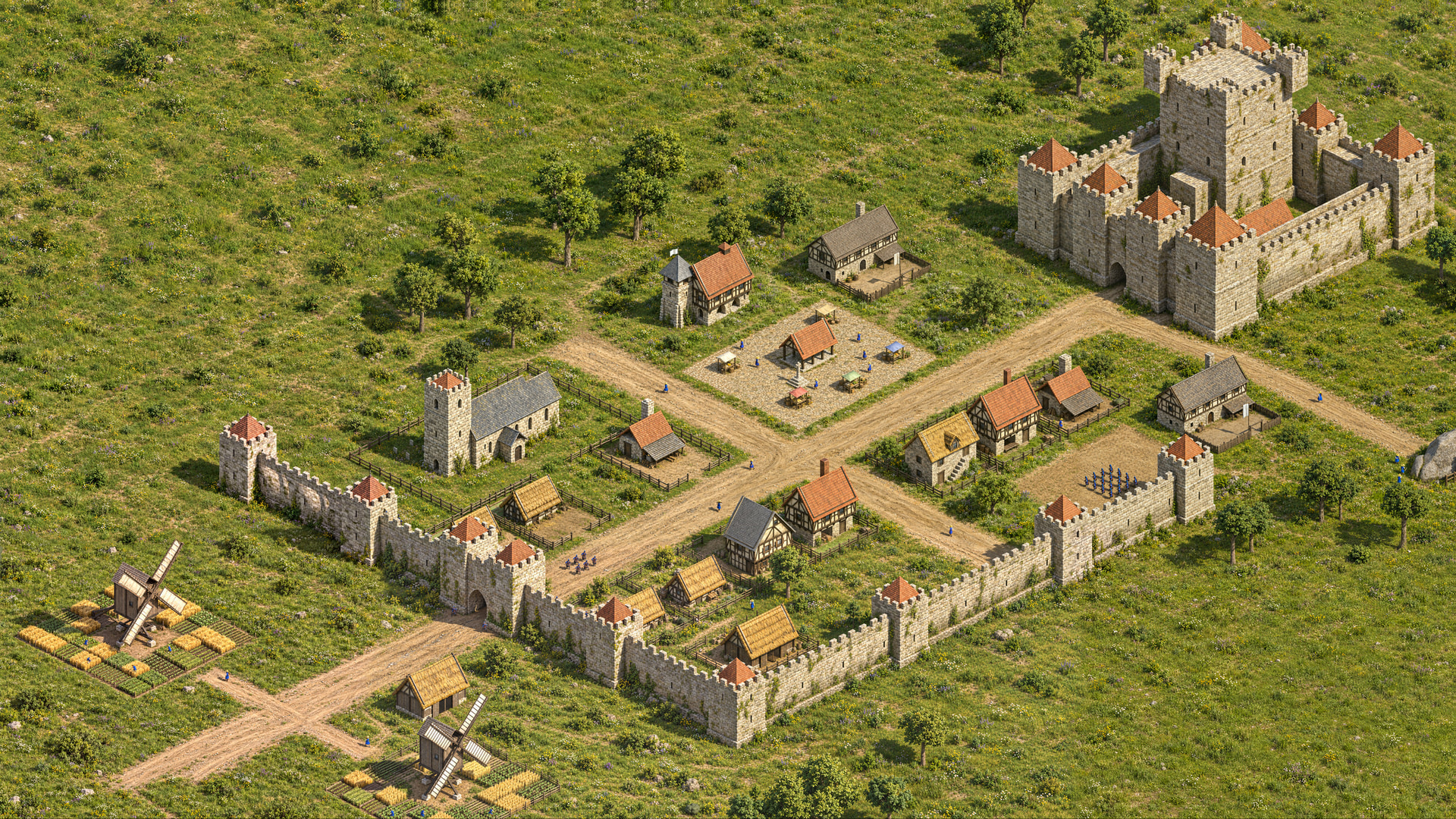
This is the style target. The town grows around a castle that upgrades from a wooden fort to a stone castle. Workers are part of the population: they live in houses, fill jobs in nearby buildings and carry goods to the market. Thousands of soldiers fight in formations. Buildings burn and collapse, and the rubble stays until someone repairs or rebuilds. Archers shoot in an arc over walls and gain range from height. The economy is designed but mostly not built yet. Right now I’m proving the engine side.
From 2.5D sprites to full 3D
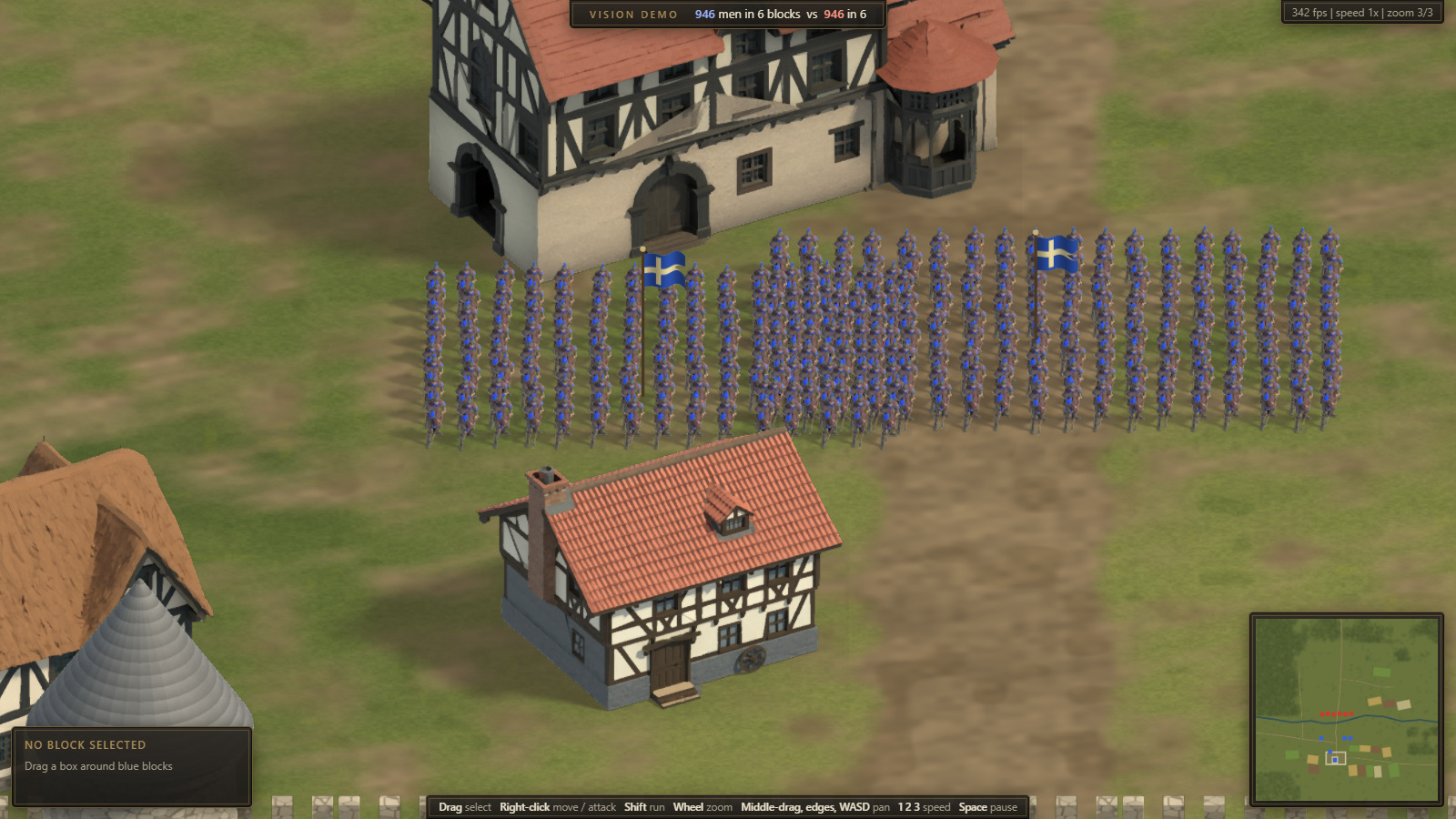
The project started as a 2.5D isometric game in the browser (above), with units and buildings pre-rendered in Blender as sprites. When I moved it to Godot 4 C#, I tested what real 3D would cost. The battlefield with 5000 animated 3D soldiers took about 7 ms of GPU time at 4K on my machine. The same army as sprites took about 4 ms. For those 3 ms I get dynamic lighting at any time of day, real shadows, fire and collapse. So the game is now full 3D with a fixed RTS camera.
What runs in Godot right now
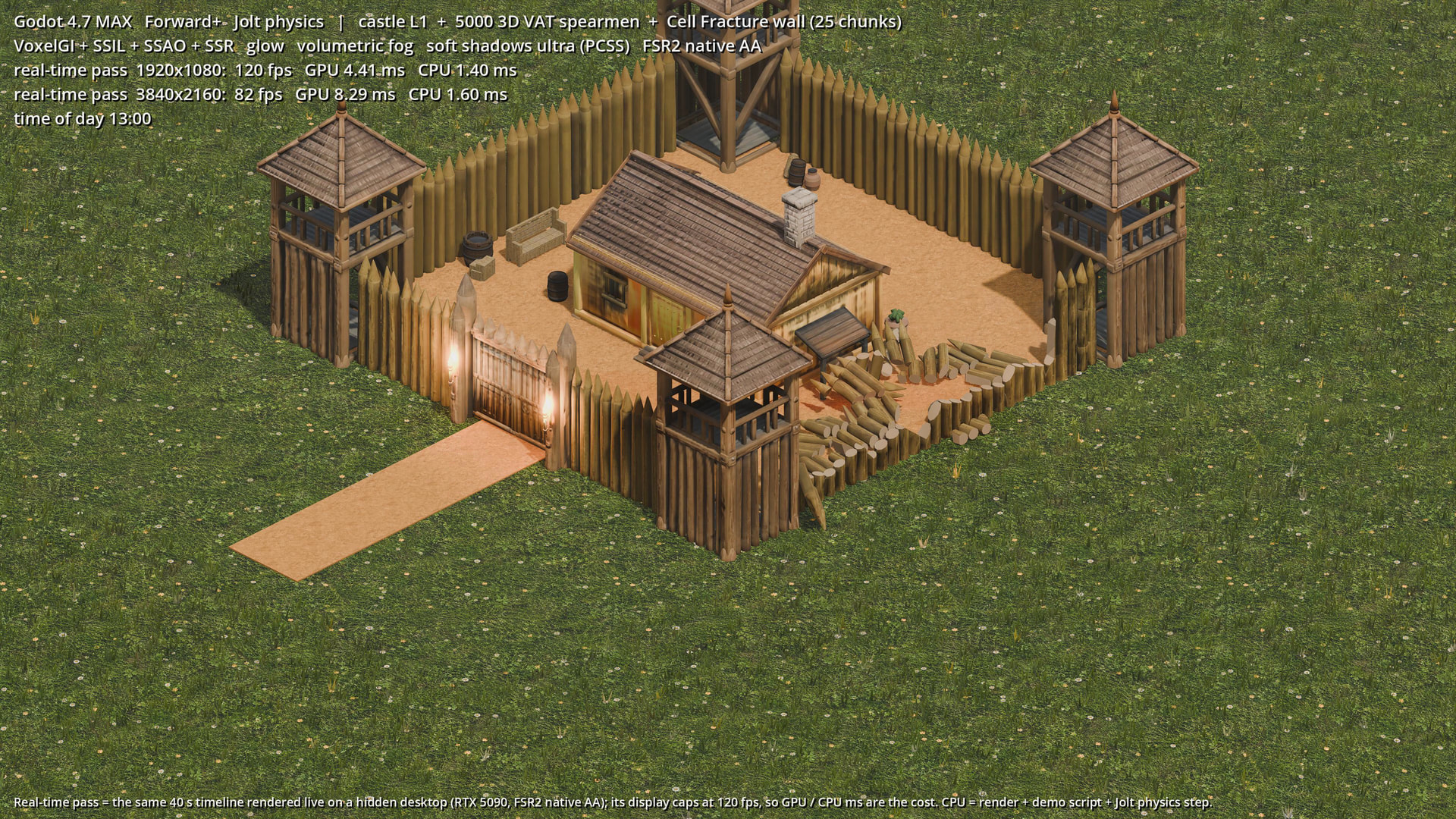
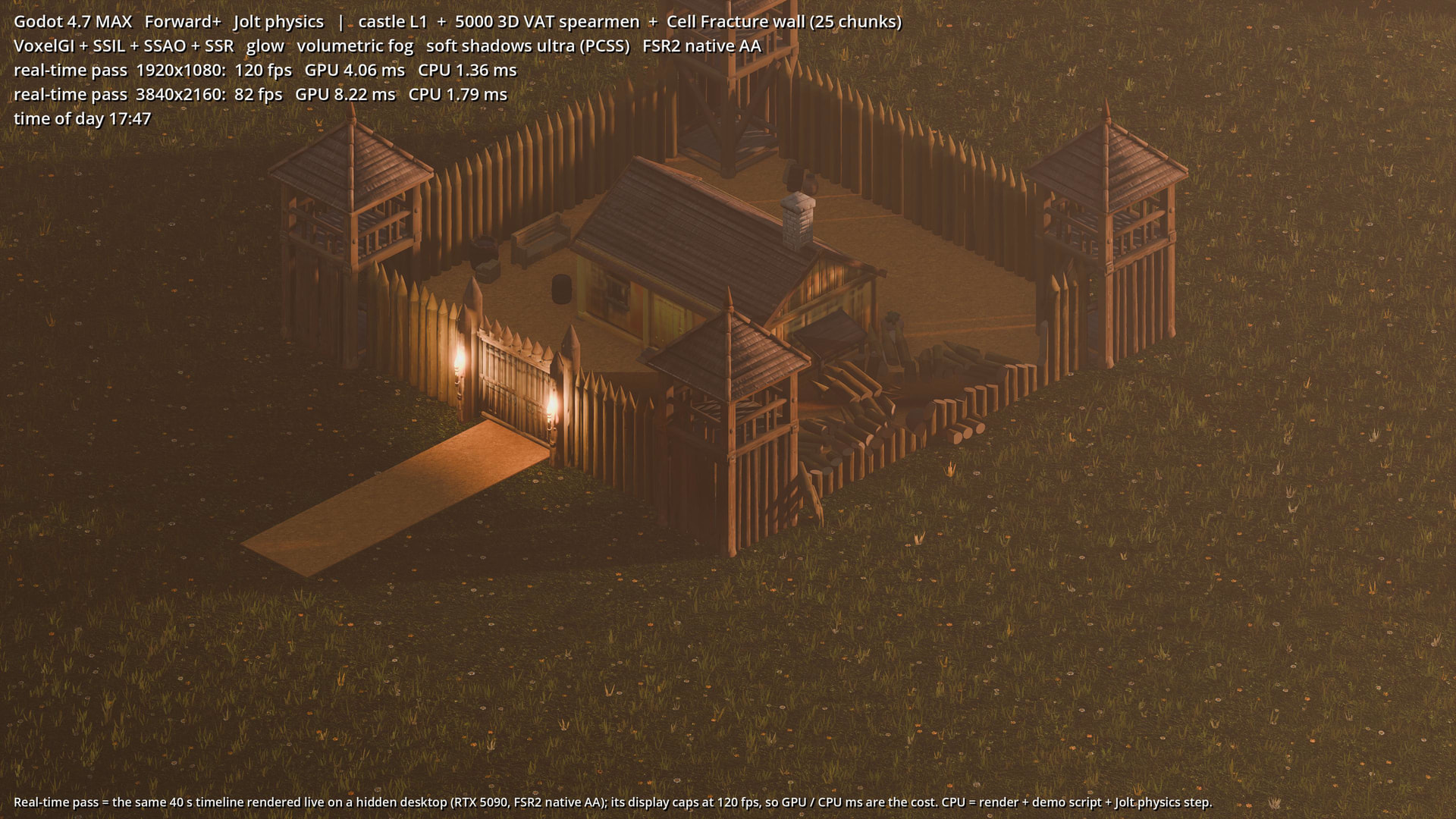
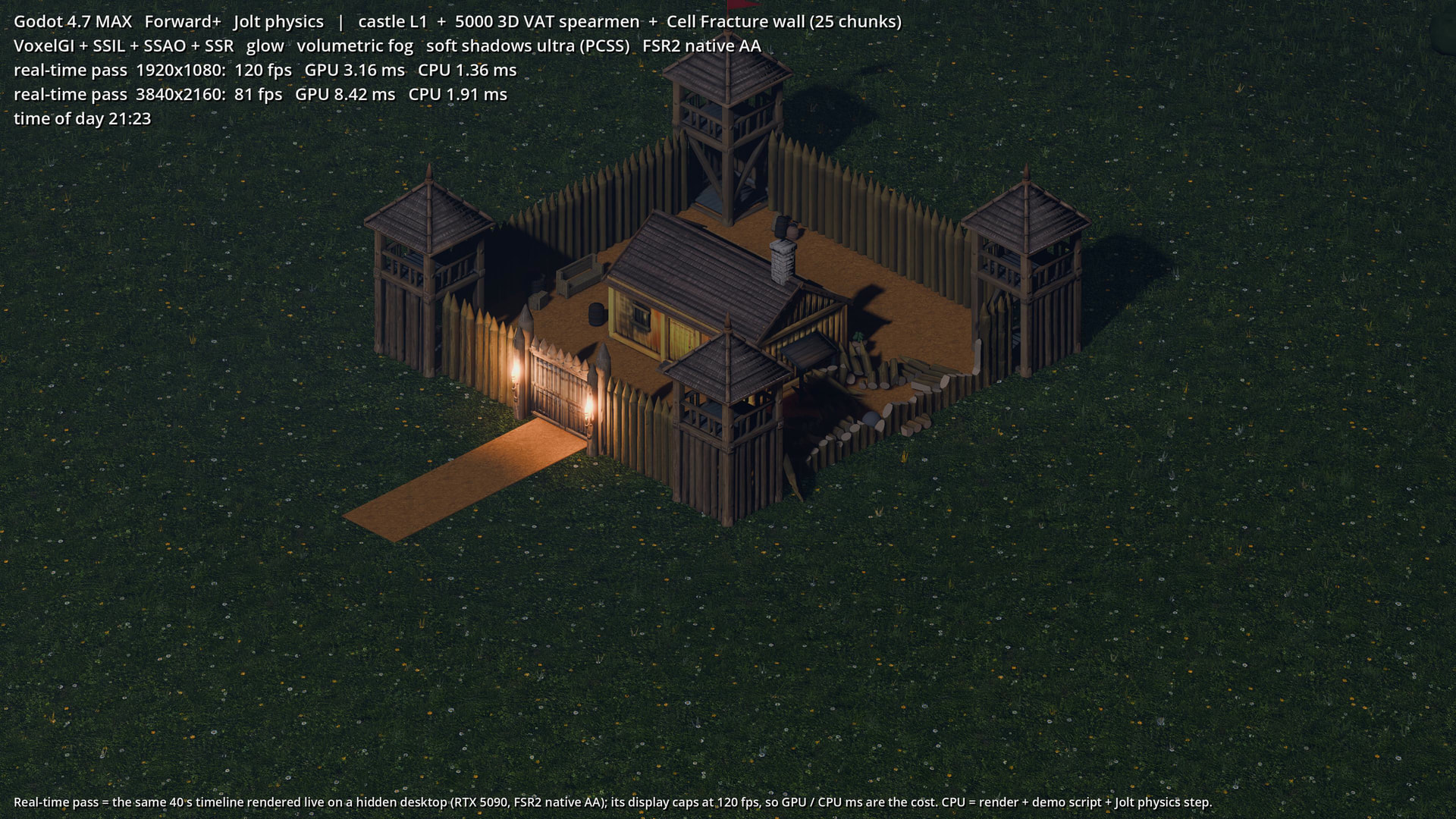
The settings are 4K, max:
- VoxelGI around the castle (two bounces)
- SSIL, SSAO and SSR
- volumetric fog
- soft shadows, with PCSS on the torches
- glow
- FSR2 at native resolution as anti-aliasing
The 40 s demo runs a full day and night cycle. It averages 11.8 ms per frame (84.6 fps) and uses 2.8 GB of VRAM.
The palisade is pre-fractured in Blender (Cell Fracture) into 25 chunks that become Jolt rigid bodies when a stone hits. The rubble stays on the ground.
I started with SDFGI. At my camera distance, the 0.3 m palisade fell into a 2 m cascade cell and became a thick slab in the SDF, which left wall-shaped dark bands across the courtyard at dusk. VoxelGI around the castle fixed it for about 0.85 ms more.
Stress test
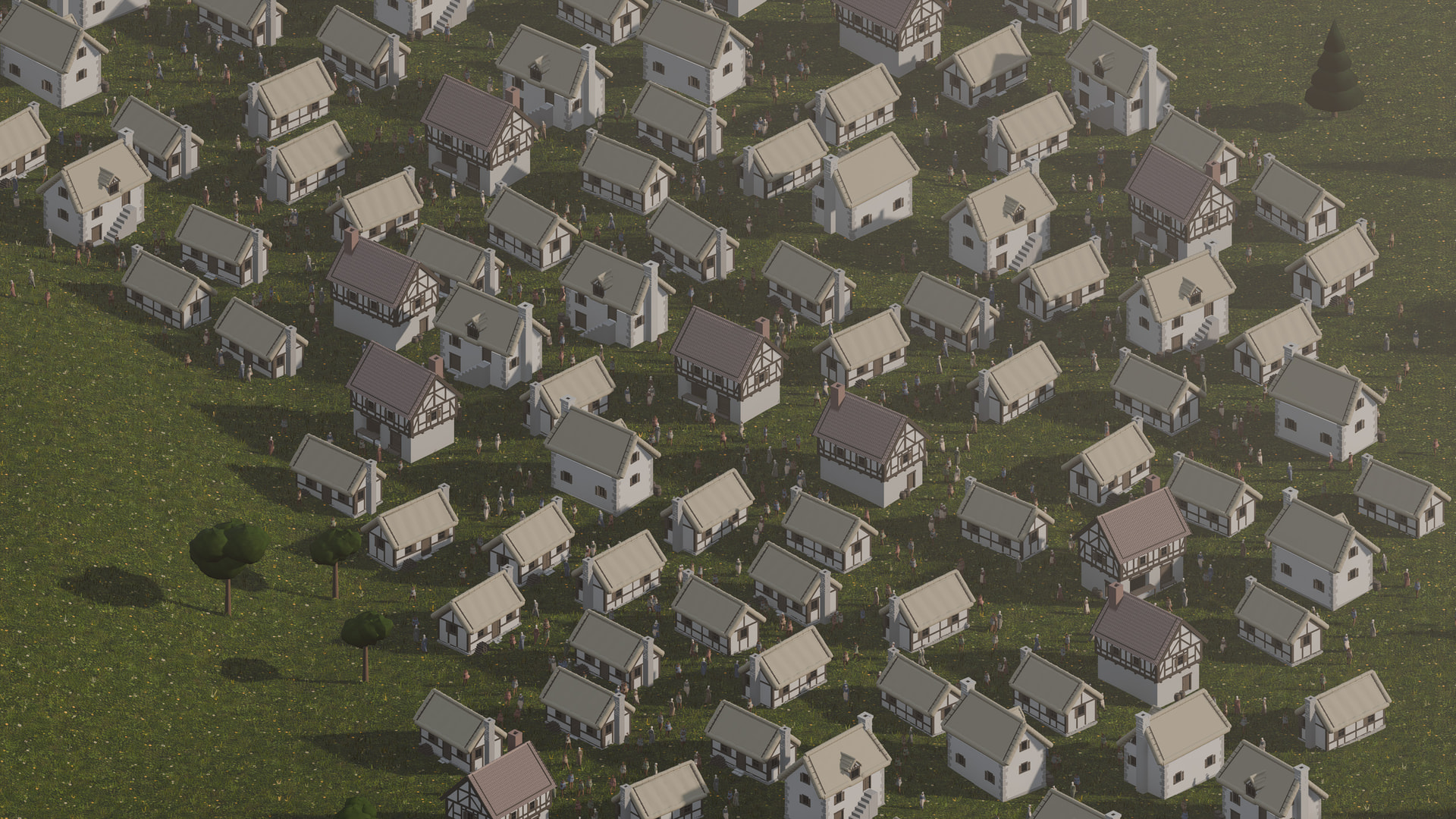
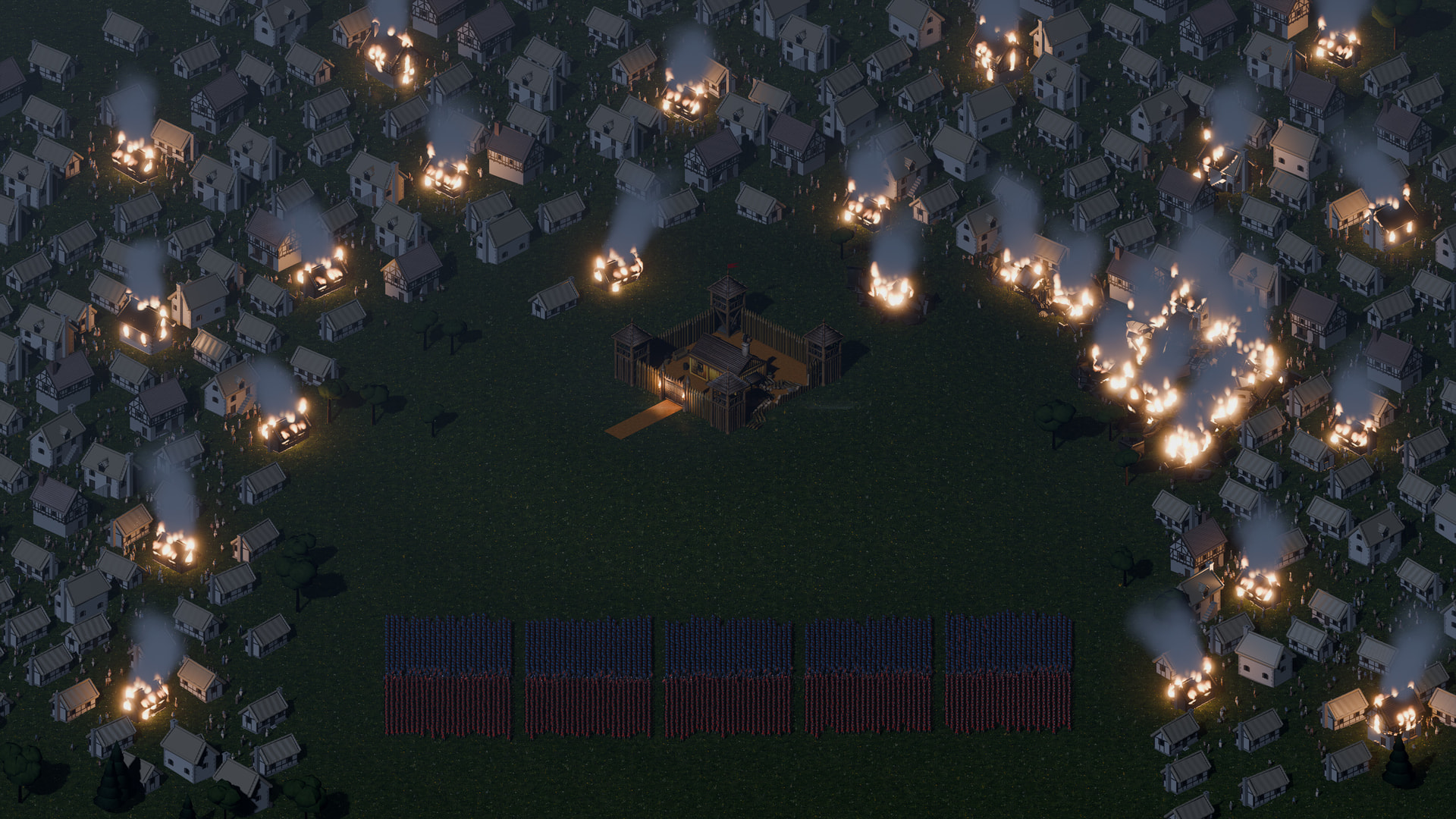
One scripted 60 s timeline:
- 300 houses
- 3000 civilians walking door to door
- two armies of 2500 that meet and fight
- rain with wet ground
- 30 houses on fire at night, with 8 shadowed fire lights
- 10 houses and a palisade collapsing into pre-fractured chunks (Jolt)
The houses are untextured placeholder models, because this test is about cost, not looks.
Results at 3840x2160, max settings, on the PC listed at the top:
- GPU: 11.7 ms average, 20.2 ms p99
- Frame: 12.3 ms average, 21.1 ms p99, 24.3 ms worst, no frame over 33 ms
- VRAM: 3.1 GB, with up to 1748 draw calls and 7.8 M primitives
- The first 40 s (town, battle, rain, night fires) stay under 16.7 ms. The collapse and the wide shot at the end push the p99 to 21 ms.
At 1080p on the low preset the GPU takes 2.9 ms on average, with 1.0 GB of VRAM.
How the units are drawn:
- MultiMesh with vertex animation textures. Positions and normals per frame sit in RGBA32F textures; the shader fetches them by VERTEX_ID and blends between two frames.
- The pose goes through INSTANCE_CUSTOM, so FSR2 gets correct motion vectors and the shadows animate.
- One MultiMesh per LOD per spatial chunk, with three LODs chosen by on-screen height.
- The CPU side for 8000 agents costs about 1.1 ms.
Things that bit me, in case it saves someone time:
- One GD.Print during the timed run cost 32 ms (stdout went to a file). Log at the end.
- Smoke lit per pixel under 8 shadowed omni lights was very expensive. Lighting smoke, dust and rain per vertex took the collapse view from 25.6 to 17.9 ms of GPU time.
- Moving chunks inside the VoxelGI volume were re-voxelized every frame. That was about 3 ms the GPU timer did not show. Moving things now receive GI but don’t feed it.
- Changing the mesh on 160 MultiMeshes in one frame caused 24 to 33 ms stalls. One MultiMesh per LOD, toggled by visibility, fixed it.
- Freezing 8 rigid bodies in one frame cost 30 ms, so I freeze at most 2 per frame.
- “Too many instances using shader instance variables”: raise the global shader variables buffer (I went from 4096 to 65536).
- Occluders didn’t help in this top-down view (11.70 vs 11.63 ms).
Why I also built it in Unreal
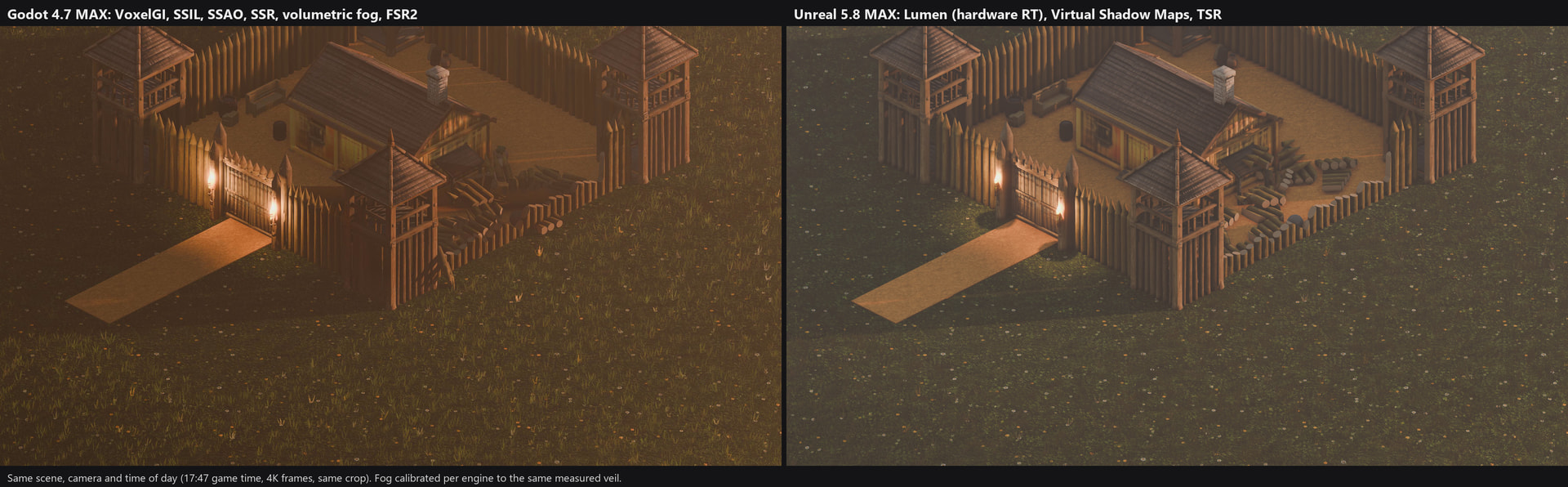
Choosing an engine for a game like this is a big decision, and I wanted numbers instead of opinions. So I built both scenes, the 40 s demo and the 60 s stress test, in Unreal 5.8 as well. Both ran on the same PC, with the same assets, camera and timeline, and nothing else on the GPU. Each engine was at its own maximum: Godot as described above, Unreal with Epic settings, Lumen with hardware ray tracing, virtual shadow maps and TSR.
| Godot 4.7 | Unreal 5.8 | |
|---|---|---|
| Demo, 4K max | 84.6 fps | 75 fps |
| Demo, CPU per frame | about 1.7 ms | 13.4 ms (render thread bound) |
| Demo, VRAM | 2.8 GB | 7.2 GB |
| Stress, 4K max | 81 fps | 66 fps |
| Stress, GPU average / p99 | 11.7 / 20.2 ms | 14.6 / 19.4 ms |
| Stress, frame p99 | 21.1 ms | 20.4 ms |
| Stress, frames over 33 ms | 0 | 0 |
| Stress, VRAM | 3.1 GB | 7.7 GB |
| Stress, 1080p low, GPU average | 2.9 ms | 1.5 ms |
| Stress, 1080p low, VRAM | 1.0 GB | 2.2 GB |
What I took from it:
- Godot ran the same load with fewer resources: about 2.5 times less VRAM and far less CPU time per frame. That matters for an RTS that still has to fit pathfinding, AI and the economy on the CPU, and for 6 to 8 GB graphics cards.
- Unreal looks better out of the box in three places: ray-traced reflections on the wet ground, sharper shadows from virtual shadow maps, and Lumen GI that updates on its own when buildings appear or collapse. It is also cheaper on the GPU at the low preset.
- Most of the visible difference in fire, smoke and rain comes from how I set them up in each engine, not from the engines.
- I’m leaning towards Godot. The biggest open question is GI for a town the player builds and destroys (question 2 below).
3D models
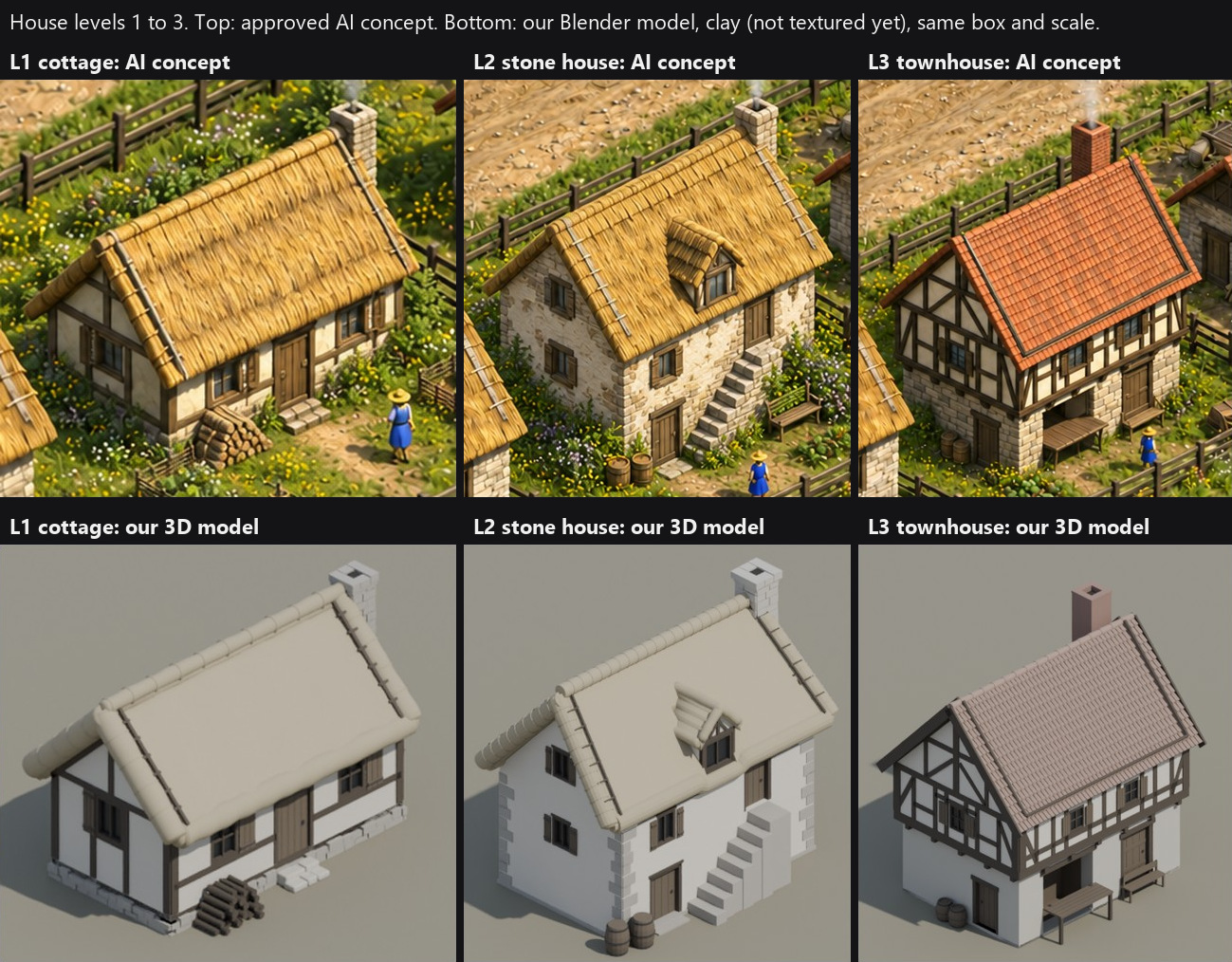
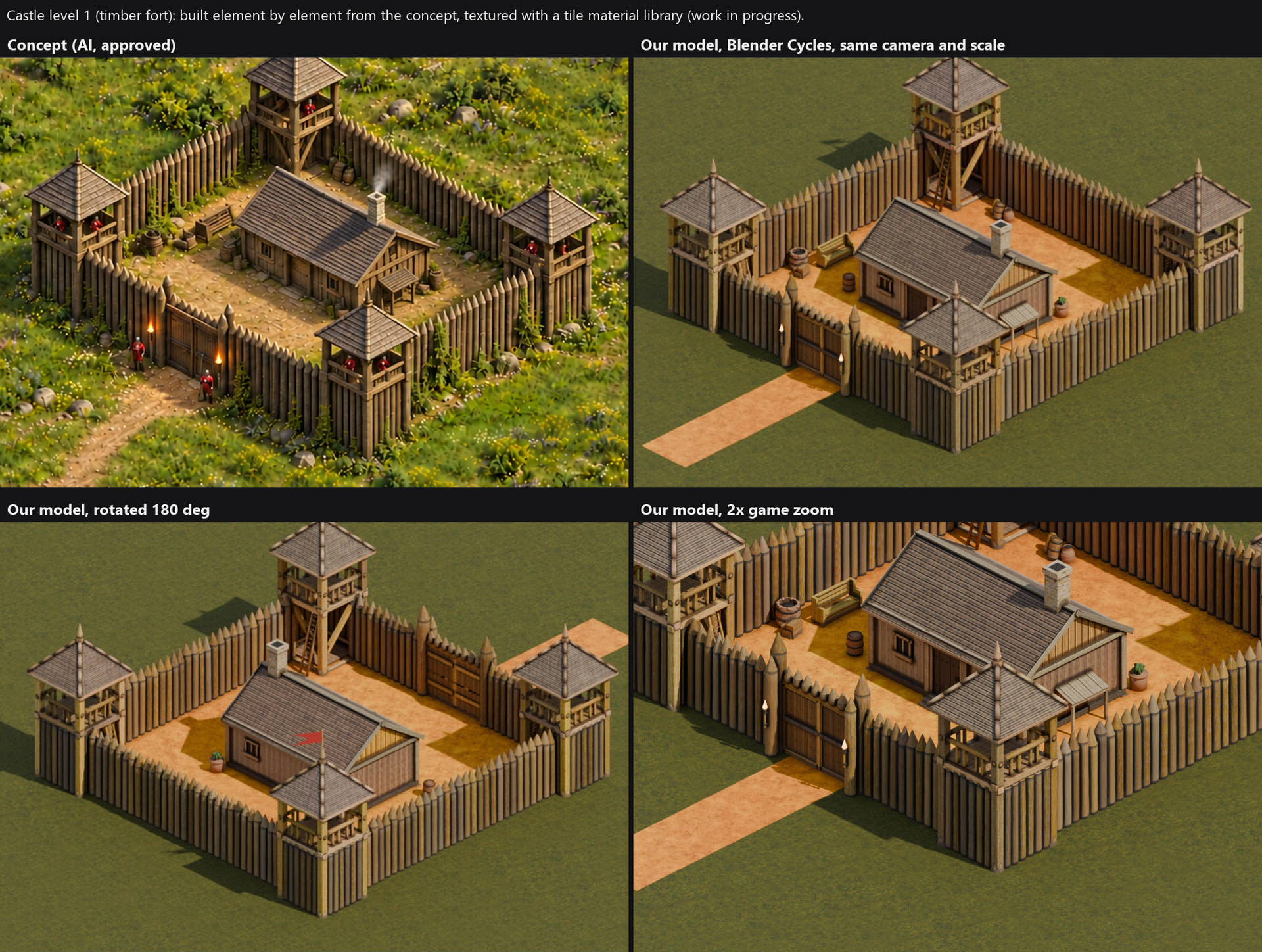
I model the buildings in Blender from approved concept art, one element at a time:
- Every log, beam and stone is a named part, sized from the concept at the game camera.
- Each element is checked against the concept before I start the next one.
- Every part carries tags for burning and destruction: material, burnable, a support graph and damage stages.
The houses are 17k to 21k triangles, and the level 1 castle is 74k triangles in 437 parts. The textures come from a library of tileable materials applied per element, with variation per log, AO, dirt and moss, baked to standard PBR. In Godot the whole textured castle draws in 0.69 ms and looks the same as the Blender render.
To be upfront about tools: the concept art and the texture tiles are made with AI image tools. The unit base meshes started as AI-generated models that I then rigged and fixed, and the unit motion comes from licensed mocap packs. The buildings are modeled in Blender.
Where I’d love advice
- Has anyone pushed Godot 4 to thousands of animated 3D units in an RTS? Is MultiMesh with vertex animation textures the right way, or is there something better, for example compute skinning?
- GI for a big map with a day and night cycle, where the player builds and destroys buildings all the time: VoxelGI per castle or town area works for static scenes, but how would you keep it right as the town changes? Any tricks for thin geometry with SDFGI?
- Destruction: the collapse is my most expensive moment. Do you merge settled chunks back into static meshes, or did something else help you?
- Many fires at night: 8 shadowed fire lights fit. How would you scale to 30 or more visible fires that light the ground?
- Mid-range GPUs: my baseline target is an RTX 3060, with the RTX 2000 series playable on low. Which settings would you cut first?
- Any feedback on the art direction is welcome.
Thanks for reading! I’ll post updates in this thread.