Hello!
I’m creating an addon that adds a 2d scene instance for displaying a custom node graph, w/ gui elements. (GraphEdit is being replaced sometime and I’m working towards some new allowances for my own graph tools)
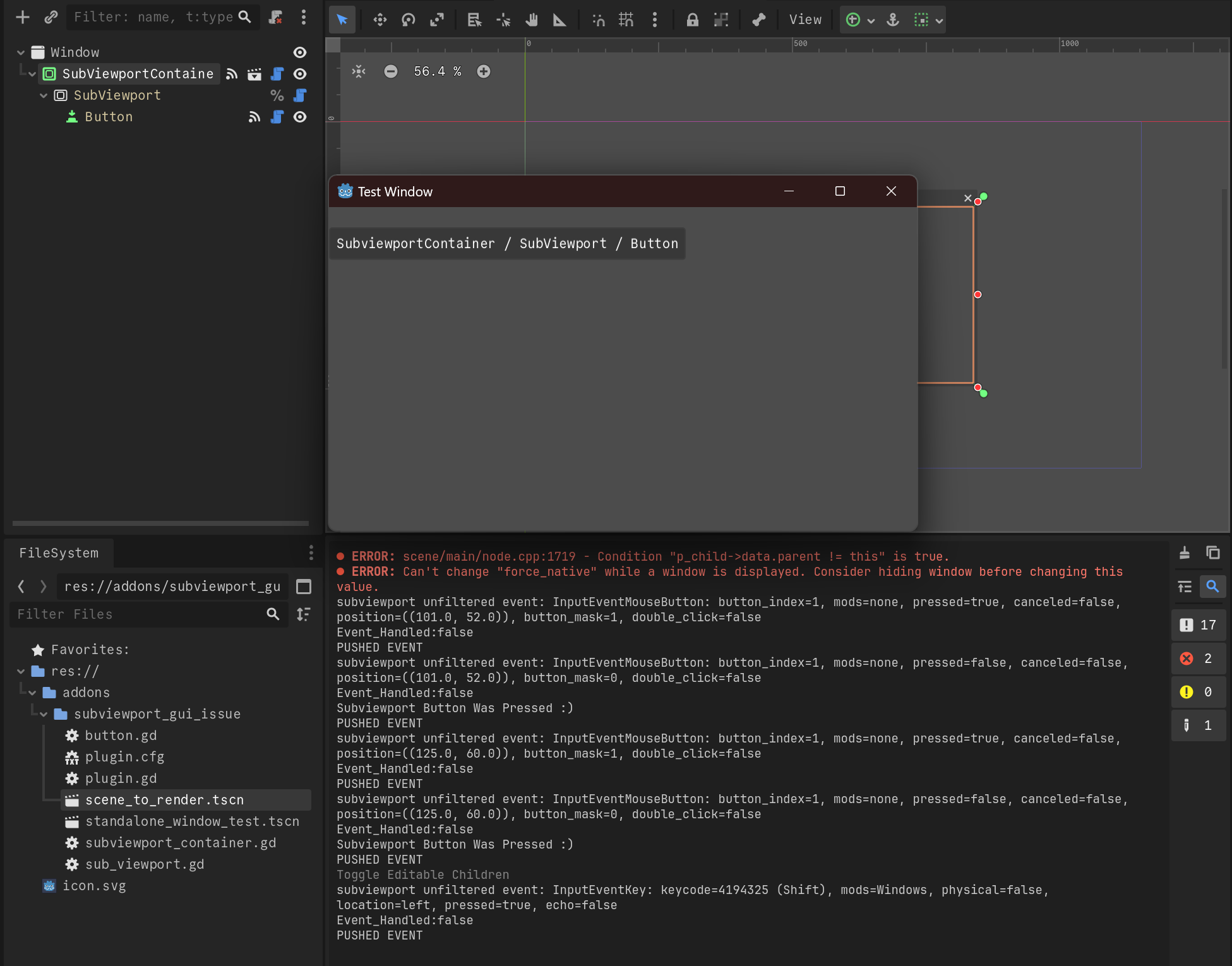
For this I’m using a tree of SubViewportContainer / SubViewport / ... / Button and pushing all events up into the 2dscene via SubViewport.push_input (this methodology comes from the GUI in 3d demo)
This works fine in the game scene!
However when running in an editor panel it seems that the InputEvent is being consumed somewhere before it’s propagated in the GUI input evaluation phase. This is strange to me since push_input docs suggest that it’s run the event in all eval phases on all children in a blocking manor.
Every control node has the ability to filter or propagate input, you should check how the subviewport container is handling input since it most likely expands the whole window effecting all input for the game.
The one odd thing is having that button a a direct child and sibling to the subviewport, if the filter settings are corect and the issue persists, i would try moving that button out by creating a new root control that would make the button and subviewportcontainer siblings, or move the button into the subviewport.
Thanks for taking a look. These buttons were added for my testing purposes and you are right, they may impact the base functionality. However all of these buttons run operate correctly in a standalone game, but not when added to an editor panel.
Just to be safe with your advice, I did test with only a single button and as before it incorrectly in the editor, but correctly in the game instance
Each button in the viewport is shown as uncaught, and is pushed into the SubViewport.
I’m starting to believe it may be a bug with SubViewport.push_input inside the Editor context with button presses. Will test with a standalone Window next (instead of inside an editor panel) and then submit a bug report.
A standalone Window/Viewport may be all I require for my purposes, so I will also test that.
IIRC each window has it’s own event consumption loop, so it may be that push_input is just registering an event to be pushed each Input Evaluation Phase, and something else within the editor panel is consuming that GUI input.
Will add this to the repo as a second example before submitting a bug report.
If that did fix your issue, I would assume the fix would simply be provide a warning to only use a subviewport as a child of a “subviewport container” and not anything else.. its sort of in the name…
To clarify, in all cases I used a SubViewportContainer / SubViewport chain with SubViewport.push_input. The only difference was in that chains parent/context of:
Editor Panel (Doesn’t work)
Editor Separate Window (Works)
Game Instance (Works)
Thus I have to assume that there is either a floating UI element in the editor-panel eating the inputEvents, and/or my mis-understanding of push_input’s blocking/non-blocking behavior to the rest of the event consumption.
I’m sorry for any misunderstanding I may have caused!